




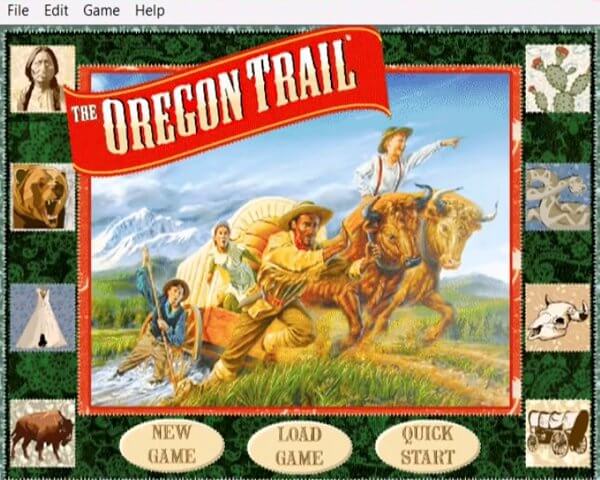
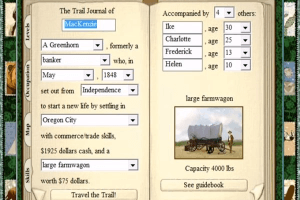
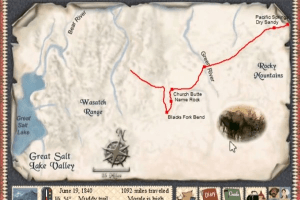
How to Play
The Windows 10 Repack is a mirror from https://archive.org/details/oregon-trail-5th-edition. Here are the installation notes:
- Download the ZIP file and extract the contents to C:\ You must extract to here only, or else it will crash. If you would rather have it somewhere else, you will have to open up the .ini file, and change the install location path to the one you chose.
- Open the folder, and double click the OTS.exe file, and you are good to go!
Go to the dedicated page on Archive.org for more details.
 English






Comments and reviews
Try this if you have windows 11. I used Claude to help modify and fix some wrappers to run the game a little better and at 2x scaling.
https://github.com/Mythris29/ot5-win11-fix
If you find issues submit them as bugs on github and I'll see if I can fix them.
Error on data file or no cd. Edit the Oregon5 file and replace the path to the path where you installed the program. In my case it was rsrcpath=C:\Games\OT5\OregonTrail5\Data
iso file is corrupted. cannot run.
Try to make the cameras in all the games fit the entire screen of the modern display the is currently out on the market new. I don't like 4x3 aspect ratio. The camera needs to be 16x9 and detect the actual size the player is using.
ISO version, disc is corrupt?
Everytime I load a saved game it crashes all the time! Any one else have this issue?
this game cane teach you how to Survive when times are needed
man it is cooooooollll
Every time I try to open it says I need the CD rom. Help.
confirmed working. put "OregonTrail5" (no quotes) file folder on C:\ and then run OT5 with admin rights. game booted right up :-)
This game won nothing and it won’t download the game so the Oregon trail in March is the best time to go.
I figured out how to get the windows 10 repack to work. You need to put the whole folder "oregon Trail 5" into the c:\ drive just c:\(windows). Check the Oregon config file with notpad and make sure it reads the same as the folder for data. I named the folder OT5 so for me it will read:
[cdrom]
rsrcpath=C:\OT5\Data
I do not need to make any compatibility adjustments or anything else.
Follow up to my last comment:
Disabling compatibility mode, but retaining all other settings I specified, allowed me to get this working on Windows 10. So, to get it working, try this:
Right click the exe file, and pull up the properties. Go to the compatibility tab.
ENABLE:
- Reduced Color Mode - 8-bit (256 color)
- Run in 640x480 mode
- Disable full-screen optimizations
Make sure these remain DISABLED:
- Run in compatibility mode
- Run this program as an administrator
- Register this program for restart
To SORT OF get this game to run in Windows 10, download the windows 10 repack. Right click the exe file, go to compatibility options. Use Windows XP Service Pack 2 compatibility mode, then check the disable full screen optimizations, enable 8-bit limited color mode, and the run in 640 x 480 resolution checkmarks.
Now to clarify the SORT OF part, and where I am stumped.. Once you start the game after selecting your wagon size, party member's names, etc, it tries to play a video clip. However at the same time the audio for the selection of a supply package plays. The video gets hung up on the first frame, and takes over the screen. Even if the task manager is pulled up and the orgeon trail game process killed, the stuck image remains and the computer has to be restarted. So, I can't actually get the game to play. Anyone have a solution?
I am having a problem with the game, it says resolution needs to be 640x480 or it won't run but my computer doesn't have this as an option. Is there any way around this?
I downloaded the zip. The only file within the zip was an iso file. Extracting the iso file to the C drive worked, but because my computer is Win10 it can't run the 32-bit file located in OTWIN32. I tried forcing it to run in compatibility mode for Win95 then 98 and rebooted each time. It refused to work. Microsoft keeps popping up the stupid error that says to contact the maker of the game to see if there is a compatible version. I'll have to install Virtual Box and install Linux and install Windows within Virtual Box Linux and play the game from there? No. That's stupid. I hate Microsoft.
Not the best edition in the series, but the only one that works well on modern systems.
have not played 1n 20 years
Download the Windows 10 Repack. In the "OREGON5.INI" file replace the line that starts with "rsrcpath" with "rsrcpath=.\Data" and the game will run from any location
Download Damen Tools Lite, create a drive, and mount the ISO to the drive.
i love this game!
this is so cool thanks !
i can't get it to work though
doesnt work, says you need the disc!!!!
I can't get the game to work. IT won't start without a disk. And my computer doesn't have a disk drive. so what should I do?
takes foreever to donlad
Let's get this party started
The ISO version doesn't seem to work properly.
So I figured out how to change my display, but I'm unable to save game? Is there a trick to being able to save the game? Fils save game is greyed out.
This file does not work with a Dell Inspiron 15 laptop with Windows 10. I tried to open almost every file after extracting to C: and nothing really worked; I got the error message "Oregon Trail 5 was unable to switch your video mode. Please set your display to 640 x 480, thousands of colors and restart the game."
I love this game so much! I think the this one is he best one.
Don't even bother using this download link. There is a way easier way here: https://archive.org/details/oregon-trail-5th-edition
follow the directions and it works fine.
Hey guys, if you're having trouble playing this game, or any game for that matter, where the provided game file(s) includes a file that ends in .ISO, .IMG, etc. (a CD or DVD image file: https://dotwhat.net/type/cd-dvd-disk-image-files ), then you'll need to mount the image file as a "virtual disc" using a disc image mounting software (i.e. Virtual Clone Drive: https://www.elby.ch/en/products/vcd.html ). When you "mount" a "virtual disc" on your computer, the computer responds the same way as if you had inserted a CD or DVD into the computer's physical disc drive (even though it's actually a virtual disc drive that's "playing" a mounted disc image file). FYI: I'm not affiliated with Elby Elaborate Bytes (Virtual Clone Drive), I just really like their software! I hope this info helps at least a few of you guys out a bit! Happy Gaming! :-D
The file definitely does not work...
The best game ever
I don't know how to change it from .iso to .rar...Maybe that would be a place to start
I miss this game a lot
The file is NOT corrupt. Burn the iso image using IMGBURN to a cd and voila. You have a game. Just install it from the cd.
I'm on Windows 7 and can't play. I'm currently trying the ".iso to .rar Method," and am not seeing an "Installation Directory," anywhere after that. Please, help the Windows 7er's, please!?
I got top 10 on the Oregon Trail 1971 edition go check it out
I love to farm I am Italian I love to help out
lets go!!!!!
For some reason, I cannot load up the iso file to VirtualBox or any other method, because it says that the image is corrupted? I have no idea why that is, but is getting annoying to try and find ways to fix it when I want to do is play an old game from my childhood.
Disc image is corrupted cant mount the file :/
All you have to do to is extract the zip, change the .iso to a .rar, and extract with 7zip.
once extracted, open the INSTALL directory, and doubleclick install.exe.
For best results install on windows 7 or XP.
All you have to do to is extract the zip, change the .iso to a .rar, and extract with 7zip.
once extracted, open the INSTALL directory, and doubleclick install.exe.
For best results install on windows 7 or XP.
I downloaded on a windows 10 acer nitro 5, and every download and every program states the iso is either unknown or damaged
help
If there are any GNU/Linux users out there, I've got two methods you can use to read this weird image.
Method #1: there's the Unarchiver (unarciver.org). To use this program just type (without quotes) "unar Oregon.Trail.v5.iso", and this will extract the ISO to ./Oregon.Trail.v5/.
Method #2: FuseISO (sourceforge.net/projects/fuseiso/) can mount this ISO to any arbitrary directory, provided that FUSE is installed, and the user has read+write+execute permissions to said directory. Since it's a FUSE-based mounter, it doesn't require root to use. (Do note: I tried mounting this without fuseiso using the "mount" command, and it failed.) Here's how you do it (again, no quotes): "fuseiso Oregon.Trail.v5.iso [directory]". Be sure to replace "[directory]" with an actual directory.
Once you've got access to the files in this image, you can then use something like genisoimage or mkisofs to make a "normal" ISO file. (You might want to use "-l" or "-J" to avoid truncating the files to 8.3 filenames. Alternatively, you could use UDF, but I don't recommend that for anyone who plans on mounting this into a virtual machine running an old version of Windows.) You may also be able to run this program from WINE, although I have not tested this.
BTW, when I ran this game, I got some weird TLC launcher-thing that didn't seem to work. To work around this, just go to the installation directory (probably "C:\Program Files\The Learning Company\Oregon Trail 5" if you installed it on an old Windows (virtual) machine), and execute "ot5.exe".
The installation process is very complicated... Drop it. ????
Note to GOW:
Your computer is infected with spyware and/or bad browser extensions.
Anti-virus / Anti-spyware software needs to be updated constantly and often needs complete replacement every year to three years depending on the software product.
Windows 10 has difficulties opening many perfectly good ISO files and will not open any BIN/CUE files that I have seen thus far.
PowerISO CD Emulator much better then MS and works on most ISO & BIN/CUE files.
every time I try and download it on my PC it takes me to other sites for something else, I remember playing this game as a kid and want to give it another go please fix that problem!
Here is how to get it to work and not need the CD to play (I hate using CDs when I can):
Use ImgBurn (free) to burn the ISO. Yes, others have said this too.
You can then use ImgBurn to make an ISO of the CD you just burned to have a valid ISO.
To play without installing AND to play on Windows 10:
1. Create a folder on your hard drive where you want to run the game from, for example C:\Games\OT5. This path CANNOT have spaces!
2. Copy the DATA folder from the CD/ISO to C:\Games\OT5
3. Copy the Oregon5.Eng and Oregon5.Fst from the HD folder on the CD/ISO to C:\Games\OT5
4. Copy the three files, binkw32.dll, OREGON5.INI, OT5.EXE from the HD\Win folder on the CD/ISO to C:\Games\OT5
You should now have the Data folder and the five files listed above in C:\Games\OT5
5. Edit the C:\Games\OT5\OREGON5.INI. Add 'rsrcpath=C:\Games\OT5\Data' minus quotes under the [cdrom] tag. It should look like this:
[cdrom]
rsrcpath=C:\Games\OT5\Data
This worked for me on two Win10 x64 PCs. No compatibility settings were needed. If it doesn't work, make sure the path you put the game under (i.e. C:\Games\OT5) and the rsrcpath in the INI file match AND the rsrcpath is the path to the game folder WITH "\Data" at the end. Remember, NO SPACES in the path.
This also gets past installing the annoying and irrelevant launcher the standard installer installs.
Thanks for program and esp. thanks to those who gave the info to use the iso and Imgburn to get these running, now to get that pesky #3 to work
After trying some of the iso burners and having errors, I used ImgBurn. Worked perfectly with a burnable disc. Now I'm enjoying this silly fun game again!
If unable to open the file after downloading use Winiso to open
After you install the game this will let you bypass the TLC Launcher that will crash
Go to C:\Program Files (x86) open the folder The Learning Company you will c to folders Oregon Trail 5 and TLC Launcher
open Oregon Trail 5 on otc5 right click on otc5 go to properties at the top click on compatibility and try
windows xp service pack 2 if the game dont worry use the run compatibility trouble shooter
in windows 10 if you get a screen saying anything bout the screen it go away in a sec r 2
after you get the game to work make a short cut to the desk top
Hope this works did 4 me
Winiso will open the game but has issues in windows 10 and will not work
to those having ISO is corrupted issue use PowerIso to open iso file
I really want to play this game but sadly like others have said before, the files seem to be corrupted or will not be mounted. Please fix asap!
ISO is corrupted
when I download and extract the iso and try to mount it, it tells me the disc image file is corrupted. can't open with windows 10 or daemon tools lite.
Very nice. I really like western games. Please upload
Far West and America No peace beyond the line.
No comment nor review for this game at the moment.