You are on the beta version of My Abandonware. The live site is still myabandonware.com. Your favorites and ratings here are copied to the live site. Comments and other changes are not — we delete them every morning at 08:00 Paris time, when this site goes down for about an hour. Leave feedback through this link to Pastel (email required).
The beta goes down at 08:00 Paris time, in a few minutes. We rebuild the database from the live site. It comes back in about an hour.
Hi, Can I play DosBox - "Africa Trail 1997" on my Windows 11 64-bit desktop ?
0
Old school gamer 198725 Dec. 2024
To play Africa Trail without any issues:
Download VMware Workstation
Ensure you have VMware Workstation installed on your system. Install MS-DOS 6.22
Set up a virtual machine with MS-DOS 6.22 using VMware. Install Windows 3.1
Within MS-DOS 6.22, install Windows 3.1 to emulate a classic environment for the game. Download and Install VGA Graphic Drivers and Sound Drivers
Configure the display with VGA graphic drivers at 680x480 resolution, 256 colors. Install Sound Blaster 3x for audio support. Download the Game
Get the ISO version of Africa Trail, mount it, and install the game. Make sure to include all components during the installation process. Start Playing!
Launch the game and enjoy the experience.
0
ambersagrath21 Feb. 2024
I got mislead by the messages here. Virtual Clone Drive helps, but what you really need nowadays is virtualbox Windows XP 32-bit to get this working, it took me forever. The bike mini game is so hard.
1
cumlord30 Oct. 2023
Also having no luck with this. I have the DOS drive and the Virtual Clone drive, I've managed to "mount" the files which seems to create a new drive with the exact copies of the CD rom materials, but I can't actually get it to run. When I try to create a profile in D-Fend Reloaded it tells me the setup.exe is a DOS file and must be run in DOSbox, but when I try to set up a DOSbox profile it tells me setup.exe is a windows executable that DOXbox can't run.
1
Sarah08 Jun. 2023
I loved this game so much and can't find it anywhere else! Unfortunately, I've spent hours trying to get it to work on my computer which has Windows 11 on it. I've installed the DOS drive and the Virtual Clone Drive and none of it is working. If anyone can offer any help, I would be so appreciative.
0
June03 Apr. 2022
I played this game so much as a kid! Thanks!
2
No comment nor review for this game at the moment.





 English



Comments and reviews
Hi,
Can I play DosBox - "Africa Trail 1997" on my Windows 11 64-bit desktop ?
To play Africa Trail without any issues:
Download VMware Workstation
Ensure you have VMware Workstation installed on your system.
Install MS-DOS 6.22
Set up a virtual machine with MS-DOS 6.22 using VMware.
Install Windows 3.1
Within MS-DOS 6.22, install Windows 3.1 to emulate a classic environment for the game.
Download and Install VGA Graphic Drivers and Sound Drivers
Configure the display with VGA graphic drivers at 680x480 resolution, 256 colors.
Install Sound Blaster 3x for audio support.
Download the Game
Get the ISO version of Africa Trail, mount it, and install the game.
Make sure to include all components during the installation process.
Start Playing!
Launch the game and enjoy the experience.
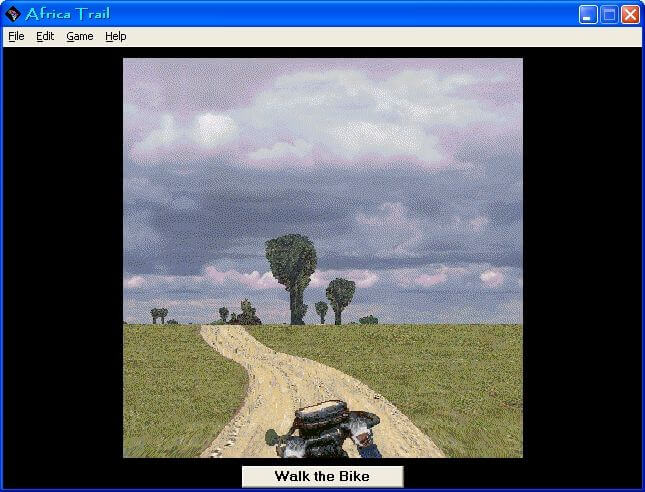
I got mislead by the messages here. Virtual Clone Drive helps, but what you really need nowadays is virtualbox Windows XP 32-bit to get this working, it took me forever. The bike mini game is so hard.
Also having no luck with this. I have the DOS drive and the Virtual Clone drive, I've managed to "mount" the files which seems to create a new drive with the exact copies of the CD rom materials, but I can't actually get it to run. When I try to create a profile in D-Fend Reloaded it tells me the setup.exe is a DOS file and must be run in DOSbox, but when I try to set up a DOSbox profile it tells me setup.exe is a windows executable that DOXbox can't run.
I loved this game so much and can't find it anywhere else! Unfortunately, I've spent hours trying to get it to work on my computer which has Windows 11 on it. I've installed the DOS drive and the Virtual Clone Drive and none of it is working. If anyone can offer any help, I would be so appreciative.
I played this game so much as a kid! Thanks!
No comment nor review for this game at the moment.