How to Play
The game has been tested on Windows 7 64-bit, Windows 10 and Windows 11, it works fine. You may experience some small troubles when you play the game on modern systems, check our Guide and Notes for details
Before installation - if you're using Windows 8, 8.1, 10 or 11 - make sure that you enabled DirectPlay if you didn't make it before, read this or this guide how to do it (if you're using Windows 7 or older - just install DirectX from the disc)
Install & play guide:
- Mount the disc image. You will need the utility for mounting disc image files, like WinCDEmu, UltraISO, Alcohol 52%/Alcohol 120% or Daemon Tools Lite
- Install the game. Select "Custom" installation method and choose all components to install the full game with all files
- It is recommended to install the game not in default path, but in some other, non-system folder, like
C:/Games/FS2000, so you won't have troubles with NoCD or fixes - When the installation process will ask for CD2 - mount the disc image of CD2. CD2 must be mounted in same virtual drive as CD1, so first un-mount disc image of CD1 and then mount the disc image of CD2
- After you installed the game - install the patch 2b for Professional Edition. That patch includes changes from all previous patches and fixes many problems, including bug with shadows. Please note that patch 2b for Pro Edition is different than patch 2b for Standard Edition
- Then install NoCD, simply copy FS2000.exe from the archive and put it into game directory, agree to replace original file
- Open the directory with the game and find FS2000.exe. Right click on FS2000.exe - Properties - Compatibility - Set "Run this app in compatibility mode with Windows 98" and "Run as administrator"
- Launch the game and play. If the game doesn't work in compatibility mode with Windows 98 - try to launch it in compatibility mode with other version of Windows (Windows 95, 2000, Windows XP, etc.)
The third disc does not contain the files needed to install the game, but it does contain the files for High Quality aircraft sounds that can be installed separately. The files are located inside the disc, in the SOUNDS folder, available as self-extracting archives, just run the file and show the path to the game folder
Notes:
- If the installation doesn't start - try to launch Setup.exe in compatibility mode with old version of Windows (98, 2000 or XP)
- It is recommended to install all versions of Microsoft Visual C++ Redistributable and NET Framework for the correct work of the game. Also it is recommended to install K-Lite Codec Pack for the correct work of in-game videos
- The game works on DirectX 7, so if you're using Windows 8, 8.1, 10 or 11 - you need to enable DirectPlay: Go to Control Panel, and select 'Programs'. Select 'Turn Windows features on and off', click on 'Legacy Components' and check the box 'DirectPlay'. Select OK, once the installation is done, restart your computer
- NoCD is required for the launch because the game is using SafeDisc DRM protection, which doesn't work correctly on modern systems. That NoCD "breaks" DRM protection and allows to play the game on modern systems without the disc in optical drive
- At the first launch the game will check and configure the files, on old systems it may take some time, up to few minutes. Just wait until the game finishes configuring the files
- If the game doesn't run - find the directory with the game and disable "Read-only" parameter - right-click on the folder and in Properties uncheck "Read-only" box. Also, make sure to run the game as an administrator!
- If the game runs in windowed mode - press Left Alt+Enter or Ctrl+Alt+Enter to make it fullscreen
- If you have any graphical glitches, compatibility issues or the game loads too long - use DDRawCompat, simply put ddraw.dll in game folder, next to FS2000.exe. We highly recommend to use it for the comfort playing on modern systems
- For users of Windows 7 and newer OS: if you have troubles with the game - in Windows 7 in Compatibility settings choose "Disable visual themes" and "Disable desktop composition", in Windows 8 and after - choose "Disable fullscreen optimizations"
- For Windows 7 users: if the game doesn't run and only rundll32.exe process starts - open Windows Registry (press Win+R ->regedit.exe), go to
HKEY_CURRENT_USER/Software/Classes/Local Settings/Software/Microsoft/Windows/GameUX/Service Location, find Games parameter, and change https ://games.metaservices.microsoft.com/games/SGamesWebService.asmx to localhost. Save the settings, close the Registry and after that try to run the game again, it should work (also works for many other old games) - You can still find some of additional materials, like an official educational videos, on FTP of Microsoft website. Also, the game had a lot of mods, you can find most of them on AllFlightMods, FlightSim, SimAviation, and some more on FlyAway



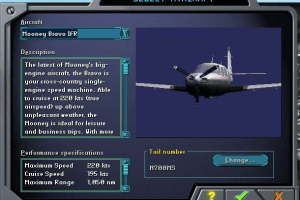
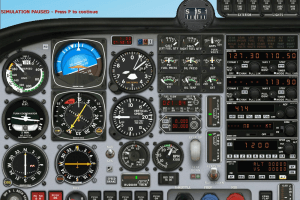
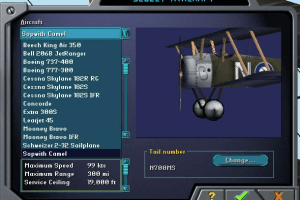
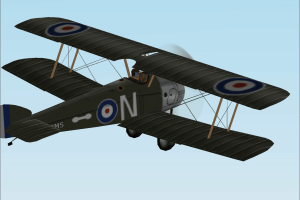
 English
  German







Comments and reviews
Can it run in Windows 11?
Will it work on windows 8.1
Run Windows XP SP3 (32 bits) or Windows 7 in virtual machine (i.e: virtualbox, vmware, qemu, and proxmox local mode) and sets as "Windows XP 32 bits" mode in your VM configuration and happy games.
i love plane
https://community.admitone.com/complete-list-of-tangem-support-usa-contact-number-2025-09-05/9CD3NF
https://community.admitone.com/complete-list-of-kraken-support-usa-contact-number-2025-09-05/NKXIMH
https://community.admitone.com/complete-list-of-onchain-support-usa-contact-numbe-2025-09-05/IZPAFR
https://community.admitone.com/complete-list-of-phantom-support-usa-contact-numbe-2025-09-05/DRNLET
https://community.admitone.com/complete-list-of-uniswap-support-usa-contact-numbe-2025-09-05/7YGP48
can anyone explain to me why this
overcomplicated piece of software
which was originally obv meant to train
real pilots or a simulation of this, got into
the videogamesector ??
this game series features planes which
are meant to be controlled in the same
way as a real plane, or a pilot in a simulator
- yes those big cabinets inwhich a pilot(s)
were seated during training.
who in the department of microsoft came
to the conclusion to release this in way
were people are allowed to confuse this
for a regular video game. which it isnt.
it is a pilot training simulator.
people have the idea it is only the arrow
keys or joystick x and y axis control scheme
which works for this game. no it does not.
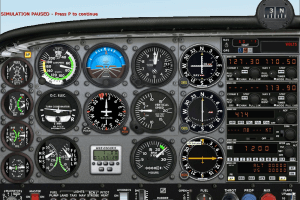
you use like 80+ keys to gdmn control
all those levers switches and meters on
the screen like a real plane.
enjoy
The game is cool. There is a lot of stuff to do, and the game is full of detailed buildings
Message to Gwai!, Never EVER install things in system 32 folder or ANY folders inside the Windows folder which is under program files. If the setup, guide or someone tells you to install to a system folder, NEVER DO THAT! Your system may not be booting because 1, a malware messed up your system32 folder which is ESSENTIAL for windows to start. Or 2, the files DON’T have malware and putting the files in your system32 folder interfered with the processes. If you are still here gwai give me some additional info so i can try to help you.
bruh i didnt play it
it got installed to
C:/Windows/System32/Games/FS2000
and now my system will not boot
what happened during install
i did what i should and installed to
C:/Windows/System32
and now the webpage tells me it should
not install to a system folder ?
this game doesn't work on windows 11. don't waste your time
How will this work on Windows 11?
We have updated this page, added some fixes plus the guide about most common troubles
Guys, I found a way to install. First, use an ISO processing software (such as ultraiso) to convert the three .bin files to ISO, then burn CD1 into a virtual drive, and use the setup.exe in CD1 to install
Game stays stuck on the launch window and never loads. FS2002 and 2004 don't have this problem.
ima see if it works on a chromebook
To Abandon Fan: If it is a 32-bit, yes. If 64-bit, no
guys does this work on window 10, i have no cd or whatever
i downloaded program,no cd crack and patch. unziped all and placed them in their own folder. when i try to install it tells me there is no scenery.config. what do i need to install?
It won't load CD 2
To ISAAC i recommend using DEAMON tools for a virtual disc drive and after it is downloaded if it isnt already put the game on your desktop and rightclick it and look for mount drive or something similair
press that and it should work
i like it, and i think old tech can be recycled year 2022
Es un archivo iso es una imagen virtual de un cd para instalarlo tienen que usar daemontools o similar entonces se iniciara. Como si fuera un cd
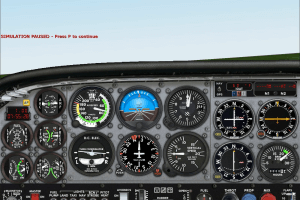
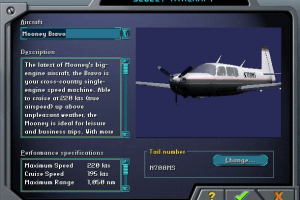
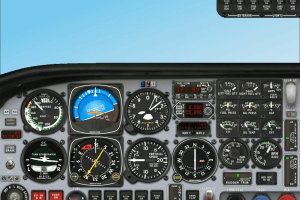
Microsoft Flight Simulator 2000: Professional Edition
This download is virus free.
Right, I downloaded it and unzipped it. Now how can I install it? There's no .exe or setup file.
Fiz o Download mas não consigo fazer a instalação.
nao sei se vai funcionar no windows 7 que eu tenho
No comment nor review for this game at the moment.