


Just what we needed!
Proving that they're not one to shy away from an already crowded marketplace, the boys at Microsoft have released a brand new game into the jam-packed golf sim arena. Microsoft Golf 1998 Edition marks a break from recent golf titles from Redwood in that this one boasts an all-new game engine designed by Friendly Software Corporation.
Unfortunately, the decision to get away from the Access license (earlier releases in this series were really just re-packaged Links games) might not have been a wise choise. While the fine designers at Friendly did an adequate job with this game, they certainly didn't break any new ground. Furthermore, MS Golf 98 lacks a number of important options and features that PC golf addicts have come to expect.
Choice of clubs
Installation is the now-standard one for Microsoft games. Click a few buttons and sit back to listen to some great audio commercials as the game moves onto your hard drive. And speaking of your hard drive, make sure that you've got a lot of space for this one. The recommended install (which I chose), uses up 245mb of your drive. Going for the full install will require you to surrender some 400mb. The minimum setting is just 41mb, and judging from the CD-access slowdowns that I experienced with its much bigger brother, is all but unplayable.
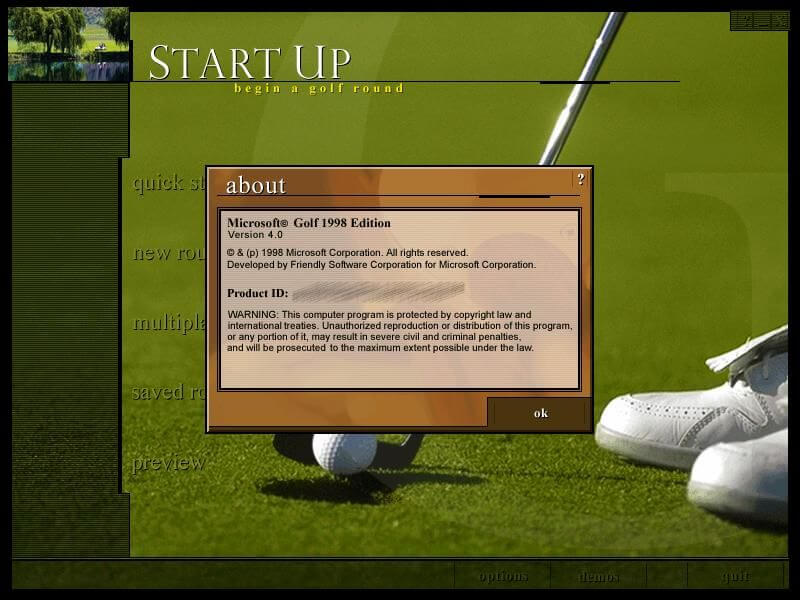
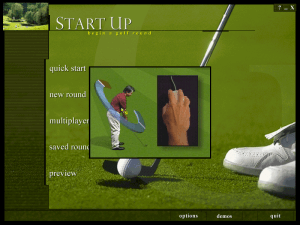
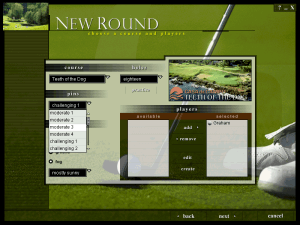
All game options are accessed from the clean and well-organized 'Start Up' main interface screen. On the left you can select your game, choosing from 'quick start', 'new round', 'multiplayer', 'saved round', or 'preview', which gives you a full tour of the game. The bottom menu bar features 'options' and 'demos'. In the former you can play with your game preferences, check out stats, and view saved shots, while in the latter you can look over films that teach how to use the three swing choices (two-click, three-click, natural swing, and sim swing) and the aiming pole. The 'demos' selections are an excellent addition to MS Golf 98, and give a good indication of the game's user-friendliness.
The main interface and a look at one of the demo videos.
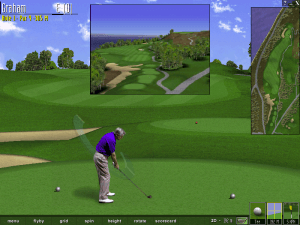
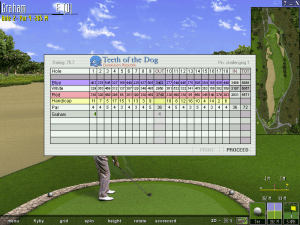
These same tendencies are carried over when you leave the club house. The in-game interface is also uncluttered and extremely well-designed. Everything is very intuitive, with all the options where they should be along an unobtrusive bottom toolbar. Turning on the green grid, changing swing type, increasing or decreasing the arc of your shot --- all these important selections are easy to find. The toolbar is complemented by small icons in the bottom right corner that show the club presently selected, the current lie of the ball, the topography around your aiming point, and a wind gauge. All of the remaining pertinent information --- including the present hole, score, and so on --- is displayed in the top left. Overall, **MS Golf 98 **is a well-designed package as far as the basic layout goes. You also have the option of turning on an overhead view of the current hole in the upper right. This view can also be tweaked to display your shot from other angles.
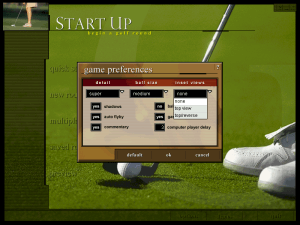
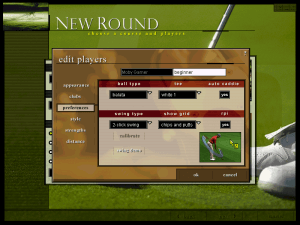
MS Golf 98 is also friendly when it comes to configuration. You can adjust everything from the color of your golfer's shirt to the type of golf ball you'll be using prior to play, while other options such as weather conditions can be tweaked both before and during your round.
On the links (sorry...)
Solo gameplay in MS Golf 98 is a decidedly mixed bag. The game is challenging to an extent, but there is a certain blandness of play and style that makes the overall experience strangely unattractive. This is, admittedly, a subjective opinion, but there is just something here that puts me to sleep. A big part of this is the absence of competitive play against the PC. The lack of any virtual tournaments and no option to face off against a computer opponent in stroke or match play is a big drawback. Playing solitaire, all you can is choose stroke play and try to better your previous score. Need I even say that this gets old fast? Coming from Actua Golf 2, which offers both a pro tour and the chance to play against a PC partner, this was a big let-down for me.
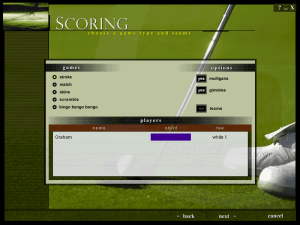
There are a lot of options for multiplay, including match, skins, scramble, and bingo bango bongo. You can play online through Microsoft's Internet Gaming Zone, which features tournaments with cash prizes. Aside from the scheduled events, however, it seems tough to line up casual opponents here; I tried for the better part of a week with no luck.
Another real obstacle for me is the lack of courses. Shipping with only three-and-a-half courses --- Teeth of the Dog at Casa de Campo, The Links at Casa de Campo, Bay Harbor Golf Club, and the nine-hole Bay Harbor Preserve --- on the disc just doesn't cut it these days, especially when Jack Nicklaus 5 comes complete with ten courses out of the box and Actua Golf 2 boasts eight. Add-on course discs are apparently on their way, but Microsoft should really have thrown a few of these upcoming holes into the main game. As it stands now, this is a serious deficiency. Anyone who really wants value for their gaming dollar should take a close loook at the competition before giving Gates and Co. any more money.
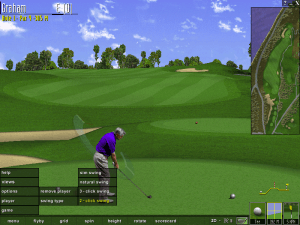
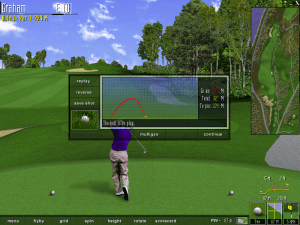
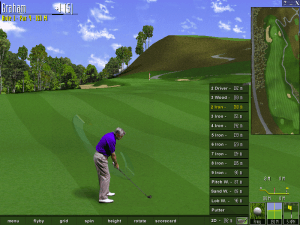
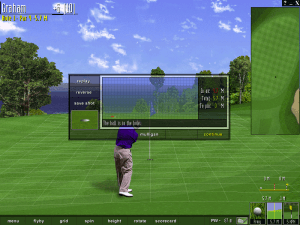
Driving at The Links and putting at Bay Harbor.
The graphical interface during gameplay is very well drawn and designed. Everything is very clean and intuitive, no matter if you're adjusting the angle of your shot or you're looking to change clubs. The shot meter is very tough to get used to, though, as it is a 3D object instead of the standard 2D model. This meter looks great, but its angle makes it difficult to judge exactly when to click or release. You do get used to it after a few rounds, but I couldn't help wishing for a choice here. My only problem with the interface was a lengthy pause following every shot when the result screen was loaded. During this hesitation --- which probably lasted no more than three seconds but seemed an eternity after about five holes --- you lose control of your mouse, and are thus unable to continue, save your shot, or do anything else as your cursor skips about the screen. The only good side to this is that screen redraws are almost instantaneous, so as soon as the mouse dance is over, you're ready for your next shot.
As with most other golf games, driving is easy and putting is difficult. With virtually no practise at all, you'll be driving the ball 225 meters off the tee. A slight mistake with your clicking, however, and you are punished severely. This takes place at all skill levels. Wind is also a serious factor, as even the slightest breeze can ruin the most carefully thought-out drive. Putting can be extremely difficult, and is very lie-dependent. To avoid racking up a lot of bogies, you really have to learn to read the greens in MS Golf 98. In some ways this is a nice touch of realism, but in others this can be very frustrating. It's almost hyper-realistic at times. Another complaint about putting is the standard one that I have about most golf sims: short putts are more challenging than long ones because of the need to click quicker. There is nothing more annoying than draining a forty-footer on the sixteenth only to miss one from three feet on the seventeenth because you double-clicked by mistake.
Putt from here? Fuggadaboudit!
There is also one real show-stopping bug in gameplay that prevents you putting from the fringe. Any attempt to do so results in the ball disappearing immediately after contact --- although it actually does travel between 0.6 and 0.9 meters. What's even worse is that if you take a mulligan (if enabled) and then go back to the wedge that your computer caddy originally recommended, the change from your putter isn't registered on the shot meter. Result: you crank the ball into the parking lot. This bug is extremely frustrating at times, particularly when you're sitting just on the edge of the green less than seven meters away from the cup. Microsoft's record with game patches isn't particularly great, but this one really has to be fixed. Pronto.
Pretty as a picture...with just as much life
Course graphics in MS Golf 98 are pretty but dead. There is no life in anything here, whether you're looking at the golfer, the trees, the water, or anything else. Your golfing avatar does nothing but crouch in position and swing. He does this in a rather lifelike manner, but the lack of any walking, arm-pumping, and grimacing makes it seem like you're watching a slide show. No background elements are animated, so don't expect to see trees moving in the breeze, birds flying by, or a ripple on the water.
There is also nothing of any real interest in the courses that were provided. I know this isn't supposed to be mini-golf, but there is nothing here that I can recall as being particularly challenging, breathtaking --- hell, even interesting. The only possible exception might be the water hazards in the back nine on The Links at Casa de Campo, which can be passingly difficult when first encountered. Still, other golf games, no matter how they play, always feature at least a few holes that I remember for one reason or another. Not here.
I also have to chide the developers for not including 3D-accelerator support. Golf or not, it's sort of a prerequisite that all sports titles released in 1998 feature true 3D graphics. By not including it here, Friendly and Microsoft have really missed the boat. Aspects of MS Golf 98 do look crisper than the 3Dfx version of Actua Golf 2, but the more lifelike player and scenery animations in the latter make it a much livelier game to play.
Mind if I play through?
Overall, there isn't much that I'll remember about MS Golf. It doesn't really do anything particularly bad, but neither does it distinguish itself. The gameplay is smooth, yet strangely void of any real appeal. The graphics are pretty and well-drawn, yet static and lifeless. Call it the Joe Beige (with apologies to Charles Schultz) of PC golf sims.
You can't really go wrong in buying this game, but if you already own something like Links 98 or Actua Golf 2, save your money for a course disc or two; there's nothing here that you haven't seen before.
Review By GamesDomain


 English





Comments and reviews
After no end of failures trying to get this to work in various Windows 98 and Windows 10 environments (usually ending in a black screen with bird noises!), I finally got it to run for me in a Windows XP emulated machine in QEMU (I used the UTM frontend for it on Mac). It's a touch slow but it works.
Hearing those sarcastic comments about my rather poor virtual golf skills again brings back such joyous memories.
I got the physical copy and it tells me I need 15,5 MB of physical memory even though I already have more than enough. Anyone know of a fix?
So this is not in fact an ISO, but the zipped files from an ISO. I don't have the patience to deal with it. Thanks anyway.
I got Microsoft Golf 1998 to work on Windows 10 by:
1. Converting the .bin to a .iso using a trial version of MagicISO
2. Mounting the ISO using File Explorer
3. Install the game as a 'Full' install by running setup.exe using Compatibility Mode (XP system pack 2 from memory but try other Compatibility Modes if that doesn't work)
4. Using dxwnd to run game.exe from the default install folder in Program Files
5. Using the Microsoft Golf 1999 (NOT 1998!! Only the 1999 config file would work for me. Don't ask me why…) pre-existing config file that comes with the dxwnd download.
6. Run the game from within dxwnd. It seems to automatically start as a 'quick play' game, don't ask me why, at least it works right?
(I'm going to contact the admins to see if they want my .ISO file)
I can make it all the way up to menu, but the game crashes when i try to start it.
You can make it to launch with DXWnd. From options put expert mode on, from edit go add, enter any name you want and put the setup on the Path. from Compat. put Fake Version to Windows 98/ME. After this you'll put Acquire admin caps and fullscreen only checkmarks from Main section. Make sure run in window is off. First time it asks the admin rights and returns you to DXWnd, next time you click it should go to installer. You should be able to install the game like that.
There's a setup for the game in DXWnd export folder if you want to import that, but that'll only get you up to menu. For exe, use the msgolf98.exe instead of the golf.exe it suggests. Still have to use the admin caps on it to start. I tried compatibility mode 98 from settings, but it always crashes when you try quickstart. If anyone here can get to game, please tell how you did it.
The game DOES work through a Windows 98 virtual machine. I tried installing it like normal, but it got stuck in the licensing page like it did for other commenters. I managed to get the game to install with compatibility mode, but I couldn't get the game to start, even with DXWnd.
Clicking Agree will be stuck on licensing page with a busy cursor. Even with compatibility mode, nothing.
To run this on newer windows use DXWnd, go to edit and then add. Enter a name for the new profile and then select the director for the .exe file. Hit OK and then double click the icon created in DXWnd. It works great and can be used for may such windows 98 titles. Hope this helps someone.
Missing a good Golf Game classic
just want to play
make sure you run it off a windows 1998 VM with less than 16MB starting virtual memory.
when i click agree nothing happens either just like the other guy
Great game from the past
Cannot install, while i press agree in installer, it just halts, nothing else.
game doesnt work or load, waste of time
No comment nor review for this game at the moment.