You are on the beta version of My Abandonware. The live site is still myabandonware.com. Your favorites and ratings here are copied to the live site. Comments and other changes are not — we delete them every morning at 08:00 Paris time, when this site goes down for about an hour. Leave feedback through this link to Pastel (email required).
The beta goes down at 08:00 Paris time, in a few minutes. We rebuild the database from the live site. It comes back in about an hour.
I found that the zip file has Windows 3.1 in it. This is how I got it to work: 1. Extract the zip file to a folder, such as C:\MUMG. When you extract, it will have a sub-folder of "Mixed_Up". 2. Install DOSBOX. Copy their default config file, save it somewhere like "C:\MUMG\dosbox.cnf", and modify it: a. Make it run fullscreen. b. In the "Autoexec" area: i. mount C "C:\MUMG\Mixed-Up" ii. imgmount D "C:\MUMG\Mixed-Up\cd\MUMGDX.img" -t iso iii. (copy all lines in "C:\MUMG\Mixed-Up\Autoexec.bat" , and paste them in this area of the dosbox config file) iv. win v. exit 3. Run 'DOSBOX -conf C:\MUMG\doxbox.cnf'
It should auto-run Windows 3.1, which is already configured to auto-run this game.
2
Strubdog10 Jul. 2023
I did 2 things to get this to work. 1. install winevdm, this helps to get windows 3.1 games. Link: https://github.com/otya128/winevdm 2. Mount or burn the contents on to a CD/DVD. Path: \Mixed-Up Mother Goose\cd I used DVD Decrypter to burn the image on a DVD-R.
***Only issue is that the game is stuck at 640x480. I tried editing the ini file (RESOURCE.IN~) This doesn't seem to work. If I'm able to update this, I'll update with a new comment.
1
mada01 Dec. 2022
please kindly make the tutorial to run this game in youtube. im using pc windows. beacuse in my laptop it couldn't run the game. please help. my son really wish to play this game.
thanks.
1
Katie09 Apr. 2022
What application do I use to run the file? It doesn't just automatically open or run on anything itself, I'm confused. Could you make instructions on how to actually download and run it to the start menu, please? I'm on a PC using Windows, but instructions for both PC and MAC would be awesome.
0
Jinny15 Apr. 2017
My mac couldn't open the downloaded game. I am operating OS X Yosemite 10.10.5. I got a message that "You can’t open the application “Mixed Up Mother Goose” because it may be damaged or incomplete." Does anyone solve this problem?
-6
Kitty30 Aug. 2016
do you have a pc version of this for windows?
0
Jaymcr29 Jun. 2015
Been searching for this game for years! so happy I found it again. Memories of my childhood flooding back :D
1
No comment nor review for this game at the moment.


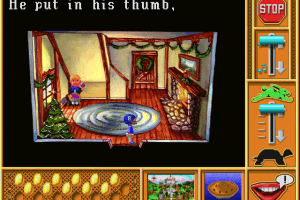
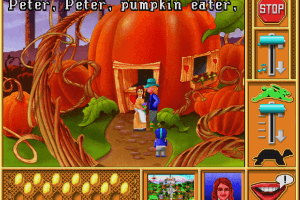
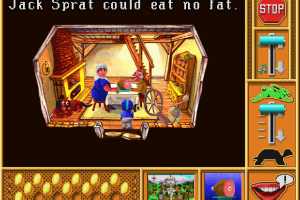
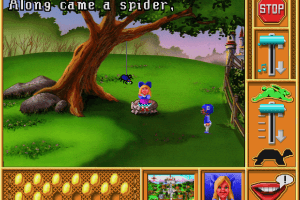

 English



Comments and reviews
I found that the zip file has Windows 3.1 in it. This is how I got it to work:
1. Extract the zip file to a folder, such as C:\MUMG. When you extract, it will have a sub-folder of "Mixed_Up".
2. Install DOSBOX. Copy their default config file, save it somewhere like "C:\MUMG\dosbox.cnf", and modify it:
a. Make it run fullscreen.
b. In the "Autoexec" area:
i. mount C "C:\MUMG\Mixed-Up"
ii. imgmount D "C:\MUMG\Mixed-Up\cd\MUMGDX.img" -t iso
iii. (copy all lines in "C:\MUMG\Mixed-Up\Autoexec.bat" , and paste them in this area of the dosbox config file)
iv. win
v. exit
3. Run 'DOSBOX -conf C:\MUMG\doxbox.cnf'
It should auto-run Windows 3.1, which is already configured to auto-run this game.
I did 2 things to get this to work.
1. install winevdm, this helps to get windows 3.1 games. Link: https://github.com/otya128/winevdm
2. Mount or burn the contents on to a CD/DVD. Path: \Mixed-Up Mother Goose\cd
I used DVD Decrypter to burn the image on a DVD-R.
***Only issue is that the game is stuck at 640x480. I tried editing the ini file (RESOURCE.IN~) This doesn't seem to work. If I'm able to update this, I'll update with a new comment.
please kindly make the tutorial to run this game in youtube. im using pc windows. beacuse in my laptop it couldn't run the game. please help. my son really wish to play this game.
thanks.
What application do I use to run the file? It doesn't just automatically open or run on anything itself, I'm confused. Could you make instructions on how to actually download and run it to the start menu, please? I'm on a PC using Windows, but instructions for both PC and MAC would be awesome.
My mac couldn't open the downloaded game. I am operating OS X Yosemite 10.10.5. I got a message that "You can’t open the application “Mixed Up Mother Goose” because it may be damaged or incomplete." Does anyone solve this problem?
do you have a pc version of this for windows?
Been searching for this game for years! so happy I found it again.
Memories of my childhood flooding back :D
No comment nor review for this game at the moment.