



- Export saves: export the savegame files from your browser, so you can switch to another browser or computer. You can also use them in an emulator installed on your computer.
- Import saves: import savegames that you exported before with the Export saves button.
- Download disk: export the whole game from your browser, with all your savegames. Useful to switch to an emulator installed on your computer.
- Reset game files: if you somehow messed up the game files, you can reset them to an exact copy of the original.
- Reset saves: delete all savegames from your browser. We recommend that you export them first: there is no turning back!
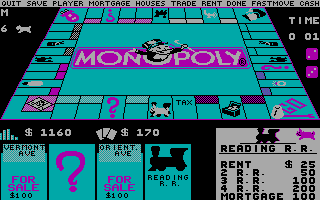
Monopoly Deluxe - Play Online
DOS - 1992
Also available on: Windows 3.x
For small DOS games like Monopoly Deluxe, you can play online immediately with your browser (Chrome, Firefox, Safari, Edge, Opera...). This feature is experimental, the game may not work properly.
Warning: game save should work, but you should try it early! Also, be careful to select the right game executable in the list above.
Similar games


4.5/5 - 1441 votes
Sid Meier's Civilization DOS, Windows 3.x, Mac, SEGA Saturn, Amiga, Atari ST
1991


Comments and reviews
I Love This Game
I couldn't even start the game while trying to run online! I tried the .exe file and .bat file
seems like it fs frozen on the intro
Launching the .bat file, game seems to be stuck at the music intro with Mr. Monopoly just waving around.
Web browser playing works decent. However, to enable sound, you must choose MONOPOLY.BAT as the executable.
I like this game, it is monopoly, but no setting up and losing bank money! cool.
No comment nor review for this game at the moment.