You are on the beta version of My Abandonware. The live site is still myabandonware.com. Your favorites and ratings here are copied to the live site. Comments and other changes are not — we delete them every morning at 08:00 Paris time, when this site goes down for about an hour. Leave feedback through this link to Pastel (email required).
The beta goes down at 08:00 Paris time, in a few minutes. We rebuild the database from the live site. It comes back in about an hour.
moddb link is incorrect, points to an entirely different game / studio!
0
blask aka blsk22 Jun. 2023
Hey My Nickname, thanks for trying to help :) Didn't know that Muscle Cars '76 is a slightly different version of Superchix '76, haven't installed it yet. Yes, I also never install games to C: drive; tried the MCE.ini edit too, but no luck. No problem, though, I installed the game on my older PC with Win XP (I keep it running offline exactly for this kind of games that won't work otherwise) and it works out of the box, no need for dgVoodoo, so everything's fine.
1
My Nickname21 Jun. 2023
Hey Blask, sorry to hear you couldn't run the game. I usually install older games to another drive than "C:" as it is the system drive and windows restricts the programs' ability to write/create files on the system drive. Try instaling in "D:" drive from the ISO and change the "Driver" value in "MCE.ini" file to "2". It is located where the game exe is. DgVoodoo2 worked for me when Driver is set to 2, otherwise yeah it crashes to desktop. Also maybe just try some other number like 3 or something, if 2 doesn't work. Oh, the one you linked to called "Muscle Cars '76" is actually a slightly different version of "Superchix '76". I didn't know that version existed, interesting. The main difference between Superchix and Muscle Cars '76 is just that 4 of the characters in the latter are male, rather than an all female selection of Superchix. Cars are the same, it's just different characters.
0
blask aka blsk25 May. 2023
No luck for me with dgvoodoo. Tried ton of different versions from oldest to newest, but every time it's the same thing - CTD after intro movie. Without dgvoodoo game works fine, but the colours are psychedelic. Looks like the only way to play this is in Windows XP. BTW the rip is without sounds and music, to get them back download the internet archive iso: https://archive.org/details/muscle-car-2-american-spirit-2002-globalstar-software-cd and mount it. No need to install the game, just navigate to mounted iso-program files-GlobalStar-Muscle Car 2 and copy "data" folder into the rip version folder, say "yes" if asked to override. At the internet archive site there's also the same game with the alternative name Muscle Car '76: https://archive.org/details/musclecar76 but this one needs actual installation and I haven't checked if it works.
0
My Nickname27 Aug. 2022
In order to make this game work, go to the game folder: "Muscle Car 2 American SpiritSystem" and you will see the "MCE.ini" file. Open it with notepad and under "[Display]" , change "Driver" value to "2". I have a windows 10 laptop and the game started this way. You don't need to change any compatibility options, but the game might run slow and the textures/colors of 3d objects might be glitchy so play with those options to see if they are any help. However, I recommend dgVoodoo2 as it both solves the game speed and texture issues. There is an ISO of the game CD on internet archive, if anyone was wondering.
0
blask20 Jul. 2021
Somebody got this working? I have a CTD every time I start race. Plus the colors are all wrong. Compatibility with Windows 98 or XP doesn't help. Tried to start the game with dgVoodoo but it crashes right after intro video...
0
No comment nor review for this game at the moment.





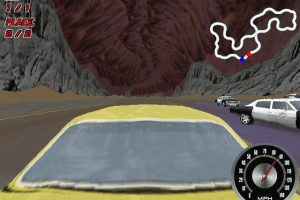
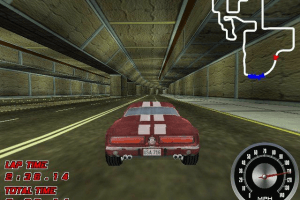
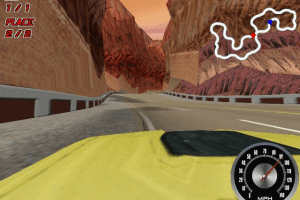
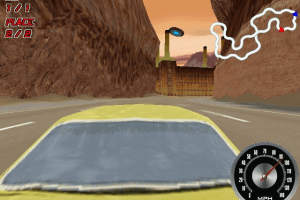


 English




Comments and reviews
moddb link is incorrect, points to an entirely different game / studio!
Hey My Nickname, thanks for trying to help :)
Didn't know that Muscle Cars '76 is a slightly different version of Superchix '76, haven't installed it yet.
Yes, I also never install games to C: drive; tried the MCE.ini edit too, but no luck.
No problem, though, I installed the game on my older PC with Win XP (I keep it running offline exactly for this kind of games that won't work otherwise)
and it works out of the box, no need for dgVoodoo, so everything's fine.
Hey Blask, sorry to hear you couldn't run the game. I usually install older games to another drive than "C:" as it is the system drive and windows restricts the programs' ability to write/create files on the system drive. Try instaling in "D:" drive from the ISO and change the "Driver" value in "MCE.ini" file to "2". It is located where the game exe is. DgVoodoo2 worked for me when Driver is set to 2, otherwise yeah it crashes to desktop. Also maybe just try some other number like 3 or something, if 2 doesn't work.
Oh, the one you linked to called "Muscle Cars '76" is actually a slightly different version of "Superchix '76". I didn't know that version existed, interesting. The main difference between Superchix and Muscle Cars '76 is just that 4 of the characters in the latter are male, rather than an all female selection of Superchix. Cars are the same, it's just different characters.
No luck for me with dgvoodoo. Tried ton of different versions from oldest to newest, but every time it's the same thing - CTD after intro movie.
Without dgvoodoo game works fine, but the colours are psychedelic. Looks like the only way to play this is in Windows XP.
BTW the rip is without sounds and music, to get them back download the internet archive iso:
https://archive.org/details/muscle-car-2-american-spirit-2002-globalstar-software-cd
and mount it. No need to install the game, just navigate to
mounted iso-program files-GlobalStar-Muscle Car 2
and copy "data" folder into the rip version folder, say "yes" if asked to override.
At the internet archive site there's also the same game with the alternative name Muscle Car '76:
https://archive.org/details/musclecar76
but this one needs actual installation and I haven't checked if it works.
In order to make this game work, go to the game folder: "Muscle Car 2 American SpiritSystem" and you will see the "MCE.ini" file. Open it with notepad and under "[Display]" , change "Driver" value to "2". I have a windows 10 laptop and the game started this way. You don't need to change any compatibility options, but the game might run slow and the textures/colors of 3d objects might be glitchy so play with those options to see if they are any help. However, I recommend dgVoodoo2 as it both solves the game speed and texture issues. There is an ISO of the game CD on internet archive, if anyone was wondering.
Somebody got this working?
I have a CTD every time I start race. Plus the colors are all wrong. Compatibility with Windows 98 or XP doesn't help.
Tried to start the game with dgVoodoo but it crashes right after intro video...
No comment nor review for this game at the moment.