
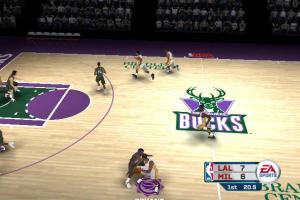
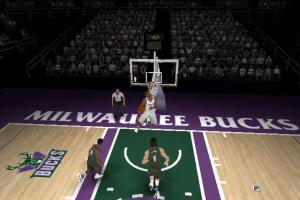
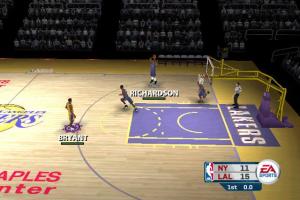
How to Play
The game with NoCD has been tested on Windows 7 64-bit, Windows 10 and Windows 11, it works fine. You may experience some small troubles when you play the game on modern systems, check our Guide and Notes for details
Install & play guide:
- Mount the disc image. You will need the utility for mounting disc image files, like WinCDEmu, UltraISO, Alcohol 52%/Alcohol 120% or Daemon Tools Lite
- Install the game. When the installation process will ask for Disc 2 - mount the disc image of CD2
- It is recommended to install the game not in default path, but in some other, non-system folder, like
C:/Games/NBA Live 2006, so you won't have troubles with NoCD or fixes - (Skip EA Electronic Registration (click "Register Later") and installation of EA Online components, it is not required since online servers doesn't work anymore)
- After you installed the game - install NoCD, simply copy the nbalive06.exe file from the archive and put it into game folder, agree to replace the original file
- Right click on nbalive06.exe -> Properties -> Compatibility -> Set "Run this app in compatibility mode with Windows XP" and "Run as administrator"
- Launch the game and play. If the game doesn't work in compatibility mode with Windows XP - try to launch it in compatibility mode with other version of Windows (Windows 95, 98, Win2000, etc.)
The game should work fine on modern systems, but if you have troubles running it - run it with dgVoodoo 2. To use it copy the dll-files from the MS/x86 folder, dgVoodooCpl.exe and dgVoodoo.conf files to the game folder, next to executable file. Then run the game from desktop shortcut or nbalive06.exe. Also, with dgVoodoo you can play the game in higher resolutions, with anti-aliasing and texture filtering and other features; to change dgVoodoo settings, run dgVoodoo Control Panel (dgVoodooCpl.exe) as administrator
Notes:
- If the installation doesn't start - try to launch Autorun.exe in compatibility mode with old version of Windows (98, 2000 or XP)
- It is recommended to install all versions of Microsoft Visual C++ Redistributable and NET Framework for the correct work of the game. Also it is recommended to install K-Lite Codec Pack for the correct work of in-game videos
- The game works on DirectX 9, so if you're using Windows 8, 8.1, 10 or 11 - you need to enable DirectPlay: Go to Control Panel, and select 'Programs'. Select 'Turn Windows features on and off', click on 'Legacy Components' and check the box 'DirectPlay'. Select OK, once the installation is done, restart your computer
- The game was protected with SafeDisc DRM which doesn't work on modern systems, use NoCD to "break" the DRM protection and play without the disc. If you see the error that there's not enough space on the hard drive when you copy NoCD files - re-install the game in non-system folder, like
D:/Games/NBA Live 2006, Windows Protection may block copying of files to system folders (likeC:/Program FilesorC:/Windows) - The files of installed game include the text files for 6 languages: English, French, German, Italian, Spanish, Korean and Japanese. You can easily change the language of in-game text by replacing the files. For example, if you installed the game on English but want to switch the text language to French, do the next: go to
NBA Live 2006/locfolder, remove the files gameloc.eng and locale.eng (don't forget to make backup of files first!), then rename gameloc.fre and locale.fre to gameloc.eng and locale.eng. Now run the game, and all in-game menus and texts will be in French (but audio will stay the same). That way you can change the in-game menus and texts to any of 6 languages (the game files also has gameloc.chi, locale.chi and gameloc.lon, locale.lon, but we don't know what languages are that because when we tried to test it, all text in the game showed as broken symbols) - For users of Windows 7 and newer OS: for unknown reason, on Windows 7 and newer OS, the game's executable keeps running after quitting the game. Simply open Task Manager (Ctrl+Shift+Esc) and close nbalive06.exe process, or use Task Killer fix, it is a small bat-file that automatically closes nbalive06.exe process
- By default the game supports only 4:3 screen resolutions, but you can run the game in wide screen resolution by using dgVoodoo 2 (but UI-elements will be stretched) or with Widescreen Resolution plugin. That plugin also has an extra archive with widescreen videos in 1920x1088 resolution
- If you want to run the game in Windowed mode, use Windowed Mode plugin, that plugin allows to run the game in Windowed mode without any extra tools
- Taiwanese (Traditional Chinese) version is not compatible with any NoCD. That version is protected with some DRM which doesn't work on modern systems, so most likely you will have to use Virtual Machine with Windows XP if you want to play Taiwanese release
- If you want to add custom music to the game, you can use WimpDitty tool, the instruction how to use it is inside the archive
- If you have problem with broken sound effects or disappearing sound - first try to change the sound settings. If it didn't work - set sound quality to 24 bit, 48000 Hz or 24 bit, 44100 Hz. Read this guide how to do that
- For users of Windows 7: if the game doesn't run, disable Game Explorer, read this guide how to do it
- Online multiplayer mode of the game doesn't work because the online servers were closed decades ago. But the game also had a support of LAN multiplayer, so you can try to play the game in multiplayer with LAN emulators like Hamachi or RadminVPN
- You can find some mods for the game, like new rosters, players and clothes on NLSC Forum
- Don't forget to check PCGamingWiki if you have troubles!
 English
  German
  Italian
  Spanish
  Russian
  Traditional Chinese





 Czech
Czech  Polish



Comments and reviews
No comment nor review for this game at the moment.