You are on the beta version of My Abandonware. The live site is still myabandonware.com. Your favorites and ratings here are copied to the live site. Comments and other changes are not — we delete them every morning at 08:00 Paris time, when this site goes down for about an hour. Leave feedback through this link to Pastel (email required).
The beta goes down at 08:00 Paris time, in a few minutes. We rebuild the database from the live site. It comes back in about an hour.
I await a 64 bit version that runs in Windows 11 for the grandchildren's sake.
-2
mobilehead29 Oct. 2023
A very absorbing game however the farther you are, the more repetitive it becomes.
-1
The Pilgrim15 Mar. 2023
This game is a great classic, still full playable today as the interface is smooth and the graphics keep a nice "retro" feeling (unlike the "DeLuxe" edition, whose graphics feel broken and whose interface is clumsy).
One thing that many people don't realize about this game (even old-time veterans) is that each scenario feels different. They aren't just different maps, but also different gameplay styles. West USA and Europe are good starting scenarios for the begginer, but the real thing lies in the Eastern USA scenario. England is a nice variant for the veterans, and Europe become an interesting challenge for a veteran player if you choose an unfavorable starting point (like Spain, the Balkans, or even England).
- Eastern USA (1830): The game mechanics were built for this scenario, and here and only here is where everything feels balanced. Simply connecting cities and transporting passengers and mail and nothing else will not work for you. You need to play the economy, and build factories where huge clusters of resources spring. You will need to use also not only the fastest locomotive available, but also the slow-but-powerful ones for transportation of bulk resources.
- Western USA (1866): Unlike the previous scenario, in this one you only need to focus on connecting cities, carring passengers and mail, and using the fastest locomotive available. Fares are double for east-west transportation and half for north-south, wich makes trying to play the economy even harder. Just start on some big city in the East and run a beeline for the Pacific to grab the bounty award.
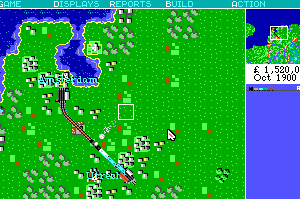
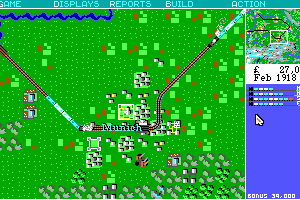
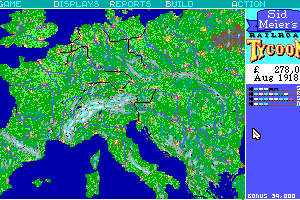
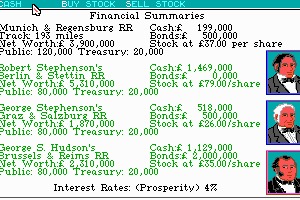
- Europe (1900): A lot of big cities and availability of very fast locomotives due to the late starting date makes this scenario much like the Western USA. Just connect cities and carry passengers and mail. Unlike the Western USA scenario, playing the economy here may be worth it at the beggining, but station and train limits means by the late game you will be dismantling anything that isn't passenger and mail. Mind the computer players, most are trash but the Stephensons can get out of hand early on. Also don't fall in the trap of connecting cities that are too close (like Amsterdam and Utretch, or Trieste and Zagreb) as they will yield very little money. Starting in central europe (around the Rhine River) makes this scenario a cakewalk, but starting in the fringes (Spain, Italy, the Balkans, or England) makes for a lot more interesting play (You will need to build long and expensive tunnels across the Pyrenees to get out of Spain, and by then the computer players will likely have already taken Bayonne and Toulouse, your exit points. Marseille will probably be open, but the route from Barcelona to Marseille is very unprofitable, as you have to track your way in a circle around the Gulf of Lion, but distance for revenue is still calculated by measuring the direct line between the two cities - above the water. Things are even worse for a player starting in England, as you need to build water ferries and the computer player will CERTAINLY have taken the northen european cities, so be ready to fight bitter Rate Wars with routes across water in order to gain a foothold in the Continent - feels like the Normandy Landings, yeah).
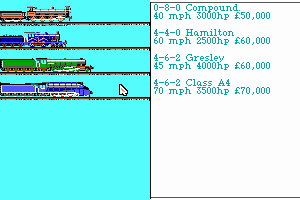
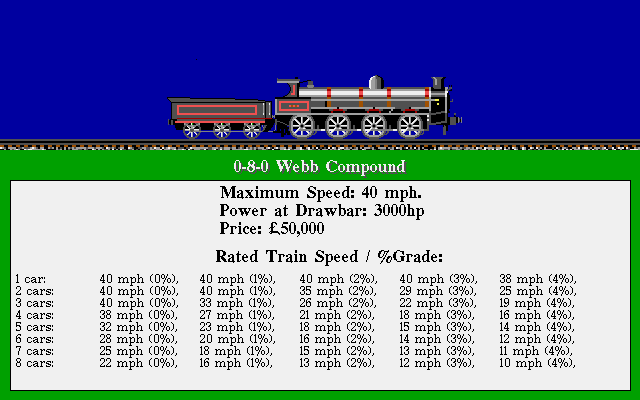
- England (1828): This scenario is tricky. You start with very primitive locomotives that can barely pull a single wagon, and things don't get much better later on. The fastest locomotive you will ever get is the Hamilton, which is the starting locomotive in the European scenario! Your basic revenue will come from passengers and mail, but because your trains are rather slow, it pays to divert some effort to materials, whose revenues are a lot less sensitive to speed. In this sense, Harbors are of extreme importance, as they are the only sources of Cotton for Textiles, and together with Landings are the only valid end destinations for Manufactured Goods. This makes mining the central english coal mines a bit tricky, as you will need to figure out a way to make your trains carry something back to avoid unprofitable long&empty return trips. To make things worse, Harbors and Landings tend to lie detatched from cities. Teams of shoreline trains carrying cotton and hops from the Harbors and taking back the Goods produced by in-land industrial convoys may come handy. Brewing Hops into Beer will be a nice side source of income. They good news is that you will barely need to build factories, as those will casually emerge everywhere across England. Regarding the classic passenger-and-mail business, the population of England seems to like to live in big clusters of Villages with few Cities, and while Villages produce a decent amount of Passengers, they barely produce Mail (around 4 passengers to 1 Mail ratio, instead of the normal 2 to 1 of Cities), so you will need to balance your passenger-and-mail trains a lot more towards passengers. Later on, big clusters of cities will sping, but by the last 20 years of the scenario you will suffer a dramatic fall in your revenues, because fares tend to decrease with time but you will not be getting any new faster trains to compensate. This will hurt specially your passenger-and-mail convoys. Hopefully, you should have already won the game by then.
4
Richard Trevithick29 Aug. 2022
So happy to be reunited with this favorite from childhood. Played on the first PC I used, an IBM PS2 25 with 640kb ram, 20mb hardrive, b/w screen, and 3.5in disk drive
2
APPLE GUY21 Aug. 2022
Any way to get this to work on an apple?
3
Sanman18 Oct. 2021
This is a great game.
1
Figureditout25 Mar. 2021
If you are having trouble building track try holding down the num lock and using number pad. If it doesnt work try it a 2nd time and it should.
1
ManosChameleon24 Mar. 2021
Countless hours spent playing this phenomenal game back to 1990... I was 15, with little or none knowledge of English language, and with no manual of the game! I really cannot remember how I finally managed to play with it - but when this happened, it was an apocalypse to me...
2
RailSIM03 Dec. 2020
Hey folks, like most here I played the original RRT for endless hours and still to date I’ve found little to compare with it in terms of strategy and long term playability. For the last year or so I’ve been working on a personal project to develop and inspired take on this game. I’d like to share some video content on how the game known as “RailSIM BETA 2.0” is currently progressing. Feel free to check it out on YouTube!
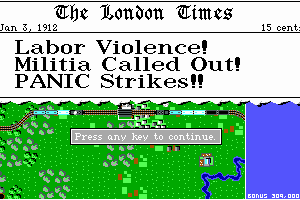
Just to recap keys, laying track is Shift+{Number Keys} so Shift8 goes up. Took me too long to learn how to lay track. Shift+D is double lane the square you are on. If you click the station and choose proceed, you can get send a second train down the same line but make it slower or you might get a CRASH! (Ah, such excitement haha. Its in the press.) Enjoy all
1
ghoti22 Jun. 2020
Played this decades ago for MANY hours of enjoyment. I downloaded and installed this and found it was the 1993 version NOT the 1990 version. I could not lay diagonal track even having tried the couple of suggestions below. I also found that accessing the menus was not as easy as when I played years ago. I sure would like to play the 1990 version again. Any suggestions would be appreciated. Thanks.
0
Pala13 Feb. 2019
Here's a hint if you still have problems in laying tracks. Sometimes you have to turn num lock on and off a couple of times to be able to lay tracks.
3
cd11 Mar. 2018
So if I get a usb numpad for my chromebook, will that work?
1
Anonymous22 Jan. 2018
Hello people, and many thanks to the DosBox creators. What a wonderful piece of work! Now, if you can only get 5 and a half inch drives to work on my motherboard, I have a lot of games I could go back and play ...
Anyways, I just recently downloaded the Railroad Tycoon Deluxe from 2k yesterday, and immediately ran into a problem trying to lay track diagonally. To make a long story short, you need to hit the cntrl-F1 key combo and bring up the keyboard mapper console. Don't click on anything, just hit the 'save' box and then exit. This will create a mapper.txt file in DosBox for the current session. If you don't do this, numlock will not work and you won't be able to use the number keypad on the right side of your keyboard at all for track laying, you will only be able to use the up-down and sideways arrow keys, i.e. only 90 degree track sections, which is tedious and costs a lot more as well.
I'm not a programmer, but I suspect it is a conflict of some sort with my joystick files, or the msinput directory in my startup sequence for Winblows. If I highlight the 'num' button in keymapper, and then the 'add' command button, it will only let me pick the 'mod 1' and hold' stuff, or by using the 'next feature toggles me into a dead end asking me to press a joystick button in red letters, which is why I'm guessing it's a conflict with by msinput that loads on booting; the only thing in the directory is my joystick driver, an MS Sidewinder Pro on a serial port.
If you get 'trapped' in the 'Add' sequence like I did above, simply exit DosBox and delete the mapper.txt file in the Dosbox directory, restart DosBox and repeat the keyboard mapper save and exit procedure outlined in the first paragraph and it will work again. I have to do that every time I start DosBox, though, and don't know why yet.
Anyways , I hope this helps somebody out, not just with Railroad Tycoon but similar problems with other games that be caused by the same issue.
Thanks again, people.
0
Nick15 Mar. 2017
Cannot build tracks, shift and arrow keys does not work? Using DosBox 0.74 with Mac OSX, but DOS version of the game. Can anyone help? Thanks!
-1
PJ26 Sep. 2016
The game that first got me into strategy titles as a kid.
Wasted many a evening, weekend or holiday on this.
Completely awesome!
0
Kurt14 Jan. 2016
It's been a long time, but I remember with this game if you could so supermassively into the red before you got fired, the computer would glitch and roll that negative over into the positive.
3
fdisk10 Nov. 2015
manual (ger) + ref card (eng): EDIT : Thx fdisk !
-1
Jett12 Oct. 2014
All ABOARD? hahahah Loved this game!
0
yoap04 Sep. 2013
fantastic game!!
-1
samigascon25 Nov. 2012
One of best games i've played in my life. if you like it... Railroads 3 has the same essence
2
jacosmitza06 Sep. 2012
Hours spend playing this
2
bass29 Mar. 2012
What do you do when it asks you to insert a disk into drive a?
2
Morat07 Nov. 2010
Absolute classic. This was by far the best of the Railroad Tycoon games. Farily simple to play, but the depth is amazing.
Highly recommended.
1
No comment nor review for this game at the moment.





 English
  Japanese




 German
Comments and reviews
I await a 64 bit version that runs in Windows 11 for the grandchildren's sake.
A very absorbing game however the farther you are, the more repetitive it becomes.
This game is a great classic, still full playable today as the interface is smooth and the graphics keep a nice "retro" feeling (unlike the "DeLuxe" edition, whose graphics feel broken and whose interface is clumsy).
One thing that many people don't realize about this game (even old-time veterans) is that each scenario feels different. They aren't just different maps, but also different gameplay styles. West USA and Europe are good starting scenarios for the begginer, but the real thing lies in the Eastern USA scenario. England is a nice variant for the veterans, and Europe become an interesting challenge for a veteran player if you choose an unfavorable starting point (like Spain, the Balkans, or even England).
- Eastern USA (1830): The game mechanics were built for this scenario, and here and only here is where everything feels balanced. Simply connecting cities and transporting passengers and mail and nothing else will not work for you. You need to play the economy, and build factories where huge clusters of resources spring. You will need to use also not only the fastest locomotive available, but also the slow-but-powerful ones for transportation of bulk resources.
- Western USA (1866): Unlike the previous scenario, in this one you only need to focus on connecting cities, carring passengers and mail, and using the fastest locomotive available. Fares are double for east-west transportation and half for north-south, wich makes trying to play the economy even harder. Just start on some big city in the East and run a beeline for the Pacific to grab the bounty award.
- Europe (1900): A lot of big cities and availability of very fast locomotives due to the late starting date makes this scenario much like the Western USA. Just connect cities and carry passengers and mail. Unlike the Western USA scenario, playing the economy here may be worth it at the beggining, but station and train limits means by the late game you will be dismantling anything that isn't passenger and mail. Mind the computer players, most are trash but the Stephensons can get out of hand early on. Also don't fall in the trap of connecting cities that are too close (like Amsterdam and Utretch, or Trieste and Zagreb) as they will yield very little money. Starting in central europe (around the Rhine River) makes this scenario a cakewalk, but starting in the fringes (Spain, Italy, the Balkans, or England) makes for a lot more interesting play (You will need to build long and expensive tunnels across the Pyrenees to get out of Spain, and by then the computer players will likely have already taken Bayonne and Toulouse, your exit points. Marseille will probably be open, but the route from Barcelona to Marseille is very unprofitable, as you have to track your way in a circle around the Gulf of Lion, but distance for revenue is still calculated by measuring the direct line between the two cities - above the water. Things are even worse for a player starting in England, as you need to build water ferries and the computer player will CERTAINLY have taken the northen european cities, so be ready to fight bitter Rate Wars with routes across water in order to gain a foothold in the Continent - feels like the Normandy Landings, yeah).
- England (1828): This scenario is tricky. You start with very primitive locomotives that can barely pull a single wagon, and things don't get much better later on. The fastest locomotive you will ever get is the Hamilton, which is the starting locomotive in the European scenario! Your basic revenue will come from passengers and mail, but because your trains are rather slow, it pays to divert some effort to materials, whose revenues are a lot less sensitive to speed. In this sense, Harbors are of extreme importance, as they are the only sources of Cotton for Textiles, and together with Landings are the only valid end destinations for Manufactured Goods. This makes mining the central english coal mines a bit tricky, as you will need to figure out a way to make your trains carry something back to avoid unprofitable long&empty return trips. To make things worse, Harbors and Landings tend to lie detatched from cities. Teams of shoreline trains carrying cotton and hops from the Harbors and taking back the Goods produced by in-land industrial convoys may come handy. Brewing Hops into Beer will be a nice side source of income. They good news is that you will barely need to build factories, as those will casually emerge everywhere across England. Regarding the classic passenger-and-mail business, the population of England seems to like to live in big clusters of Villages with few Cities, and while Villages produce a decent amount of Passengers, they barely produce Mail (around 4 passengers to 1 Mail ratio, instead of the normal 2 to 1 of Cities), so you will need to balance your passenger-and-mail trains a lot more towards passengers. Later on, big clusters of cities will sping, but by the last 20 years of the scenario you will suffer a dramatic fall in your revenues, because fares tend to decrease with time but you will not be getting any new faster trains to compensate. This will hurt specially your passenger-and-mail convoys. Hopefully, you should have already won the game by then.
So happy to be reunited with this favorite from childhood.
Played on the first PC I used, an IBM PS2 25 with 640kb ram, 20mb hardrive, b/w screen, and 3.5in disk drive
Any way to get this to work on an apple?
This is a great game.
If you are having trouble building track try holding down the num lock and using number pad. If it doesnt work try it a 2nd time and it should.
Countless hours spent playing this phenomenal game back to 1990... I was 15, with little or none knowledge of English language, and with no manual of the game! I really cannot remember how I finally managed to play with it - but when this happened, it was an apocalypse to me...
Hey folks, like most here I played the original RRT for endless hours and still to date I’ve found little to compare with it in terms of strategy and long term playability. For the last year or so I’ve been working on a personal project to develop and inspired take on this game. I’d like to share some video content on how the game known as “RailSIM BETA 2.0” is currently progressing. Feel free to check it out on YouTube!
https://youtu.be/jofB1zZTMfo
Just to recap keys, laying track is Shift+{Number Keys} so Shift8 goes up. Took me too long to learn how to lay track. Shift+D is double lane the square you are on. If you click the station and choose proceed, you can get send a second train down the same line but make it slower or you might get a CRASH! (Ah, such excitement haha. Its in the press.)
Enjoy all
Played this decades ago for MANY hours of enjoyment. I downloaded and installed this and found it was the 1993 version NOT the 1990 version. I could not lay diagonal track even having tried the couple of suggestions below. I also found that accessing the menus was not as easy as when I played years ago. I sure would like to play the 1990 version again. Any suggestions would be appreciated.
Thanks.
Here's a hint if you still have problems in laying tracks. Sometimes you have to turn num lock on and off a couple of times to be able to lay tracks.
So if I get a usb numpad for my chromebook, will that work?
Hello people, and many thanks to the DosBox creators. What a wonderful piece of work! Now, if you can only get 5 and a half inch drives to work on my motherboard, I have a lot of games I could go back and play ...
Anyways, I just recently downloaded the Railroad Tycoon Deluxe from 2k yesterday, and immediately ran into a problem trying to lay track diagonally. To make a long story short, you need to hit the cntrl-F1 key combo and bring up the keyboard mapper console. Don't click on anything, just hit the 'save' box and then exit. This will create a mapper.txt file in DosBox for the current session. If you don't do this, numlock will not work and you won't be able to use the number keypad on the right side of your keyboard at all for track laying, you will only be able to use the up-down and sideways arrow keys, i.e. only 90 degree track sections, which is tedious and costs a lot more as well.
I'm not a programmer, but I suspect it is a conflict of some sort with my joystick files, or the msinput directory in my startup sequence for Winblows. If I highlight the 'num' button in keymapper, and then the 'add' command button, it will only let me pick the 'mod 1' and hold' stuff, or by using the 'next feature toggles me into a dead end asking me to press a joystick button in red letters, which is why I'm guessing it's a conflict with by msinput that loads on booting; the only thing in the directory is my joystick driver, an MS Sidewinder Pro on a serial port.
If you get 'trapped' in the 'Add' sequence like I did above, simply exit DosBox and delete the mapper.txt file in the Dosbox directory, restart DosBox and repeat the keyboard mapper save and exit procedure outlined in the first paragraph and it will work again. I have to do that every time I start DosBox, though, and don't know why yet.
Anyways , I hope this helps somebody out, not just with Railroad Tycoon but similar problems with other games that be caused by the same issue.
Thanks again, people.
Cannot build tracks, shift and arrow keys does not work? Using DosBox 0.74 with Mac OSX, but DOS version of the game. Can anyone help? Thanks!
The game that first got me into strategy titles as a kid.
Wasted many a evening, weekend or holiday on this.
Completely awesome!
It's been a long time, but I remember with this game if you could so supermassively into the red before you got fired, the computer would glitch and roll that negative over into the positive.
manual (ger) + ref card (eng):
EDIT : Thx fdisk !
All ABOARD? hahahah Loved this game!
fantastic game!!
One of best games i've played in my life. if you like it... Railroads 3 has the same essence
Hours spend playing this
What do you do when it asks you to insert a disk into drive a?
Absolute classic. This was by far the best of the Railroad Tycoon games. Farily simple to play, but the depth is amazing.
Highly recommended.
No comment nor review for this game at the moment.