You are on the beta version of My Abandonware. The live site is still myabandonware.com. Your favorites and ratings here are copied to the live site. Comments and other changes are not — we delete them every morning at 08:00 Paris time, when this site goes down for about an hour. Leave feedback through this link to Pastel (email required).
The beta goes down at 08:00 Paris time, in a few minutes. We rebuild the database from the live site. It comes back in about an hour.
This was such a great game back in the day. I forgot the name of it and just recently remembered.
0
Iran31 Jul. 2026
If you click on a game icon in Windows 10 and the game does not launch, you simply need to enable DirectPlay in Windows.
How to Enable DirectPlay on Windows 10
1. Press **Win + R** on your keyboard. 2. Type: optionalfeatures 3. Press **Enter**. 4. In the **Windows Features** window, expand **Legacy Components**. 5. Check the box next to **DirectPlay**. 6. Click **OK**. 7. Wait for Windows to install the required files. 8. Restart your computer if prompted.
After restarting, try launching the game again.
0
FromHungaryWithLove09 Jan. 2026
It runs on Win 10 with Windows XP (SP3) compatibility option:
- Right-click on the shortcut or the exe - Properties - Compatibility - Tick "Run this program in compatibility mode for" - and choose from the dropdown menu Windows XP (Service Pack 3)
More details I've found out:
1. Game engine is locked to 20 FPS, no workaround. Don't be surprised that it stutters - it's expected.
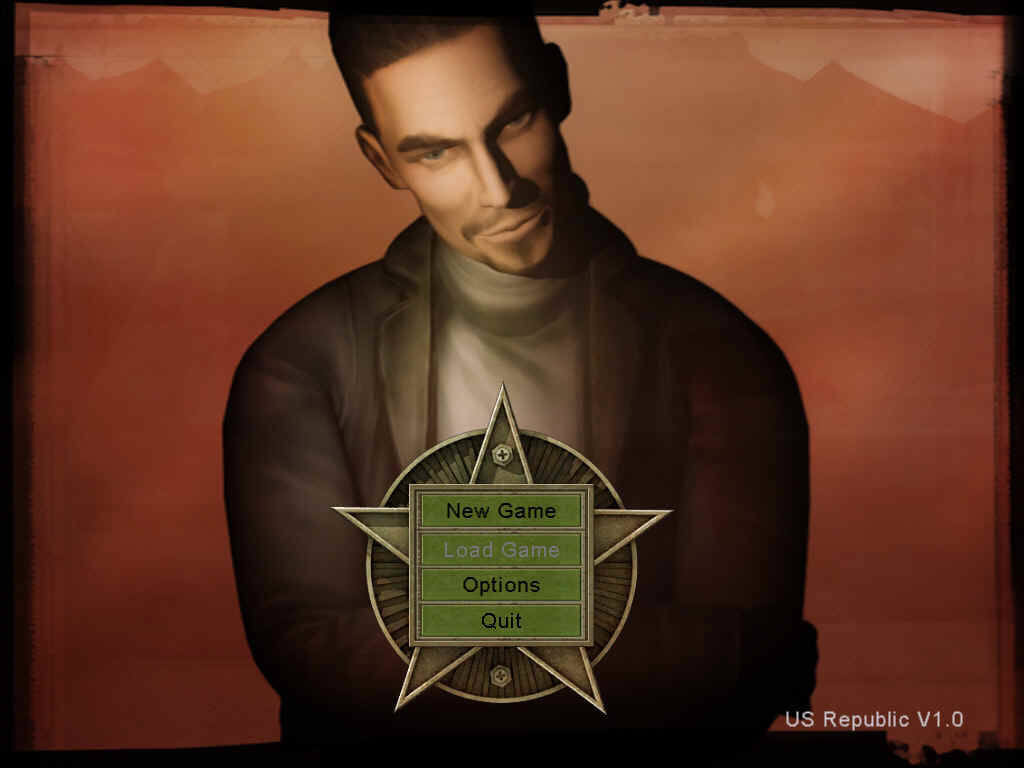
2. As for resolution, the engine has a 4:3 aspect ratio and the max resolution is 1152x864. There is a RepublicOptions.ini in the install folder/Main/SaveGame where technically you can change Video.Width and Video.Height entries, but I could not run the game if I set anything higher than the above. You can also press F2 any time that brings up resolution options, but it's limited to 3 entries.
3. In RepublicOptions.ini you can change Video.MultiSampleType from 0 to 1 to add antialiasing.
4. Some say on Win 10 or 11, some missions, especially the last one, freezes... Found one guy who could solve it only by installing Win 7 as a virtual OS (be vigilant with outdated OS, don't install it directly and don't use anything else on it)
0
Thurazian01 Dec. 2025
I cannot get this game to load for whatever reason. Installed, tried, uninstalled, redownloaded, reinstalled, tried, still nothing. Any solutions people can think of? I even hooked it up to GOG (which it says it is).
0
Joe Mama04 Aug. 2025
I once had this game on CD-ROM but couldn't get it to run for some reason. I think it had issues with the sound card.
0
Nikola18 Jul. 2025
Great game!
0
aura04 Jun. 2025
watched a vid about this game when i was little i always wished to play it its downloading right now
0
あ10 Oct. 2024
あ言わせて、、、これこそありがとう
0
rima22 May. 2024
is there a way to cheat or modify the game save files?
0
No comment nor review for this game at the moment.







 English




Comments and reviews
This was such a great game back in the day. I forgot the name of it and just recently remembered.
If you click on a game icon in Windows 10 and the game does not launch, you simply need to enable DirectPlay in Windows.
How to Enable DirectPlay on Windows 10
1. Press **Win + R** on your keyboard.
2. Type: optionalfeatures
3. Press **Enter**.
4. In the **Windows Features** window, expand **Legacy Components**.
5. Check the box next to **DirectPlay**.
6. Click **OK**.
7. Wait for Windows to install the required files.
8. Restart your computer if prompted.
After restarting, try launching the game again.
It runs on Win 10 with Windows XP (SP3) compatibility option:
- Right-click on the shortcut or the exe - Properties - Compatibility
- Tick "Run this program in compatibility mode for"
- and choose from the dropdown menu Windows XP (Service Pack 3)
More details I've found out:
1. Game engine is locked to 20 FPS, no workaround. Don't be surprised that it stutters - it's expected.
2. As for resolution, the engine has a 4:3 aspect ratio and the max resolution is 1152x864.
There is a RepublicOptions.ini in the install folder/Main/SaveGame where technically you can change Video.Width and Video.Height entries, but I could not run the game if I set anything higher than the above.
You can also press F2 any time that brings up resolution options, but it's limited to 3 entries.
3. In RepublicOptions.ini you can change Video.MultiSampleType from 0 to 1 to add antialiasing.
4. Some say on Win 10 or 11, some missions, especially the last one, freezes... Found one guy who could solve it only by installing Win 7 as a virtual OS (be vigilant with outdated OS, don't install it directly and don't use anything else on it)
I cannot get this game to load for whatever reason. Installed, tried, uninstalled, redownloaded, reinstalled, tried, still nothing. Any solutions people can think of? I even hooked it up to GOG (which it says it is).
I once had this game on CD-ROM but couldn't get it to run for some reason. I think it had issues with the sound card.
Great game!
watched a vid about this game when i was little i always wished to play it its downloading right now
あ言わせて、、、これこそありがとう
is there a way to cheat or modify the game save files?
No comment nor review for this game at the moment.