You are on the beta version of My Abandonware. The live site is still myabandonware.com. Your favorites and ratings here are copied to the live site. Comments and other changes are not — we delete them every morning at 08:00 Paris time, when this site goes down for about an hour. Leave feedback through this link to Pastel (email required).
The beta goes down at 08:00 Paris time, in a few minutes. We rebuild the database from the live site. It comes back in about an hour.
installing in windows 11, I get a message that app can't run on pc, any suggestions?
0
rol06 Dec. 2024
i use serial : a217afarwk1and it work
0
Joe Mama23 Nov. 2024
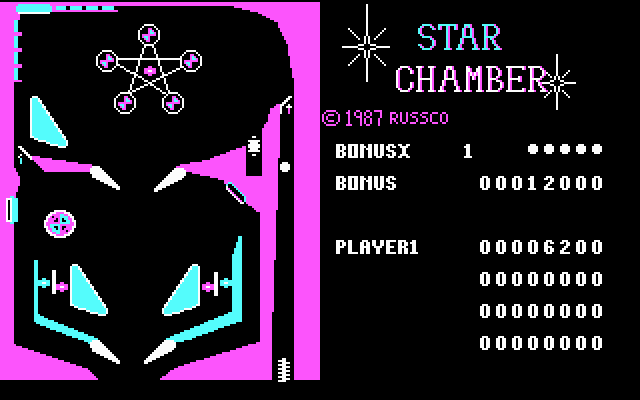
OK, I got the game figured out. To play a game, move the mouse cursor near the front panel of the game, the silver ball will turn into a quarter. Press the left mouse button to insert the quarter. Do it 1-3 more times for 1-3 more players, which will be played by the computer. Move the mouse to the right slightly until the quarter turns into a hand with a pointer finger, press the left mouse button to start the game.
The shift keys will control the flippers. Alt pulls the plunger back. Hitting keys on either the left or right side of the keyboard bumps the table. This can also be done by moving the mouse, so be careful that you don't move the mouse too much or else the machine will tilt.
Clicking on the back of the machine in the diner will allow you to adjust the controls and gameplay, such as choosing between 3 or 5 balls per play, adjusting the tilt sensitivity, flipper and bumper power, etc.
0
Joe Mama23 Nov. 2024
Anyone know what the controls are for the game? I click on the pinball machine and it shows the table, and I figured out that pressing the ALT key pulls the plunger back, but I hit every single other key and couldn't get it to do anything.
0
Zodmo06 Oct. 2024
Woops! install will work with Lardy's idea, but game will still not work after install! I am still looking for proper serial number!
0
Zodmo06 Oct. 2024
To get around the serial number, run the serial number program with /? at the end of it. Then run install program and fill the field with random numbers, but go all the way to the end of the field with your numbers and it will install.
0
rol24 Sep. 2019
serial : a217afarwk1
3
Lardy08 Jun. 2019
Ran serial.exe which came up with "failed" Ran with /? at the end. Came up "success"!!!!??? Then ran install and entered a load of random numbers in the box when it asked for the serial number and it was fine. Started install after that.
-2
Red12 Apr. 2018
Anyone know the serial number to install this game?
-2
No comment nor review for this game at the moment.







 English



Comments and reviews
installing in windows 11, I get a message that app can't run on pc, any suggestions?
i use serial : a217afarwk1and it work
OK, I got the game figured out. To play a game, move the mouse cursor near the front panel of the game, the silver ball will turn into a quarter. Press the left mouse button to insert the quarter. Do it 1-3 more times for 1-3 more players, which will be played by the computer. Move the mouse to the right slightly until the quarter turns into a hand with a pointer finger, press the left mouse button to start the game.
The shift keys will control the flippers. Alt pulls the plunger back. Hitting keys on either the left or right side of the keyboard bumps the table. This can also be done by moving the mouse, so be careful that you don't move the mouse too much or else the machine will tilt.
Clicking on the back of the machine in the diner will allow you to adjust the controls and gameplay, such as choosing between 3 or 5 balls per play, adjusting the tilt sensitivity, flipper and bumper power, etc.
Anyone know what the controls are for the game? I click on the pinball machine and it shows the table, and I figured out that pressing the ALT key pulls the plunger back, but I hit every single other key and couldn't get it to do anything.
Woops! install will work with Lardy's idea, but game will still not work after install! I am still looking for proper serial number!
To get around the serial number, run the serial number program with /? at the end of it. Then run install program and fill the field with random numbers, but go all the way to the end of the field with your numbers and it will install.
serial : a217afarwk1
Ran serial.exe which came up with "failed"
Ran with /? at the end. Came up "success"!!!!??? Then ran install and entered a load of random numbers in the box when it asked for the serial number and it was fine. Started install after that.
Anyone know the serial number to install this game?
No comment nor review for this game at the moment.