



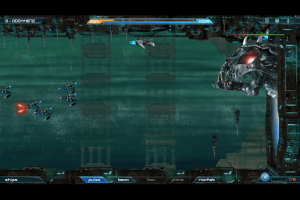
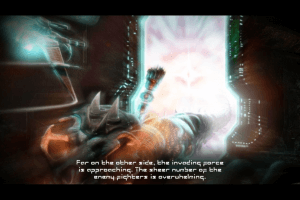

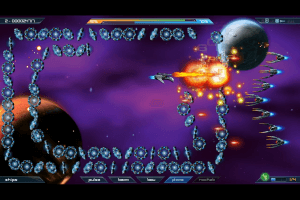

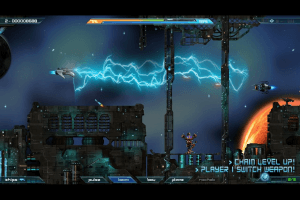

How to Play
The game with patch 1.03 and d3d8to9 Wrapper has been tested on Windows 7 64-bit and Windows 10, works with no problem. Full-Rip has the game with patch 1.03, repack has the game version 1.03 with d3d8to9 Wrapper
Install & play guide:
- Mount the disc image. You will need the utility for mounting disc image files, like WinCDEmu, UltraISO, Alcohol 52%/Alcohol 120% or Daemon Tools Lite
- The game on the disc is already pre-installed, so just copy all files from the disc to some directory on your hard drive
- After that install the patch, don't forget to change the path to game directory. If the patch created folder "SoldnerX v103" inside the game directory - copy all files from that folder into main game directory, make sure to replace SoldnerX.bin file
- Open the directory with the game and find SoldnerX.exe. Right click on SoldnerX.exe - Properties - Compatibility - Set "Run this app in compatibility mode with Windows 2000 or XP" and "Run as administrator"
- Launch the game and play. If the game doesn't work in compatibility mode with Windows XP - try to launch it in compatibility mode with other version of Windows (98, 2000 or Vista)
Notes:
- For users of Windows 64-bit systems: if the game doesn't work after you launched it - open Task Manager (Ctrl+Alt+Del by default) and check for processes SoldnerX.exe and rundll32.exe. Close SoldnerX.exe but don't touch rundll32.exe (it's a Windows app for running old apps from 32-bit operational systems, most old games running through rundll32.exe). Now try to launch the game again, it must work. Don't forget to close rundll32.exe process in Task Manager after finishing playing
- The game works on DirectX 8, so if you're using Windows 8, 8.1, 10 or 11 - you probably will need to enable DirectPlay: Go to Control Panel, and select 'Programs'. Select 'Turn Windows features on and off', click on 'Legacy Components' and check the box 'DirectPlay'. Select OK, once the installation is done, restart your computer
- Sometimes the patch creates the "SoldnerX v103" folder inside the game directory, instead of replacing the original game files and updating the game. In that case just copy all files from "SoldnerX v103" folder and put them in main game directory, agree to replace the original files
- If you want to play the game on Windows 10 - make sure to use d3d8to9 Wrapper. Simply put d3d8.dll in game directory, next to SoldnerX.exe. Please note that your graphics card should support DirectX 9, so that Wrapper probably won't work on most Intel graphic cards
- Also, the method with d3d8to9 Wrapper is recommended if your game is crashing when you launch it on over 60 Hz
- By default the maximum resolution of the game is 1280x1024. You can run the game through utilities like dgVoodoo to play it in higher resolutions
 English
  Japanese







Comments and reviews
Win 11, works with dgVoodoo. Use the d3d8.dll provided with dgVoodoo rather than the one in these zips. Don't change any compatibility settings in the exe properties if you're using dgVoodoo.
This game does not work on windows 11. Unable to start.
With patch, game doesnt start (Unable To Start Game) and without patch the game launches correctly but goes like 70 times faster than supposed
Tried the steps stated but I always receive a 'Unable To Start Game'.
No comment nor review for this game at the moment.