


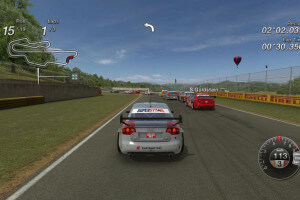
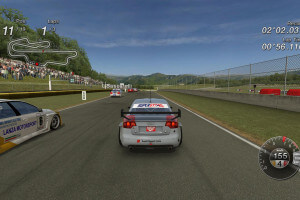
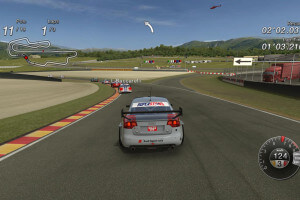
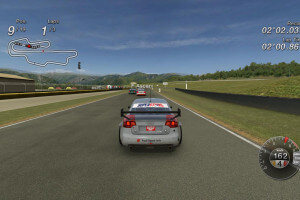
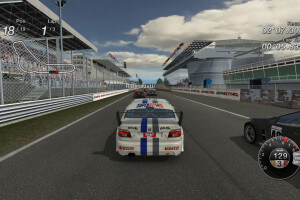
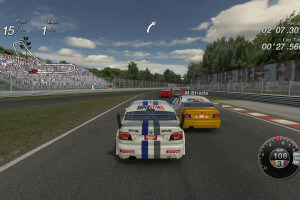
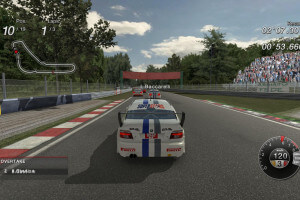
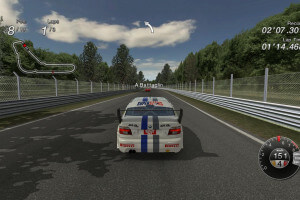
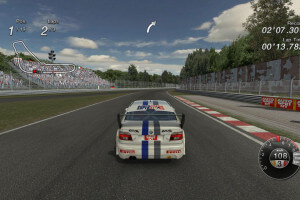
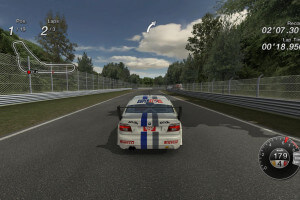
How to Play
The game has been tested on Windows 7 64-bit, Windows 10 and Windows 11, it works fine, the game supports widescreen and high resolutions. You may experience some small troubles when you play the game on modern systems, check our Guide and Notes for details
Install & play guide:
- Mount the disc image. You will need the utility for mounting disc image files, like WinCDEmu, UltraISO, Alcohol 52%/Alcohol 120% or Daemon Tools Lite
- Install the game (if autorun doesn't work - simply launch the installation from Setup.exe inside the disc). Skip installation of GameSpy Comrade, because that app doesn't work anymore, after the closure of GameSpy service
- Open the directory with the game and find Launcher.exe. Right click on Launcher.exe -> Properties -> Compatibility - Set "Run this app in compatibility mode with Windows XP" and "Run as administrator"
- Launch the game and play. If the game doesn't work in compatibility mode with Windows XP - try to launch it in compatibility mode with other version of Windows (Windows 98, Vista, etc.)
The game is DRM-Free, it means that it doesn't have any copy protection, so you just install & play. The game is multilingual, it has support for English, French, German, Italian & Spanish languages, you can select the language in launcher
Notes:
- If the installation doesn't start - try to launch Setup.exe as Administrator and in Compatibility mode with old version of Windows (98, 2000 or XP)
- It is recommended to install all versions of Microsoft Visual C++ Redistributable and NET Framework for the correct work of the game. Also it is recommended to install K-Lite Codec Pack for the correct work of in-game videos
- The game works on DirectX 9, so if you're using Windows 8, 8.1, 10 or 11 - you need to enable DirectPlay: Go to Control Panel, and select 'Programs'. Select 'Turn Windows features on and off', click on 'Legacy Components' and check the box 'DirectPlay'. Select OK, once the installation is done, restart your computer
- If the game crashes after loading the race, or you have problem with missing sound effects/disappearing sound - set sound quality to 24 bit, 48000 Hz. Read this guide how to do that
- There could a graphical bug with black outlines/shadows around the cars models on some video cards. If you see any graphical glitches, disable Fog/Bloom and Motion Blur post-rendering effects in Launcher (if the problem still occurs - disable all post-rendering effects). Also, the game looks more realistic without Blood and Motion Blur, so you can disable that effects to get a better in-game image
- By default the game supports the screen resolutions up to 1920x1080 only. But you can run it in higher screen resolutions, even in Ultra HD 4K, if you edit config.ini file in
C:/Users/%USERNAME%/AppData/Roaming/BlackBean/Superstarsfolder - simply open it in Notepad and changeWidth=andHeight=lines. After you edited config.ini, mark the file as Read-only - Online multiplayer of the game was working through GameSpy servers but GameSpy was closed over a decade ago. To play the game in online multiplayer, you can use one of GameSpy alternatives like OpenSpy or similar. There was no support for LAN multiplayer in this game, it had only online multiplayer through GameSpy, for up to 12 players
- The game has controller support and should work fine with any model of gamepads. However, on-screen prompts show keyboard buttons only. If the game doesn't recognize your controller - try to use one of the additional tools from PCGamingWiki guide for controllers
 English
  French
  German
  Italian
  Spanish





Comments and reviews
Dipendenti scolastici
La verdad que el juega anda increíble, graciassss
So here's what you guys can do in order to better enjoy such a cool racing game like this on newer versions of Windows and\or graphics cards -as its launcher won't detect those additional resolution modes quite properly, that is-:
*Navigate to the following folder:
C:/Users/%USERNAME%/AppData/Roaming/BlackBean/Superstars
*Once there, locate the required configuration file and open it with Notepad.
*Locate and edit the following Parameters:
Width=
Height=
....to your desired resolution.
*Optionally, if you have it handy, fill in your GPU's DeviceID number.
*Once you're done, save your changes and set it as "Read Only"
*Launch the game as usual. -Just disregard the popup message indicating that the settings couldn't be saved.-
It works like a charm #JustConfirmed
*Tested on Windows 11 Pro 25H2*
güzel bir oyuna benziyor
@LazarheaD There's no need for Full-Rip version, the game is DRM-Free, you can simply install & play
Looks interesting. Can we get a RIP version, please, thank you, gracious uploaders?
i like it i want to play it
Anyone know how I can use a wired aftermarket generic Xbox controller with this game. Only the analog and dpad and the “a” button commands register, and when I try to register anything else, after pressing a to then select the appropriate one, nothing else register, nor while racing. The controller commands screen says “keyboard” and I don’t see any way to change that. Anyone?
works great out of the box, didn't have to tinker much. also works great with a dualshock ps4 controller hooked up. nice little gem this is
If you have sound troubles - try to set sound quality to 24 bit, 48000 Hz. Looks like the game doesn't support higher sound quality
unfortunately I don't have any sound during gameplay
No comment nor review for this game at the moment.