You are on the beta version of My Abandonware. The live site is still myabandonware.com. Your favorites and ratings here are copied to the live site. Comments and other changes are not — we delete them every morning at 08:00 Paris time, when this site goes down for about an hour. Leave feedback through this link to Pastel (email required).
The beta goes down at 08:00 Paris time, in a few minutes. We rebuild the database from the live site. It comes back in about an hour.
For anybody that wants to play this, no matter where you download it from you'll need to use DxWnd. DxWnd in a nutshell can just make older programs run when they otherwise wouldn't and for Survival Crisis Z it's no different. You might have to add the dll files but you might not. If you need to add them (because doing the above won't work) you can check the guide at https://www.pcgamingwiki.com/wiki/Survival_Crisis_Z
Game fails to launch • Link Game shows "Run-time error '429' - ActiveX component can't create object" error message upon launch. Download and install required DLL files[1] Download dx7vb.dll, dx8vb.dll, and d3drm.dll. Copy these DLL files in %WINDIR%\system32 if you have 32 bit Windows OR in %WINDIR%\syswow64 if you have 64 bit Windows Run Command Line as Administrator Change folder to %WINDIR%\system32 OR %WINDIR%\syswow64 folder according to (2) Enter regsvr32 dx7vb.dll command, OK on the window that comes up saying dllregserver succeeded Enter regsvr32 dx8vb.dll command, OK on the window that comes up saying dllregserver succeeded Run the game.
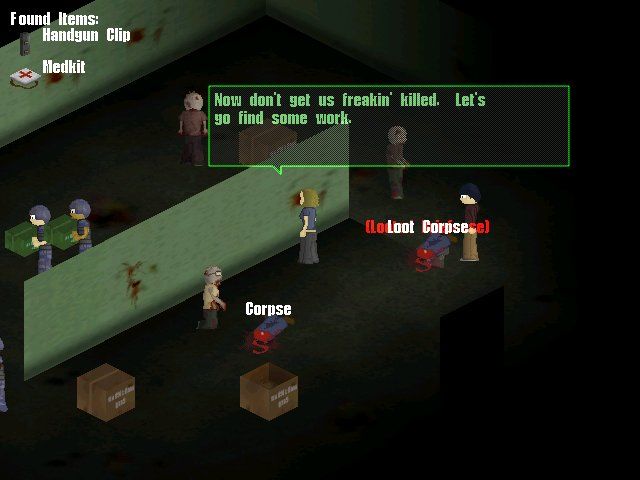
Other than that you don't need to do much else, works fine by me. Don't expect a fancy resolution but it works great and it's a quite fun and unique game.
2
taberone11 Jan. 2025
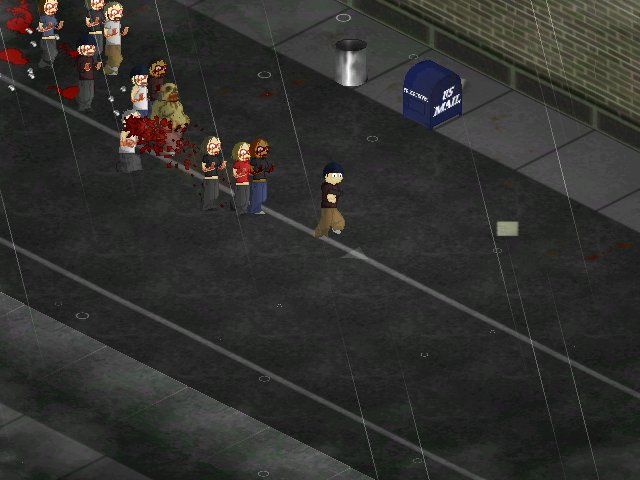
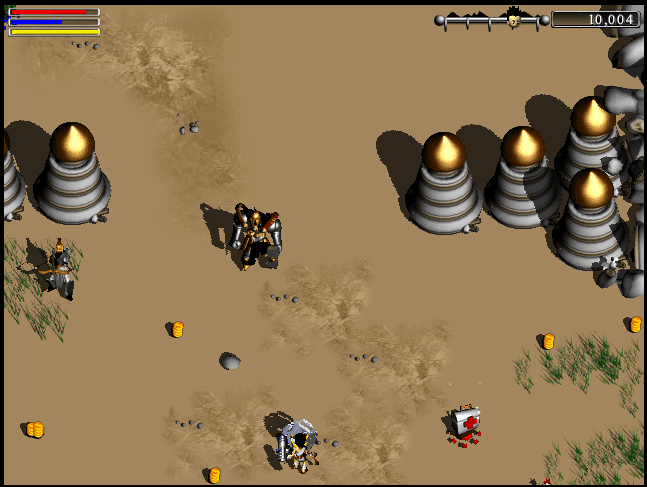
how do I fix my framerate? building takeovers are impossible when my FPS instantly drops to zero and I get shot dead without being able to fight back. I already did the fixes and registered the DLLs, but the game lags too much when there's too many NPCs onscreen.
2
gg07 Apr. 2023
proto project zomboid? lol
0
DAVE03 Apr. 2023
SURIVAL CRISIS Z ================ 1.OPEN SYSTEM32 FOLDER AND COPY/PASTE THE 3.dll FILES INSIDE THE FOLDER d3drm.dll dx7vb.dll dx8vb.dll
2.START Command Prompt AND ENTER THE BELOW TEXT EXACTLY





 English



Comments and reviews
For anybody that wants to play this, no matter where you download it from you'll need to use DxWnd. DxWnd in a nutshell can just make older programs run when they otherwise wouldn't and for Survival Crisis Z it's no different. You might have to add the dll files but you might not. If you need to add them (because doing the above won't work) you can check the guide at https://www.pcgamingwiki.com/wiki/Survival_Crisis_Z
Game fails to launch • Link
Game shows "Run-time error '429' - ActiveX component can't create object" error message upon launch.
Download and install required DLL files[1]
Download dx7vb.dll, dx8vb.dll, and d3drm.dll.
Copy these DLL files in %WINDIR%\system32 if you have 32 bit Windows OR in %WINDIR%\syswow64 if you have 64 bit Windows
Run Command Line as Administrator
Change folder to %WINDIR%\system32 OR %WINDIR%\syswow64 folder according to (2)
Enter regsvr32 dx7vb.dll command, OK on the window that comes up saying dllregserver succeeded
Enter regsvr32 dx8vb.dll command, OK on the window that comes up saying dllregserver succeeded
Run the game.
Other than that you don't need to do much else, works fine by me. Don't expect a fancy resolution but it works great and it's a quite fun and unique game.
how do I fix my framerate? building takeovers are impossible when my FPS instantly drops to zero and I get shot dead without being able to fight back. I already did the fixes and registered the DLLs, but the game lags too much when there's too many NPCs onscreen.
proto project zomboid? lol
SURIVAL CRISIS Z
================
1.OPEN SYSTEM32 FOLDER AND COPY/PASTE THE 3.dll FILES INSIDE THE FOLDER
d3drm.dll
dx7vb.dll
dx8vb.dll
2.START Command Prompt AND ENTER THE BELOW TEXT EXACTLY
C:\Users\as\DesktopCD C:\\WINDOWS\SYSTEM32 (Enter)
C:\Windows\SYSTEM32REGSVR32 DX7VB.DLL (Enter)
c:\Windows\System32REGSVR32 DX8VB.DLL (Enter)
(Close the command prompt)
3.START WITH SCZ.exe
*These steps only apply to vista/7/and above
I am having an issue where the launcher is not installing all the files anyone know how to fix this?
Un juego que me recuerda a mi niñez.
No comment nor review for this game at the moment.