
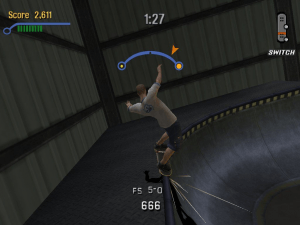

How to Play
Windows
The game has been tested on Windows 7 64-bit, Windows 10 and Windows 11, it works fine. You may experience some small troubles when you play the game on modern systems, check our Guide and Notes for details
Install & play guide:
- Mount the disc image. You will need the utility for mounting disc image files, like WinCDEmu, UltraISO, Alcohol 52%/Alcohol 120% or Daemon Tools Lite
- Install the game (if autorun doesn't work - simply launch the installation from Setup.exe inside the disc). It is recommended to install the game not in default path, but in some other, non-system folder, like
C:/Games/THPS3 - If you installed US version of the game, install the patch v1.01. Xplosiv re-release is already prepatched to v1.01
- Then use NoCD, simply copy Skate3.exe from the archive and put it into game directory, agree to replace the original files
- Open the game folder and find Skate3.exe. Right click on Skate3.exe -> Properties -> Compatibility -> Set "Run this app in compatibility mode with Windows XP" and "Run as administrator"
- Run the Launcher (THPS3Setup.exe) to configure the game settings
- Launch the game and play. If the game doesn't work in compatibility mode with Windows XP - try to launch it in compatibility mode with other version of Windows (Windows 98, Windows 2000, etc.)
Notes:
- Skate3.exe file was shipped with code triggering several antiviruses, and it shows some generic warnings. This is the original executable file, nothing to worry about. "Cracked" Skate3.exe from NoCD archive showed the same warnings; also, all translation patches showed the same generic warnings, all files are safe to use
- If the installation doesn't start - try to launch Setup.exe in compatibility mode with old version of Windows (98, 2000 or XP)
- It is recommended to install all versions of Microsoft Visual C++ Redistributable and NET Framework for the correct work of the game. Also it is recommended to install K-Lite Codec Pack for the correct work of in-game videos
- The game works on DirectX 8, so if you're using Windows 8, 8.1, 10 or 11 - you need to enable DirectPlay: Go to Control Panel, and select 'Programs'. Select 'Turn Windows features on and off', click on 'Legacy Components' and check the box 'DirectPlay'. Select OK, once the installation is done, restart your computer
- The game doesn't have any DRM protection, only the simple disc check, use NoCD to remove it. If you see error that there's not enough space on the hard drive when you copy NoDVD files - re-install the game in non-system folder, like
D:/Games/THPS3, Windows Protection may block copying of files to system folders (likeC:/Program FilesorC:/Windows) - If you have the display with high refresh rate, and see the flickering or black screen, select "60Hz refresh" in the Launcher (THPS3Setup.exe)
- By default the game supports only 4:3 screen ratio resolutions. But you can play the game in wide screen resolutions by using Widescreen Fix by ThirteenAG. To install it simply copy all files from the archive and put in game folder, then open TonyHawksProSkater3.WidescreenFix.ini inside
THPS3/scriptsfolder and changeResX =andResY =parameters to enable the screen resolution you need (for example, if you want to run the game in 1920x1080 mode, makeResX = 1920andResY = 1080) - Another method to play the game in widescreen is to install PARTYMOD, it includes the fix for widescreen support. Please note that PARTYMOD is not compatible with Widescreen Fix by ThirteenAG
- If you want to play in Windowed mode, run the game with
-windowedparameter or use DefMod3 - The game has a lot of mods, the list of most popular mods is available on PCGamingWiki. You can find more mods on ModDB or GameBanana, and in archive of mods from now disfunctional THPS-Mods website. Also, we recommend to check Tony Hawk's Games Wiki and THPSX forum
- Multiplayer of the game was working through GameSpy servers, but its servers were closed years ago. If you want to play the game in multiplayer, use OpenSpy app; or install mods like PARTYMOD or LevelMod, they include fixes for multiplayer game
- The game has controller support, but it doesn't recognize some models of gamepads. Like, it doesn't work with most of XInput-type controllers (Xbox gamepad and similar), also, it doesn't recognize some DirectInput-type controllers. If the game doesn't recognize your controller and you cannot configure it in the Launcher (THPS3Setup.exe) - try using one of the additional tools from PCGamingWiki guide for controllers. Additionally, try to install PARTYMOD, it has improved controller support
- Don't forget to check PCGamingWiki if you have troubles!
Mac
Visit MacintoshGarden for more details about Mac version
 English
  German





 Czech
Czech  Polish
  Russian


Comments and reviews
A versão Magipack não deixa alterar as config pra usar joystick.
This will still not read my 360 controller even with the MagiPack. All the other THPS Magipacks I have do not do this. Weird that THPS2 and 4 works with it and not 3.
Downloaded repack by MagiPack and NoCD for version 1.01
Works for Windows 11. Loading screens and movie has strange colours. Gameplay graphics and controls all functioning correctly. So good being back behind a virtual skateboard. Nostalgia 100%. Going to replay this game to its completion all over again.
How do you change the controls for keyboard the "ollie" key doesn't work
i installed the Medipack then installed the path.101 all on windows 11on a Usb drive
Some of you need to install a disk image program so you can open the ISO, and some need to learn to scroll down so you can find the No-CD crack already available.
And there's absolutely no trojan. You don't have to believe me though, I've only been using this website and downloading it's content for over a decade, so what do I know?
And to MyAbandonware, thank you for the simple and accessible gallery of classics!
We updated this page, added more language versions, plus fixes and the guide how to use them
Tony Hawk's Pro Skater 3 and 4 have been rated in Singapore, according to a new leak: https://www.gematsu.com/2025/02/tony-hawks-pro-skater-3-4-rated-in-singapore-for-ps5-xbox-series-ps4-xbox-one-switch-and-pc
Remasters are imminent, so get these games while they're still here, instead of giving Activision money that the original creators of these games will never see.
German version provided :
https://archive.org/details/tony-hawks-pro-skater-3-german-version
How do I install the patch?
I was able to download and mount on my Windows Xp Computer. I was able to install and play the game with my Gamepad F310 Controller
it doesn't work, it can't be downloaded, there is no file to open the installation
So I have it installed with Virtual CloneDrive, but can't access it due to the file not being NoCD /Cracked version. Is there a possibility for such a version of the game? Thanks!
I always get stuck on "CD copy protection check failed. Please insert an official Tony Hawk's Pro Skater 3 CD and restart the application''
tony hawk's green skater 3
omg omg omG OMG OMG!!!!
when i download this it comes up with BIN files and when i click on them they dont open any game can someone tell me what to do
Both downloads contain malware or trojans. Avoid at all costs.
Zip version gave me a virus dont recommend it
How to fix low draw distance?
New mac doesn't support PowerPlay applications so it won't open it :(
ISO Version is OK...
RIP Version - Has viru/malwares (as usual...)
Does anyone know which controllers are compatible with this game?
My PC Said: Virus Detected Ya Bullshit!
It Insulted me
UPDATE:
That .bat file does have lines to overwrite the music folder with that same song, But the files already in the data/music folder are already the duplicate.
I recommend running the setup.bat for the other stuff it does, then grab a ~/data/music/ folder from the .iso download or another source and overwrite what is there
Anyone with the music issue, you ran the "setup.bat".
It overwrites the muisc.
You can copy the music folder from the zip back to the right folder to fix it.
Also the "insert cd" people. The RIP version already has the patch installed, you didnt need to run the 1.01 patch manually.
All this learned from my own mistakes!!
skate3.exe is detected as a trojan virus. Don't download this.
All music tracks are replaced by What's the matter, man. :-/
Hi,
I have downloaded THPS3 but when I click the download it is telling me 'There is no application set to open the document' ... what application do I need to open this game? Any suggestions?
Apologies for a silly question I am new to having a Mac, any help is appreciated
Brb should i pick Iso or rip or mannuel this has too much if you want this game go to the old abandonware.
its says that Mac doesn't run powerpc files anymore, has anyone got past this?
hi guys if you are confused by the .sit use Keka unarchiver, it is an old Mac OS 9 compression method and is quite annoying, stuffit expander is so slow so Keka is the best as it is fast and reliable with most common compression formats.
Thank you!!!
i love this game!
Ova igrica je extra i pravo za opuštanje
The main skate3.exe contains a trojan, Windows defender spotted it after 2 mins of gameplay
I Cant connect a XBOX ONE wless controler to it it wont work in the aplicatcion where you can set it up
CAUTION: Windows Defender reported a Trojan after installation.
Oh well, can't get it to work on Windows 10 anyway.
Only plays 1 song on the playlist.
Great game
it is a nice game
When I open it, its call a .sit file, and it opens it TextEdit, what do I do?
What's the "Update 1.0.1 2MiB" file and what do I do with it?
Hi there, I've installed the game and the update, but it's asking me to insert a CD. Is there a way I can play this without a game CD? Thanks!
Extracted the .sti file , the disk mounts and I try to open the installer it says its "Damaged or incomplete" this has happened with two games that I have downloaded(I have only downloaded two). Is it because my OS is too updated and does not run old games? If so, please help me fix it.
Hey yall. I just downloaded the game but can't get it to play. It keeps opening it with TextEdit. What application should I use to play the game?
This is a mac game, bud. There aren't any exe files.
Hey dudes I extracted it but the installer has no file type. I even tried renaming it as an .exe and running it in Windows and DOSBox but it does not work. How do you get the installer file working?
super fun
Fixed ! thx ;)
this is just an update, note the full game. at least thats wahat i get when downloading the file :(
No comment nor review for this game at the moment.