




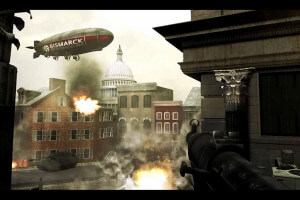
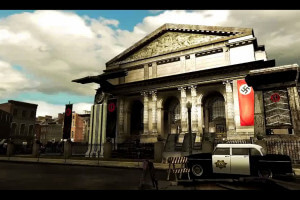

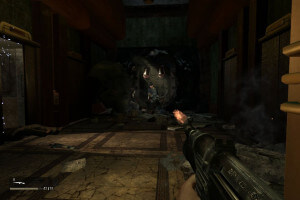
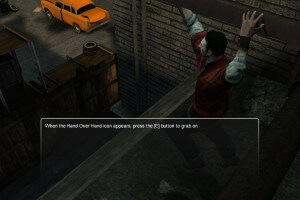
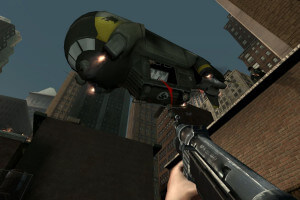
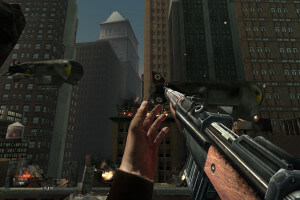
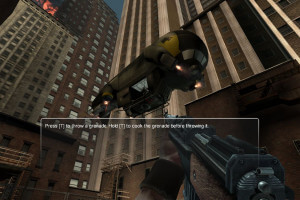
How to Play
The game with NoDVD has been tested on Windows 7 64-bit and Windows 10, works fine. The game supports widescreen and high resolutions up to 1680x1050. If you want to set higher resolution - check out Notes
Install & play guide:
- Mount the disc image. You will need the utility for mounting disc image files, like WinCDEmu, UltraISO, Alcohol 52%/Alcohol 120% or Daemon Tools Lite
- Install the game (if autorun doesn't work - simply launch the installation from Setup.exe inside the disc)
- Also it is recommended to install DirectX from the disc (if you're using Windows 10 - enable DirectPlay, read this or this guide how to do it)
- You will need to install Nvidia PhysX Legacy Drivers for the correct work of the game, since the game is using PhysX engine
- After you installed the game - install NoDVD (simply copy LTCG-TPGame.exe from the archive and put it in
Turning Point - Fall of Liberty/Binariesdirectory, agree to replace original file) - Open
Turning Point - Fall of Liberty/Binariesdirectory and find LTCG-TPGame.exe. Right click on LTCG-TPGame.exe - Properties - Compatibility - Set "Run this app in compatibility mode with Windows XP" and "Run as administrator" - Launch the game and play. If the game doesn't work in compatibility mode with Windows XP - try to launch it in compatibility mode with other version of Windows (Win98/ME, Win2000, Vista, etc.)
Notes:
- If the installation doesn't start - try to launch Setup.exe in compatibility mode with old version of Windows (98, 2000 or XP)
- NoDVD is required for the launch because the game is using SecuROM DRM protection, which doesn't work on modern systems. That NoDVD "breaks" DRM protection and allows the game to work on modern systems
- If first NoDVD doesn't work - try to use alternative NoDVD
- The game is using PhysX engine, so you will need to install Nvidia PhysX Legacy Drivers for the correct work of the game.
- If you notice that the game is working slow - delete Nvidia PhysX Legacy Drivers and install PhysX 7.09.13 from the disc (usually it installs automatically at the end of game installation)
- It is recommended to install old versions of Microsoft Visual C++ Redistributable for the correct work of the game
- Also it is recommended to install RAD Video Tools and K-Lite Codec Pack for the correct work of in-game videos
- The game works on DirectX 9, so if you're using Windows 8, 8.1, 10 or 11 - you need to enable DirectPlay: Go to Control Panel, and select 'Programs'. Select 'Turn Windows features on and off', click on 'Legacy Components' and check the box 'DirectPlay'. Select OK, once the installation is done, restart your computer
- If the game with NoDVD doesn't launch - disable DEP for LTCG-TPGame.exe. Right click on
My Computer/This PC -> Properties, click on Advanced system settings, in Advanced tab click on Settings under Performance. In the Performance Options window, click on the Data Execution Prevention tab, then click on button Turn on DEP for all programs and services except those you select and add LTCG-TPGame.exe to that list. Then click Apply and OK. After that the game should start working. Here's the guide with pictures and more details about Data Execution Prevention - By default the max resolution that you can select in game settings is 1680x1050. But it is possible to launch the game on higher resolutions, by editing the config-files, since it's using Unreal Engine 3. To change the resolution, do the next steps:
- First launch the game one time, to create the configuration files
- Close the game and go to
C:/Users/"Your username"/AppData/Local/My Games/Turning Point/TPGame/Config, find TPEngine.ini and open it in Notepad - Search for
ResX=andResY=under [SystemSettings] and replace the values with any width and height of your liking. In example, if you want to set 1920x1080 resolution, makeResX=1920andResY=1080. Check WSGF for more details
- Also, you can change other graphics settings in TPEngine.ini, like enabling the anisotropic filtering, which is disabled by default and can not be enabled in game menu. To enable it find
MaxAnisotropyline and set to 16 - By default the game is capped at 62 FPS max, but you can play on higher framerate. Open TPEngine.ini and find
MaxSmoothedFrameRateline, and set it to any FPS you want. Be careful though, don't set FPS too high, since no one was testing it on high FPS - The game doesn't have setting for FOV (Field of View), but you can change FOV by editing the config-files, read this guide for details
- The game doesn't have anti-aliasing settings, so enable it from your video card driver control panel
- Don't forget to check PCGamingWiki page if you have troubles
 English
  Spanish
  Italian
  Russian
  German
  French







Comments and reviews
I need to work out what the Russian menu items are. I'm going to get it translated once I'm able to input the Russian characters into google translate. (I'm really busy at the moment, with guests arriving in a few hours and I'll be away for the weekend, but once I'm back I will endeavour to translate and find my hard copy to upload an English ISO image)
The game boots up absolutely fine with or without any of the available NoCD files though the alternate NoDVd does get flagged, but is usable (if needed).
I do have an English hard copy of this game; which, when I find it (it's in the attic bagged with hundreds of other old CD based games under piles of other stuff). I'll make an ISI image and contribute that to the site once I've managed to find the game.
I could never finish the game because every time I restarted it, (over several years), I could never get past a particular area, not that far into the game, where you had to enter a lift shaft to get to the ground floor (in a collapsed building). At exactly the same point each time I played it the game always crashed, so I eventually gave up.
I would have loved a Steam key for this game, but I could never source one.
(I'd happily pay £100 for one but I'd have to make sure it registered on my Steam account before I paid - you can see from my large Steam friends list that I'm a honest user who has had many successful sales and purchases from the community).
Hungarian :
https://archive.org/details/turning-point-fall-of-liberty-hu_202508
Polish :
https://archive.org/details/turning-point-fall-of-liberty-pl
come fossi su un tandem
repack version doesnt launch for me, asks for network access and then doesnt launch, a bit sus, i dont know how to make it work... makes me a bit sad havent had a chance to play this since childhood.
Downloaded the R.G. Repack version, was about 8GB after unpacking.
Works fine on Win 10, I just managed to beat it without a major problem.
I had just one instance of the enemies falling through the floor, but after reloading the last checkpoint that was fixed.
Thank you for the upload, finally got to play it.
any ideas how to force it to run on Steam Deck?
No comment nor review for this game at the moment.