You are on the beta version of My Abandonware. The live site is still myabandonware.com. Your favorites and ratings here are copied to the live site. Comments and other changes are not — we delete them every morning at 08:00 Paris time, when this site goes down for about an hour. Leave feedback through this link to Pastel (email required).
The beta goes down at 08:00 Paris time, in a few minutes. We rebuild the database from the live site. It comes back in about an hour.
Im getting a Sniper Error: Couldnt set a D3D Emulation Mode message, how do i fix that.
Ryzen 4700u, integrated graphics
1
Binski11 Nov. 2023
Please add Gameplay of Woo666 he manage to fixed the mouse problem.
https://www.youtube.com/watch?v=-y58vHzMNZw
2
vjx01224 Sep. 2023
For anyone looking for a way to fix the mouse stuttering/jumping around, to fix the graphical glitches, as well as more-or-less play in native resolution (stretched, but no noticable drop in quality or signs of stretching), use dgVoodoo 2.
Now, you can't just use any settings with dgVoodoo, as forcing the resolution the game doesn't support or using the wrong scaling mode will break the game.
Here's how to do it:
1. Download latest dgVoodoo 2 from here: http://dege.freeweb.hu/dgVoodoo2/dgVoodoo2/ 2. Make a new working dgVoodoo 2 folder, then extract the downloaded archive into that folder. 3. (Optional, only if you intend to repeatedly use dgVoodoo with many games) Go to the working dgVoodoo directory and open "dgVoodooCpl.exe" then configure it with options such as what GPU to use, the allocated VRAM, the resolution to be forced (overriding in-game selected resolution and so on) and so on. 4. Go to where Western Outlaw installation files are and create a new folder (I'll refer to it as "Mouse fix" folder) where you'll put the necessary dgVoodoo files. 5. From the working directory, copy the following files into the "Mouse fix" folder: from the root working directory copy "dgVoodooCpl.exe", "dgVoodoo.conf", and from the MS\x86 folder copy "D3D8.dll". 6. In the "Mouse fix" folder, open "dgVoodooCpl.exe" and configure the following: in the "General" tab, choose "Stretched" scaling mode - you can use any scaling mode above "Stretched", including stretched, but anything below "Stretched" will break the game, then go to the "DirectX" tab, and under "Resolution" select "Unforced"; the rest you can tweak to your heart's content. Click "OK" when you're done to save the changes into the "dgVoodoo.conf" file. 7. Copy everything from the "Mouse fix" folder into the game installation directory where the game executables are located. 8. Run the game.
This will fix three issues: the mouse stuttering/jumping around, the graphical glitches, as well as stretching the game window so that it's as if you're practically using your native resolution - I haven't seen any image degradation or signs that the image is stretched compared to not using dgVoodoo 2 when the game window is shrinked and black bars appear at the sides. On my PC, using both "Unspecified" and "Stretched" scaling mode stretches the window to fill the whole monitor, while "Centered" shrinks it, and makes black bars appear above, below and to the sides. Any scaling mode below "Stretched" breaks the game for me, by making two cursors appear at the main menu and making it hard to control the cursor, as well as freezing and making the screen completely black if I load a level (force-closing the game using SuperF4 doesn't work, makes the UI unresponsive and prevents CTRL-ALT-DEL menu from appearing, while not force-closing the window doesn't prevent the CTRL-ALT-DEL window from appearing, but choosing either Sign out or Switch user then choosing to restart/shut down the PC from there makes the screen black and doesn't restart, so you're forced to forcibly shut down or restart the PC), so only "Unspecified", "Centered" and "Stretched" work properly. Same with forcing resolution: using "Unforced" or selecting the resolution the game supports works without issues, but forcing any other resolution does the same as with wrong scaling applied.
So, in short, specify the correct scaling, the correct resolution setting, apply the changes, copy the necessary files into the game dir and that's all.
5
SentientSlayer17 Sep. 2022
hey im on windows 11 and no matter how much i install and uninstall the game keeps crashing when it launches, anyone have a solution or idea of error sources
-3
Leon13DM06 Aug. 2022
I'm also having difficulty with the game and the mouse not turning the character left or right without great force or delay. Please, someone give me a fix.
2
DeShelly06 May. 2022
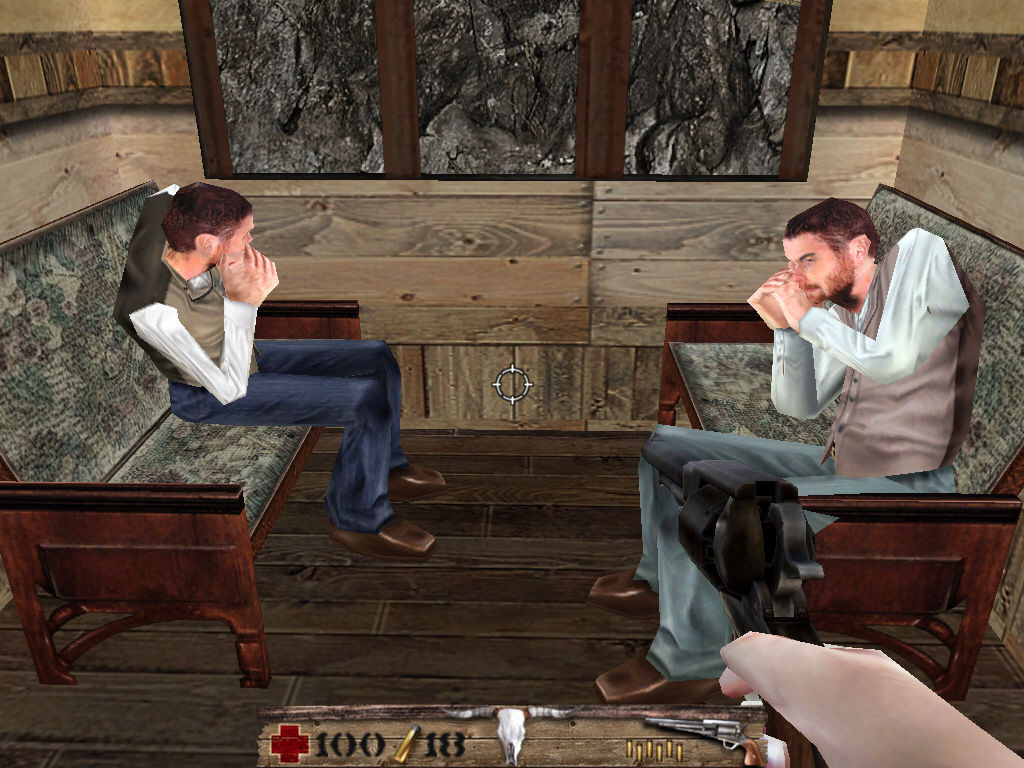
Hello guys, how to solve that issue with the NPCS faces? if anyone knows anything about it
4
zed14 Apr. 2022
does iso download means the official version
1
mahdi13 Aug. 2021
Thank U Very Much
0
TheTurtleyOne02 Apr. 2021
Top comment
Does anyone know a way to make the mouse controls not awful. Even with the highest sensitivity I have to move my mouse halfway across my desk to turn 90 degrees. And keyboard aiming in not the best to play with, I doubt that there is a fix for this as nobody plays this game.
8
Commodity12 Oct. 2020
Windows 10 here! It's an easy download. I used 7zip for the ISO and it's as simple as downloading this game, extracting the zipped folder, using 7zip to extract the ISO file, and then installing the game to where you want it and running the game. If anyone has any problems running Western Outlaw just ask!
5
No comment nor review for this game at the moment.






 English



Comments and reviews
Im getting a Sniper Error: Couldnt set a D3D Emulation Mode message, how do i fix that.
Ryzen 4700u, integrated graphics
Please add Gameplay of Woo666 he manage to fixed the mouse problem.
https://www.youtube.com/watch?v=-y58vHzMNZw
For anyone looking for a way to fix the mouse stuttering/jumping around, to fix the graphical glitches, as well as more-or-less play in native resolution (stretched, but no noticable drop in quality or signs of stretching), use dgVoodoo 2.
Now, you can't just use any settings with dgVoodoo, as forcing the resolution the game doesn't support or using the wrong scaling mode will break the game.
Here's how to do it:
1. Download latest dgVoodoo 2 from here: http://dege.freeweb.hu/dgVoodoo2/dgVoodoo2/
2. Make a new working dgVoodoo 2 folder, then extract the downloaded archive into that folder.
3. (Optional, only if you intend to repeatedly use dgVoodoo with many games) Go to the working dgVoodoo directory and open "dgVoodooCpl.exe" then configure it with options such as what GPU to use, the allocated VRAM, the resolution to be forced (overriding in-game selected resolution and so on) and so on.
4. Go to where Western Outlaw installation files are and create a new folder (I'll refer to it as "Mouse fix" folder) where you'll put the necessary dgVoodoo files.
5. From the working directory, copy the following files into the "Mouse fix" folder: from the root working directory copy "dgVoodooCpl.exe", "dgVoodoo.conf", and from the MS\x86 folder copy "D3D8.dll".
6. In the "Mouse fix" folder, open "dgVoodooCpl.exe" and configure the following: in the "General" tab, choose "Stretched" scaling mode - you can use any scaling mode above "Stretched", including stretched, but anything below "Stretched" will break the game, then go to the "DirectX" tab, and under "Resolution" select "Unforced"; the rest you can tweak to your heart's content. Click "OK" when you're done to save the changes into the "dgVoodoo.conf" file.
7. Copy everything from the "Mouse fix" folder into the game installation directory where the game executables are located.
8. Run the game.
This will fix three issues: the mouse stuttering/jumping around, the graphical glitches, as well as stretching the game window so that it's as if you're practically using your native resolution - I haven't seen any image degradation or signs that the image is stretched compared to not using dgVoodoo 2 when the game window is shrinked and black bars appear at the sides. On my PC, using both "Unspecified" and "Stretched" scaling mode stretches the window to fill the whole monitor, while "Centered" shrinks it, and makes black bars appear above, below and to the sides. Any scaling mode below "Stretched" breaks the game for me, by making two cursors appear at the main menu and making it hard to control the cursor, as well as freezing and making the screen completely black if I load a level (force-closing the game using SuperF4 doesn't work, makes the UI unresponsive and prevents CTRL-ALT-DEL menu from appearing, while not force-closing the window doesn't prevent the CTRL-ALT-DEL window from appearing, but choosing either Sign out or Switch user then choosing to restart/shut down the PC from there makes the screen black and doesn't restart, so you're forced to forcibly shut down or restart the PC), so only "Unspecified", "Centered" and "Stretched" work properly. Same with forcing resolution: using "Unforced" or selecting the resolution the game supports works without issues, but forcing any other resolution does the same as with wrong scaling applied.
So, in short, specify the correct scaling, the correct resolution setting, apply the changes, copy the necessary files into the game dir and that's all.
hey im on windows 11 and no matter how much i install and uninstall the game keeps crashing when it launches, anyone have a solution or idea of error sources
I'm also having difficulty with the game and the mouse not turning the character left or right without great force or delay. Please, someone give me a fix.
Hello guys, how to solve that issue with the NPCS faces? if anyone knows anything about it
does iso download means the official version
Thank U Very Much
Does anyone know a way to make the mouse controls not awful. Even with the highest sensitivity I have to move my mouse halfway across my desk to turn 90 degrees. And keyboard aiming in not the best to play with, I doubt that there is a fix for this as nobody plays this game.
Windows 10 here! It's an easy download. I used 7zip for the ISO and it's as simple as downloading this game, extracting the zipped folder, using 7zip to extract the ISO file, and then installing the game to where you want it and running the game. If anyone has any problems running Western Outlaw just ask!
No comment nor review for this game at the moment.