



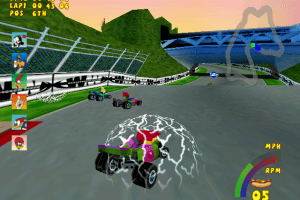
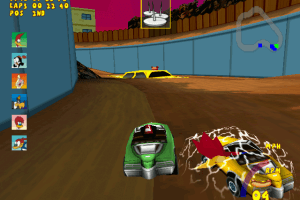
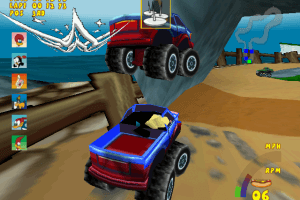
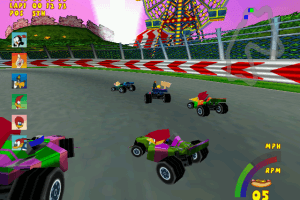
How to Play
The game with CD music, fixed exe-file and dgVoodoo has been tested on Windows 7 64-bit and Windows 10, works fine. You may experience some small troubles when you play the game, check our Guide and Notes for details
Install & play guide:
- Mount the disc image. You will need the utility for mounting disc image files, like WinCDEmu, UltraISO, Alcohol 52%/Alcohol 120% or Daemon Tools Lite
- Install the game
- After that install fixed exe-file, because the game cannot recognize the disc image in virtual drive and asks to insert correct CD-ROM
- Then install CD music addon, simply copy the files in the directory with installed game
- Don't launch the game yet, first download dgVoodoo and extract it from the archive. Copy D3D8.dll, D3DImm.dll and DDraw.dll from the MS/x86 folder, dgVoodooCpl.exe and dgVoodoo.conf to the game folder. Please note that your graphics card must support DirectX 9
- Open the directory with the game and find Woody.exe. Right click on Woody.exe - Properties - Compatibility - Set "Run this app in compatibility mode with Windows 98" and "Run as administrator"
- Launch the game and play. If the game doesn't work in compatibility mode with Windows 98 - try to launch it in compatibility mode with other version of Windows (Windows 2000, XP, etc.)
Notes:
- Also, with dgVoodoo you can play the game with high resolution, anti-aliasing and texture filtering - run dgVoodooCpl.exe, open DirectX tab and select the settings you want. After that click "Apply" to save settings, close dgVoodooCpl and run the game
- If method with dgVoodoo didn't work - try to use DDrawCompat, just put DDraw.dll in game folder. But note that DDrawCompat is not compatible with dgVoodoo, don't use both utilities together
- By default, the game controls are not configured! On first run go to Options and set the key bindings, before starting the race
- If the installation doesn't start - try to launch Setup.exe in compatibility mode with old version of Windows (98, 2000 or XP)
- The game didn't have any DRM protection, only simple disc check. But for some reason the game cannot recognize the disc image in virtual drive and asks to insert correct CD-ROM, so use fixed exe-file to play the game on modern systems
- The game had CD audio music, but since the game cannot recognize the disc - install CD music addon, simply put the files in game folder. That way you'll be able to play the game without the disc but with CD music
- The game works on DirectX 7, so if you're using Windows 8, 8.1, 10 or 11 - you need to enable DirectPlay: Go to Control Panel, and select 'Programs'. Select 'Turn Windows features on and off', click on 'Legacy Components' and check the box 'DirectPlay'. Select OK, once the installation is done, restart your computer
- If the game works too fast on your system or you have bugs & glitches - the game was designed to work at 32 FPS max, so limit the game's framerate to 32 FPS. There are 2 ways to do that:
- Install an app that allows to limit the framerate, like RTSS or Bandicam, read this guide for framerate limit utilities
- If you're using dgVoodoo 2.75 or later version - open dgVoodoo.conf with Notepad and find the line FPSLimit = 0. Change "0" to "32" to limit the game's framerate to 32 FPS
- For users of Windows 64-bit systems: if the game doesn't work after you launched it - open Task Manager (Ctrl+Alt+Del by default) and check for processes Woody.exe and rundll32.exe. Close Woody.exe but don't touch rundll32.exe (it's a Windows app for running old apps from 32-bit operational systems, most old games running through rundll32.exe). Now try to launch the game again, it must work. Don't forget to close rundll32.exe process in Task Manager after finishing playing
- If the game doesn't work on your system - run the game in Virtual Machine with Windows XP, that method works for 100%
- Don't forget to check PCGamingWiki if you have troubles!
 English
  French
  German
  Italian
  Spanish





Comments and reviews
@DUBAIFREAK It is because of dgVoodoo dll-files, may antiviruses detect it as a false threat. Here's VirusTotal scan report https://www.virustotal.com/gui/file/42ed7fa608116e18fa37ef0806a67e70694ba68c8375f00b40a87977b4ac317f
dgVoodoo is totally safe to use, so just add the file in antivirus exceptions
My Antivirus software thinks the Full-Rip with DGVoodoo is infected!
No comment nor review for this game at the moment.