


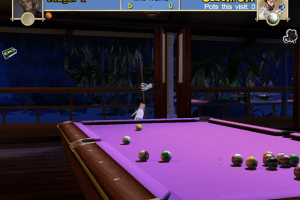
How to Play
Install & play guide:
- Mount the disc image. You will need the utility for mounting disc image files, like WinCDEmu, UltraISO, Alcohol 52%/Alcohol 102% or Daemon Tools Lite
- Install the game
- Open the directory with the game and find pool_paradise.exe. Right click on
pool_paradise.exe- Properties - Compatibility - Set "Run this app in compatibility mode with Windows XP" - Launch the game and play
- The game has been tested on Windows 7 64-bit, works fine
Troubleshooting:
- If the game doesn't run - launch the game, then open Task Manager (Ctrl+Alt+Del by default) and check for processes
pool_paradise.exeandrundll32.exe. Close pool_paradise.exe but don't touch rundll32.exe (it's a Windows app for running old apps from 32-bit operational systems, most old games running through rundll32.exe). Now try to launch the game again, it must work. Don't forget to close rundll32.exe process in Task Manager after finishing playing. - If the game stucks on intro videos - simply delete all files from "Videos" folder
- If the game doesn't launch from desktop shortcut - launch it directly from pool_paradise.exe in game directory. For game configuration launch PPConfig.exe
 English
  French
  German
  Italian
  Spanish





Comments and reviews
And he did not die on christmas eve. He died on the 17th of december. Get your facts right and learn to spell. Before posting.
Excuse me his name is pronounced Archer Maclean. Not Archer McClean.
Aw man, that is so awful. :(
RIP legendary game designer.
Sad news
Archer McClean died on Christmas Eve 2022
No comment nor review for this game at the moment.