




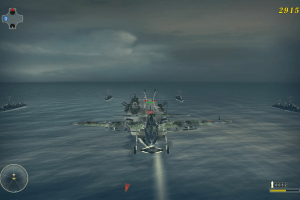
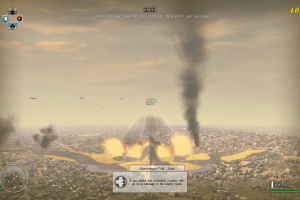
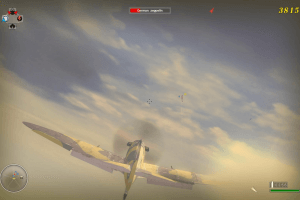
How to Play
Pack of fixes by BitRain showed some warnings on VirusTotal, use at your own risk. We added it because for some users only that fix pack helped to run the game on Windows 8 & 10. For more details of that pack check this thread
The game version 1.01 and fixes has been tested on Windows 7 64-bit and Windows 10, works fine. The game supports widescreen and high resolutions. You may experience some small troubles when you play the game on modern systems, check our Guide and Notes for details
Install & play guide:
- Mount the disc image. You will need the utility for mounting disc image files, like WinCDEmu, UltraISO, Alcohol 52%/Alcohol 120% or Daemon Tools Lite
- Install the game (if autorun doesn't work - simply launch the installation from Setup.exe inside the disc)
- Skip product registration at the end, click "Never register"
- Also it is recommended to install DirectX from the disc (if you're using Windows 10 - enable DirectPlay, read this or this guide how to do it)
- After you installed the game - install the patch
- Open
Blazing Angels 2/bindirectory and find BA2.exe. Right click on BA2.exe - Properties - Compatibility - Set "Run this app in compatibility mode with Windows XP SP2" and "Run as administrator" - Launch the game and play. If the game doesn't work in compatibility mode with Windows XP - try to launch it in compatibility mode with other version of Windows (Win98/ME, Win2000, Vista, etc.)
The game didn't have any DRM protection, so you just need to install the game and patch, and you can play. However, on Windows 8 and newer systems you may have small troubles, so check out our Notes
Notes:
- If the installation doesn't start - try to launch Setup.exe in compatibility mode with old version of Windows (98, 2000 or XP)
- It is recommended to install the game not by default path
C:/Program Files/Ubisoft/Blazing Angels 2 Secret Missions of WWII, but in non-system folder, likeC:/Games/Blazing Angels 2 Secret Missions of WWII, because sometimes Windows antivirus doesn't allow to replace files inC:/Program Filesdirectory - It is recommended to install all versions of Microsoft Visual C++ Redistributable for the correct work of the game
- Also it is recommended to install RAD Video Tools and K-Lite Codec Pack for the correct work of the game
- The game works on DirectX 9, so if you're using Windows 8, 8.1, 10 or 11 - you need to enable DirectPlay: Go to Control Panel, and select 'Programs'. Select 'Turn Windows features on and off', click on 'Legacy Components' and check the box 'DirectPlay'. Select OK, once the installation is done, restart your computer
- If you have troubles when the game crashes after launch - download Crash Fix and put dinput8.dll from the archive in
Blazing Angels 2/bindirectory - Also, on 64-bit systems the game may crash because of broken refresh rate, try to edit it manually like in this guide
- If the game doesn't run or closes with error "Unknown software exception"/ "Can not initialize 3D engine", do the next: set the display resolution to 1024x768, then start the game, select the resolution you need in the game settings, close the game, return the usual display resolution. After that the game should start working with no problem. If it didn't work - try to do same step but with 800x600 or 640x480 display resolution
- That crash happens because BA2.exe has broken Windows Registry paths at first launch. You can try to use fixed exe-file by KRBDZSKL that has correct paths, but note that that fix was created for Russian version of the game, so it may not work with other versions. To use it replace BA2.exe in
Blazing Angels 2/bindirectory with BA2.exe from the archive, don't forget to make back-up of original exe-file prior - If that didn't work and the game still crashes, try to do the next: install the game, then copy the folder with installed game to desktop, after that delete the game through Control Panel, and launch the game from BA2.exe inside copied folder
- For users of Nvidia video cards, if you have any troubles - try to right-click on BA2.exe and select "Run with GPU -> NVIDIA"
- The game has controller support, but if the game cannot recognize your gamepad - use apps like Xpadder
- Online servers were shut down years ago, but you still can play in multiplayer via LAN game, with LAN emulators like Hamachi, Tunngle or Garena
- For users of Windows 64-bit systems: if the game doesn't work after you launched it - open Task Manager (Ctrl+Alt+Del by default) and check for processes BA2.exe and rundll32.exe. Close BA2.exe but don't touch rundll32.exe (it's a Windows app for running old apps from 32-bit operational systems, most old games running through rundll32.exe). Now try to launch the game again, it should work. Don't forget to close rundll32.exe process in Task Manager after finishing playing
- Don't forget to check PCGamingWiki if you have troubles
 English
  French
  German
  Italian
  Spanish





 Russian


Comments and reviews
HOLA AMIGO ME ENCANTA ESTE JUEGO Y GRACIAS A TI PUDE JUGARLO EN WINDOWS 10 SOLO UNA COSA A MI ME AYUDO MUCHO EL SOLUCIONADOR DE PROBLEMAS DE WINDOWS JAJAJA CON ESO PUDE JUGARLO PERO QUISIERA VER SI ME PUEDES AYUDAR A JUGARLO CON MANDO DE FAVOR, TENGO EL DE XBOX ONE NO SE SE SI FUNCIONE CON EL O SI NECESITO COMPRAR UNO EN ESPECIAL, POR CIERTO PRONTO TE LLEGARA MI DONACION TE LA MERECES!
can't find the Blazing Angels 2/bin directory
this shit doesn't work on win11 .
i got everything working but the only issue i have is the game stutters. i also did the regedit method nothing so idk
I have fixed my issue. Clean reinstall, redid every step of getting the supporting programs like the re-distributable and Adobe reader. Patched, but specifically avoided using dinput8.dll . Not certain which step specifically fixed my issue ,as before mouse axis input was reading as - and + on the keyboard, but for anyone else experiencing these issues I'd recommend doing the same.
To further my earlier comment about having trouble with mouse controls. Moving the mouse left and right appear to be registering as - and + whenever I try to remap the controls. Lord knows why.
Never encountered this before with any other old games. It is a wireless mouse if that somehow makes a difference? I'm gonna keep looking into it and follow up if I find a fix, but any help would be appreciated.
Has anyone else experienced issues with getting the game to steer using a mouse? I can navigate menus fine, but I can only fly using my keyboard buttons. The first Blazing Angels game did not have this issue.
MAX, have you tried the advise I wrote in the guide above?
The game won't display when I play it plz help me
Just install the game with patches and crash fix, that will do. Game is DRM-Free, so it should work with no problem. If you get any troubles - check my Notes, I tried to find solutions for all possible troubles
Hey, I'm new here i want to play this game as well, hoping someone will help me, thank you 😅
I love girls!
We have updated the game, added some fixes plus instruction how to use it
cual es la contraseña
I bought this when it was released fourteen years ago and loved it. Still got it stashed away in the attic 'somewhere' If I find the manual I'll upload a scanned copy of it for you eventually.
It's an ISO so it'll need mounted to a virtual drive.
greeting! a very good website, however i cant intall the program on window 10. it said i cant run the setup. please assist
No comment nor review for this game at the moment.