You are on the beta version of My Abandonware. The live site is still myabandonware.com. Your favorites and ratings here are copied to the live site. Comments and other changes are not — we delete them every morning at 08:00 Paris time, when this site goes down for about an hour. Leave feedback through this link to Pastel (email required).
The beta goes down at 08:00 Paris time, in a few minutes. We rebuild the database from the live site. It comes back in about an hour.
as of 7-25-2025 this game works fine for me on windows 11. Mount img with wincdemu set compatibilty to win98 for the installer and game and you should be good to go.
0
John Browning14 May. 2025
The game downloaded and works just fine, with one exception being there is no "disc 2" set up. When I click into "disc 1" there is a set up icon and that installed the game just fine. But when I need to use "disc 2" I can't continue with the game since there is no set up option. Am I missing something? Or is the set up for "disc 2" missing from this download now for some reason?
0
Adkennedy0313 Apr. 2025
I don’t know how everyone has corrupted files this game works perfectly for me on windows 11 without a virtual machine. Mount the image with daemon or something, set your compatibility to windows 98/95 and it should install.
0
KillerKino27 Jul. 2023
Like everyone else said, files are corrupted, still, as of 2023.
0
Eshanas26 May. 2023
I can get it open with WinCDEmu, and see the files, but installation needs a Win 9x VM or so as far as I can tell.
So Files work, man those icons and maps took me back, working on VM.
0
big brain29 May. 2021
I got my disc to run under windows 10 almost out-of-the-box. I wasn't sure if I should install DirectX 6 on Win10, so I just extracted the dplay.dll and dplayx.dll files from the DX6 folder and stuck them into the data folder where the game's .EXE was.
0
admin12 Apr. 2021
Admin
@X works perfectly fine on Windows XP through VMWare, CD mounted with WinCDEmu
1
x10 Apr. 2021
Disc image file corrupted, don't waste your time with it. Tried it with several ISO programs.
0
EthanRedOtter11 May. 2020
I've tried to access the IMG several times from two installations, and it keeps saying that it's corrupt!
-1
Bobby B.31 Mar. 2020
Ive downloaded this game but can not get it to work. Anybody have any ideas for me???
0
No comment nor review for this game at the moment.









 English




Comments and reviews
as of 7-25-2025 this game works fine for me on windows 11. Mount img with wincdemu set compatibilty to win98 for the installer and game and you should be good to go.
The game downloaded and works just fine, with one exception being there is no "disc 2" set up. When I click into "disc 1" there is a set up icon and that installed the game just fine. But when I need to use "disc 2" I can't continue with the game since there is no set up option. Am I missing something? Or is the set up for "disc 2" missing from this download now for some reason?
I don’t know how everyone has corrupted files this game works perfectly for me on windows 11 without a virtual machine. Mount the image with daemon or something, set your compatibility to windows 98/95 and it should install.
Like everyone else said, files are corrupted, still, as of 2023.
I can get it open with WinCDEmu, and see the files, but installation needs a Win 9x VM or so as far as I can tell.
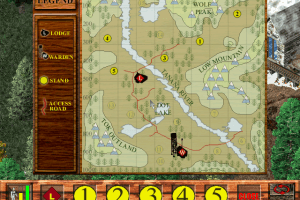
So Files work, man those icons and maps took me back, working on VM.
I got my disc to run under windows 10 almost out-of-the-box. I wasn't sure if I should install DirectX 6 on Win10, so I just extracted the dplay.dll and dplayx.dll files from the DX6 folder and stuck them into the data folder where the game's .EXE was.
@X works perfectly fine on Windows XP through VMWare, CD mounted with WinCDEmu
Disc image file corrupted, don't waste your time with it. Tried it with several ISO programs.
I've tried to access the IMG several times from two installations, and it keeps saying that it's corrupt!
Ive downloaded this game but can not get it to work. Anybody have any ideas for me???
No comment nor review for this game at the moment.