




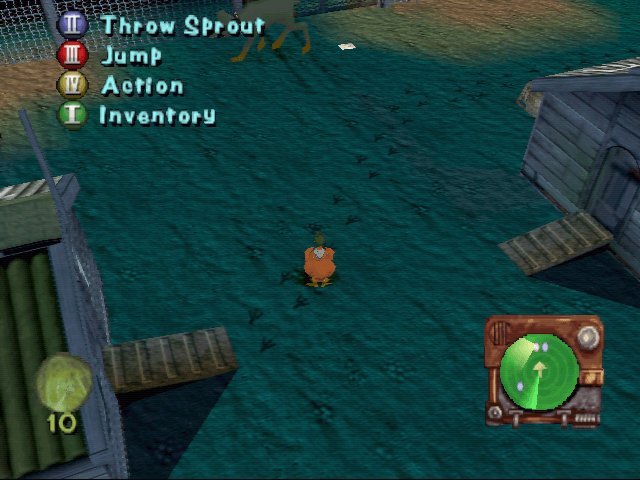
How to Play
The game with fixed exe-file has been tested on Windows 7 64-bit and Windows 10, it works fine. You may experience some small troubles when you play the game on modern systems, check our Guide and Notes for details
Install & play guide:
- Mount the disc image. You will need the utility for mounting disc image files, like WinCDEmu, UltraISO, Alcohol 52%/Alcohol 120% or Daemon Tools Lite
- Install the game. Install it not in default path
C:/Program Files/Chicken Run, but in some non-system folder, likeC:/Games/Chicken Run, otherwise you may have difficulties with fixes - Also you need to enable DirectPlay, read this or this guide how to do it
- After you installed the game - install fixed exe-file by Dege, simply copy crunpc.exe from the archive and put it into game directory, agree to replace original file. That fix allows to run the game on modern systems without troubles
- Open the directory with installed game and find crunpc.exe. Right click on crunpc.exe - Properties - Compatibility - Set "Run this app in compatibility mode with Windows XP" and "Run as administrator"
- Keep the disc image mounted in the virtual drive, because some of audio & video files are presented only on the disc, the installer doesn't copy the files on hard drive
- Launch the game and play. If the game doesn't work in compatibility mode with Windows XP - try to launch it in compatibility mode with other version of Windows (Windows 95, 98, Win2000, etc.)
Also, you can use custom installer by TheCollectionChamber, it includes PCem emulator with Windows 98 and pre-installed game, compiled in one installer, and should work on Windows 10 with no problem
Notes:
- If the installation doesn't start - try to launch Setup.exe in compatibility mode with old version of Windows (98, 2000 or XP)
- If the installer doesn't work anyway - use winedvm utility that allows to run 16-bit installers on 64-bit systems
- Some of the audio & video files of the game is presented only on CD, also the game was using CD Audio, for that reason we uploaded disc images instead of ISO images, because ISO image cannot play CD Audio correctly. To play the game with audio and video, the disc image must be in virtual drive all the time, use specialized utility for mounting disc image files, like Daemon Tools Lite
- If the game doesn't recognize the disc image in virtual drive - check that the virtual drive letter comes before the physical drive letter in alphabetical order. In example if you have physical disc drive in letter F:, the virtual disc drive must be in letter E:, here's the guide how to change the letter drive
- Fixed exe-file by dege allows to run the game on modern systems, but probably won't work on Windows XP or older systems. If you plan to play the game on Windows XP - use NoCD
- With fixed exe-file by Dege you can use dgVoodoo to run the game with high resolution and better graphics, thanks to dgVoodoo anti-aliasing and texture filtering options. To install dgVoodoo copy the dll-files from the MS/x86 folder, dgVoodooCpl.exe and dgVoodoo.conf to the game folder, open dgVoodooCpl.exe to change dgVoodoo settings; go to DirectX tab and make sure
Disable and passthru to real DirectXis unchecked. Then launch the game from crunpc.exe as usual, if you need to change any dgVoodoo settings - open dgVoodooCpl.exe again, if you want to delete dgVoodoo - simply remove dgVoodoo files from game folder - Using dgVoodoo should help to run the game on modern systems without any troubles, but if that method doesn't work for you for some reason - there's alternative method with WineD3D. Simply extract the archive and copy files ddraw.dll, libwine.dll and wined3d.dll to the game folder, and the game should work. DO NOT use WineD3D and dgVoodoo together, the utilities will conflict with each other
- It is recommended to install all versions of Microsoft Visual C++ Redistributable for the correct work of the game
- Also it is recommended to install RAD Video Tools and K-Lite Codec Pack for the correct work of the game
- The game works on DirectX 7, so if you're using Windows 8, 8.1, 10 or 11 - you need to enable DirectPlay: Go to Control Panel, and select 'Programs'. Select 'Turn Windows features on and off', click on 'Legacy Components' and check the box 'DirectPlay'. Select OK, once the installation is done, restart your computer
- Don't forget to check PCGamingWiki if you have troubles
 English
  French
  German
  Spanish
  Italian
  Russian





Comments and reviews
100000000000000000 Liz I like chicken run 3D games
No comment nor review for this game at the moment.