

How to Play
Install & play guide:
- Mount the disc image. You will need the utility for mounting disc image files, like WinCDEmu, UltraISO, Alcohol 52%/Alcohol 102% or Daemon Tools Lite
- Open the mounted disc, go to "Setup" folder, right click on setup.exe - Properties - Compatibility - Set "Run this app in compatibility mode with Windows 95/98"
- Install the game
- After that install unofficial patch by Mok
- Launch the game and play
- Unofficial patch 1.2a by Mok fixes compatibility problems and allows to launch the game on 64-bit systems. Alternative loader runs the game through Direct3D and fixes some graphical glitches. The game with patch has been tested on Windows 7 64-bit, works fine
 English





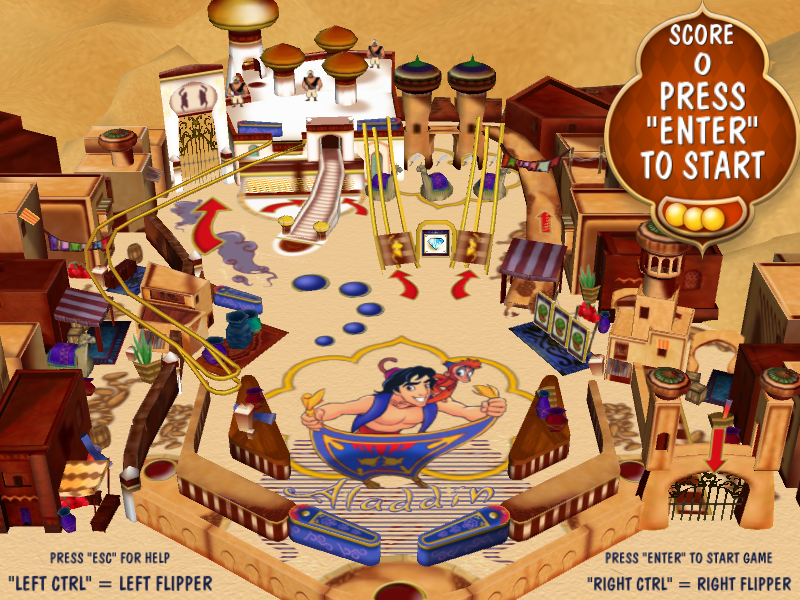
Comments and reviews
Managed to get it running but the ball travels at lightning speed making the game virtually unplayable. I had to run the game in 256 colours to get rid of the graphical anomalies (pink background during loading screen, white pixels all over the place, distorted colours on the score board and poster).
Super top.
Merci PESCADO pour les instructions.
Sympa de pouvoir y rejouer même si ça bug par moment :)
exellent jeu , fonctionne sur windows 10 , encore merci je l'adore
Windows 10/11 Setup/Play:
Copy Folder: Devil's Island Pinball (***E:\Setup\Data\Program) to C: Drive (***From
whatever your mounted drive # is)
Install Update (Devil'sIslandPinball12a) to: C:\Devil's Island Pinball
Run in Win95 Compatibility Mode by right clicking on exe. Set parameters
Right click first "devils" exe to run
F2 sets cam view
**Install DX7 if needed
No comment nor review for this game at the moment.