
Full Tilt! Pinball is an excellent pinball game from Maxis, a company best known for Sim games.
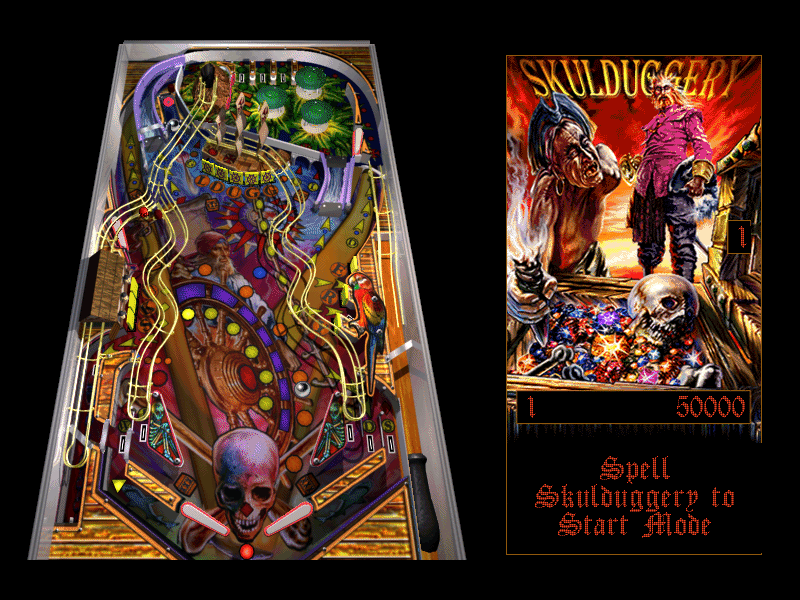
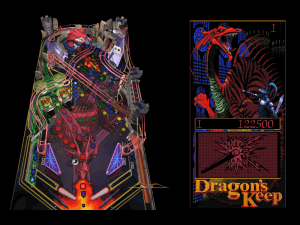
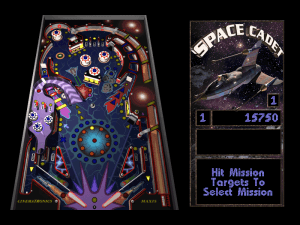
The game will be familiar to anyone who has the Microsoft's Plus! Windows 95 companion pack, since one of the tables - Space Cadet - was included there as a bonus. All the tables in this collection are one-screen tables: viewed from an isometric 3D angle, so you do not need to scroll the screen to see the entire table. There are only three tables in FTB - too few compared to most pinball games that feature six or more. However, all the tables are quite well done.
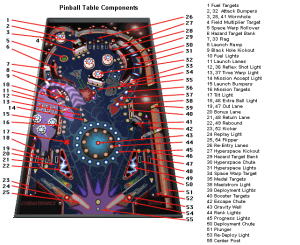
The version of Space Cadet table in FTB is the same as the version in MS Plus!, except it has been enhanced with improved graphics, multi-ball play, and support for multiple resolutions. With the largest viewable surface, Space Cadet is the simplest and easiest of the three tables. All the tables have a nice built-in help feature: small arrows light up to show you the next target/ramp/bumper to hit for bonus points.
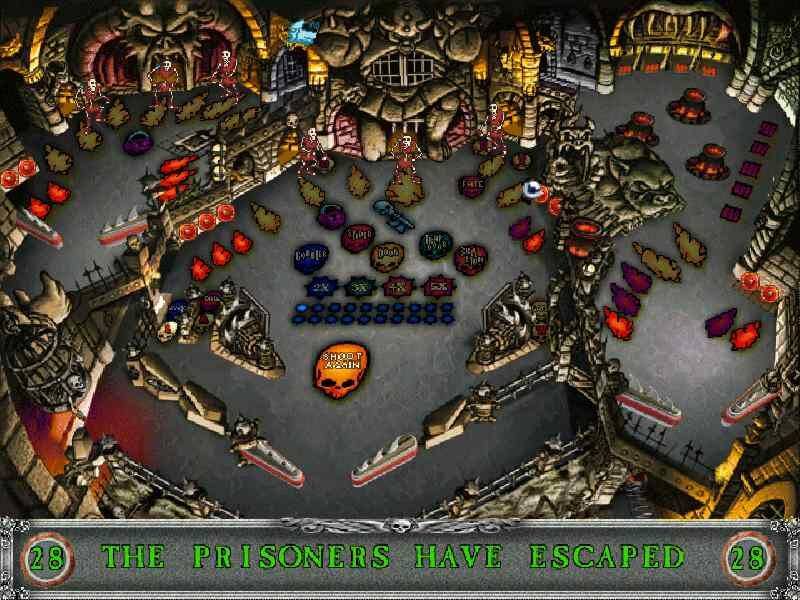
One of the best features of FTB is the soundtrack. You will hear hear digitized pirates telling you to walk the plank on the pirate-themed Skullderduggery table, kings commanding you to slay the dragon on the fantasy-themed Dragon's Keep. Sound effects such as laser fire, cannon fires, and water splash are all realistic and add significantly to the atmosphere. The problem is FTB is the same as with most one-screen games: the ball is too small to follow its trajectory accurately, so only sharp-eyed pinball experts will have a chance at high scores in this game.
While Full Tilt! Pinball is by no means a classic pinball game, it is fun enough to warrant a revisit once in a while. Compared with other one-screen games, it's not as good as Crystal Caliburn, but much better than average fare. Thumbs up, but not a Top Dog.
Review By HOTUD
 English






Comments and reviews
I got it going ok in Win 7 64bit
Download the ISO
burn to a disc
copy the files into your computer
Launch each from its folder, Dragon.exe, Cadet.exe, Pirates.exe
Seriously immersive stuff.
Cadet is the easy peasy one, Dragons and Pirates take a lot of work to get playing better
Look for HLP32.exe online for later windows versions to run the HLP file, you will need it to figure the detailed gameplay out
What version do I need the Full Tilt Fix and Winevdm things? Im confused and wanting to get this game on my desktop.
Looks like a fix has been produced for the Win95 version - it fixes the high scores issue, and window placement on launch. I've been using it in Win11 and it's working great.
https://github.com/Zaljerem/FullTiltFix
For those of you who have been struggling to get this to run on Windows, it's mostly because Windows 64-Bit doesn't support 16-Bit applications. One thing I've used is WINEVDM which provides the neccesary files for 16-Bit applications to still run. You need to boot the EXE through it, but I've had zero issues playing Space Cadet Pinball this way. https://github.com/otya128/winevdm/releases/tag/v0.9.0
ZIP version.
Works on Linux with Lutris+Wine. Be sure to set the prefix architecture 32-bit in the "game options" section.
Also, make sure to follow the instructions that Ahrle wrote below: "open subfolders and run each table individually before launching FULLTILT.EXE." You need to go in and configure the path three different times in Wine to point at CADET/CADET.EXE, PIRATES/PIRATES.EXE, and DRAGON/DRAGON.EXE. Don't update the working directory, just change the EXE file, and then FULLTILT.EXE will work as expected.
Doesn't work for me and can't mount the CUE file.
Need someone who's good at repacking to release a more user friendly version. Not worth the hassle.
Zip version
Windows 98: open subfolders and run each table individually before launching FULLTILT.EXE.
XP: after you've individually run the three tables in each subfolder, set Windows 95 compatiblity mode for FULLTILT.EXE, and it will start.
as of 2025 Windows 11, the comment from Light-Rock97 is still the way to go.
However, if you download this to try the other two tables, they are very different from Space Cadets and feel more basic and limited.
Anyone interested in such old games such install PCem completely (follow any guide online) to avoid hundreds of issue trying to run such old games on your new computer.
I put the zipped file in Windows 95 through PCem on Windows 11 and it ran without configuring anything at all. The 9MB file was enough. Here's the video:
https://youtu.be/PW-C11alnPA
the keys doesnt work
I got the ISO version to work on XP. Just go to the WIN95 folder, set compatibility on SETUP to Windows 95, and it'll install just fine.
A bit laggy though, for whatever reason. Oh, and you need to mount the CCD (CloneCD) file, not the IMG or CUE.
The ISO version appears to be a corrupted image. It will not mount.
I got the game to at least open on my Win XP machine but the issue is that every time the game is about to launch, it says that a general protection fault has occurred and the game closes. Any ideas?
Running on Windows 11
I mounted full_tilt.img using WinCDEmu. The native windows 11 iso reader does not work for me. It fails to mount the image, hence why I'm using a 3rd party app. After mounting it, go directly to the corresponding folders: Cadet, Dragon, or Pirate. Just double click the corresponding .exe files in the folders and this should run the game. No need for setting the compatibility. I can't seem to run the fulltilt.exe file (which I assume is the games launcher) in the root directory. But there's really no need to as you can run the individual tables directly without having to go through the launcher.
I downloaded all three versions, the one that worked is the one called ISO version. Here's what I did on Windows 10:
Mount the .CUE, go inside the WIN95 folder, then the FULLTILT folder. FULLTILT.exe doesn't seem to work, but that's not the only way to play, there are three folders for each of the games, CADET, DRAGON and PIRATE. The .exe files inside those run the games flawlessly on Windows 10.
You can just grab the FULLTILT folder to have the games installed anywhere you'd like and unmount the CD image. Seeing a slightly, but yes, noticeably better looking version of the Space Cadet I grew up with is... Something else.
The "ISO" is in an odd format and I can't seem to mount it in an XP Pro VM regardless of which file I try.
Indianapolis Motor Speedway, Indianapolis, USA
I JUST LOVE PIN-KULA
The Pre-Installed Space Cadet from Windows XP Had An Easter Egg Where If You Type
"hidden test" (without quotes), Once You Click The Ball, You Can Drag The Ball.
这货我不知道怎么弄
I don't unstand the install for Full Tilt!Pinball
they say its not a classic, DESPITE THE FACT IT HAS SPACE CADET
The best
i like the game
Lo necesitooooooooooooooo!!
This program can actually be run under Windows 3.1 (or 3.11) with Win32s installed.
...which means you can run it under DosBox via Win311, if you first install Win32s for Windows 3.1 (or 3.11).
I suggest using RUNEXIT with it, so if you exit the game, it exits Windows 3.1, and then DosBox itself.
If you have RUNEXIT:
WIN /B RUNEXIT D:\CADET\CADET.EXE
If you don't have RUNEXIT:
WIN /B D:\CADET\CADET.EXE
("/B" creates a boot log file we don't care about, but also prevents the Windows logo from appearing...)
Important note: do not run the launcher (the first EXE you see) itself, it will just display an empty chooser (no idea why); you must run the target table (for instance, CADET\CADET.EXE for Full TILT 1, or ALIEN\ALIEN.EXE for Full TILT 2).
I did what Y-5IVE told and it worked just fine for me.
What worked for me was mounting the .iso file, then exploring the .iso I right clicked SETUP.EXE and set compatibility to WIN95 and it installed and ran perfectly
Is this able to work on MacOS?
If it's an IMG file, you should mount it as a floppy disk. There is an ISO download available that you can mount as an optical disk.
Get vmware or virtualbox its not that hard then get an xp iso then mount the iso look up how to do that on youtube
I mounted the .img file into a virtual machine and it refused to mount, do i need to compile all the files into a iso? (upvote if yes)
When I download iso version on Windows 10 and try to open FULL_TILT file it says that the disk image file is damaged. Can someone please help me !?
for the iso version
go to WIN95 folder then FULLTILT then copy the content of the mode you want to play (CADET, DRAGON or PIRATE) into a new folder named 'd' then execute the exe file from there
keeps telling me the disk image file is corrupted
On a win 7, go to program files and find the game. Now right click on the game and a window will open. Go to the compatibility tab and click on it, change compatibility to windows XP. It should run now.
how can i get this working on windows 7?
none of them is working
Marry me schatje!
upvote if you are here because of 9Gag
Hi, im new to this website. Im having trouble getting this to run on my windows vista 64Bit PC, when i try to run it it says i need a 64bit version of the program but of course this is a 16 bit program. How can i fix this? please help.
3D Space Cadet but better.
Thanks LGR to reminding me that the 3D Space Cadet incluided in earlier versions of Windows was just a demo, although it's still just 3 pinball sets. It will still hold a special place in my childhood
Who doesen't love a little Space Cadet?
thank i want pinals thksadnv
so epic, best xp game xddd
Grew up spending hours playing this game
I LOVE YOU
your super ok
To get this working in Win10, check out this guide: https://fdossena.com/?p=fulltilt/index.md
I have both Full Tilt Pinball games. However, they will not in in Windows 10.
ㄹㅇㄹㅇ
quiero jugar
The xp classic game, LOL!
No comment nor review for this game at the moment.