You are on the beta version of My Abandonware. The live site is still myabandonware.com. Your favorites and ratings here are copied to the live site. Comments and other changes are not — we delete them every morning at 08:00 Paris time, when this site goes down for about an hour. Leave feedback through this link to Pastel (email required).
The beta goes down at 08:00 Paris time, in a few minutes. We rebuild the database from the live site. It comes back in about an hour.
For win 7 64 bit download the iso, burn it to a dvd, copy the files into your computer.
To run each game go into each games folder and run the name.exe file
if it's crooked on your screen hit F4
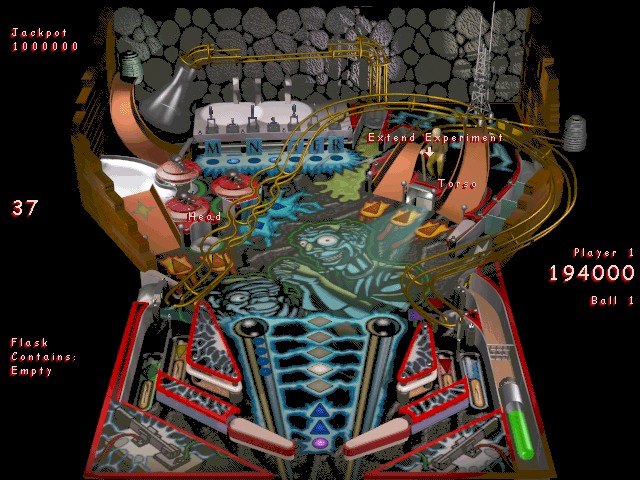
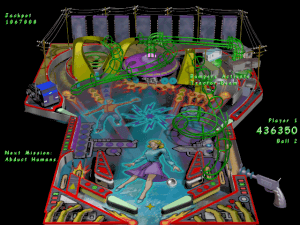
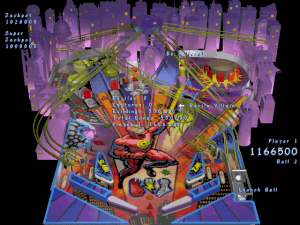
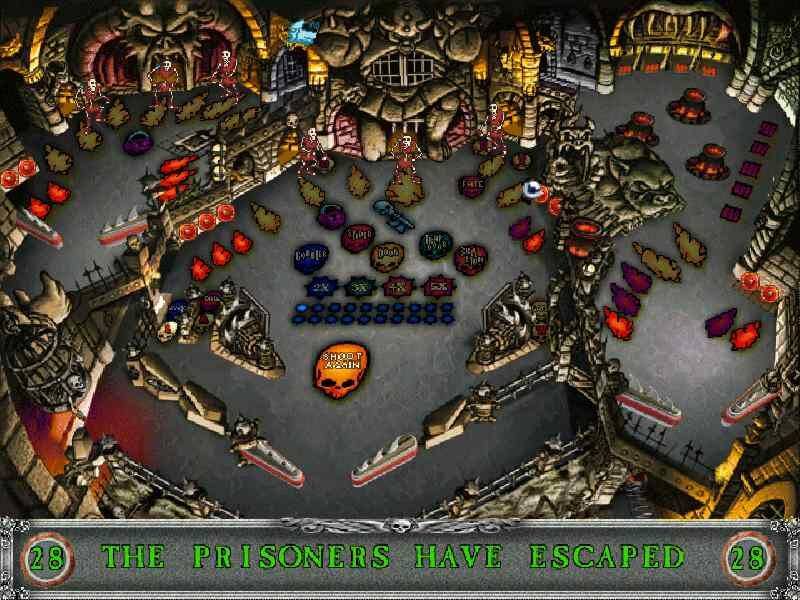
A good table view and great physics make for some Awesome fun with these Full Tilt versions (one and two, 6 tables in all !)
0
JazzBroadside27 May. 2026
Looks like a fix has been produced for the Win95 version - it simply recenters the window on launch so it isn't halfway-offscreen. I've been using it on Win11, works great ...
I've just been playing the Mad Scientist game on my Windows 11 PC It is stll my favourite game of all time !
0
Zak07 Aug. 2023
Thanks a lot, the Win95 version works on Win 10 with no problems, but run the target table from its own folder.
1
tool09 May. 2021
Play the game directly from the CD. Installing it is not necessary. Just open one of the 3 tables in the Win95 folder on the CD.
3
Niki10 Feb. 2021
@Mister Trash It seems some people cannot run it with Windows 7 (though I didn't try). Nice for you if you found one "modern OS" that supports it, though -- next time, please specify which one...
0
NIKI sucks08 Jan. 2021
@NIKI sincerely you can run this game at modern system (yes without the trashy emulator)
0
Niki07 Aug. 2020
This program can actually be run under Windows 3.1 (or 3.11) with Win32s installed. ...which means you can run it under DosBox via Win311, if you first install Win32s for Windows 3.1 (or 3.11).
I suggest using RUNEXIT with it, so if you exit the game, it exits Windows 3.1, and then DosBox itself. If you have RUNEXIT: WIN /B RUNEXIT D:\CADET\CADET.EXE If you don't have RUNEXIT: WIN /B D:\CADET\CADET.EXE
("/B" creates a boot log file we don't care about, but also prevents the Windows logo from appearing...)
Important note: do not run the launcher (the first EXE you see) itself, it will just display an empty chooser (no idea why); you must run the target table (for instance, CADET\CADET.EXE for Full TILT 1, or ALIEN\ALIEN.EXE for Full TILT 2).
1
vinjakoladica04 Jan. 2020
Does anyone know how to play on windows 7? :(
0
Serepsa01 Jan. 2020
Thank you, I was playing this pinball game some ages before....) Happy New Year from Russia)))
0
Kevin_LC4306 Oct. 2019
Thank u SO mUCh
0
jesusCAt02 Oct. 2019
saw this on 9gag hehehe
0
9gager02 Oct. 2019
THANK U CAPTAIN
1
Iago Montana05 Apr. 2019
Eu jogava muito esse jogo no XP hoje vou jogar graças a esse site, Thankx ♥
2
SMAN9703 Mar. 2019
Good times on Windows-95-XP :D
This game was written by Maxis, creator of Simcity and the Sims series. Will wright we love you xxooxxoxo
2
Jeremiah Giles26 Jul. 2018
I love this game so much
2
prilodi25 Oct. 2017
old good times
1
No comment nor review for this game at the moment.








 English



Comments and reviews
For win 7 64 bit download the iso, burn it to a dvd, copy the files into your computer.
To run each game go into each games folder and run the name.exe file
if it's crooked on your screen hit F4
A good table view and great physics make for some Awesome fun with these Full Tilt versions (one and two, 6 tables in all !)
Looks like a fix has been produced for the Win95 version - it simply recenters the window on launch so it isn't halfway-offscreen. I've been using it on Win11, works great ...
https://github.com/Zaljerem/FullTiltFix
I've just been playing the Mad Scientist game on my Windows 11 PC
It is stll my favourite game of all time !
Thanks a lot, the Win95 version works on Win 10 with no problems, but run the target table from its own folder.
Play the game directly from the CD. Installing it is not necessary. Just open one of the 3 tables in the Win95 folder on the CD.
@Mister Trash
It seems some people cannot run it with Windows 7 (though I didn't try).
Nice for you if you found one "modern OS" that supports it, though -- next time, please specify which one...
@NIKI
sincerely you can run this game at modern system (yes without the trashy emulator)
This program can actually be run under Windows 3.1 (or 3.11) with Win32s installed.
...which means you can run it under DosBox via Win311, if you first install Win32s for Windows 3.1 (or 3.11).
I suggest using RUNEXIT with it, so if you exit the game, it exits Windows 3.1, and then DosBox itself.
If you have RUNEXIT:
WIN /B RUNEXIT D:\CADET\CADET.EXE
If you don't have RUNEXIT:
WIN /B D:\CADET\CADET.EXE
("/B" creates a boot log file we don't care about, but also prevents the Windows logo from appearing...)
Important note: do not run the launcher (the first EXE you see) itself, it will just display an empty chooser (no idea why); you must run the target table (for instance, CADET\CADET.EXE for Full TILT 1, or ALIEN\ALIEN.EXE for Full TILT 2).
Does anyone know how to play on windows 7? :(
Thank you, I was playing this pinball game some ages before....)
Happy New Year from Russia)))
Thank u SO mUCh
saw this on 9gag hehehe
THANK U CAPTAIN
Eu jogava muito esse jogo no XP hoje vou jogar graças a esse site, Thankx ♥
Good times on Windows-95-XP :D
This game was written by Maxis, creator of Simcity and the Sims series. Will wright we love you xxooxxoxo
I love this game so much
old good times
No comment nor review for this game at the moment.