You are on the beta version of My Abandonware. The live site is still myabandonware.com. Your favorites and ratings here are copied to the live site. Comments and other changes are not — we delete them every morning at 08:00 Paris time, when this site goes down for about an hour. Leave feedback through this link to Pastel (email required).
The beta goes down at 08:00 Paris time, in a few minutes. We rebuild the database from the live site. It comes back in about an hour.
I previously wrote a comment that doesn't seem to work anymore. I had to find workarounds and turns out this approach is way better than my previous one.
Installation:
1. Mount your ISO file in Windows: https://www.myabandonware.com/game/future-cop-l-a-p-d-3k8 (ISO version at the bottom of the page) 2. Download the replacement installer: https://community.pcgamingwiki.com/files/file/250-future-cop-lapd-installer/ 3. Run the installer and install Future Cop. When it asks which graphics/rendering components to install, select "DirectX Rendering". Do not select the 3dfx/Glide renderer for this setup. 4. I recommend installing the game somewhere simple, for example: "D:\Games\FutureCopLAPD\Future Cop". Your main game executable should be "FCopLAPD.exe". 5. Download dgVoodoo 2.55.4 specifically: https://rockraidersunited.com/files/general-tools/dgvoodoo-2554-r52/ 6. The file should be something like "dgVoodoo_2_55.4.zip". Do not use the newest dgVoodoo version if you get gameplay flickering. I originally used dgVoodoo 2.87.5 and the game launched, but actual gameplay flickered constantly. I tried VSync, windowed mode, different virtual GPUs, Direct3D 11 output, etc. Nothing helped. Switching to 2.55.4 immediately fixed the flickering. 7. Extract dgVoodoo 2.55.4. From the main dgVoodoo folder, copy "dgVoodooCpl.exe", Then go into the "MS" folder and copy "DDraw.dll" and "D3DImm.dll". 8. Paste those three files into the same folder as "FCopLAPD.exe" executable. 9. Run "dgVoodooCpl.exe". At the top, make sure the config folder points to your Future Cop directory. Mine was "D:\Games\FutureCopLAPD\Future Cop". If necessary, click the ".\" button. 10. In the General tab, set "Output API: Best available one", "Adapter(s): All of them", "Full Screen Output: Default", "Full Screen: Enabled", "Scaling mode: Unspecified", "Keep window aspect ratio: Enabled", "Capture mouse: Enabled". 11. In the DirectX tab, set "Videocard: dgVoodoo Virtual 3D Accelerated Card", "VRAM: 64 MB", "Filtering: App driven", "Resolution: Unforced", "Antialiasing: App driven", "Application controlled fullscreen/windowed state: Enabled", "Disable Alt-Enter to toggle screen state: Enabled", "Force vSync: Disabled", "Fast video memory access: Disabled", "Bilinear blit stretch: Disabled", "Apply Phong shading when possible: Disabled", Keep "dgVoodoo Watermark" enabled temporarily. Click Apply, then OK. 12. Right-click "FCopLAPD.exe", Go to Properties - Compatibility and set "Compatibility mode: Off", "Reduced color mode: Off", "Run in 640x480: Off", "Disable fullscreen optimizations: Off", "Run this program as administrator: On". Restart windows. 13. Make sure your Future Cop CD/ISO is mounted, then run "FCopLAPD.exe". 14. If you see the dgVoodoo watermark in the bottom-right corner, dgVoodoo is being loaded correctly. 15. Start an actual level and test gameplay. If you are using dgVoodoo 2.55.4, gameplay should hopefully render normally without the severe flickering that newer versions can cause. 16. Once everything works, you can open dgVoodooCpl.exe again and disable the "dgVoodoo Watermark".
Fix missing music, movie audio or sound effects:
1. Press "Win + R", Type "regedit", and press Enter. 2. Go to "HKEY_LOCAL_MACHINE\SOFTWARE\WOW6432Node\Electronic Arts\Future Cop\Settings". 3. Before changing anything, right-click the Settings folder and export a backup on the desktop (safety reasons). 4. Find these three values "MovieVolume", "MusicVolume", "SfxVolume". 5. Double-click each one, select "Decimal", and set all three to "99". 6. Close Registry Editor. Restart Windows.
Changing the controls:
1. Future Cop stores the keyboard controls in "controls.txt" inside the game folder. The first 14 lines are Player 1 controls. If your controls.txt has another 14 lines after that, those are Player 2 controls. 2. Make a backup of controls.txt before editing it. If you completely mess it up, deleting controls.txt should allow the game to regenerate the defaults the next time it starts. 3. The 14 controls are in this order: "Up", "Down", "Right", "Left", "Gun Weapon", "Action", "Special Weapon", "Jump", "Map", "Camera", "Jink Left", "Jink Right", "Heavy Weapon", "Change Target". 4. For example, this is the control setup I use: "Up", "Down", "Right", "Left", "Z", "Ctrl", "C", "Space", "M", "Tab", "NumPad1", "NumPad3", "X", "Alt". (of course don't paste it all in one line)
In-game Preferences:
1. In the game's Preferences menu, I left "Display Mode: 640x480", "Processor Select: AutoDetect", "Filtering: leave it alone / use whichever looks better to you".
Hope it works out for you :)
1
abstriker22 Sep. 2026
THANK YOU MYABANDONWARE. WE WANT A REMAKE.
0
joanet8919 Apr. 2026
yes, I remember a red and blue team and you could spawn a big tank and also a big eagle/bird when you had enough points or kills.
2
KETONE04 Apr. 2026
Can someone tell me, there was a part of this game where we had 2 sides red and blue and you could spawn tanks and planes and you can spawn a super tank and win.
3
J.D.06 Aug. 2024
Pros: Future Cop LAPD is an Awesome GAME!!! 5/5
Cons: Future Cop LAPD dosn't freaking WORK on Modern Systems!
Future Cop LAPD is impossible to run on modern systems no matter what i do, 64-bit systems? not a freaking chance, a lot of older titles from the 90's are 16-bit compatible and sometimes 32-bit, but 64-bit is considered too new and devs never made those games compatible with 64-bit in mind, since it wasn’t a thing yet, it rarely works out of the box unless some tinkering with the settings and patches. i had zero luck getting it to work on my modern machine or my one of the older 32-bit machines running win 10, however on my vintage win 98 build using Pentium 4 socket 478 motherboard that has official windows 98 support/drivers. it works great! For modern systems just emulate the PSX version which is easier to setup and plays great on modern systems
2
Peg20 Jul. 2024
Not running on 64bits
2
Jam04 Feb. 2024
Top comment
So, I tried to set this one up on my windows 11 machine in 2024 (cause nostalgia). Didn't go too well for me but I did manage to make it work. Here are the steps in case someone's an absolute nut like me trying to play this wonderful game from 1998 almost 26 years after its release:
1. Download the iso from https://www.myabandonware.com/game/future-cop-l-a-p-d-3k8' and mount it. (If you aren't aware of this, I suggest you google it, not that hard) 2. Download and install nglide from https://www.zeus-software.com/downloads/nglide and restart your pc. 3. Download the game installer from https://www.pcgamingwiki.com/wiki/Future_Cop:_LAPD and run the installer (choose high graphics 3dfx while installing) 4. Download dgvoodoo2 from https://www.pcgamingwiki.com/wiki/DgVoodoo_2 and unzip the contents. 5. After unzipping, go into the dgVoodoo2 folder into directory /3Dfx/x64, copy the 3 glide files and paste it into the root folder that contains the FCopLAPD.exe executable. 6. Also, inside the dgVoodoo2 folder, there will be an executable file dgvoodoocpl.exe. Run it and make the following changes in there (these worked for me, you might have to brute force a few settings according to your system if something goes wrong- sorry). Under the "Glide" section, check "Enable Glide Gamma Ramp" and "Force vSync". Uncheck the others. Under the "DirectX" section, check "dgVoodoo Watermark" and "Force vSync". Uncheck the others. Leave all other settings unchanged. 7. Search for the nglide configurator on your system and run it. Set the following in order: Automatic (Default), 640x480, Entire Screen (Default), By App (Default), On (Default), 1.0 (Default), Off. 8. Restart your pc. Mount the drive. 9. Right click on FCopLAPD.exe and go to properties under "Compatibility" section. Check "Compatibility mode" - Windows 98 / Windows ME. Check "Reduced color mode" - 16-bit (65536) color. Check "Run in 640 x 480 screen resolution". Check "Run this program as an administrator". 10. Run FCopLAPD.exe (Always run as administrator).
Issues (the ones I faced): 1. The game may not always start. In this case: Keep attempting to start the game. It might work sometimes. No? Unmount and mount the drive again. No? Worst case- shut the system down, start again, and repeat the process of mounting the drive and running the game as an administrator again. 2. In-game videos do not have sound (It may not seem much, but it hurts my soul- you could always watch them with sound from the "movies" directory in the root folder). 3. In-game escape key doesn’t work. Accidentally pressing it glitches the game in my case. 4. Do not attempt to skip cut scenes- the game will crash (hurts most when it’s the post-level cut scene and the game crashes, not giving you a chance to save). 5. You will not be able to change the controls in-game. You will have to manually edit the controls.exe file in the root folder. The first 14 lines are for player1 and the other 14 are player2 controls. Here's the order in which it captures the key from this file. [Up, Down, Turn Right, Turn Left, Gun Weapon, Action, Special Weapon, Jump, Map, Camera, Jink Left, Jink Right, Heavy Weapon, Change Target]. 6. If the in-game audio does not work, follow these steps to fix it: Open your windows registry editor. Go to path- [HKEY_LOCAL_MACHINE\SOFTWARE\WOW6432Node\Electronic Arts\Future Cop\Settings]. You will see a bunch of files there. Changes will have to be made in the files "SfxVolume", "MovieVolume", and "MusicVolume". Open them one by one and make the following changes in all of them. Select "Base" as "Decimal" and set value to 99. Select "OK". Close the windows registry editor and restart your pc.
Figured all this out after 5 days of gameplay. Good luck if you're attempting to install this on your modern machine!
14
suhaib53129 Sep. 2023
can some one tell me where to download the cutscenes and the briefings?
2
larson06 Apr. 2023
Top comment
I managed to make it run on Windows 10. Here's how I did:
-Download the ISO version. -Go to https://www.pcgamingwiki.com/wiki/Future_Cop:_LAPD -Follow instructions in "Playing on modern systems - Windows 10 support (DirectX) " section (download and run "the installer" and dgVoodoo2 and setup as stated there). -So in short: mount the ISO (e.g. with DaemonTools), run the downloaded installer (this will install the game), setup dgVoodoo2 for DirectX 2-8.
(There are also instructions for 3dFX support but that didnt' work for me. But it may work for others...)
You should now be able to play without problems. Sort of. In fact in my case I had no music and voice ingame. Clicking on "preferences" it will return to the desktop and open a window. Clicking on audio option will open another window. Use the sliders to change volume.
(IN MY CASE the audio window appears almost totally off-screen and with no way to move it and with two sliders hidden. Use the TAB and right keys to turn up the volume of the sliders if this problem occurs to you)
9
exyz331 Mar. 2023
Who do i make this game run on win10?
-1
Mister F23 Feb. 2023
Top comment
Still one of the best games EA ever made.
8
jayb0g20 Aug. 2022
Top comment
I could not get this to play on my Windows 11 machine. When I tried the autorun, it said it was incompatible with 64-bit systems. When I tried the FCopLAPD application, a blank window popped up and changed the aspect ratio of my monitor. How can I get it to run?
13
Sco Jo29 Nov. 2021
Love this game. Spent many weekends eating ramen in all weekend with this.
3
SURVAYER18 Oct. 2021
MAP SCENARIOS WITH TRIGGERS ARE MY FAV.
1
sandy19 Apr. 2021
this game is not working at all
1
DR.CHROMIUM MECK MINER LTD.09 Mar. 2021
I like mechanical warrior-like avatars and map edit games
0
JORGORE21 Jan. 2021
Hello. Please upload full iso PC's game. Thank you :)
2
odysandy14 Oct. 2019
this game is my life
4
nonono30 Dec. 2018
Please upload the full iso, not the demo, there isn't much units of this game anymore!
-4
PrestonPlez08 Dec. 2018
hellow dood i am a youuber
-9
HznFamilia03 Jun. 2018
Thanks A Lot,, this game so Amazing, and i want to nostalgia with this game haha
3
Toufik28 Apr. 2018
Best game in my childhood. I still want to play this game. Brings back memory.
2
termotanque05 Mar. 2018
Hello. I have problems when I want to run this game and others from 1997-2005. They are very common in modern computers (specially in 64 bits). I would like to know first, if a virtual machine is the best solution for these problems and second if you recomend to emulate windows xp. Thanks
-3
Parag04 Mar. 2018
Can I find deathtrap dungeon anywhere ?
-4
Fawkespryde03 Mar. 2018
I own this game and pulled it down off the shelf to play it only to find my playstation non-functional. Future cop: L.A.P.D is a great game. I recall playing this and Warcraft 2: Tides of darkness non stop. I have both good and bad memories, the controls were janky when in the hover mode but that's what made it so memorable. I can't count how many times I died in the lava area, or how lost I got at the airport one. And multiplayer was so much fun, with other people and the Sky Captain. Seriously have not seen an a.i so well coded in a long time and the voice acting was great for him.
If you've finished the game, both campaign and played multiplayer, don't put the controller down yet. There are some cheat codes you can put in to get a new multiplayer lever that changes the map, assets and the music during the match. Also, you can unlock weapons that you didn't find in the main campaign.
Seriously cannot recommend this game higher. It's not as well known as Doom or Warcraft but its still up there in "list of games that set the stepping stones for others to follow". This is a vintage piece that all gamers should have tried at least once in their life.
5
Alban07 Feb. 2018
Using Windows 7 Enterprise SP1 updated to date and working flawless, even by 20 years now.
0
GGWP19 Jan. 2018
Best game ever!
3
Colony10104 Dec. 2017
Make 32bit installation run on 64bit windows 7 - Press START (type in the search: turn windows features on or off). OPEN it. CHECK the box that says: Internet Information Services. Close window. Press START (type in the search: IIS) OPEN the internet information services. On the right hand side, their is a tiny arrow pointing to your computer name under a tab called "Connections". Click on the arrow to reveal a drop down menu with a option called "Application pools'. Highlight the Application Pools option in the sub menu under the connections tab by clicking on it once. Now on the right hand side you should see a thing called "DefaultAppPool". Right click on it and then click on the "Advanced settings" option. Now where it says "Enable 32bit applications: False". Change this to True. Close Window and play extracted zip! Works for me. tested on 64bit windows 7
4
shehab11 Sep. 2017
it was a good game when i played earlier
1
shweeta05 Jun. 2017
Top comment
can aanyone tell how to run this game on win10 64bit please
11
ZyBeX8609 May. 2017
New D.Va skin from Overwatch based on this game! :)
2
lazerlight24 Mar. 2017
The best thing BY FAR in this game is the multiplayer versus game mode. If you're not impressed by the singleplayer missions, grab a friend and try it out. It's a VERY different experience and gameplay and you might get hooked.
2
krashd06 Sep. 2016
You need to emulate an older version of DirectX using DXGL, DXWnd, WineD3D libraries, new ddraw libraries, a Virtual Machine running Windows XP or even messing with the Application Compatibility Manager downloaded from Microsoft...
Few games from the 90's will run on a modern PC with zero problems because so much has changed, but be warned - trying to emulate Win 9x/DirectDraw on a Win NT/Direct3D machine, especially a 64bit one at that makes using DOSBox seem like child's play.
2
Ninja_Kitty Mewo23 Aug. 2016
Try compatibly mode, if not change screen resolution.
0
Mecha17 Aug. 2016
Does anyone know where I can get the movie files for this game?
2
yogi04 Jul. 2016
Is future cop demo game play in window xp or 7
2
christina02 Jul. 2016
love this game
1
sandpapercondoms28 Jun. 2016
like many others many many issues while trying to run on windows 10, try if you feel like it.
1
Bitracker14 Jun. 2016
If it's not working for Windows You could try PSX emulator.
0
KAAAANE28 May. 2016
I still HAVE this game on disk. And I really liked it. It definitely was influenced by Robocop and Judge Dredd. Good news is, you have more firepower than a Judge. Bad news, so do your enemies! I kind of liked the weapon upgrade system once I got the hang of it. Still a cool game even today.
0
mgod03 Mar. 2016
try playing as administrator or change compatibility to windows XP
1
Taranta03 Feb. 2016
I'd love to get this working. I only get a blank screen. Any ideas? Using Windows 10
3
SuperHappyFunTime31 Jan. 2016
I remember this game, it really slipped under most peoples radar. download it and try it(if u can get it working) but for sure it will be time well spent. getting sleeeeeepy........
1
Joel09 Nov. 2015
i cant run it , i not sure what problem is this but i see a blank window
2
212209 Mar. 2015
Awesome, thanks to whoever uploaded this. I had the original CD and couldn't figure how to make it work on Windows 8, this download version worked with no problems.
3
Monochroma04 Oct. 2014
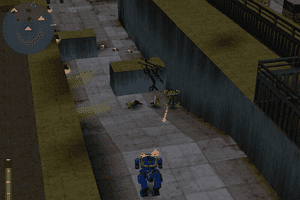
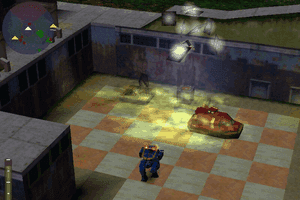
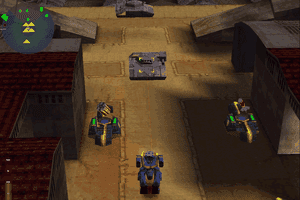
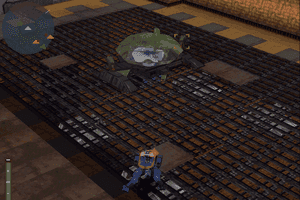
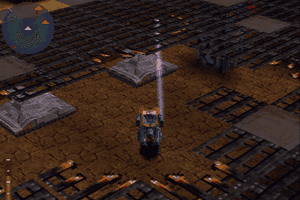
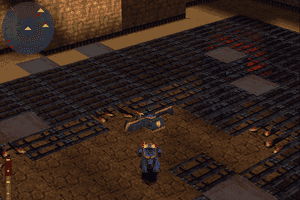
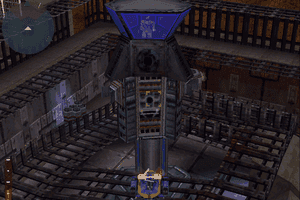
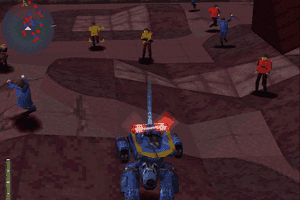
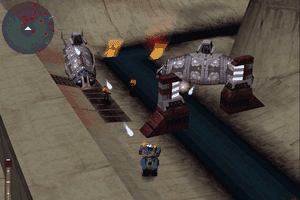
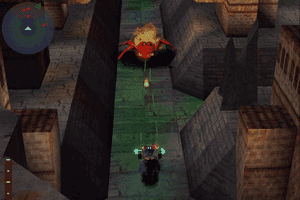
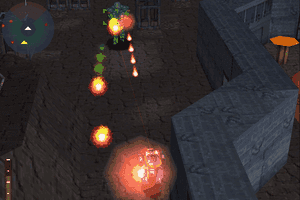
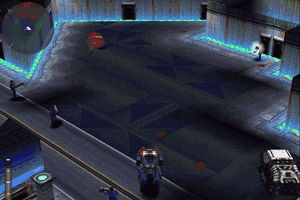
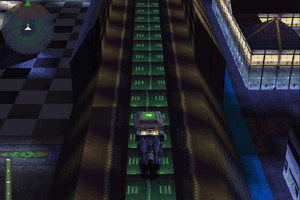
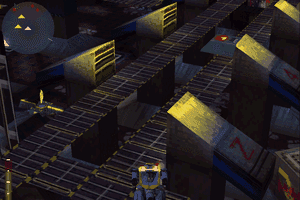
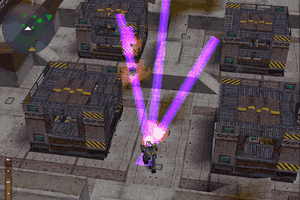
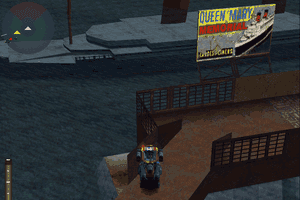
3rd person shooter style. Your character controls a biped robot that can transform into a hover car!
I did feel this game was way ahead of its contemporaries at the time. Set in a Robocop / Judge Dredd inspired world, you kill man, machine and monsters, with the ability to select 3 different weapons upon each loadout.
A particular innovation at the time were skirmish missions against the AI. It a mix between 3rd person shooter and tower defense. Definitely worth a try in my opinion
3
No comment nor review for this game at the moment.






 English




Comments and reviews
I previously wrote a comment that doesn't seem to work anymore. I had to find workarounds and turns out this approach is way better than my previous one.
Installation:
1. Mount your ISO file in Windows: https://www.myabandonware.com/game/future-cop-l-a-p-d-3k8 (ISO version at the bottom of the page)
2. Download the replacement installer: https://community.pcgamingwiki.com/files/file/250-future-cop-lapd-installer/
3. Run the installer and install Future Cop. When it asks which graphics/rendering components to install, select "DirectX Rendering". Do not select the 3dfx/Glide renderer for this setup.
4. I recommend installing the game somewhere simple, for example: "D:\Games\FutureCopLAPD\Future Cop". Your main game executable should be "FCopLAPD.exe".
5. Download dgVoodoo 2.55.4 specifically: https://rockraidersunited.com/files/general-tools/dgvoodoo-2554-r52/
6. The file should be something like "dgVoodoo_2_55.4.zip". Do not use the newest dgVoodoo version if you get gameplay flickering. I originally used dgVoodoo 2.87.5 and the game launched, but actual gameplay flickered constantly. I tried VSync, windowed mode, different virtual GPUs, Direct3D 11 output, etc. Nothing helped. Switching to 2.55.4 immediately fixed the flickering.
7. Extract dgVoodoo 2.55.4. From the main dgVoodoo folder, copy "dgVoodooCpl.exe", Then go into the "MS" folder and copy "DDraw.dll" and "D3DImm.dll".
8. Paste those three files into the same folder as "FCopLAPD.exe" executable.
9. Run "dgVoodooCpl.exe". At the top, make sure the config folder points to your Future Cop directory. Mine was "D:\Games\FutureCopLAPD\Future Cop". If necessary, click the ".\" button.
10. In the General tab, set "Output API: Best available one", "Adapter(s): All of them", "Full Screen Output: Default", "Full Screen: Enabled", "Scaling mode: Unspecified", "Keep window aspect ratio: Enabled", "Capture mouse: Enabled".
11. In the DirectX tab, set "Videocard: dgVoodoo Virtual 3D Accelerated Card", "VRAM: 64 MB", "Filtering: App driven", "Resolution: Unforced", "Antialiasing: App driven", "Application controlled fullscreen/windowed state: Enabled", "Disable Alt-Enter to toggle screen state: Enabled", "Force vSync: Disabled", "Fast video memory access: Disabled", "Bilinear blit stretch: Disabled", "Apply Phong shading when possible: Disabled", Keep "dgVoodoo Watermark" enabled temporarily. Click Apply, then OK.
12. Right-click "FCopLAPD.exe", Go to Properties - Compatibility and set "Compatibility mode: Off", "Reduced color mode: Off", "Run in 640x480: Off", "Disable fullscreen optimizations: Off", "Run this program as administrator: On". Restart windows.
13. Make sure your Future Cop CD/ISO is mounted, then run "FCopLAPD.exe".
14. If you see the dgVoodoo watermark in the bottom-right corner, dgVoodoo is being loaded correctly.
15. Start an actual level and test gameplay. If you are using dgVoodoo 2.55.4, gameplay should hopefully render normally without the severe flickering that newer versions can cause.
16. Once everything works, you can open dgVoodooCpl.exe again and disable the "dgVoodoo Watermark".
Fix missing music, movie audio or sound effects:
1. Press "Win + R", Type "regedit", and press Enter.
2. Go to "HKEY_LOCAL_MACHINE\SOFTWARE\WOW6432Node\Electronic Arts\Future Cop\Settings".
3. Before changing anything, right-click the Settings folder and export a backup on the desktop (safety reasons).
4. Find these three values "MovieVolume", "MusicVolume", "SfxVolume".
5. Double-click each one, select "Decimal", and set all three to "99".
6. Close Registry Editor. Restart Windows.
Changing the controls:
1. Future Cop stores the keyboard controls in "controls.txt" inside the game folder. The first 14 lines are Player 1 controls. If your controls.txt has another 14 lines after that, those are Player 2 controls.
2. Make a backup of controls.txt before editing it. If you completely mess it up, deleting controls.txt should allow the game to regenerate the defaults the next time it starts.
3. The 14 controls are in this order: "Up", "Down", "Right", "Left", "Gun Weapon", "Action", "Special Weapon", "Jump", "Map", "Camera", "Jink Left", "Jink Right", "Heavy Weapon", "Change Target".
4. For example, this is the control setup I use: "Up", "Down", "Right", "Left", "Z", "Ctrl", "C", "Space", "M", "Tab", "NumPad1", "NumPad3", "X", "Alt". (of course don't paste it all in one line)
In-game Preferences:
1. In the game's Preferences menu, I left "Display Mode: 640x480", "Processor Select: AutoDetect", "Filtering: leave it alone / use whichever looks better to you".
Hope it works out for you :)
THANK YOU MYABANDONWARE. WE WANT A REMAKE.
yes, I remember a red and blue team and you could spawn a big tank and also a big eagle/bird when you had enough points or kills.
Can someone tell me, there was a part of this game where we had 2 sides red and blue and you could spawn tanks and planes and you can spawn a super tank and win.
Pros: Future Cop LAPD is an Awesome GAME!!! 5/5
Cons: Future Cop LAPD dosn't freaking WORK on Modern Systems!
Future Cop LAPD is impossible to run on modern systems no matter what i do, 64-bit systems? not a freaking chance, a lot of older titles from the 90's are 16-bit compatible and sometimes 32-bit, but 64-bit is considered too new and devs never made those games compatible with 64-bit in mind, since it wasn’t a thing yet, it rarely works out of the box unless some tinkering with the settings and patches. i had zero luck getting it to work on my modern machine or my one of the older 32-bit machines running win 10, however on my vintage win 98 build using Pentium 4 socket 478 motherboard that has official windows 98 support/drivers. it works great! For modern systems just emulate the PSX version which is easier to setup and plays great on modern systems
Not running on 64bits
So, I tried to set this one up on my windows 11 machine in 2024 (cause nostalgia). Didn't go too well for me but I did manage to make it work. Here are the steps in case someone's an absolute nut like me trying to play this wonderful game from 1998 almost 26 years after its release:
1. Download the iso from https://www.myabandonware.com/game/future-cop-l-a-p-d-3k8' and mount it. (If you aren't aware of this, I suggest you google it, not that hard)
2. Download and install nglide from https://www.zeus-software.com/downloads/nglide and restart your pc.
3. Download the game installer from https://www.pcgamingwiki.com/wiki/Future_Cop:_LAPD and run the installer (choose high graphics 3dfx while installing)
4. Download dgvoodoo2 from https://www.pcgamingwiki.com/wiki/DgVoodoo_2 and unzip the contents.
5. After unzipping, go into the dgVoodoo2 folder into directory /3Dfx/x64, copy the 3 glide files and paste it into the root folder that contains the FCopLAPD.exe executable.
6. Also, inside the dgVoodoo2 folder, there will be an executable file dgvoodoocpl.exe. Run it and make the following changes in there (these worked for me, you might have to brute force a few settings according to your system if something goes wrong- sorry). Under the "Glide" section, check "Enable Glide Gamma Ramp" and "Force vSync". Uncheck the others. Under the "DirectX" section, check "dgVoodoo Watermark" and "Force vSync". Uncheck the others. Leave all other settings unchanged.
7. Search for the nglide configurator on your system and run it. Set the following in order: Automatic (Default), 640x480, Entire Screen (Default), By App (Default), On (Default), 1.0 (Default), Off.
8. Restart your pc. Mount the drive.
9. Right click on FCopLAPD.exe and go to properties under "Compatibility" section. Check "Compatibility mode" - Windows 98 / Windows ME. Check "Reduced color mode" - 16-bit (65536) color. Check "Run in 640 x 480 screen resolution". Check "Run this program as an administrator".
10. Run FCopLAPD.exe (Always run as administrator).
Issues (the ones I faced):
1. The game may not always start. In this case: Keep attempting to start the game. It might work sometimes. No? Unmount and mount the drive again. No? Worst case- shut the system down, start again, and repeat the process of mounting the drive and running the game as an administrator again.
2. In-game videos do not have sound (It may not seem much, but it hurts my soul- you could always watch them with sound from the "movies" directory in the root folder).
3. In-game escape key doesn’t work. Accidentally pressing it glitches the game in my case.
4. Do not attempt to skip cut scenes- the game will crash (hurts most when it’s the post-level cut scene and the game crashes, not giving you a chance to save).
5. You will not be able to change the controls in-game. You will have to manually edit the controls.exe file in the root folder. The first 14 lines are for player1 and the other 14 are player2 controls. Here's the order in which it captures the key from this file. [Up, Down, Turn Right, Turn Left, Gun Weapon, Action, Special Weapon, Jump, Map, Camera, Jink Left, Jink Right, Heavy Weapon, Change Target].
6. If the in-game audio does not work, follow these steps to fix it: Open your windows registry editor. Go to path- [HKEY_LOCAL_MACHINE\SOFTWARE\WOW6432Node\Electronic Arts\Future Cop\Settings]. You will see a bunch of files there. Changes will have to be made in the files "SfxVolume", "MovieVolume", and "MusicVolume". Open them one by one and make the following changes in all of them. Select "Base" as "Decimal" and set value to 99. Select "OK". Close the windows registry editor and restart your pc.
Figured all this out after 5 days of gameplay. Good luck if you're attempting to install this on your modern machine!
can some one tell me where to download the cutscenes and the briefings?
I managed to make it run on Windows 10. Here's how I did:
-Download the ISO version.
-Go to https://www.pcgamingwiki.com/wiki/Future_Cop:_LAPD
-Follow instructions in "Playing on modern systems - Windows 10 support (DirectX) " section (download and run "the installer" and dgVoodoo2 and setup as stated there).
-So in short: mount the ISO (e.g. with DaemonTools), run the downloaded installer (this will install the game), setup dgVoodoo2 for DirectX 2-8.
(There are also instructions for 3dFX support but that didnt' work for me. But it may work for others...)
You should now be able to play without problems. Sort of. In fact in my case I had no music and voice ingame.
Clicking on "preferences" it will return to the desktop and open a window. Clicking on audio option will open another window. Use the sliders to change volume.
(IN MY CASE the audio window appears almost totally off-screen and with no way to move it and with two sliders hidden. Use the TAB and right keys to turn up the volume of the sliders if this problem occurs to you)
Who do i make this game run on win10?
Still one of the best games EA ever made.
I could not get this to play on my Windows 11 machine. When I tried the autorun, it said it was incompatible with 64-bit systems. When I tried the FCopLAPD application, a blank window popped up and changed the aspect ratio of my monitor. How can I get it to run?
Love this game. Spent many weekends eating ramen in all weekend with this.
MAP SCENARIOS WITH TRIGGERS ARE MY FAV.
this game is not working at all
I like mechanical warrior-like avatars and map edit games
Hello. Please upload full iso PC's game. Thank you :)
this game is my life
Please upload the full iso, not the demo, there isn't much units of this game anymore!
hellow dood i am a youuber
Thanks A Lot,, this game so Amazing, and i want to nostalgia with this game haha
Best game in my childhood. I still want to play this game. Brings back memory.
Hello.
I have problems when I want to run this game and others from 1997-2005. They are very common in modern computers (specially in 64 bits). I would like to know first, if a virtual machine is the best solution for these problems and second if you recomend to emulate windows xp.
Thanks
Can I find deathtrap dungeon anywhere ?
I own this game and pulled it down off the shelf to play it only to find my playstation non-functional. Future cop: L.A.P.D is a great game. I recall playing this and Warcraft 2: Tides of darkness non stop. I have both good and bad memories, the controls were janky when in the hover mode but that's what made it so memorable. I can't count how many times I died in the lava area, or how lost I got at the airport one. And multiplayer was so much fun, with other people and the Sky Captain. Seriously have not seen an a.i so well coded in a long time and the voice acting was great for him.
If you've finished the game, both campaign and played multiplayer, don't put the controller down yet. There are some cheat codes you can put in to get a new multiplayer lever that changes the map, assets and the music during the match. Also, you can unlock weapons that you didn't find in the main campaign.
Seriously cannot recommend this game higher. It's not as well known as Doom or Warcraft but its still up there in "list of games that set the stepping stones for others to follow". This is a vintage piece that all gamers should have tried at least once in their life.
Using Windows 7 Enterprise SP1 updated to date and working flawless, even by 20 years now.
Best game ever!
Make 32bit installation run on 64bit windows 7 -
Press START (type in the search: turn windows features on or off).
OPEN it.
CHECK the box that says: Internet Information Services. Close window.
Press START (type in the search: IIS) OPEN the internet information services.
On the right hand side, their is a tiny arrow pointing to your computer name under a tab called "Connections".
Click on the arrow to reveal a drop down menu with a option called "Application pools'.
Highlight the Application Pools option in the sub menu under the connections tab by clicking on it once.
Now on the right hand side you should see a thing called "DefaultAppPool". Right click on it and then click on the "Advanced settings" option.
Now where it says "Enable 32bit applications: False". Change this to True. Close Window and play extracted zip! Works for me. tested on 64bit windows 7
it was a good game when i played earlier
can aanyone tell how to run this game on win10 64bit please
New D.Va skin from Overwatch based on this game! :)
The best thing BY FAR in this game is the multiplayer versus game mode. If you're not impressed by the singleplayer missions, grab a friend and try it out. It's a VERY different experience and gameplay and you might get hooked.
You need to emulate an older version of DirectX using DXGL, DXWnd, WineD3D libraries, new ddraw libraries, a Virtual Machine running Windows XP or even messing with the Application Compatibility Manager downloaded from Microsoft...
Few games from the 90's will run on a modern PC with zero problems because so much has changed, but be warned - trying to emulate Win 9x/DirectDraw on a Win NT/Direct3D machine, especially a 64bit one at that makes using DOSBox seem like child's play.
Try compatibly mode, if not change screen resolution.
Does anyone know where I can get the movie files for this game?
Is future cop demo game play in window xp or 7
love this game
like many others many many issues while trying to run on windows 10, try if you feel like it.
If it's not working for Windows You could try PSX emulator.
I still HAVE this game on disk. And I really liked it. It definitely was influenced by Robocop and Judge Dredd. Good news is, you have more firepower than a Judge. Bad news, so do your enemies! I kind of liked the weapon upgrade system once I got the hang of it. Still a cool game even today.
try playing as administrator or change compatibility to windows XP
I'd love to get this working. I only get a blank screen. Any ideas? Using Windows 10
I remember this game, it really slipped under most peoples radar.
download it and try it(if u can get it working) but for sure it will
be time well spent.
getting sleeeeeepy........
i cant run it , i not sure what problem is this but i see a blank window
Awesome, thanks to whoever uploaded this. I had the original CD and couldn't figure how to make it work on Windows 8, this download version worked with no problems.
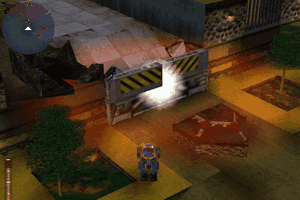
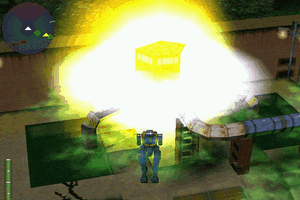
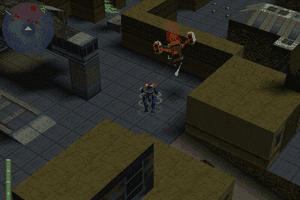
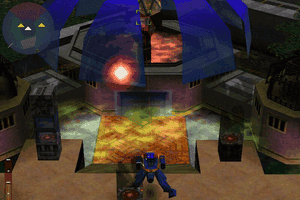
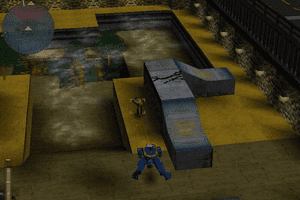
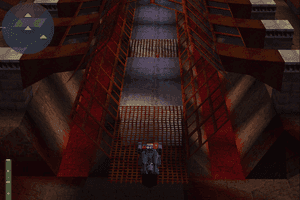
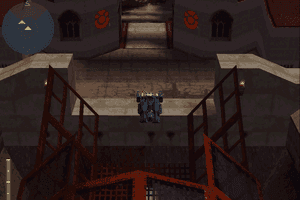
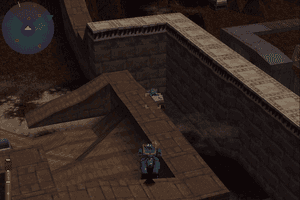
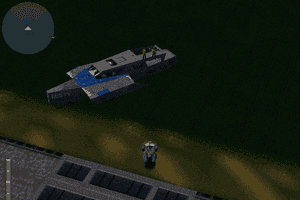
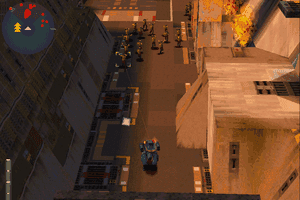
3rd person shooter style.
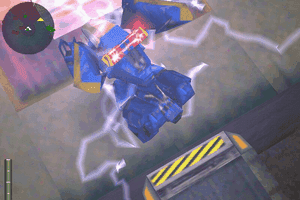
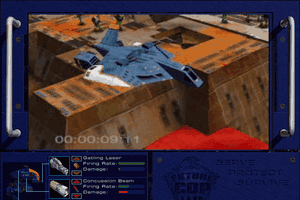
Your character controls a biped robot that can transform into a hover car!
I did feel this game was way ahead of its contemporaries at the time. Set in a Robocop / Judge Dredd inspired world, you kill man, machine and monsters, with the ability to select 3 different weapons upon each loadout.
A particular innovation at the time were skirmish missions against the AI. It a mix between 3rd person shooter and tower defense. Definitely worth a try in my opinion
No comment nor review for this game at the moment.