You are on the beta version of My Abandonware. The live site is still myabandonware.com. Your favorites and ratings here are copied to the live site. Comments and other changes are not — we delete them every morning at 08:00 Paris time, when this site goes down for about an hour. Leave feedback through this link to Pastel (email required).
The beta goes down at 08:00 Paris time, in a few minutes. We rebuild the database from the live site. It comes back in about an hour.
CD of German version may trigger some warnings by your antivirus, because of NoCD inside. All installation files on that disc are clear, here's the report. CDs of other versions showed 0 warnings on VirusTotal
Comments and reviews
Le solutionneur24 Jan. 2024
Just delete the 2 video files in Holiday World Tycoon\global\grafik\filme, and then it starts with no crash or problem in fullscreen :).
1
Phoenix12 Dec. 2023
Top comment
Here's how to run this game on Windows 10.
1. Download the game and extract the zipped file. 2. Run the setup, install in your preferred location. 3. For some reason, the game will show a black screen if you run it in full-screen mode. As such, right-click on the "Play Holiday World Tycoon" shortcut and then click on "Open File Location." 4. Go to global - data - config and then open the konfiguration.ini file. Change the "FENSTERMODUS" setting from "aus" to "an". This will make the game run in windowed mode. 5. (OPTIONAL) You can change the window resolution by entering your preferred setting next to "AUFLOESUNG." 6. Go back to the root installation folder. Now, go to global - grafik and then delete the "filme" folder as the intro movies will sometimes stop you from getting to the main menu of the game. 7. That's it, you can now play Holiday World Tycoon on Win10! :)
6
JASON20 Sep. 2023
How to run it in WIN 10?
0
Jade`25 Feb. 2023
How the devil do you get this working on wingows 10?
1
Phoenix27 Apr. 2022
@TESTER: I played it on a 16:9 screen just fine.
1
Tester23 Apr. 2022
This is a 4:3 game. Is there a way to get this working on 16:9 screens?
1
Phoenix29 Nov. 2021
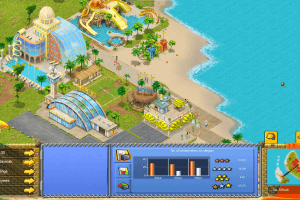
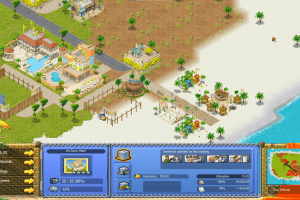
If you've played Holiday Island, you know exactly what you're getting yourself into. A nice relaxing game that will take you back to a simpler time.
2
No comment nor review for this game at the moment.







 English
  German
  Russian





Comments and reviews
Just delete the 2 video files in Holiday World Tycoon\global\grafik\filme, and then it starts with no crash or problem in fullscreen :).
Here's how to run this game on Windows 10.
1. Download the game and extract the zipped file.
2. Run the setup, install in your preferred location.
3. For some reason, the game will show a black screen if you run it in full-screen mode. As such, right-click on the "Play Holiday World Tycoon" shortcut and then click on "Open File Location."
4. Go to global - data - config and then open the konfiguration.ini file.
Change the "FENSTERMODUS" setting from "aus" to "an". This will make the game run in windowed mode.
5. (OPTIONAL) You can change the window resolution by entering your preferred setting next to "AUFLOESUNG."
6. Go back to the root installation folder. Now, go to global - grafik and then delete the "filme" folder as the intro movies will sometimes stop you from getting to the main menu of the game.
7. That's it, you can now play Holiday World Tycoon on Win10! :)
How to run it in WIN 10?
How the devil do you get this working on wingows 10?
@TESTER: I played it on a 16:9 screen just fine.
This is a 4:3 game. Is there a way to get this working on 16:9 screens?
If you've played Holiday Island, you know exactly what you're getting yourself into. A nice relaxing game that will take you back to a simpler time.
No comment nor review for this game at the moment.