You are on the beta version of My Abandonware. The live site is still myabandonware.com. Your favorites and ratings here are copied to the live site. Comments and other changes are not — we delete them every morning at 08:00 Paris time, when this site goes down for about an hour. Leave feedback through this link to Pastel (email required).
The beta goes down at 08:00 Paris time, in a few minutes. We rebuild the database from the live site. It comes back in about an hour.
does anyone know where i can find the french version ?
thank you
0
jhonny houdart18 Apr. 2026
I've seen this pattern in the computer chess community for years. First people praise something, then they get used to receiving updates, features, and upgrades for free and that's a very good thing. We saw similar attitudes around previous engines and GUIs - Rybka, Houdini, Komodo, HIARCS Chess Explorer and others. Many people want professional-grade software, enterprise-grade stability, impeccable documentation, constant updates, and open-source access, completely free and legal. I think sharing will make life happier than being a stingy human being, making hair falling, pathetic and a golf course in the head. Thank you and respectful greetings
0
Buzios12 Jan. 2026
@VolatileDawn: Dankeschön
0
Nikolai13 Oct. 2025
Hello, MyAbandonware team! This is Nikolai!
Here is the Google Drive link for Hoyle Majestic Chess, which includes an ISO file, a NoCD file, and a .txt file containing serial keys: https://drive.google.com/file/d/1nx2mXpl4erN-PRpQ5s9YSqf_qpBd5Nuv/view?usp=sharing
However, please follow these steps: 1. Download the RAR/ZIP file for Hoyle Majestic Chess. 2. Insert and mount the ISO file to your BD-ROM drive. 3. Set the compatibility mode to Windows XP (Service Pack 3) or other versions. 4. Access autorun and initiate the setup. 5. Once the setup is finished, place the NoCD file into the game directory of Hoyle Majestic Chess. 6. Launch the game for the first time. 7. Prior to playing, consult the .txt file for the serial/registration keys. 8. Have fun playing!
Please refer to the download link for my RAR file and read the instructions on how to play the game - "Hoyle Majestic Chess". This is for your reference. Thank you!
1
wolf1327 Jan. 2025
Works using Linux Gnome Bottles - need to turn off DXVK and VKD3D in launch settings or will crash after 1st task.
0
Impdive19 Nov. 2024
Running through CrossOver on macOs 14.3.1 (23D60) - got around the CD issue, and it's now crashing on startup with:
CreateDevice failed, multisample level set to minimum, giving up...
[ERROR] description = failed to create device with display parameters listed above. HRESULT = -2005530518 file = C:\dev\FS0023-FLUENT CHESS\FLUENTCHESS\PC\CHESSADV\DX8Vars.cpp line = 793
HRESULT=-2005530518 HRESULT Str: D3DERR_NOTAVAILABLE HRESULT Description: Not available
[ERROR] description = failed to Initialize CDX8Vars. file = C:\dev\FS0023-FLUENT CHESS\FLUENTCHESS\PC\CHESSADV\Display.cpp line = 230 [ERROR] description = failed to Init CDisplay file = C:\dev\FS0023-FLUENT CHESS\FLUENTCHESS\PC\CHESSADV\ChessAdvApp.cpp line = 203
1
Jabato16 Mar. 2024
Works on Mac Sierra with CrossOver, the key is here, and the no cd file in other webs. XP 64 bottle and unlisted game were my options.
Thanks all!
0
N20 Feb. 2024
the later Valusoft + THQ reissue of this game works on windows 10; it comes in a jewel case with a cardboard sleeve but has the multiplayer removed; avoid the earlier Hoyle version
0
Confused28 Dec. 2023
Hi all, loved this game as a child but cannot get it to work. Running Windows 11 (Parallels for Mac) and getting the "inadequate operating system" despite changing the compatibility to both Windows 7 + XP hmmm. Please help!
1
Iztok[4]Life19 Dec. 2023
If you have trouble with "inadequate windows", change the compatibility to Windows XP Service Pack 3. It worked fine then on Windows 10. Hope that helps!
1
tariq01 Jul. 2023
the operating system is not adequate for running how to solve this problem ?
0
IDF1329 Apr. 2023
Looking for some advice here. So, after extracting the NoCD and running the app as admin, the installer won't run. I tried checking compatibility and the installer won't run during that either. I'm running on Win10, and my systems are all up to date.
0
charc01 Mar. 2023
Yo does the audio not work for anyone else? It runs but no audio
0
bobbyboy23 Jan. 2023
Make sure to download the "NoCD" file to get it to work. You have to transfer the file over to where it is saved on your computer and delete the old exe and replace it with the new one. took me a few minutes to figure out
1
VolatileDawn06 Nov. 2022
Top comment
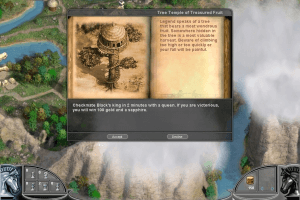
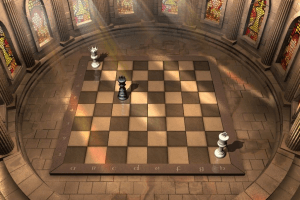
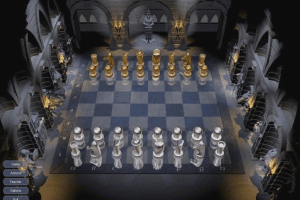
Majestic Chess is the best beginner chess game of all time. Possibly the best chess game of all time. There simply isn't anything else like it, even today. Chess RPG adventure mode is vigorous, and it still looks nice. I recommend it to anyone who wants to learn chess in the most entertaining way possible; and the puzzles are still engaging for advanced players.
The "Map progress" and name only save if you run it in administrator mode. The saved games are saved here if not in admin mode: C:\Users\yourUser\AppData\Local\VirtualStore\Program Files (x86)\Majestic Chess They are saved here in admin mode: C:\Program Files (x86)\Majestic Chess\Saved Games Here is my registration code: TUF6-DAB8-GUC5-JYB3-3739
7
Mack23 Aug. 2022
Just cannot install this game
0
zonga22 Mar. 2022
Top comment
XYN6-NAB4-FES2-MUX7-3485
7
Harley19 Nov. 2021
Hi I have the original cd for majestic chess but have lost the registration number. Can anyone help
3
HIS30 Jul. 2021
When I try to run it just tells me no disc inserted
2
Sarah21 Feb. 2021
Top comment
When I try to run it just tells me I have the wrong disc inserted - any advice?
9
Stonepaw16 Jan. 2021
To run this, right click the autorun.exe and go to 'compatability' then run as Windows 7.
0
MJ08 May. 2020
Does anyone know where or how the saved games in the adventure game for Majestic Chess for windows are stored?
2
No comment nor review for this game at the moment.



 English





Comments and reviews
does anyone know where i can find the french version ?
thank you
I've seen this pattern in the computer chess community for years. First people praise something, then they get used to receiving updates, features, and upgrades for free and that's a very good thing. We saw similar attitudes around previous engines and GUIs - Rybka, Houdini, Komodo, HIARCS Chess Explorer and others. Many people want professional-grade software, enterprise-grade stability, impeccable documentation, constant updates, and open-source access, completely free and legal. I think sharing will make life happier than being a stingy human being, making hair falling, pathetic and a golf course in the head. Thank you and respectful greetings
@VolatileDawn: Dankeschön
Hello, MyAbandonware team! This is Nikolai!
Here is the Google Drive link for Hoyle Majestic Chess, which includes an ISO file, a NoCD file, and a .txt file containing serial keys: https://drive.google.com/file/d/1nx2mXpl4erN-PRpQ5s9YSqf_qpBd5Nuv/view?usp=sharing
However, please follow these steps:
1. Download the RAR/ZIP file for Hoyle Majestic Chess.
2. Insert and mount the ISO file to your BD-ROM drive.
3. Set the compatibility mode to Windows XP (Service Pack 3) or other versions.
4. Access autorun and initiate the setup.
5. Once the setup is finished, place the NoCD file into the game directory of Hoyle Majestic Chess.
6. Launch the game for the first time.
7. Prior to playing, consult the .txt file for the serial/registration keys.
8. Have fun playing!
Please refer to the download link for my RAR file and read the instructions on how to play the game - "Hoyle Majestic Chess". This is for your reference. Thank you!
Works using Linux Gnome Bottles - need to turn off DXVK and VKD3D in launch settings or will crash after 1st task.
Running through CrossOver on macOs 14.3.1 (23D60) - got around the CD issue, and it's now crashing on startup with:
CreateDevice failed, multisample level set to minimum, giving up...
[ERROR]
description = failed to create device with display parameters listed above.
HRESULT = -2005530518
file = C:\dev\FS0023-FLUENT CHESS\FLUENTCHESS\PC\CHESSADV\DX8Vars.cpp
line = 793
HRESULT=-2005530518
HRESULT Str: D3DERR_NOTAVAILABLE
HRESULT Description: Not available
[ERROR]
description = failed to Initialize CDX8Vars.
file = C:\dev\FS0023-FLUENT CHESS\FLUENTCHESS\PC\CHESSADV\Display.cpp
line = 230
[ERROR]
description = failed to Init CDisplay
file = C:\dev\FS0023-FLUENT CHESS\FLUENTCHESS\PC\CHESSADV\ChessAdvApp.cpp
line = 203
Works on Mac Sierra with CrossOver, the key is here, and the no cd file in other webs. XP 64 bottle and unlisted game were my options.
Thanks all!
the later Valusoft + THQ reissue of this game works on windows 10; it comes in a jewel case with a cardboard sleeve but has the multiplayer removed; avoid the earlier Hoyle version
Hi all, loved this game as a child but cannot get it to work. Running Windows 11 (Parallels for Mac) and getting the "inadequate operating system" despite changing the compatibility to both Windows 7 + XP hmmm. Please help!
If you have trouble with "inadequate windows", change the compatibility to Windows XP Service Pack 3. It worked fine then on Windows 10. Hope that helps!
the operating system is not adequate for running
how to solve this problem ?
Looking for some advice here. So, after extracting the NoCD and running the app as admin, the installer won't run. I tried checking compatibility and the installer won't run during that either. I'm running on Win10, and my systems are all up to date.
Yo does the audio not work for anyone else? It runs but no audio
Make sure to download the "NoCD" file to get it to work. You have to transfer the file over to where it is saved on your computer and delete the old exe and replace it with the new one. took me a few minutes to figure out
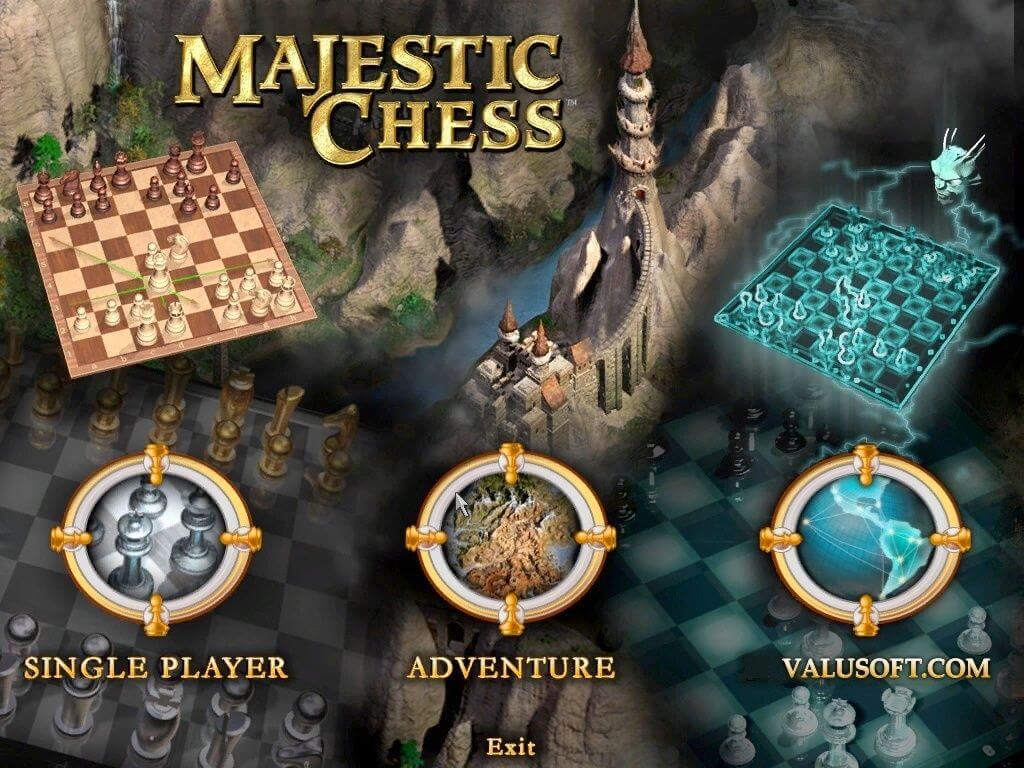
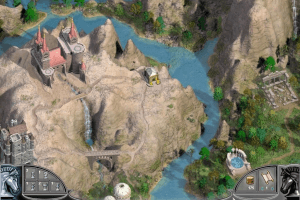
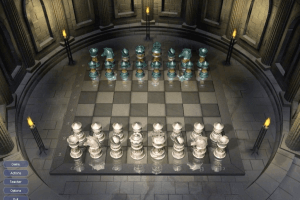
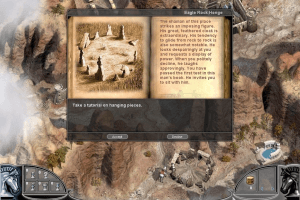
Majestic Chess is the best beginner chess game of all time. Possibly the best chess game of all time. There simply isn't anything else like it, even today. Chess RPG adventure mode is vigorous, and it still looks nice. I recommend it to anyone who wants to learn chess in the most entertaining way possible; and the puzzles are still engaging for advanced players.
The "Map progress" and name only save if you run it in administrator mode. The saved games are saved here if not in admin mode: C:\Users\yourUser\AppData\Local\VirtualStore\Program Files (x86)\Majestic Chess
They are saved here in admin mode: C:\Program Files (x86)\Majestic Chess\Saved Games
Here is my registration code: TUF6-DAB8-GUC5-JYB3-3739
Just cannot install this game
XYN6-NAB4-FES2-MUX7-3485
Hi I have the original cd for majestic chess but have lost the registration number. Can anyone help
When I try to run it just tells me no disc inserted
When I try to run it just tells me I have the wrong disc inserted - any advice?
To run this, right click the autorun.exe and go to 'compatability' then run as Windows 7.
Does anyone know where or how the saved games in the adventure game for Majestic Chess for windows are stored?
No comment nor review for this game at the moment.