You are on the beta version of My Abandonware. The live site is still myabandonware.com. Your favorites and ratings here are copied to the live site. Comments and other changes are not — we delete them every morning at 08:00 Paris time, when this site goes down for about an hour. Leave feedback through this link to Pastel (email required).
The beta goes down at 08:00 Paris time, in a few minutes. We rebuild the database from the live site. It comes back in about an hour.
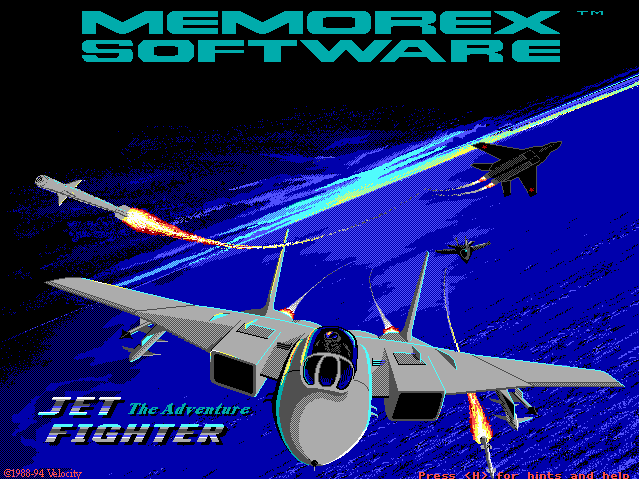
Paul ... very good ... I was about to delete the file, because it got stuck on the home screen. All my attempts had failed to solve the problem. I was going to call ..... "HOUSTON, WE HAVE A PROBLEM" .......... Then I read your advice and ... so ... I tried .... and ... hurray ... IT WORKS ... Thanks ...
-1
MikeM2418 Jul. 2020
WOW! I lost my floppies for this one! This is where it all started for me! I played this thing on my Leading Edge PC for countless hours. Wife was not too happy, but I learned a lot about sim flying. Have played so many since. I used to do low-level inverted flight with this thing, and dogfighting was fun. I have JF2, and JF3 on CD. Love this site!
0
Wapeka17 Mar. 2020
Was able to run on Dosbox Version 0.73 Executable: JF.EXE Machine: vgaonly cpu type: 386_prefetch core: auto Cycles: 2000 memory: 4 xms: uncheck ems: false umb: false Audio: pc Speaker Enable soundblaster: none Gravis Ultrasound: unchecked Disney Sound: unchecked Tandy Sound: off
2
Steve25 Feb. 2019
Thank you Paul. 386-with-prefetch core is the crucial information for all using Dosbox. @Snerk: In Dosbox JF.exe is the game itself. The other .exe did nothing when I started them. I'm not sure what they do, I guess they are helpers to the main program - something that would be a .dll today. If you cant run it in browser try DosBox its great.
I have only pc-speaker sound. Guess this game doesnt support Soundblaster or the like, does it?
2
Snerk01 Feb. 2019
Anyone knows which is the correct game executable to play in browser.. I tried the default one (jetfighter/EDATA.EXE) and a few more like JF.EXE. ..did not work.. anyone got it working in any Browser ?
0
Joe Mama16 Mar. 2017
Awesome I found this download. I used to have Jetfighter on floppy disk, but somehow it must have gotten corrupted because at some point every time I tried to run the game it would just show -runtime error and not load. I'll download this version even though I already have Jetfighter II and relive some memories.
3
Socrates10 Jan. 2015
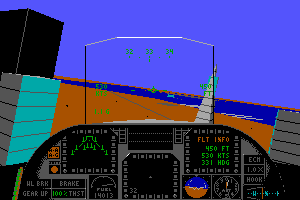
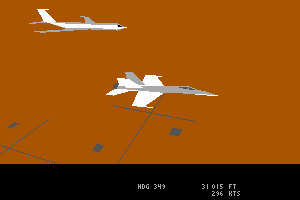
Paul - - you legit are a savior. I've been trying to make this game work on my computer for well over 10 years. Finally got it. Only thing I need is a USB cabled Numpad so I can switch between in cockpit to external view.
3
Paul27 Nov. 2014
Figured it out! Best game ever!
You need to run it in DOSBOX using the 386-with-Prefetch core.
3
Paul24 Nov. 2014
Yeah, this game freezes right after the splash screen when run in DOSBOX. Anyone get it working?
0
Blitz03 Aug. 2012
you need to fix this game,it freezes upon start, also, please put up Jetfighter 3!
1
dogpuke02 May. 2010
Got JF2 now got JF1!
0
No comment nor review for this game at the moment.







 English




Comments and reviews
Paul ... very good ... I was about to delete the file, because it got stuck on the home screen. All my attempts had failed to solve the problem. I was going to call ..... "HOUSTON, WE HAVE A PROBLEM" .......... Then I read your advice and ... so ... I tried .... and ... hurray ... IT WORKS ... Thanks ...
WOW! I lost my floppies for this one! This is where it all started for me! I played this thing on my Leading Edge PC for countless hours. Wife was not too happy, but I learned a lot about sim flying. Have played so many since. I used to do low-level inverted flight with this thing, and dogfighting was fun. I have JF2, and JF3 on CD. Love this site!
Was able to run on Dosbox Version 0.73
Executable: JF.EXE
Machine: vgaonly
cpu type: 386_prefetch
core: auto
Cycles: 2000
memory: 4
xms: uncheck
ems: false
umb: false
Audio: pc Speaker Enable
soundblaster: none
Gravis Ultrasound: unchecked
Disney Sound: unchecked
Tandy Sound: off
Thank you Paul. 386-with-prefetch core is the crucial information for all using Dosbox.
@Snerk: In Dosbox JF.exe is the game itself. The other .exe did nothing when I started them. I'm not sure what they do, I guess they are helpers to the main program - something that would be a .dll today. If you cant run it in browser try DosBox its great.
I have only pc-speaker sound. Guess this game doesnt support Soundblaster or the like, does it?
Anyone knows which is the correct game executable to play in browser..
I tried the default one (jetfighter/EDATA.EXE) and a few more like JF.EXE.
..did not work.. anyone got it working in any Browser ?
Awesome I found this download. I used to have Jetfighter on floppy disk, but somehow it must have gotten corrupted because at some point every time I tried to run the game it would just show -runtime error and not load. I'll download this version even though I already have Jetfighter II and relive some memories.
Paul - - you legit are a savior. I've been trying to make this game work on my computer for well over 10 years. Finally got it. Only thing I need is a USB cabled Numpad so I can switch between in cockpit to external view.
Figured it out! Best game ever!
You need to run it in DOSBOX using the 386-with-Prefetch core.
Yeah, this game freezes right after the splash screen when run in DOSBOX. Anyone get it working?
you need to fix this game,it freezes upon start, also, please put up Jetfighter 3!
Got JF2 now got JF1!
No comment nor review for this game at the moment.