You are on the beta version of My Abandonware. The live site is still myabandonware.com. Your favorites and ratings here are copied to the live site. Comments and other changes are not — we delete them every morning at 08:00 Paris time, when this site goes down for about an hour. Leave feedback through this link to Pastel (email required).
The beta goes down at 08:00 Paris time, in a few minutes. We rebuild the database from the live site. It comes back in about an hour.
With a lot of tries on the VM, the game works ok now. First u need to follow the instructions from Dimwit Flathead here, then there are some problems u may face:
1. Q: The game is installed but closed immediately when selected fullscreen or centered. A: U need to change the VM RAM to a low vaule, like 100 MB.
2. Q: When I installed the fix and updtae files, I faced a JVM launcher error. A: Because some region not work with these, u need to change your VM region to USA and reinstall.
3. Q: I faced a blackscreen issue when I played the game. A: U need to install the LOPatch_gl.exe in CD1\install\patches\OpenGL, because the OpenGL patch in this page is for Law & Order II, so u may face the problem "cannot find game entry".
0
Mariemd31 Dec. 2025
None of the patches works for me,i get the error about game entry. Anyone else that had that error manage to make it work?
0
13thSyndicate24 Jun. 2025
Hey, I tried to get this game working following the directions in Dimwit Flathead's post, and all the patches work except the OpenGL patch, which "cannot find game entry". The game itself runs and can be played, but all scenes which involve interviews, etc. show only a black screen and the UI
1
Narwhal Entertainment21 Apr. 2025
Both disks are corrupted, and when I try to open the ISOs with 7zip, apparantly empty (folders with no files). Is it possible to reupload the disk images?
1
Dimwit Flathead04 Sep. 2024
Rather than selecting PS/2 you need to disable mouse integration from the View menu. Hopefully NOW I'll be able to play the game!
1
Dimwit Flathead04 Sep. 2024
You may need to set this in environmental variables: Go to Start-Control Panel-System-Advanced(tab)-Environment Variables-System Variables-New: Variable name: _JAVA_OPTIONS Variable value: -Xmx512
1
Dimwit Flathead04 Sep. 2024
Playing it, I found that the evidence patch prevents some of the voices. It works if you just use the opengl patch after the russ patch.
The joys of working with Macromedia Director!
1
Dimwit Flathead04 Sep. 2024
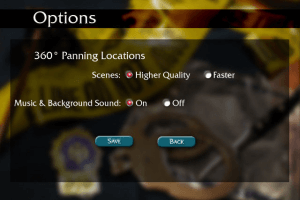
I managed to get it working without needing an XP machine, but you need an XP install disc from archive.org and Virtualbox 5 (I used 5.2.40). You need to set the machine to 128MB video memory with 3D acceleration and PS/2 Mouse pointing device. Once XP is installed you need to install the Virtualbox Additions with Direct 3D support in safe mode. When you reboot, install Quicktime and Java from the install directory on the first disc. While you have that directory open, copy the patches folder to your desktop. Then install the game. After it's installed, you'll need to install the patches in this order or it won't work: 1. LOPatch_russ_2CD.exe (3M Patch from this page) 2. LOPatch_evidence.exe (Missing evidence patch from this page) 3. the LOPatch_gl.exe (from the OpenGL directory in the patch directory). That should get it to work. Make sure you read the instructions on the patch installers carefully. You may need to change to Faster mode (I haven't played the game yet, so I don't know.) You also may need to install the 3M OpenGL patch from this page, too.
1
Dimwit Flathead03 Sep. 2024
The Mac version is PowerPC and runs on 10.3 to 10.5 only (it fails on Snow Leopard because of Java).
After trying Virtualbox and Wine in Linux, I managed to get the Windows version to run on a real Windows XP box wth no patches applied. It's slow and glitchy in Windows 98 on 86Box.
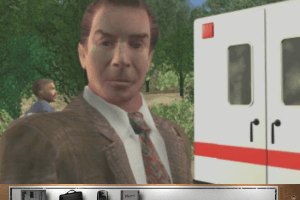
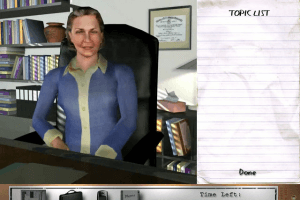
I'm looking forward to playing this. The lip sync is superb. These types of games generally have terrible mouth movements.
0
Sonya12 Jan. 2023
I've never been able to get this working on windows 10 but I keep trying. Used to love this game
0
Patchy10 Jul. 2022
Update 2: Game doesn't launch, even with the usual compatibility settings. Ah well. On to the next one.
0
Patchy10 Jul. 2022
Update: IZArc2Go is able to open the disc image and extract the contents.
-1
Patchy10 Jul. 2022
It says the disc image files are corrupted. I'll try and troubleshoot, but it's not looking good.
0
No comment nor review for this game at the moment.










 English




Comments and reviews
With a lot of tries on the VM, the game works ok now. First u need to follow the instructions from Dimwit Flathead here, then there are some problems u may face:
1. Q: The game is installed but closed immediately when selected fullscreen or centered.
A: U need to change the VM RAM to a low vaule, like 100 MB.
2. Q: When I installed the fix and updtae files, I faced a JVM launcher error.
A: Because some region not work with these, u need to change your VM region to USA and reinstall.
3. Q: I faced a blackscreen issue when I played the game.
A: U need to install the LOPatch_gl.exe in CD1\install\patches\OpenGL, because the OpenGL patch in this page is for Law & Order II, so u may face the problem "cannot find game entry".
None of the patches works for me,i get the error about game entry. Anyone else that had that error manage to make it work?
Hey, I tried to get this game working following the directions in Dimwit Flathead's post, and all the patches work except the OpenGL patch, which "cannot find game entry". The game itself runs and can be played, but all scenes which involve interviews, etc. show only a black screen and the UI
Both disks are corrupted, and when I try to open the ISOs with 7zip, apparantly empty (folders with no files). Is it possible to reupload the disk images?
Rather than selecting PS/2 you need to disable mouse integration from the View menu. Hopefully NOW I'll be able to play the game!
You may need to set this in environmental variables:
Go to Start-Control Panel-System-Advanced(tab)-Environment Variables-System
Variables-New: Variable name: _JAVA_OPTIONS
Variable value: -Xmx512
Playing it, I found that the evidence patch prevents some of the voices. It works if you just use the opengl patch after the russ patch.
The joys of working with Macromedia Director!
I managed to get it working without needing an XP machine, but you need an XP install disc from archive.org and Virtualbox 5 (I used 5.2.40). You need to set the machine to 128MB video memory with 3D acceleration and PS/2 Mouse pointing device. Once XP is installed you need to install the Virtualbox Additions with Direct 3D support in safe mode. When you reboot, install Quicktime and Java from the install directory on the first disc. While you have that directory open, copy the patches folder to your desktop. Then install the game. After it's installed, you'll need to install the patches in this order or it won't work: 1. LOPatch_russ_2CD.exe (3M Patch from this page) 2. LOPatch_evidence.exe (Missing evidence patch from this page) 3. the LOPatch_gl.exe (from the OpenGL directory in the patch directory). That should get it to work. Make sure you read the instructions on the patch installers carefully. You may need to change to Faster mode (I haven't played the game yet, so I don't know.) You also may need to install the 3M OpenGL patch from this page, too.
The Mac version is PowerPC and runs on 10.3 to 10.5 only (it fails on Snow Leopard because of Java).
After trying Virtualbox and Wine in Linux, I managed to get the Windows version to run on a real Windows XP box wth no patches applied. It's slow and glitchy in Windows 98 on 86Box.
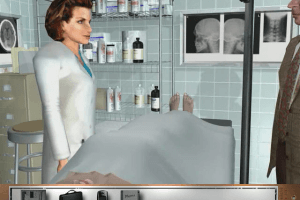
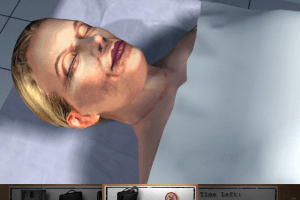
I'm looking forward to playing this. The lip sync is superb. These types of games generally have terrible mouth movements.
I've never been able to get this working on windows 10 but I keep trying. Used to love this game
Update 2: Game doesn't launch, even with the usual compatibility settings. Ah well. On to the next one.
Update: IZArc2Go is able to open the disc image and extract the contents.
It says the disc image files are corrupted. I'll try and troubleshoot, but it's not looking good.
No comment nor review for this game at the moment.