

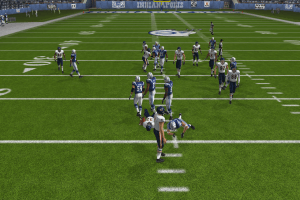
How to Play
For all new players we recommend to read big Starting Guide by FootballIdiot Community. It is community of Madden NFL series fans, they have active forum with many interesting themes, we recommend you to check it!
The game with patch and NoDVD has been tested on Windows 7 64-bit, works fine. The game supports widescreen
Install & play guide:
- Mount the disc image. You will need the utility for mounting disc image files, like WinCDEmu, UltraISO, Alcohol 52%/Alcohol 120% or Daemon Tools Lite
- Launch the installation (the game installer will check game files and that process can take 2-3 minutes)
- Install the game. Ignore EA Registration
- Also it is recommended to install DirectX 9 from the disc (if you're using Windows 10 - enable DirectPlay, read this or this guide how to do it)
- Once you installed the game - install the patch
- After that install NoDVD (simply copy mainapp.exe from the archive and put it into directory with installed game, replacing original mainapp.exe)
- Open the directory with the game and find Madden08.exe and mainapp.exe. Right click on both exe-files - Properties - Compatibility - Set "Run this app in compatibility mode with Windows XP" and "Run as administrator"
- Launch the game and play. If the game doesn't work in compatibility mode with Windows XP - try to launch it in compatibility mode with other version of Windows (98, 2000 or Vista)
Notes:
- If the installation doesn't start - try to launch Autorun.exe in compatibility mode with old version of Windows (98, 2000 or XP)
- NoDVD is required for the launch because the game is using SecuROM DRM protection, which doesn't work on modern systems. That NoDVD "breaks" DRM protection and allows the game to work on modern systems
- The game works on DirectX 9, so if you're using Windows 8, 8.1, 10 or 11 - you need to enable DirectPlay: Go to Control Panel, and select 'Programs'. Select 'Turn Windows features on and off', click on 'Legacy Components' and check the box 'DirectPlay'. Select OK, once the installation is done, restart your computer
- It is recommended to install all versions of Microsoft Visual C++ Redistributable for the correct work of the game
- If you have troubles with installation of patches - copy patch-file into the game directory then launch it from there. Sometimes the patch cannot find the game directory automatically
- If the game doesn't start when you click on Madden08.exe or desktop shortcut - run the game from mainapp.exe
- The game has compatibility issues with Windows 8, it simply doesn't work on some machines with Windows 8. Currently there's no fix for that
- Multiplayer servers for this game doesn't work for many years, but you still can play it with Hamachi. Check this thread for more details. You can find active players here
- If you want to play with anti-aliasing and texture filtering - run the game with dgVoodoo. Just copy dll-files from the MS/x86 folder, dgVoodooCpl.exe and dgVoodoo.conf to the game folder, then run dgVoodooCpl.exe, open DirectX tab and select the setting you want. After that click "Apply" to save settings, close dgVoodooCpl and run the game from Madden08.exe. The game with dgVoodoo has been tested on Windows 7 64-bit, works with no problem
- For users of Windows 64-bit systems: if the game doesn't work after you launched it - open Task Manager (Ctrl+Alt+Del by default) and check for processes mainapp.exe and rundll32.exe. Close mainapp.exe but don't touch rundll32.exe (it's a Windows app for running old apps from 32-bit operational systems, most old games running through rundll32.exe). Now try to launch the game again, it must work. Don't forget to close rundll32.exe process in Task Manager after finishing playing
 English







Comments and reviews
awesome i loved it
Thanks for the upload. Greatly appreciate it.
Does anyone have a solution to my cursor being invisible? At the start of the game, I know it's there because the buttons change color when they're being hovered over, but I can't see the actual cursor.
Unironically, more entertaining that the recent ones
One of them at least lol
Lmao i just watched that one scott the woz video
*Scott the Woz* wants to know your location.
No comment nor review for this game at the moment.