You are on the beta version of My Abandonware. The live site is still myabandonware.com. Your favorites and ratings here are copied to the live site. Comments and other changes are not — we delete them every morning at 08:00 Paris time, when this site goes down for about an hour. Leave feedback through this link to Pastel (email required).
The beta goes down at 08:00 Paris time, in a few minutes. We rebuild the database from the live site. It comes back in about an hour.
I followed the helpful instructions to get it to stop flashing, but now that I can run the game it isn't picking up any mouse or keyboard inputs. If anybody knows a solution help would be hugely appreciated :)
0
Klew MP16 Apr. 2026
@LMKT I also got this to work with an older version of the DgVoodoo2 wrapper. https://community.pcgamingwiki.com/files/file/572-dgvoodoo-2/
Follow these steps. 1. Download and extract dgVoodoo2_79_1.zip 2. Move dgVoodooCpl.exe, dgVoodoo.conf to the folder where the Magic Inlay exe is. 3. Go to MSx86 then transfer all the files into the folder where the Magic Inlay exe is. 4. To remove the watermark run dgVoodooCpl.exe and uncheck the "dgVoodoo Watermark" box, click apply then OK. Play the game
0
LMKT25 Mar. 2026
@KLEW MP
I followed all the steps you mentioned and I got the flashing to stop but I ran into another problem. My game looks like this: https://i.imgur.com/cR6H3D1.png
Any other help will be appreciated.
1
rei28 Jan. 2026
its just flashes please help
2
Klew MP30 Dec. 2025
I got this game to run in Windows 11 with no flashing screen by using dxwrapper. You can download it here: https://github.com/elishacloud/dxwrapper/releases/tag/v1.4.7900.25
Scroll down, click on assets, download "dx7.games.zip" extract it and move all the files into the folder where the Magic Inlay game exe is located.
To fix the game being a small square in the centre of the screen open the dxwrapper.ini file with notepad, scroll down and change these settings depending on what your monitor resolution is and save it. I have a 4k (3840X2160) monitor so I use the settings below. If you have a 1080p monitor use 1920 1080 and 1. Once you start the game it should have black bars on the left and right. Hope this helped.
DdrawOverrideWidth =3840
DdrawOverrideHeight =2160
DdrawMaintainAspectRatio =1
4
verbeke jp14 May. 2025
add DDraw.dll in directories of game
1
flame21 Apr. 2025
Broken, just flashes on load screen.
1
Andrija30 Nov. 2024
Is this game safe becuase i ran it throught virus total and it says its a trojan
0
Donald17 Dec. 2023
Top comment
It keeps flashing
6
Gnan29 Oct. 2023
Top comment
when i launch the game it keeps flashing and stuck in the loading screen.
12
thai09 Oct. 2023
I played of it very often when i was a kid
2
Sharon03 Nov. 2022
I remember playing this game and I love it cuz it's so concentrating to play I like to play again
2
No comment nor review for this game at the moment.




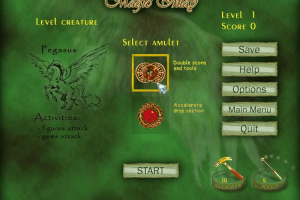
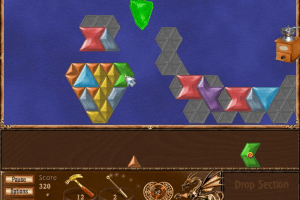
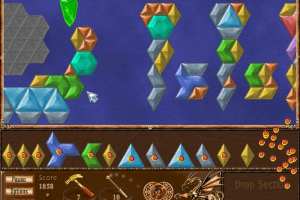
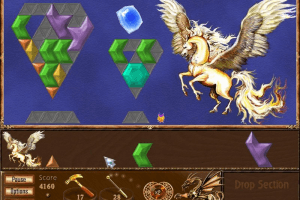


 English




Comments and reviews
i have a patch for the game, that fixes the flashing and speed.
已經有購買此遊戲了 現在遇到白畫面loading 有參考底下留言的方法做 但還是一樣
請問還有其他辦法嗎
這遊戲 有永久遊玩的嗎?
我只能完60分鐘
fixed the flashing. Now there's a white square that blocks 1\6 of the screen. one thing after another.
https://imgur.com/a/dQjXksQ
This is happening to me, and I don't know how to fix it.
I followed the helpful instructions to get it to stop flashing, but now that I can run the game it isn't picking up any mouse or keyboard inputs. If anybody knows a solution help would be hugely appreciated :)
@LMKT
I also got this to work with an older version of the DgVoodoo2 wrapper. https://community.pcgamingwiki.com/files/file/572-dgvoodoo-2/
Follow these steps.
1. Download and extract dgVoodoo2_79_1.zip
2. Move dgVoodooCpl.exe, dgVoodoo.conf to the folder where the Magic Inlay exe is.
3. Go to MSx86 then transfer all the files into the folder where the Magic Inlay exe is.
4. To remove the watermark run dgVoodooCpl.exe and uncheck the "dgVoodoo Watermark" box, click apply then OK. Play the game
@KLEW MP
I followed all the steps you mentioned and I got the flashing to stop but I ran into another problem. My game looks like this: https://i.imgur.com/cR6H3D1.png
Any other help will be appreciated.
its just flashes please help
I got this game to run in Windows 11 with no flashing screen by using dxwrapper. You can download it here: https://github.com/elishacloud/dxwrapper/releases/tag/v1.4.7900.25
Scroll down, click on assets, download "dx7.games.zip" extract it and move all the files into the folder where the Magic Inlay game exe is located.
To fix the game being a small square in the centre of the screen open the dxwrapper.ini file with notepad, scroll down and change these settings depending on what your monitor resolution is and save it. I have a 4k (3840X2160) monitor so I use the settings below. If you have a 1080p monitor use 1920 1080 and 1. Once you start the game it should have black bars on the left and right. Hope this helped.
DdrawOverrideWidth =3840
DdrawOverrideHeight =2160
DdrawMaintainAspectRatio =1
add DDraw.dll in directories of game
Broken, just flashes on load screen.
Is this game safe becuase i ran it throught virus total and it says its a trojan
It keeps flashing
when i launch the game it keeps flashing and stuck in the loading screen.
I played of it very often when i was a kid
I remember playing this game and I love it cuz it's so concentrating to play I like to play again
No comment nor review for this game at the moment.