


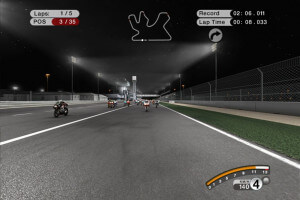
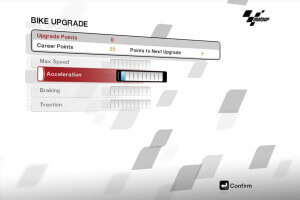
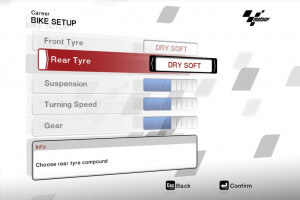
How to Play
NoDVD showed 9 warnings about possibly malicious file, but it is safe to use, nothing to worry about; here's the report. If you're worrying - run the game with NoDVD on Virtual Machine, for 100% safety
The game with NoDVD has been tested on Windows 7 64-bit and Windows 10, works fine. The game supports widescreen and ultra-widescreen resolutions
Install & play guide:
- Mount the disc image. You will need the utility for mounting disc image files, like WinCDEmu, UltraISO, Alcohol 52%/Alcohol 120% or Daemon Tools Lite
- Install the game (if autorun doesn't work - simply launch the installation from Setup.exe inside the disc)
- (If the installation doesn't work - use Installation patch, simply mount the disc image in virtual drive and run Setup.exe from the archive)
- You can skip GameSpy installation, since GameSpy servers doesn't work anymore
- Also it is recommended to install DirectX from the disc (if you're using Windows 10 - enable DirectPlay, read this or this guide how to do it)
- After you installed the game - install NoDVD (simply copy files from archive and put it into directory with installed game, agree to replace original files)
- Open the directory with the game and find Launcher.exe. Right click on Launcher.exe - Properties - Compatibility - Set "Run this app in compatibility mode with Windows XP or Vista" and "Run as administrator"
- Launch the game and play. If the game doesn't work in compatibility mode with Windows XP - try to launch it in compatibility mode with other version of Windows (Win98, Windows ME, Win2000, etc.)
Notes:
- European version of the game is already patched to the version 1.1, so you don't need to patch it. We uploaded patch 1.1 for US version just in case if someone will be searching for it
- If the installation doesn't start - try to launch Setup.exe in compatibility mode with old version of Windows (98, 2000 or XP)
- If it didn't work - use Installation patch, it is fixed version of Setup. Simply mount the disc image in virtual drive and run Setup.exe from the archive. Installation patches for all versions can be found here
- NoDVD is required for the launch because the game is using SecuROM DRM protection, which doesn't work on modern systems. That NoDVD "breaks" DRM protection and allows the game to work on modern systems
- It is recommended to install old versions of Microsoft Visual C++ Redistributable for the correct work of the game
- Also it is recommended to install RAD Video Tools and K-Lite Codec Pack for the correct work of in-game videos
- The game works on DirectX 9, so if you're using Windows 8, 8.1, 10 or 11 - you need to enable DirectPlay: Go to Control Panel, and select 'Programs'. Select 'Turn Windows features on and off', click on 'Legacy Components' and check the box 'DirectPlay'. Select OK, once the installation is done, restart your computer
- If the game crashes after loading the race, or you have problem with missing sound effects/disappearing sound - set sound quality to 24 bit, 48000 Hz. Read this guide how to do that
- If you have black screen at intro videos - check the settings of video codecs in your system; WMV splitter must be set to Microsoft, not LAV
- For Windows 7 users: if the game crashes at loading screen - run Launcher.exe in compatibility mode with Windows 2000
- For users of Windows 10/11 : if the game crashes when you start the race - disable fullscreen optimization, also launch the game in compatibility mode with Windows 7
- If you want to play the game on multi-monitor setup - you will need to edit config-files, read this thread for details
 English
  French
  German
  Italian
  Spanish

 Russian





Comments and reviews
good very very goog
sangat bagus luarbiasa mantap
A velocidade máxima é de 80 Km/h
Tem como resolver isso??
old gamer be like: ohh its 2.6 gb its too much, now days gamer be like: oh its only this much i think so its a low pc game
Okay I read the guide and followed the steps. I was able to open the game and access the menus, but the game keeps crashing at the race loading screen for some reason. I even disabled full screen optimisations and launched the game in compatibility mode for each version of Windows according to the last point of the guide. What do I do now?
Please help me with this. How do I use the installation patch?
Can i request motogp 13 /
i wanna play motogp game
someone please tell us what codec to install and how to. also if someone know how to do the same with lutris wine please reply
It worked. I installed the required codec, and everything worked. I take the Russian version, there is no localization for the other one
The game is installed normally, I launch it, black screen and no response. What could be the problem? This happens immediately after the initial load
my game shows insert origional dvd how to fix
The max speed is 40km/h, is that normal? I tried to change settings, but does not seem to work
wat een dom game ? de snelheid van de andere coureurs ligt net zo hoog zowel je in amateur of prof modus speel !
werkt niet ! geeft tijdens installatie transfer error aan .
Alright. Also, where can I request a game? I would like to try MotoGP 09/10 or MotoGP 10/11. Both games are abandonware as they cannot be bought. I have tried searching for a copy but I am unable to.
@CHUNKYPRESIDENT check the settings of video codecs in your system; WMV splitter must be set to Microsoft, not LAV. Also, run Launcher.exe in compatibility mode with Windows 2000 (if it didn't work - try all other old versions of Windows: Windows XP, Vista, Win7, etc.)
Hi, when the game opens, the intro starts but then the game closes. How do I fix this?
thank you myabandonware.
No comment nor review for this game at the moment.