You are on the beta version of My Abandonware. The live site is still myabandonware.com. Your favorites and ratings here are copied to the live site. Comments and other changes are not — we delete them every morning at 08:00 Paris time, when this site goes down for about an hour. Leave feedback through this link to Pastel (email required).
The beta goes down at 08:00 Paris time, in a few minutes. We rebuild the database from the live site. It comes back in about an hour.
Needed stuff: 1. A Generic Win32 installer. Get it from here: https://community.pcgamingwiki.com/files/file/111-installshield-3-32-bit-generic-installer/ 2. dd wrapper. Get it from here - http://bitpatch.com/ddwrapper.html 3. The patch 1.3 given on this site
To install on Win11 - 1. Burn the ISO on a CD. Copy all the contents of the CD and create a new folder somewhere on your computer. Paste all the files here 2. Paste the Generic 32 bit installer in this folder. Double-click and install 3. Run the 1.3 patch 4. Unzip the ddwrapper and paste its contents in the install directory. 5. Follow this help here: https://www.vogons.org/viewtopic.php?t=44052 6. Let the CD in the drive ;-) 7. Have fun! :)
0
witch08 Oct. 2024
whgy isnt the damn game shared? Its not for sale anywhere...geeze
0
AKSHAY12 Dec. 2020
Got this to run on Windows 10. You need a few things:
To install - 1. Mount the ISO. Copy all the contents of the mounted drive and create a new folder somewhere on your computer. Paste all the files here 2. Paste the Generic 32 bit installer in this folder. Double-click and install 3. Run the patch 4. Unzip the ddwrapper and paste its contents in the install directory. 5. Extract dxwnd SOMEWHERE ELSE (not in the install folder) 6. Launch dxwnd. Edit-Add-Enter any name you want-Path-Select the game's exe file-I/O-Hide empty CDROM drivers-Timing-Select Limit and Limit 3D begin scene-delay: 30-OK 7. Now run the game by double-clicking on the Panzer commander icon in dxwnd
**ALL STEPS ARE IMPORTANT**
3
Kendell12 Jul. 2020
Launches I go into a scenario then freezes
0
agathosdaimon17 May. 2020
@otto were you unable to install it? i was able to install it on Windows 10 but switching off my Antivirus and copying the cd contents to a folder and then sticking a generic installshield 32bit version installer in the folder.
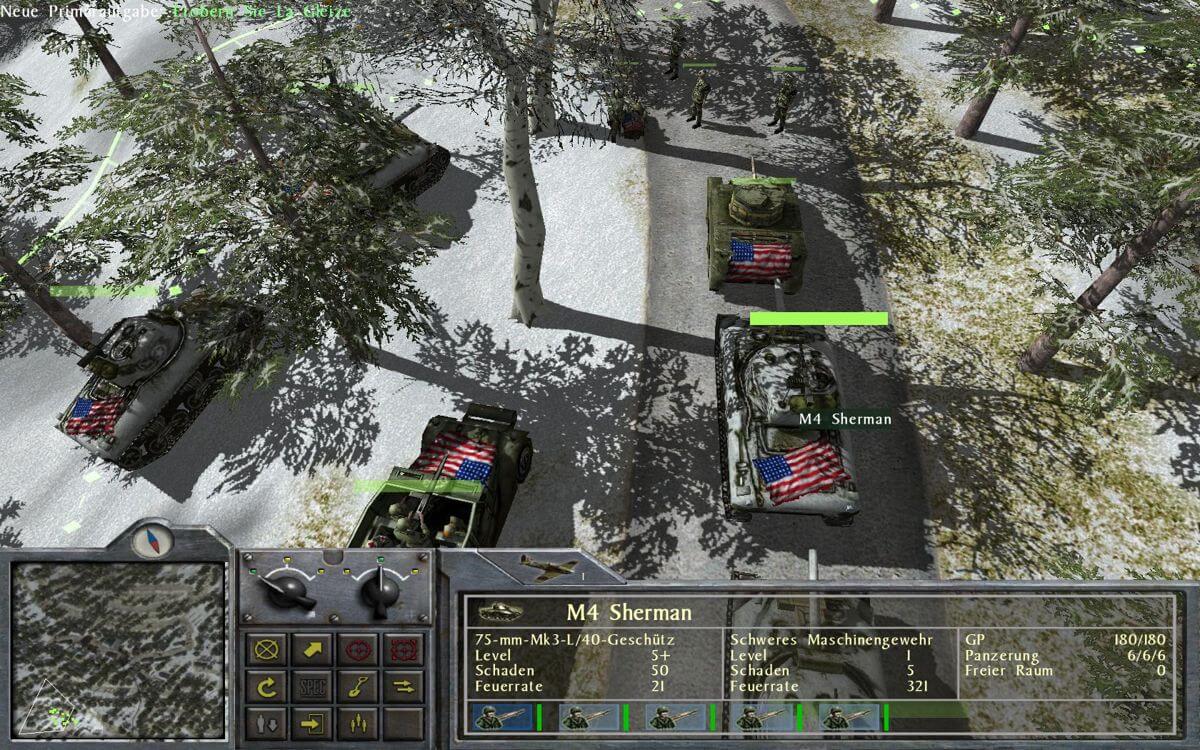
no i have it installed, i noticed it doesnt like the cdrom drive to be empty so if you used dxwnd you can set in the i/o section to "hide empty drives option" and the game works. - it all looks good except the tank turret textures have that weird inside out look - there should be a way to fix this, just got to spend some more time with it
2
Otto12 Feb. 2019
Too bad, i made one, two... cd rom with the img burned in it, and none worked; So the ISO file does not work. The command line parameters are not simple to follow for beginners. I spent a long evening to try to fix it, with no avail. (it seems to be a windows file, not a dos one.) Good bye Panzer! I'll look for something else, Too bad, I still have the manual.
0
No comment nor review for this game at the moment.







 English





Comments and reviews
"New" Install-Steps, which helped me...
Needed stuff:
1. A Generic Win32 installer. Get it from here: https://community.pcgamingwiki.com/files/file/111-installshield-3-32-bit-generic-installer/
2. dd wrapper. Get it from here - http://bitpatch.com/ddwrapper.html
3. The patch 1.3 given on this site
To install on Win11 -
1. Burn the ISO on a CD. Copy all the contents of the CD and create a new folder somewhere on your computer. Paste all the files here
2. Paste the Generic 32 bit installer in this folder. Double-click and install
3. Run the 1.3 patch
4. Unzip the ddwrapper and paste its contents in the install directory.
5. Follow this help here: https://www.vogons.org/viewtopic.php?t=44052
6. Let the CD in the drive ;-)
7. Have fun! :)
whgy isnt the damn game shared? Its not for sale anywhere...geeze
Got this to run on Windows 10. You need a few things:
1. A Generic Win32 installer. Get it from here: https://community.pcgamingwiki.com/files/file/111-installshield-3-32-bit-generic-installer/
2. Dxwnd: Get it from here - https://sourceforge.net/projects/dxwnd/
3. dd wrapper. Get it from here - http://bitpatch.com/ddwrapper.html
4. The patch 1.3 given on this site
To install -
1. Mount the ISO. Copy all the contents of the mounted drive and create a new folder somewhere on your computer. Paste all the files here
2. Paste the Generic 32 bit installer in this folder. Double-click and install
3. Run the patch
4. Unzip the ddwrapper and paste its contents in the install directory.
5. Extract dxwnd SOMEWHERE ELSE (not in the install folder)
6. Launch dxwnd. Edit-Add-Enter any name you want-Path-Select the game's exe file-I/O-Hide empty CDROM drivers-Timing-Select Limit and Limit 3D begin scene-delay: 30-OK
7. Now run the game by double-clicking on the Panzer commander icon in dxwnd
**ALL STEPS ARE IMPORTANT**
Launches I go into a scenario then freezes
@otto were you unable to install it? i was able to install it on Windows 10 but switching off my Antivirus and copying the cd contents to a folder and then sticking a generic installshield 32bit version installer in the folder.
no i have it installed, i noticed it doesnt like the cdrom drive to be empty so if you used dxwnd you can set in the i/o section to "hide empty drives option" and the game works. - it all looks good except the tank turret textures have that weird inside out look - there should be a way to fix this, just got to spend some more time with it
Too bad, i made one, two... cd rom with the img burned in it, and none worked; So the ISO file does not work.
The command line parameters are not simple to follow for beginners.
I spent a long evening to try to fix it, with no avail. (it seems to be a windows file, not a dos one.)
Good bye Panzer! I'll look for something else, Too bad, I still have the manual.
No comment nor review for this game at the moment.