You are on the beta version of My Abandonware. The live site is still myabandonware.com. Your favorites and ratings here are copied to the live site. Comments and other changes are not — we delete them every morning at 08:00 Paris time, when this site goes down for about an hour. Leave feedback through this link to Pastel (email required).
The beta goes down at 08:00 Paris time, in a few minutes. We rebuild the database from the live site. It comes back in about an hour.
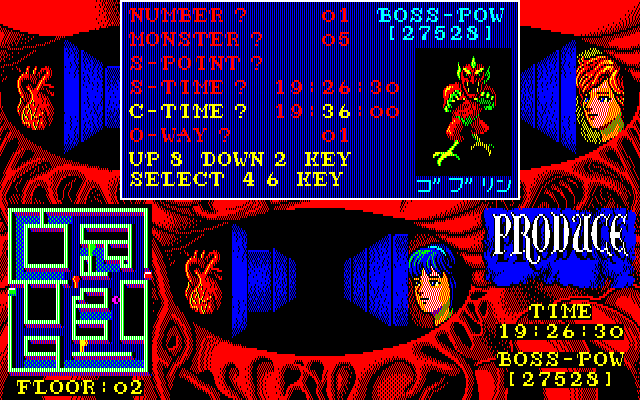
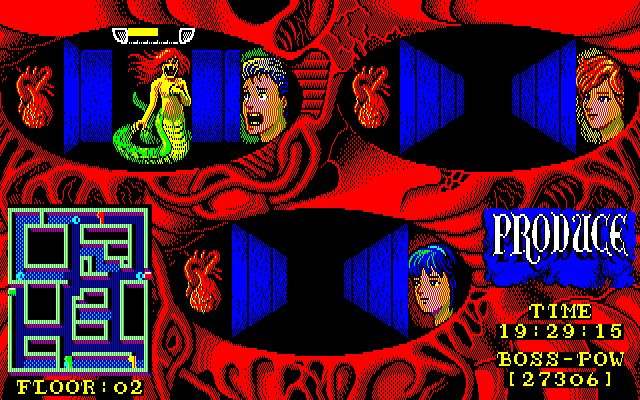
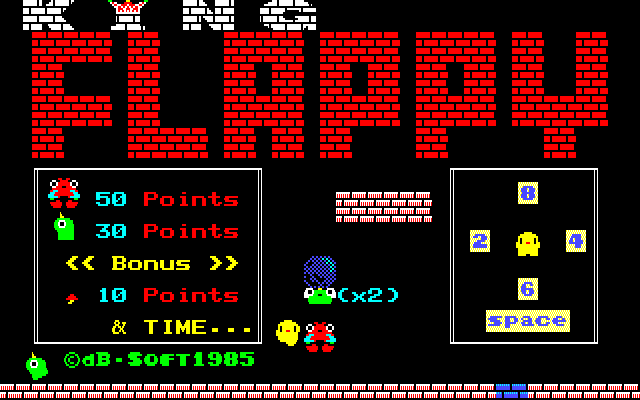
Just to let others know - you have to have a keyboard with a number pad to play this game. My keyboard doesn't, and you have to use 2 4 6 8 to move, and the numbers above the letters on a keyboard won't work. I got the game to work (thanks to HenboBaggins comment!) but as far as I know, you can't change the bindings.
3
HenboBaggins05 May. 2020
How to download: When you download there are two files to extract,
Once downloaded, Extract, and open NEC-PC-8801 There should be a folder called "Common Source Code Project" this emulator is the easiest for me. Open this folder
If you scroll down, There should be a pc8801ma application Open the application, and it will show a screen with 5 options on the bottom, and 7 on the top.
There should be two options on the top that say "FD1, and FD2" These are for your two produce files.
Click on FD1 and hit "Insert" Your files should show up, and find the produce folder. Find the first produce file and open it,
Click on FD2 and hit "Insert" The same thing should happen, go to your produce folder This time, open the second produce file
It should just show a black screen now, so look at the top again, and find the control tab. Final step! Hit the reset button, and your game should start! I hope this Guide helped Subscribe to my youtube, I might be playing the game soon. https://www.youtube.com/channel/UCHoOEEFr_sEbz931cXb096Q?view_as=subscriber Thanks!
5
No comment nor review for this game at the moment.




 English



Comments and reviews
Just to let others know - you have to have a keyboard with a number pad to play this game. My keyboard doesn't, and you have to use 2 4 6 8 to move, and the numbers above the letters on a keyboard won't work.
I got the game to work (thanks to HenboBaggins comment!) but as far as I know, you can't change the bindings.
How to download:
When you download there are two files to extract,
Go to this link and download the emulator pack
https://www.mediafire.com/?umaw4huaytf5zcf
Once downloaded, Extract, and open NEC-PC-8801
There should be a folder called "Common Source Code Project" this emulator is the easiest for me. Open this folder
If you scroll down, There should be a pc8801ma application
Open the application, and it will show a screen with 5 options on the bottom, and 7 on the top.
There should be two options on the top that say "FD1, and FD2"
These are for your two produce files.
Click on FD1 and hit "Insert"
Your files should show up, and find the produce folder.
Find the first produce file and open it,
Click on FD2 and hit "Insert"
The same thing should happen, go to your produce folder
This time, open the second produce file
It should just show a black screen now, so look at the top again, and find the control tab.
Final step! Hit the reset button, and your game should start!
I hope this Guide helped
Subscribe to my youtube, I might be playing the game soon.
https://www.youtube.com/channel/UCHoOEEFr_sEbz931cXb096Q?view_as=subscriber
Thanks!
No comment nor review for this game at the moment.