You are on the beta version of My Abandonware. The live site is still myabandonware.com. Your favorites and ratings here are copied to the live site. Comments and other changes are not — we delete them every morning at 08:00 Paris time, when this site goes down for about an hour. Leave feedback through this link to Pastel (email required).
The beta goes down at 08:00 Paris time, in a few minutes. We rebuild the database from the live site. It comes back in about an hour.
There are two versions of this game: the Rip version is the latest version of the game(this is the most popular). The ISO version is the earliest version. They can be played with dosbox (you must know the basic command to mount). Open Dosbox config file, search and set these for both games:
core=dynamic cputype=auto cycles=fixed 500000 (this worked for me) you can cycle up or down.
Rip version: 1) Fixing the sound: in dosbox go to setup.exe and set the digital and midi to soundblasted pro. The rest you can leave it default. 2) run the game in dosbox with the command "REBMOON.EXE -vga"
ISO version: 1 Mount the iso and copy paste the content in a folder on your drive. 2 run Dosbox and go to that folder and run INSTALL. choose for example c:\REBMOON. 3 When it's done, go to "REBMOON", open REBMOON.bat in notepad and add "-vga" to the end of the line with "rmeng386.exe" and save the bat file. 4 Mount in DOSBOX the folder "REBMOON" and run setup.exe and set the digital and midi to soundblasted pro. 5 Now you can play the game running REBMOON.bat in Dosbox. You will notice there is no music - that happens because you need to mount the CD with music.
MUSIC FIX: 1 create a folder "CD_DATA" in your installed "REBMOON" folder. 2 paste in "CD_DATA" all the content from the ISO, so it contains the "MUSIC" folder and the other files. 3 To Mount in DOSBOX in Drive C the "REBMOON" folder and CD_DATA folder and run the game, do exact this commands in a fresh open dosbox: ------------ mount C C:\REBMOON mount D C:\REBMOON\CD_DATA -t cdrom C: REBMOON.bat. ------------ if you have error: "couldn't find 3D Blaster", means you didn't add the "-vga" in REBMOON.bat file. Now these are the settings, from here you can make the launchers to mount directly to not wrtie these commands every time, it's up to you.
If you are a big fan of this game, you can try "RReady Rendition Verité" from microsoft store to emulate the graphics from that exclusive 3D Blaster card.
0
Moontrap16 Jul. 2025
Can someone please hack the 3d blaster nonsense??? wtf I have a Voodoo 3 3000 and the -vga doesn't work it just throws a bunch of codes and crashes
1
DaGlassMan479726 Nov. 2024
Okay, well, I got the sound working but running the game in -vga mode seems to break the HUD; there's no indicators for how much ammo you have or how many kills you've gotten.
2
DaGlassMan479726 Nov. 2024
The sound doesn't seem to work.
0
Ex Free Race Freak26 Aug. 2024
There is a Winport on OGR
1
mandrake17 Jan. 2023
doesnt work :(
0
Robot Enthusiast22 Dec. 2022
Top comment
Hi @Admin! The installer is not working for me, the repack from Collection Chamber blogspot worked for me AND it has the music without the need to insert the virtual CD. I'd kindly appreciate it if you put his repack here because it's a very easy installer and it's better (I guarantee you I tested it myself and it has no viruses).
I can play this using the VGA command as stated earlier in the comments but it doesn't have any sound at all. Any ideas on how to enable sound?
1
forbidden6420 Jan. 2020
well as much as I hate mac, we are all gamers. If you are using a mac, find a DOS program called EDIT.COM (its a dos program and is included with every DOS boot disk/OS disk set) and then put it into the directory with the game.
Now type EDIT REBMOON.BAT
You'll see an ascii blue text editor come up. This is what we all used to use to make batch files back in the day. Edit, then save the .bat file. Now you are good to go. BTW, this works on ALL systems because you are using the MSDOS environment itself instead of relying on the modern OS features.
You can also set up a directory like \MSDOS\ and then type
SET PATH=C:\MSDOS\
Every item in that directory is now able to be accessed from any folder anywhere in DOS.
1
KC08 Nov. 2019
I'm with SHOOTERMAN47, I have the same problem running the DOS version using DosBox on a Mac. There are many ways to load the game on different platforms, but I get an error no matter what platform, and with the DOS4GW.EXE I keep getting the same 3D Blaster error. I see other have found a way to play the game, but they are on Windows, so no help for me using DosBox and a Mac. I tried the advice above running the game using Rebmoon -vga, but still get the same 3D Blaster error. I have set up the sound, tested the sound, everything checks out. I just can not start the game without an error message.
1
SHOSTNERS JOHN08 Dec. 2017
Top comment
I DISCOVERED HOW TO PLAY THIS GAME! You must to edit rebmoon.bat in the windows, add -vga in this line command dos4gw rmeng386.exe
6
Raul_B21 Aug. 2017
This game starts trying to be run in 3D Blaster PCI mode. But it can be played typiing "Rebmoon -vga".
4
Shooterman4702 Mar. 2017
Does anybody have an idea how to make this run with DosBox 0,74? Nothing happens when I run the Rebmoon.exe after setting up the digital sound devices, all I get is a message telling me it can't find any 3D Blaster. It happens regardless of using the ISO-version or the RIP-verseion. I'll be thankful for any ideas and suggestions as it looks like a great looking game.
1
No comment nor review for this game at the moment.




 English




Comments and reviews
There are two versions of this game: the Rip version is the latest version of the game(this is the most popular).
The ISO version is the earliest version.
They can be played with dosbox (you must know the basic command to mount).
Open Dosbox config file, search and set these for both games:
core=dynamic
cputype=auto
cycles=fixed 500000 (this worked for me) you can cycle up or down.
Rip version:
1) Fixing the sound: in dosbox go to setup.exe and set the digital and midi to soundblasted pro. The rest you can leave it default.
2) run the game in dosbox with the command "REBMOON.EXE -vga"
ISO version:
1 Mount the iso and copy paste the content in a folder on your drive.
2 run Dosbox and go to that folder and run INSTALL. choose for example c:\REBMOON.
3 When it's done, go to "REBMOON", open REBMOON.bat in notepad and add "-vga" to the end of the line with "rmeng386.exe" and save the bat file.
4 Mount in DOSBOX the folder "REBMOON" and run setup.exe and set the digital and midi to soundblasted pro.
5 Now you can play the game running REBMOON.bat in Dosbox.
You will notice there is no music - that happens because you need to mount the CD with music.
MUSIC FIX:
1 create a folder "CD_DATA" in your installed "REBMOON" folder.
2 paste in "CD_DATA" all the content from the ISO, so it contains the "MUSIC" folder and the other files.
3 To Mount in DOSBOX in Drive C the "REBMOON" folder and CD_DATA folder and run the game, do exact this commands in a fresh open dosbox:
------------
mount C C:\REBMOON
mount D C:\REBMOON\CD_DATA -t cdrom
C:
REBMOON.bat.
------------
if you have error: "couldn't find 3D Blaster", means you didn't add the "-vga" in REBMOON.bat file.
Now these are the settings, from here you can make the launchers to mount directly to not wrtie these commands every time, it's up to you.
If you are a big fan of this game, you can try "RReady Rendition Verité" from microsoft store to emulate the graphics from that exclusive 3D Blaster card.
Can someone please hack the 3d blaster nonsense??? wtf I have a Voodoo 3 3000 and the -vga doesn't work it just throws a bunch of codes and crashes
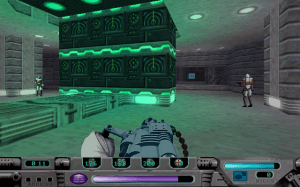
Okay, well, I got the sound working but running the game in -vga mode seems to break the HUD; there's no indicators for how much ammo you have or how many kills you've gotten.
The sound doesn't seem to work.
There is a Winport on OGR
doesnt work :(
Hi @Admin! The installer is not working for me, the repack from Collection Chamber blogspot worked for me AND it has the music without the need to insert the virtual CD. I'd kindly appreciate it if you put his repack here because it's a very easy installer and it's better (I guarantee you I tested it myself and it has no viruses).
https://collectionchamber.blogspot.com/p/rebel-moon.html
Zack Snyder outdid himself with this one
I can play this using the VGA command as stated earlier in the comments but it doesn't have any sound at all. Any ideas on how to enable sound?
well as much as I hate mac, we are all gamers. If you are using a mac, find a DOS program called EDIT.COM (its a dos program and is included with every DOS boot disk/OS disk set) and then put it into the directory with the game.
Now type EDIT REBMOON.BAT
You'll see an ascii blue text editor come up. This is what we all used to use to make batch files back in the day. Edit, then save the .bat file.
Now you are good to go. BTW, this works on ALL systems because you are using the MSDOS environment itself instead of relying on the modern OS features.
You can also set up a directory like \MSDOS\
and then type
SET PATH=C:\MSDOS\
Every item in that directory is now able to be accessed from any folder anywhere in DOS.
I'm with SHOOTERMAN47, I have the same problem running the DOS version using DosBox on a Mac. There are many ways to load the game on different platforms, but I get an error no matter what platform, and with the DOS4GW.EXE I keep getting the same 3D Blaster error. I see other have found a way to play the game, but they are on Windows, so no help for me using DosBox and a Mac. I tried the advice above running the game using Rebmoon -vga, but still get the same 3D Blaster error. I have set up the sound, tested the sound, everything checks out. I just can not start the game without an error message.
I DISCOVERED HOW TO PLAY THIS GAME!
You must to edit rebmoon.bat in the windows, add -vga in this line command dos4gw rmeng386.exe
This game starts trying to be run in 3D Blaster PCI mode. But it can be played typiing "Rebmoon -vga".
Does anybody have an idea how to make this run with DosBox 0,74? Nothing happens when I run the Rebmoon.exe after setting up the digital sound devices, all I get is a message telling me it can't find any 3D Blaster. It happens regardless of using the ISO-version or the RIP-verseion. I'll be thankful for any ideas and suggestions as it looks like a great looking game.
No comment nor review for this game at the moment.