
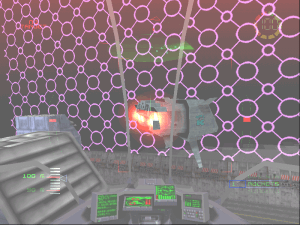
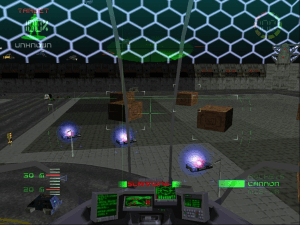
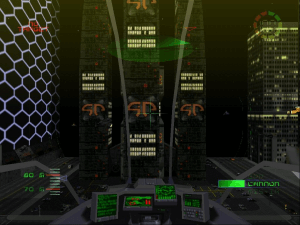
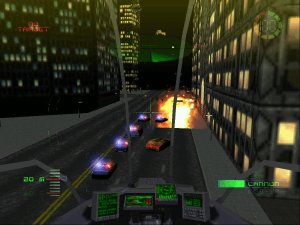
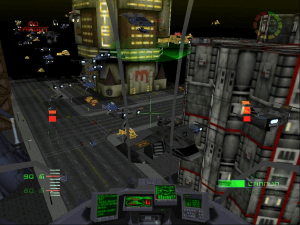
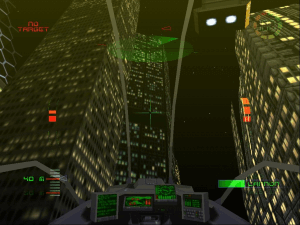
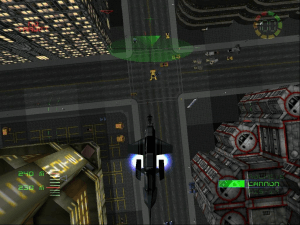
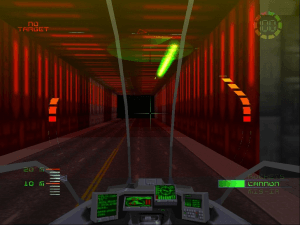
How to Play
Retrogamer Dan has kindly provided a preinstalled game with required dgVoodoo and registry entries (see Fix download). Here are the instructions:
- Download the Disc Image
- Extract the Pre Installed Game archive to
C:\Games\Misc\G-Police. - Mount the Disc Image (NRG file) using Daemon Tools - other CD emulators may not work but Daemon Tools definitely does, due to CD copy protection.
- Install the Registry entries in G-Police.reg (just open it and accept)
- Run the game.
Here's the content of the Registry file, you can edit it with Notepad :
Windows Registry Editor Version 5.00

[HKEY_LOCAL_MACHINE\SOFTWARE\WOW6432Node\Psygnosis\Studios\G-Police]
"Path"="c:\\games\\misc\\g-police"
"Resource Path"="d:\\"
"Configuration File"="c:\\games\\misc\\g-police\\GPolice.cfg"
"Saved Game File"="c:\\games\\misc\\g-police\\GPolice.sav"
"SysChk"="0000000000000000"
"Control Method"="KEYBOARD"
 English





Comments and reviews
Today I had success getting this running on Fedora Linux using Bottles, its a bit of a process to get working, you still need to run the crack and mount the NRG disk image and it works really good.
I'm going to try and wright up and maybe do a video of the setup process.
@AMS Yeah, I'm also interested. That would be super cool if you actually managed to do that. Is it ready yet?
@AMS Any update?
Hey folks, I've written a NO-CD patch for this brilliant game and also patched the draw & fog distance to the engines limit. Working out the best way to release it, but will comment here when ready.
You'd think, the original game would run better than the PS1 version. You'd be wrong.
I actually still have my original CD of this.....I think I need to download this and play it.
for Gamepad/Joystick use:
https://github.com/jshafer817/vJoy
https://whitemagic.github.io/JoystickGremlin/
https://github.com/nefarius/HidHide
he explains how to use the apps:
https://youtu.be/ugjgKPf1-rk?si=Z6l3UTsy-_u3M1PR
https://youtu.be/-sxW8CfOn4A?si=GszX8nMlvBHYIn7S
Can anyone help with installation not using abriviations? I have tried to follow steps, I have done what I think is listed but it still does not work.
this work for me
1st - MOUNT cd image
2nd - install G-POLICE
3td- use dosshell to mount in dosbox crack and start it which is copied in gpolice directory
4td - overwrite with RIP VERSION
5th- UN MOUNT cd image
6TH start GPOLICE.EXE
I'm one of coders that did the PC version back at Psygnosis. This game can't be reliably run with higher resolutions or frame rates due to some engine limitations. You can force it to do so, but it will break some critical things.
this game needs a remake
Not sure what I did, but after like almost 5 years of trying to get this to work and run on Windows 10 I finally got it to run. Had to do a fresh installation with Daemontools Lite using the NRG file, then had dgVoodooCpl in it. Didn't touch any of the settings in there other than binding it to the same folder I had gpolice.exe and dgVoodooCpl.exe in. I previously had tried to do this and it didn't work at all, but I guess there's something in the fresh installation of the NRG file that fixed it? I'm not even sure myself.
This game really needs a way to force higher resolutions. Just editing the .cfg file forces the game to run in 640x480 mode if the desired resolution is not available in the menu (but is supported in your hardware). The only way I found so far was removing the undesired resolutions from the graphic card's driver itself so the game's menu will be able to reach a higher mode. Too bad, because these graphics really aged so well.
You absolutely magnificent people! Mad props to everyone who made this available!
Have been wanting to play this for a loooong time as I'd love to re-make this game, or a game like it!
About the previous comment about using the RIP version, the game also crashes whenever you go from game back to the main menu... so in other words you can do a mission, complete it, and then the game will crash.
Best to use a Windows XP VM I think at this point.
So I managed to get the crack to run and messing around with dgvoodoo and dxdwnd to get the game to not crash.
Problem is, after the initial CD check and the FMVs, I get hit with a "Please Insert GPolice Disc 1" screen.
Yes you CAN get the game to work with only the RIP, but then the music is missing (this is actually how my dad cracked it back in the day lol...) FMVs seem to work though, but the resolution of the game kept going crazy (had to fiddle around with dxdwnd to fix it)
Use winevdm to natively install 16-bit apps on Win10/11:
https://github.com/otya128/winevdm
How to use:
Drag and drop Win16 executable file to otvdm.exe or execute otvdmw.exe.
Forgot all about this game. I got a copy free with a graphics card as it was to showcase 3D graphics. It was ok, but was never a massive fan.
1. Create a VM with windows XP
2. Extract the .iso
3. Drag and Drop the order into your vm os
3. Install g-police on it
4.copy the ziped rip order on your vm os
5. extract the riped.zip order
6. Start the .exe and enjoy the game
So finally i made it. Windows 64 bit dont support 16 bit apps anymore. Create a VM with Windows XP, download the riped zip file on the Host system. Drag and Drop the .zip file to the gues os. Extract it, start the gpolice.exe
Have fun XD
Try the PlayStation 1 version of G-Police via Emulator!
I installed the game on Win 10, I tried using dgVoodoo and it worked.
Then I deletd the game, reinstalled it and now it doesn't work!
I receive the error message "Please Insert G-Police CD".
Can someone help me?
Thanks.
Don't listen to the previous posts about getting it to run on Windows 10. dgVoodoo v 2.52 is a Glide wrapper (G-Police doesn't use 3DFX Cards) and Daemon Tools will give you a virtual DVD Drive, the app doesn't get any further even with all compatibility options enabled. The best way is with virtualization. Microsoft has a WindowsXPMode that is a bit of work to get setup. Google this: "Virtualbox with Windows XP" - lots of useful articles. GOOD LUCK ALPHA 1 - NOW FLY THRU THE TUNNEL TO THE NEXT DOME
If the game won't load because it doesn't recognise a mounted CD, the trick is to use Daemon Tools. (Windows 10, with dgvoodoo)
The PC Gaming Wiki site says install the game from CD as normal but when the launcher opens and you click install nothing happens. So not very helpful. That's about as far as I can get on Win10.
I followed the advice on the PC Gaming Wiki site, and got G-Police running on Windows 10 by using dgVoodoo v 2.52 (only that version will work).
Cheers
The .exe launches on Win10, but when I hit play it says something else is using the CD-ROM and it can't start. Anybody have a fix?
I cant get it to start on Windows 10.
It didn't work for me on win10, even with compatibility options.
Couldn't get either of the links (Both RIP and ISO/NRG) to run on Windows 10 unfortunately.
Opening the RIP version opens the menu to select hardware/software visual selection and then when you hit play, the menu closes and nothing happens.
The NRG/ISO gives a corrupted mount error and won't play. When all the files are extracted out, it'll ask for a disc to play.
An outstanding example of a retrogame, that runs perfectly even in modern OS with no sign of problem whatsoever! Considering it's a game from 1997 it works totally smoothly: need some modern resolution - no problemo! Need 60fps smooth framerate - here you go, pal! Perhaps you wish to customize controls to your own preference or view the action from an alternative perspective - you got it, dude!
I wish every retro game worked this way...
Ok game i likeur this gama
No comment nor review for this game at the moment.