



How to Play
The game with NoCD, Crash Fix and dgVoodoo has been tested on Windows 7 64-bit and Windows 10, works fine. You may experience some small troubles when you play the game on modern systems, check our Guide and Notes for details
Install & play guide:
- Mount the disc image. You will need the utility for mounting disc image files, like WinCDEmu, UltraISO, Alcohol 52%/Alcohol 120% or Daemon Tools Lite
- Launch the installation. Install the game not in default path
C:/Program Files/Microsoft Games/Starlancer, but in some non-system folder, likeC:/Games/Starlancer, otherwise you may have difficulties with fixes - When the installation process will ask for CD2 - mount the disc image of CD2. CD2 must be mounted in same virtual drive as CD1, so first un-mount disc image of CD1 and then mount the disc image of CD2. In example, if CD1 was in virtual drive G:, CD2 must be mounted in virtual drive G: as well
- Also it is recommended to install DirectX from the disc (if you're using Windows 10 - enable DirectPlay, read this or this guide how to do it)
- After you installed the game - install NoCD, simply copy Lancer.exe from the archive and put it into directory with installed game, agree to replace original file
- Then install Starlancer Crash Fix - copy all files from the archive to game directory and run install.bat. That fix allows to run the game on modern systems without crashes
- Now you will need to download and install dgVoodoo, because the game has graphics/color problem on modern machines. dgVoodoo wrapper fixes that problem, to install it follow this guide or simply download our archive with dgVoodoo ready-to-use configuration and exctract it to game directory
- Open the directory with the game and find Lancer.exe. Right click on Lancer.exe - Properties - Compatibility - Set "Run this app in compatibility mode with Windows 98" and "Run as administrator"
- Launch the game, don't change any options in Launcher, press "OK" and play. If the game doesn't work in compatibility mode with Windows 98 - try to launch it in compatibility mode with other version of Windows (Windows 95, 2000, XP, etc.)
Optionally, if you don't know how to install all of that - you can download repack from Magipack, simple installer that includes English version of the game with fixes and dgVoodoo
Notes:
- If the installation doesn't start - try to launch Setup.exe in compatibility mode with old version of Windows (98, 2000 or XP)
- NoCD is required for the launch because the game is using SafeDisc DRM protection, which doesn't work on modern systems. That NoCD "breaks" DRM protection and allows the game to work on modern systems
- The game works on Direct3D 7, so if you're using Windows 8, 8.1, 10 or 11 - you need to enable DirectPlay: Go to Control Panel, and select 'Programs'. Select 'Turn Windows features on and off', click on 'Legacy Components' and check the box 'DirectPlay'. Select OK, once the installation is done, restart your computer
- It is recommended to install all versions of Microsoft Visual C++ Redistributable for the correct work of the game
- Also it is recommended to install RAD Video Tools and K-Lite Codec Pack for the correct work of the game
- Starlancer Crash Fix is required for comfort game on modern systems, since it fixes many troubles, like the game crashing when you close the medal case. Please note that we uploaded on our website updated version of fix that doesn't conflict with dgVoodoo. If you want to play the game without dgVoodoo, like on retro-machine - use first version of fix, it is available on PCGamingWiki
- The game supports Surroud Sound and EAX, but by default the game ignores it. To restore EAX and Surround Sound support use DSound Fix, just copy mss32.dll file from the archive and put in game folder, replace original mss32.dll. Also, it is recommended to use that fix if you hear "scratches" sound when you play, or have any other sound problem
- Please note that the game may crash on some mission if EAX/Forcefeedback is enabled. In that case just disable it in game settings and replay the mission
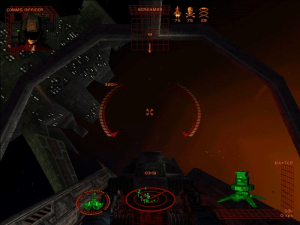
- By default the game works only in 4:3 screen resolutions, but you can try to run it in widescreen by editing starlancer.ini in the game folder and adjusting Xres= and Yres=, but everything will be stretched from 4:3. Also, the game may crash if you select high resolution in ini-file, so better use dgVoodoo to run the game in high resolutions. Here's the example how the game looks in 1920x1080 mode launched with dgVoodoo. For more details visit WSGF page
- Also, with dgVoodoo you can play the game in high resolution with anti-aliasing and texture filtering, for better graphics. Run dgVoodooCpl.exe, open DirectX tab and select the settings you want. After that click "Apply" to save settings, close dgVoodooCpl and run the game from Lancer.exe
- The game doesn't have mouse support and can be played only with keyboard, gamepad or joystick. However, you can use joystick-to-mouse emulators like JMouse, to play with mouse+keyboard. Here's the guide how to correctly configure JMouse (it is on Russian, use translation machine)
- Don't forget to check PCGamingWiki page if you have troubles
 English
  German
  Russian






Comments and reviews
woops, nevermind the shortcut minimized part, just the compatibility mode works fine.
For those using Magipack with the frozen black screen issue, in properties under shortcut, switch Run to Minimized, and in Compatability run in Compatibility mode Windows XP (service pack 2) and disable fullscreen optimizations.
I'm also having the problem where the "detecting hardware" part just leads to a freeze or a black screen.
JMouse doesn't work at all
So I am trying to follow the instructions for installation here and I'm at the step about installing NoCD.
I am not seeing that in the downloads and google isn't returning anything helpful. Is this a process or a software.
I have a Virtual Box VM running Windows XP, so compatibility issues shouldn't be a problem.
Follow up: An issue with Magipack I am facing is the game "detecting hardware" only resulting in a permanent black box in the corner of the screen until logging out or restarting. No idea, maybe because of running off a laptop?
Despite my best efforts following all the above instructions and multiple methods, the game refuses to work. The same issue seems to occur no matter whether installing via the ISO route or Magipack, the Lancer.exe refuses to launch, that's even when making sure its the cracked exe. At most, I can get the splash screens to play if ticking "disable and passthru to real DirectX" on DgVoodoo, but then the game crashes after the "warthog" splash screen. No idea why none of the listed methods above aren't working, would love to hear if anyone else solved it or have ideas.
did anyone else have a virus scanner detect potential malware on disc 1? what's the deal with that?
Hey thanks so much for uploading this! I actually own this game from back in the day on CD-ROM, but since I don't own a CD-ROM reader anymore it's easier to just download it from here :D Was feeling nostalgic.
Anyone managed to get mouse control working?
If so how?
I tried multiple software, and the same thing ends up happening.
Either the game wont launch, or the ship will move in the direction the virtual joystick was facing while the game was alt-tabbed, without being able to change direction.
Nvm, it didn't work.
In case anyone wants to play with mouse controls: https://github.com/raptorswing/MouseToJoystick/releases/tag/2.0-beta2
Installed Repack by MagiPack Win 64 Pro.Note: Install as Admin., look for the install options window with default options checked, If your card doesn't support Direct X 12. uncheck it. Installed as Admin. Right clicked the lancer.exe in game folder, checked, run as admin and run in compatibility mod for win xp sp2.Right click dgVoodooCpl.exe as admin in game folder, select direct x tab and check pass thru. Graphics are fantastic. Thank you. KORMITY I use this tools for keyboard, controller sync. https://github.com/AntiMicroX/antimicrox/releases/tag/3.3.4
Hi anyone know if the game can be play with a controller, because using keyboard is too hard :O
@MILOTHETERMIN8R - That's because Freelancer is a spinoff of this game, they are both made by Digital Anvil(Warthog Games was a studio under their control). I've played a lot of Freelancer but not so much this as its a more linear Space-Sim, still interesting to see it up here on myabandonware so I'm going to give it a try again.
We have updated the game, added some fixes and instruction how to run the game on modern systems
I think I've got this working on windows 11 as well as 10. I can't say for certain which thing fixed it precisely, but I'm 80% certain it's the following:
To install it, download the .iso files (that way you get all the cutscenes), and follow the instructions of Popplars' comment (press "see older comments to see it"). Once you've installed starlancer and replaced the .exe with the "no cd" file (the "fix" file prevents proper joystick usage), be sure to set the "run as administrator" property in the compatability section of the .exe file's properties.
Specifically, this fixes a problem I have wherein finishing/leaving a mission crashes the game. The problem, I think, was that the game was installed in the program files folder, which I think it tries to do by default, but it has insufficient write permissions against that folder to create save data, causing the game to crash. running the .exe as admin allows it to write save data, and prevents the crash.
I will note that I also did a bunch of other fiddling such as installing dgVoodoo2 and altering several settings in there, but I think that only made cosmetic changes rather than preventing crashes. I would also install the starlancercrashfix found in this link:
https://starlancer.gamepedia.com/How_to_run_Starlancer_on_Windows_7_and_10
That prevents the game from crashing when opening the medal case, just to improve your experience further.
Awesome space combat simulator. If you haven't played already, you are missing much.
I was able to get this running, have tried both the No CD patch and the fix patch and it crashes, usually during a cut scene mid-mission. Running Windows 11 - tried various compatibility settings without success. Any idea?
Pretty easy actually. Just go download daemon tools lite, download the ISO, and use the no-cd patch. Works perfect. IF you're having a slight issues, make sure to run the exe in compatability mode as admin and try Win 8 mode.
reminds me of freelancer.
I got it working on Windows 11 by folowing this guide:
https://starlancer.fandom.com/wiki/How_to_run_Starlancer_on_Windows_7_and_10
Hope I didn't make a mistake coping the link.
For the moment works, I hope won't crush later.
This is far THE BEST GAME I ever played!The best scenary,the best action,vary emotional,really deserve to be remastered or make a new one!I'm waiting a new one,VARRY MUCH!!
For those complaining about joysticks, this game used mouse controls, not stick. (Much like Freelancer). Unlike Wing Commander by the same studio, this did not natively support joystick.
Same as ARTHURION's comment below - I got this to work in Win10 just fine by installing, then just copying over the 'No-CD' patch.
I absolutely loved this game as a kid. One of my favorite games I've ever played
This doesn't work
Never mind, I've solved it. The problem was a side-effect of using the .exe files you get from downloading the "Fix" option below. Bare in mind this might be an issue unique to my PC, others have used those .exe files and have had no issues, but for me, using the "NoCD" file is superior.
I've gotten the game working, but the Joystick's axis controls are jumbled up, the throttle control alters joystick roll (if enabled) and twisting the joystick controls throttle. I remember seeing that there should be a file called "starlancer.ini" somewhere that controls configs for things like that, but I can't find it.
If anyone can help me remap the axis controls for this game you'd be a lifesaver. Also, just to note, I'm using the same kind of Joystick exactly as when I used to play it on an actual XP computer, so I know that the throttle control should work for this particular stick.
I still have the original disks and manual for Starlancer, just no joystick. I can't justify buying one to play just one game.
I also have Tachyon: The Fringe (original game and manual) from the same era that I need to play again sometime, so I may need to get a joystick again soon! :)
I have no idea how to instal this
My dad instal this before on windows 7 and im using windows 10 with no guide from the wed itself
But i have to say that this game is the hardest game i ever seen
Installed and playing just with the nocd-fix on a Windows 10 (1909), no problems so far.
Getting this to work was fairly simple and for me at least didnt even require any compatibility mode. I am running windows 10
I downloaded the ISO files, and i used Virtual Clone Drive (which is suggested by this website under their how to: https://www.myabandonware.com/howto/
to save you time navigating to there here is the link to the virtual clone drive
https://www.redfox.bz/download.html
once there scroll down until you see "Freeware" and download virtual clone drive and install it
once the virtual clone drive is installed you will want to open up the ISO download foulder, the icons for the game will be replaced by sheep thanks to virtual clone drive, right click CD1 and click mount. When windows 10 asks what you want to do with this device, click on that grey box asking you and select the install/setup option and follow the prompts.
when it asks you to install disk two, simply right click on CD1 and choose "unmount" then right click on CD2 and click "mount" and simply click to resume the setup once it is mounted.
once install is fully complete download the FIX file on *this page* down below the ISO download. once that is downloaded, open the folder (i highly suggest renaming the lancer file to something other than lancer that you will be able to easily find as the application to run the game without the fix is also called Lancer. Mine for example is named "CLICK HERE TO PLAY") and drag and drop the copy of the fixes folder into the install location of starlancer. This will be something like This PCOS (typically drive C) Program files (x86) Microsoft Games Starlancer
once those files (both lancer and rancer, or in my case "CLICK HERE TO PLAY" and rancer) are in the starlancer folder you can start the game from the new file, which again for me is "CLICK HERE TO PLAY"
i am so far experiencing no crashes and no janky gameplay/mouse movement. audio crackles ever so slightly but i can deal with that. I have yet to attempt plugging in a joystick and seeing if that will work. If you do not see me posting a fix for a joy stick just assume its working fine.
OK last part, i followed quickguide.html and copied required files.
Game works but joystick emulator dont.
If you have/know any working please send link.
Thanks
adds:
this website add some solution:
https://starlancer.gamepedia.com/How_to_run_Starlancer_on_Windows_7_and_10
but I downloaded voodoo from here (as link from gamepedia was stopped by antivir)
http://dege.freeweb.hu/dgVoodoo2/dgVoodoo2.html
yet i cant still figure it out how to make all work...
Im using Total Commander 9.12 on win10.
Download iso file, unzip to new folder.
Run TC, double click on cd1 (disc will mount itself)
Run CD1, when asked for cd2, alt-tab to TC, eject drive with disc1, double click on cd2.
ALT-tab to installation - press ok.
Rut compatibility - select win xp ( this was for me)
at this point i replaced file with win fix, added virtual joy BUT...
game crashes when im trying to run missions.
Please post solutions to it.
Tan, did you get an answer to your question about what to do when the game asks you to insert cd #2. I saw the answer about using Daemon Tools but don't understand how to use it.
i went and downloaded the RIP version of this game and went to play, then realized it wasnt the full experience. went to download the full game, and it didnt work. cant reinstall the game b/c the RIP version says its still active and also theres a file missing.
I have installed the ISO version using virtual clone drive, but if i try to open the game through the icon, it says 'please insert the disc'. Please help
@Mauduke If you've downloaded the ISO, you'll need a virtual disk to mount the iso file then you can run the etup as normal from there. Something like daemon tools will do the job.
Let's pretend that I don't know anything about computers. I am running windows 10. What do I need to do to get this game running. I downloaded it and then extracted the files. Now what is next since clicking on it asks me what program to open it with. Thanks for the help.
Follow up, I have 3 gamepade set up programs I use, Xpadder, Pinnacle, and Logitech (that came with the controller.) Xpadder and Pinnacle usually work with most games and I prefer thier interfaces. Since they failed with this game, I tried the Logitech program and it worked like a charm.
I have the game running fine in Win10 and fullscreen, however there are issues with trying to use a game controller. The joystick part works fine, but the buttons don't work, or give different results from what the on screen input configuration menu show. I did find a reference in the included doc file that says there might be problems with multiple USB devices connected. I use a lap top so I have USB mouse, gamepad, external drive and external sound card. Anyone else seen this issue or found a solution.
how to continue install when they ask for disc 2
For those bothered by the missing cut scenes and other misc issues, do not download the "ripped" version. It is as the name implies (thats why the file is so small). Non essential parts of the game have been removed. Get the ISO version
also no other sound effects (just coms and systems) and virtual disk version doesn't work much period (load Microsoft games and digital anvil cut scenes don't work (skip them) and then freezes up having to go ctrl+alt+delete and log off, nothing else works.
Any solutions I have already tried using compatibility mode.
Not working on the latest Windows version :'(
The cut scenes in between actions are cut out in the rip version.
The greatest space-sim game ever made!
No comment nor review for this game at the moment.