














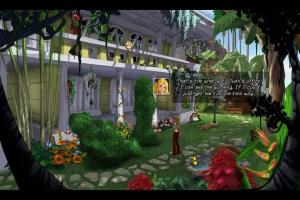
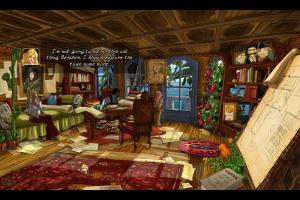



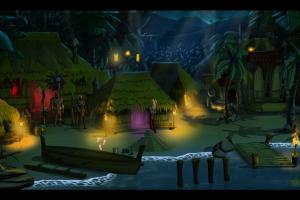
How to Play
The game has been tested on Windows 7 64-bit, Windows 10 and Windows 11, it works fine. You may experience some small troubles when you play the game on modern systems, check our Guide and Notes for details
Install & play guide:
- Mount the ISO image with disc image utility, like WinCDEmu, UltraISO, Alcohol 52%/Alcohol 120% or Daemon Tools Lite, etc.
- Install the game (if autorun doesn't work - simply launch the installation from Setup.exe inside the disc). It is recommended to install the game not in default path, but in some other, non-system folder, like
C:/Games/So Blonde - After you installed the game - use NoCD, simply copy SoBlonde.exe from the archive and put it in game folder, agree to replace original file
- Open the game folder and find SoBlonde.exe. Right click on both SoBlonde.exe -> Properties -> Compatibility -> Set "Run this app in compatibility mode with Windows XP" and "Run as administrator"
- Launch the game and play. If the game doesn't work in compatibility mode with Windows XP - try to launch it in compatibility mode with other version of Windows (Windows 2000, Windows 7, etc.)
Notes:
- If the installation doesn't start - try to launch Setup.exe in compatibility mode with old version of Windows (98, 2000 or XP)
- It is recommended to install all versions of Microsoft Visual C++ Redistributable and NET Framework for the correct work of the game. Also it is recommended to install K-Lite Codec Pack for the correct work of in-game videos
- The game works on DirectX 9, so if you're using Windows 8, 8.1, 10 or 11 - you need to enable DirectPlay: Go to Control Panel, and select 'Programs'. Select 'Turn Windows features on and off', click on 'Legacy Components' and check the box 'DirectPlay'. Select OK, once the installation is done, restart your computer
- At the first run, the game will show a Configuration Tool window, where you can change the settings. But it won't be appearing later, if you want to run it again, run the game with
-settingscommand line argument: right click on desktop shortcut -> Properties -> in theTargetline add-settingsat the end, with no quotes (should look like"C:/Games/So Blonde/SoBlonde.exe" -settings) - European version of the game was using ProtectDISC Software DRM, which doesn't work on modern systems, use NoCD to "break" the DRM protection and play without the disc. If you see the error that there's not enough space on the hard drive when you copy NoCD files - re-install the game in non-system folder, like
D:/Games/So Blonde, Windows Protection may block copying of files to system folders (likeC:/Program FilesorC:/Windows) - Some versions of the game doesn't have a DRM protection, only the simple disc check or no protection at all. Spanish, Czech and Polish version should be DRM-Free, Russian version has only the disc check. If the game asks to insert the disc, use NoCD, it should be compatible with all languages
- Alternative NoCD showed few generic warnings on VirusTotal, it is safe to use. Your antivirus may trigger on the disc of European version because of that NoCD inside, simply ignore the warning, all installation files on that disc are clear. After you installed the game, use the first NoCD, it showed 0 warnings, we added alternative NoCD just in case if the first NoCD doesn't work
- If you have problem with broken sound effects or cracking/disappearing sound - first try to change the sound settings. If it didn't work - set sound quality to 24 bit, 48000 Hz or 24 bit, 44100 Hz. Read this guide how to do that
- Don't forget to check PCGamingWiki if you have troubles!
 English
  French
  German
  Czech
Czech  Spanish
  Italian
  Polish
  Russian





Comments and reviews
No comment nor review for this game at the moment.