



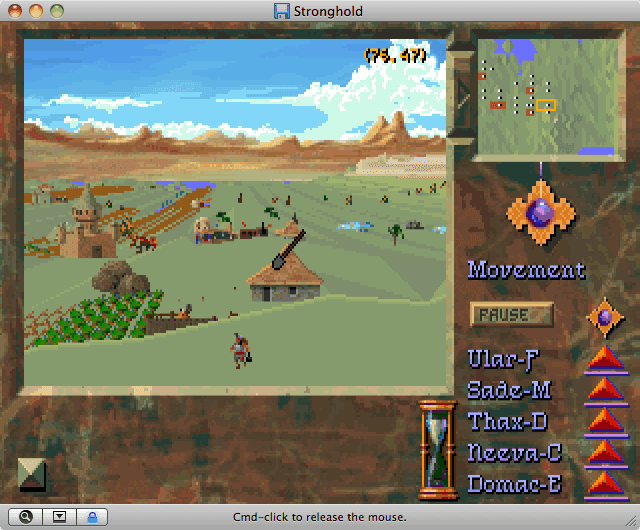
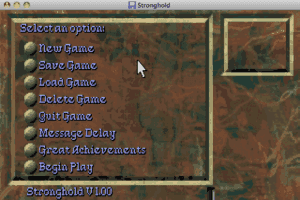
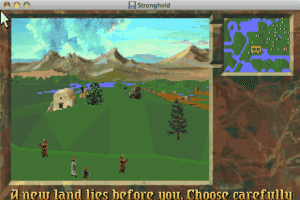
A great tactical-level strategy game set in the AD&D world, this game is SimCity meets RPG formula. Build and expand cities, recruiting the AD&D denizens (dwarves, elves, etc.) while fending off AD&D monsters.
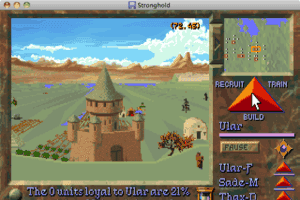
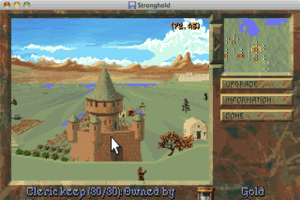
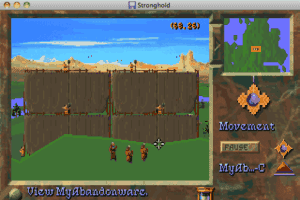
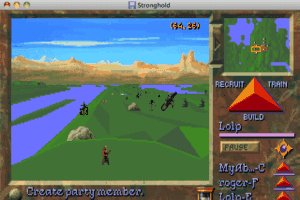
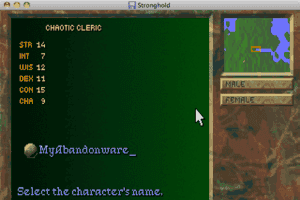
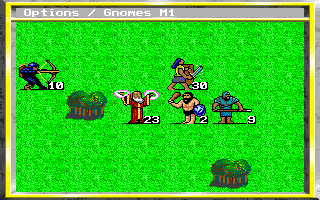
The game broke new ground not by giving you godlike control over town expansion, unit production, and resource harvesting -- since that has been a mainstay of earlier fantasy wargames -- but by displaying all the action in real-time from bird's eye view that's similar to Bullfrog's classic Populous, if only much more detailed. Each townsperson has his or her own individual traits, and you can always click on them to find out who they are and what they think of you as their ruler. As in RPGs, troops gain experience and levels with every batton won, and wizards gain access to more powerful spells.
Overall, Stronghold is a very polished fantasy strategy game that was sadly undersold. Highly recommended.
Review By HOTUD


 English

Comments and reviews
Is it me, or did they make the maps smaller than they used to be?
The "CUSTOM" option allows you to determine for yourself how many opponents appear in the world. The limit is sixty total, including all intelligence levels and a second wave of enemies that appears later.
I cannot find my old Hint Card that came in with the box. Can anyone tell me the max amount of Monster armies can be set up in Custom World creation?
Jestor- hopefully you've already figured out how to get the game working, if not-
DOS (and thus DOSbox) only allows 8 character long filenames, while Windows allows "long" filenames. The "~" indicates the name is longer than 8 characters.
You can sometimes get things to work by judicious re-naming of things to 8 characters or less. In particular, the main game program often can be renamed, as long as you leave the rest of the game's files alone.
I haven't tried this game yet, but from your comments below it appears that RENAMING the main .EXE file to "STRONG.EXE" should get it running.
You would do this from WINDOWS in the game folder by RIGHT-clicking on the Stronghold.exe file and choosing "Rename" from the popup menu, then typing in "STRONG.EXE"
This will permanently change the name to STRONG.EXE
The reason it didn't work when you tried it before was that you were trying to LOAD (RUN) that name, but that name didn't exist in the game folder.
It's a good idea to copy the entire game folder to a new folder before making any changes as a "backup" in case anything gets messed up so you can just copy all the files back into the game folder to restore everything to original.
Best game of its time.
Fun and playable
I downloaded and unzipped the file successfully. I saved the file into my DOSBox game folder but it wont let me load up the game that way.
I when loading I use this command line.
C:\cd STRONG~1
and then it wont allow me to access any of the other files attached to the game.
I have tried loading it as C:\ Strong.exe and also C:\stronghold\strong and just get and error message saying to try Strong~1.
Id love a helping hand if anyone knows how to fix it please.
Ive just moved the download to DosBox but its been ages since I used Dos. Whats the command line to unzip the .exe file so I can start playing?
Try looking for D-Fend; it's a manager that lets you play DOS games.
I love this game.
I miss this game and i have been searching for years for a version i can play. As the years go by I get further away from playing it as now I have windows 8 and dont really know how I can manipulate it to run such a game. Last time I was able to play it was windows 97.
The game is in french, just in case you are like me and didn't notice the (fr) after the title up top and didn't assume it is french. Not hard to read, honestly this is probably not a bad way to learn some basic french. Don't let it scare you off.
This, like so many of the early 90's games should be converted into apps so they can be enjoyed by new generations of gamers. Fantastic strategy game for its day.
Review of Stronghold for DOS:
http://www.youtube.com/watch?v=bBsHmu3xPX0
No comment nor review for this game at the moment.