





The Embodiment of Scarlet Devil
Windows - 2002
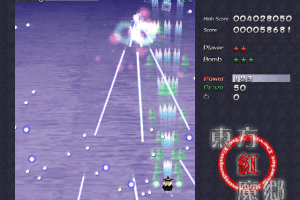
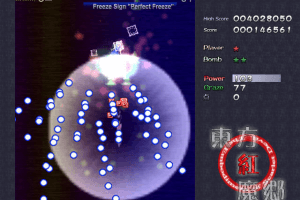
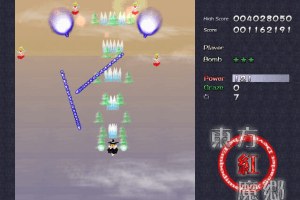
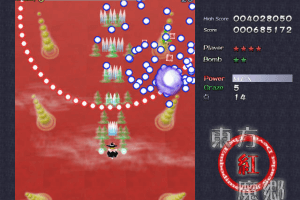
Buy on Digital Stores
The Embodiment of Scarlet Devil is available for a small price on the following website, and is no longer abandonware.
- shop.akbh.jp Buy on shop.akbh.jp

 English


Comments and reviews
It's now available to buy on Steam on a bundle with a remake of the game. https://store.steampowered.com/app/4659620/Touhou_Koumakyou_New_Classic__the_Embodiment_of_Scarlet_Devil/
"For a small fee" Yeah, $9.00 is great unironically. The fact it only ships from Japan and shipping being $55? Terrible
lmao they really said ''ohhhh it's not abandonware because it's available on some random japanese website that sells cds and NOT the software itself''
i tried to run this game a long time ago, like way before this had a payment thing, and it literally just ran at 3250131 fps or something. it was extremely loud, i couldnt even stop it i had to turn off my device, i just literally couldnt play it.
"Available for a small price" of $27 shipping fee for abandon ware. Yeah no I'll just keep looking.
It seems since the game and all other old Touhou, minus maybe the first 5, are being sold again through official means, I guess the developers or whoever holds the distribution rights is pushing out DMCAs to every site that has been distributing the game for free as abandonware.
its not free anymore on this website... fucking bullshit u_u
This Game Is Fun On Windows 7 But I Can't Even Play It On Windows 10
( made an account just for this btw ) but does anyone have an explanation as to why reimu / marisa just stops reading my arrow inputz and goez to one side of the screen without me doing anyhting ?? itz done it a couple timez now ( 5 at least .. ) and im curious if therez any way i can fix this .
Whenever I try to play windowed it just doesn't respond. Does anyone know why this happens?
made an account just to say that when running, this error box appears
"東方動作記録 コンフィグデータが見つからないので初期化しました 初回起動、画面を 32Bits で初期化しました T&L HAL で動作しま~す DirectSound は正常に初期化されました 使えるパッドが存在しないようです、残念 data/title/th06logo.jpgが読み込めないです。 DirectInput は正常に初期化されました error : Sound ファイルが読み込めない データを確認 data/wav/plst00.wav スプライトアニメ data/text.anm が読み込めません。データが失われてるか壊れています"
I changed the localization settings on my PC, but that literally just gave me an error in japanese instead of in random characters. Also already extracted the game files. I just want to at least run the game !
oh, also i'm on windows 10 so /shrug
I managed to run the game on fullscreen locked to 60fps on Win10 by using MSI afterburner. Open RivaTuner statistics server (comes with MSI afterburner), add th06.exe from the installation folder at the Application profile properties window, then set the framerate limit for th06.exe to 60fps.
Do not check force 60 fps in custom_e.exe, and do not run it in windowed mode, leave those setting at default, as changing those caused the game to freeze right after launching, like others complained in the comments.
the game like a timelapse i select a button it fast like quick silver
i have force 60 frames enabled, aswell as windowed mode but whenever i open it it doesnt do anything an then stops responding
how can i play with a mouse??
opens and then stops responding after a few seconds ):
Me ask how, if your on windows 10 you can't run the game on fullscreen.
the game keeps crashing when i start it
Q: How to fix framerate issue?
A: go to "custom_e.exe", check the option "Force 60 Frames" and select windowed mode.
ok anyone who has a directsounds.exe. problem
extract all the files it should work
how do you run the game properly like how do you run the game mine always open the log when i open the game
idk how to download it
How do i make it so its not a zip file?
Should I delete WinRAR?
Yes. A No .B
Comment Anything you want.
Nevermind I figured it out. To anyone having the problem of a bunch of random characters with 'DirectSound' somewhere in there, you just need to change your Locale for non-unicode apps to Japanese. On Win10, you can do this by going to the bottom right on your taskbar Click the Language section (should say ENG if you have it set to English) Language Preferences Administrative Language Settings (one of the links on the right) Change System Locale Japanese (Japan).
You will have to restart your computer, but it should work from there on out!
This is my first time trying to download abandonware and I honestly have no clue what I'm doing... I downloaded the game and 3 patches, but I just get errors when trying to run the game or any of the patches with really weird characters (guessing they're supposed to be Japanese characters but get messed up in translation). Any help would be amazing please!
whats the controls?
How to fix your frame rate! Game wants to switch to 640x480 but it may not choose the right refresh rate. You may have to create a custom resolution for 640x480 60hz. You can use nvidia control panel or custom resolution utility. Then make a profile in your graphics control panel to enable either vsync or fast sync for the exe. FIRST switch to your 640x480 60hz and then launch the game.
BTW make sure you get the patch and translation.
So I have enabled "Force 60 frames" yet it is still being super fast, is there anything else that can help or am I doing something wrong?
IMPERIAL BLACK NUMENORIAN, go into custom_e.exe and enable "Force 60 frames".
Flandre has lived for at least 495 years, but since she goes a little crazy due to emotional instability, she has never been taken outside the bounds of the Scarlet Devil Mansion, or rarely leaves the building itself, and as she herself never tried going outside for the respect she has to her sister, she was raised knowing nothing about the outside world. However, she has shown a desire to go outside after witnessing the events of Embodiment of Scarlet Devil. Her initial attempt to do so was blocked by Patchouli Knowledge's rain summoning magic.
To fix the speed try going into "custom_e.exe" (it should be in your Touhou 06 / (Eo)SD folder) and checking the option "Force 60 Frames".
I was looking to play this game, but have heard about the FPS problem related to playing EoSD on Windows 10 (ludicrous speed). Has it been fixed with the version available on this website, or how can it be solved?
is the gme more great of all history
I found a hitbox patch that add hitboxes from later games when holding shift here: https://www.mediafire.com/file/vive3tpn34n45qe/EoSD_focus-only_hitbox_patch.zip/file
And a patch to allow saving replays in practice mode, also like later games: https://www.mediafire.com/file/ys5x9hm44keax2b/eosd_practice_replay_patch.exe/file
hiya im a fan of touhou
epic sprite art
A couple more files I probably should link;
Update 1.02f: https://www16.big.or.jp/~zun/data/soft/kouma_update102f.EXE
Update 1.02h (requires 1.02f): https://www16.big.or.jp/~zun/data/soft/kouma_update102h.EXE
English patch: https://web.archive.org/web/20160223163548/http://homepage.ntlworld.com/steven.mitchell83/th06_english_patch_0.8.exe
Here's a more direct link to the speed fix: https://www.thpatch.net/wiki/File:vpatch_th06_for_thcrap.zip
It might be worth mentioning that there's a patch (with English translation) availible here: https://www.thpatch.net/wiki/Touhou_Patch_Center:Download
There's also an updated texture pack: https://www.mediafire.com/?tnyentanqyu
is there a way to slow it down ?
cool i can play a gensokyo does it easy
You can fix the 666 fps by switching the game to windowed/turning the bit from 32 to 16
this game always runs at like 34586239857823498372973149723 frames per second and i need a freaking time machine to keep up
hey, the download is always at 0. what is going on...?
I don't know how many frames per second this game is supposed to run at but the version I downloaded is 700 frames per second on average and I can't mentally keep up
RAIN DOWN THOSE BULLETS!!!
No comment nor review for this game at the moment.