You are on the beta version of My Abandonware. The live site is still myabandonware.com. Your favorites and ratings here are copied to the live site. Comments and other changes are not — we delete them every morning at 08:00 Paris time, when this site goes down for about an hour. Leave feedback through this link to Pastel (email required).
The beta goes down at 08:00 Paris time, in a few minutes. We rebuild the database from the live site. It comes back in about an hour.
Did anyone find a fix for the low fps during cutscenes?
-1
Heyvsaucehere09 Jan. 2025
it's an abandoware since Illusion closed its door to protect their wallet from paying, so yeah, koikatsu, ai shoujo, honey select, etc tecnically are abandoware.
2
Bush27 Aug. 2024
Just watch videos. The game is not worth playing.
-1
None06 Nov. 2023
When I hit apply on Options it just closes the Options window without changing anything. The Start Game button also just closes the launcher without launching anything.
1
RifatPlayZ24720 Aug. 2023
By setting the resolution of the game to 640x480, I no longer have to see the cutscenes as a slideshow. Yay. Too bad there's no translator.
0
I-o12 Oct. 2021
INSTALATION
1º Mount the ISO and run the Setup.exe file. Wait the setup starts and when you see another window press the keys to install: "N", "N", "i". The installatin will start. Wait. After the full instalation of the game a message will appear and you can press "F".
2º After downloaded the English launcher on this site, go to the game directory ("C:\Program Files (x86)\Illusion\A-GA") and put the "A-GA English.exe" file there. Now open the "A-GA English.exe" adjust your settings and play the game.
3
I-o12 Oct. 2021
Ok! I will let here some tips for full playing this game:
1º - Installation is simple: Just mount the ISO and run the Setup file.
2º - There is the video player broblem. If you cant see the vídeos ingame, like me, you will need to move all the files inside the "Data\AGA" directory to another directory (make a folder named "Video" and put all theese files there). Let only the "illusion.aga" inside the original folder (otherwise the game will crash). As the user AYE said, these files are the movies of the game and you can see all with a media player, if you want.
3º The game is better played with a gamepad (particulary the bosses are very hard to beat with a mouse).
4º On CHAPTER 07 you will need to play the piano on the right sequence. The right sequence is: 3,6,7,6,2,7,2,5. A short message appears and you can now enter the door on the right side of this room. So go there then read another plaque. So return to the piano and you will need to play another song. The right sequence is: 5,7,7,7,5,6,2,1.
5º After beating the last boss, in orther to beat the game you will need to pick the orbs in the right orther: White, red, red, green, yellow, white, blue, blue. Afther this you will allowed to enter the next door and the ending movie will play if you can see the videos inside the game.
ESPECIAL THANKS: 1º To this site for leting this game available here.
2º To DEngel at Gamefaqs for his complete walkthrough
5
Yury06 Nov. 2020
Lo instale en Windows 10 pero no habré más que configuraciones pero me pide permisos de japon no habre
0
Aye10 Oct. 2020
On both my Windows 10 PCs, I had to put the option to run with "Direct3D T&L HAL" and at 640x480 resolution or else the videos will run at less than 1 FPS or crash the game entirely. Legacy WMV playback seems broken on W10.
If you just can not get the game to run at all, you are welcome to play the video files directly in a media player. The files are in the "Data\AGA" directory. I dragged "m1_s100.aga" into Media Player Classic and it is the cutscene when you start a new game. MPC said the file is a Windows Media Video 9 file.
4
Yury22 Feb. 2020
This game for vertion Windows is, pleace me
0
gallon16 Feb. 2020
alguien podria esplicar la instalacion de forma detallada
3
square18 Nov. 2019
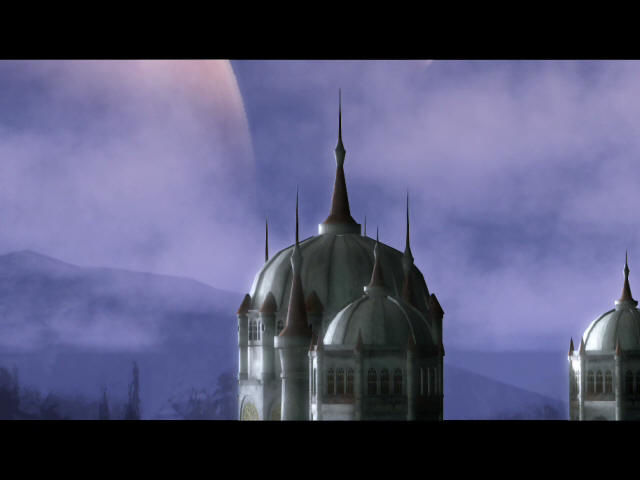
Install dx8.1, English patched, tried windows/full screen 16 and 32 bit. Black screen after start game, opening video shows planet picture only.
-2
No comment nor review for this game at the moment.








 Japanese




 English
Comments and reviews
Did anyone find a fix for the low fps during cutscenes?
it's an abandoware since Illusion closed its door to protect their wallet from paying, so yeah, koikatsu, ai shoujo, honey select, etc tecnically are abandoware.
Just watch videos.
The game is not worth playing.
When I hit apply on Options it just closes the Options window without changing anything. The Start Game button also just closes the launcher without launching anything.
By setting the resolution of the game to 640x480, I no longer have to see the cutscenes as a slideshow. Yay. Too bad there's no translator.
INSTALATION
1º Mount the ISO and run the Setup.exe file. Wait the setup starts and when you see another window press the keys to install: "N", "N", "i". The installatin will start. Wait. After the full instalation of the game a message will appear and you can press "F".
2º After downloaded the English launcher on this site, go to the game directory ("C:\Program Files (x86)\Illusion\A-GA") and put the "A-GA English.exe" file there. Now open the "A-GA English.exe" adjust your settings and play the game.
Ok! I will let here some tips for full playing this game:
1º - Installation is simple: Just mount the ISO and run the Setup file.
2º - There is the video player broblem. If you cant see the vídeos ingame, like me, you will need to move all the files inside the "Data\AGA" directory to another directory (make a folder named "Video" and put all theese files there). Let only the "illusion.aga" inside the original folder (otherwise the game will crash). As the user AYE said, these files are the movies of the game and you can see all with a media player, if you want.
3º The game is better played with a gamepad (particulary the bosses are very hard to beat with a mouse).
4º On CHAPTER 07 you will need to play the piano on the right sequence. The right sequence is: 3,6,7,6,2,7,2,5.
A short message appears and you can now enter the door on the right side of this room. So go there then read another plaque. So return to the piano and you will need to play another song. The right sequence is: 5,7,7,7,5,6,2,1.
5º After beating the last boss, in orther to beat the game you will need to pick the orbs in the right orther: White, red, red, green, yellow, white, blue, blue.
Afther this you will allowed to enter the next door and the ending movie will play if you can see the videos inside the game.
ESPECIAL THANKS:
1º To this site for leting this game available here.
2º To DEngel at Gamefaqs for his complete walkthrough
Lo instale en Windows 10 pero no habré más que configuraciones pero me pide permisos de japon no habre
On both my Windows 10 PCs, I had to put the option to run with "Direct3D T&L HAL" and at 640x480 resolution or else the videos will run at less than 1 FPS or crash the game entirely. Legacy WMV playback seems broken on W10.
If you just can not get the game to run at all, you are welcome to play the video files directly in a media player. The files are in the "Data\AGA" directory. I dragged "m1_s100.aga" into Media Player Classic and it is the cutscene when you start a new game. MPC said the file is a Windows Media Video 9 file.
This game for vertion Windows is, pleace me
alguien podria esplicar la instalacion de forma detallada
Install dx8.1, English patched, tried windows/full screen 16 and 32 bit. Black screen after start game, opening video shows planet picture only.
No comment nor review for this game at the moment.