


How to Play
Notes:
- NoCD showed few false warnings on VirusTotal. All warnings about suspicious/possibly malicious file, it is safe to use, nothing to worry about
- The game should work with no problem on modern systems, tested on Windows 7 64-bit and Windows 10. However, if you have troubles with launch - use dgVoodoo app, it should help
- There's an annoying bug when the game doesn't react on Jump button (Space key by default) sometimes. That bug is random and there's no fix for that. Also, in very rare situations the key bindings may "disappear", like the game will stop reacting on press of any button. In that case close the game through Task Manager and run it again
 English
  Russian





Comments and reviews
I forgot about one very important thing
"
Ace Lightning detects the controller too but it is messy. If you intend to use AntiMicro or Xpadder you have to unplug the gamepad before starting the game. When it is already launched connect it back. This way the game will start without detecting any controllers and you can use it with the AntiMicro setting. Otherwise, there will be a very messy conflict. Unplayable.
"
Sorry I forgot about this.
Hello guys!
I have a jump glitch fix for you.
The problem is the huge fps. Modern PCs can run this game with 1000+ fps and that is way too high. When we jump the game code executes the jump so fast that visually in the game we can see Ace already landing only. To fix that we have to use an FPS limiter and in my opinion, the best one is RivaTunner Statistic Server (RTSS). NVIDIA GPUs owners have a possibility to cap fps inside NVIDIA settings, but I have Radeon and can't explain how to do it so search it for yourself if you don't want to use RTSS.
After downloading and installing RTSS (link at the bottom of this comment) start it. You should see a dark grey, almost black window full of options. The option you are looking for is on the right side "FRAMERATE LIMIT". In the input area next to the Framerate limit words type in 59.4 (Don't ask me why 59.4, it will still show 60fps. That is just recommended value for 60fps probably to prevent frame limiter jumping between 60 and 61 fps.). If you did that you are basically done, however, keep reading because there is a minor glitch with the controls.
There is one more thing about RTSS. If you want to use fps limiter only for Ace Lightning you can just quit the software after you finish playing the game or you can add an exception to RTSS for AC. To do so in RTSS on the bottom left corner click on the green button ADD. When the window pops up navigate to the Ace Lightning executable (BBC - Ace Lightning) and click OPEN. After that Ace Lightning should appear in the games list in RTSS. Click on it and then set the 59.4 Like you did in global settings. And make sure to change the Global (also on the list) setting back to 0 (0 = unlimited frames, no cap).
CONTROLS BLITCH
In my case when I run with arrows UP and LEFT and try to jump with SPACEBAR, Ace doesn't jump. If I do UP and RIGHT Ace performs the jump like he should. There are two ways to fix it. If you intend to play with the keyboard, in the control settings in the game change jump from SPACEBAR to something else like for example C. It works for me. It appears that there is a conflict with the UP and LEFT arrows and SPACEBAR.
The second option to fix that is for controller players. We have to use an external controller mapper like Xpadder or AntiMicro to map the gamepad to the keyboard. I added the AntiMicro GitHub link at the bottom of this comment. This comment is already too long so I won't explain how to use AntiMicro, but it is intuitive. It should detect a controller automatically. Write down (Or make a screenshot) all the controls from the game and set them inside AntiMicro. You probably won't have to change the jump button to anything else if you use the mapper.
Ok, this is way too long, I just hope I could help you and this post is not a waste of my time.
https://www.guru3d.com/files-details/rtss-rivatuner-statistics-server-download.html
- Download is at the very bottom under the screenshots.
- You can turn off the fps overlay by turning off the option SHOW ON-SCREEN DISPLAY.
https://github.com/AntiMicro/antimicro
- Download on the right side "Release 2.24 - final Latest"
same on me ... glitch on jumping ... I'm on Win10 x64... is there any fix to this ??
I can't get it to work... any ideas?
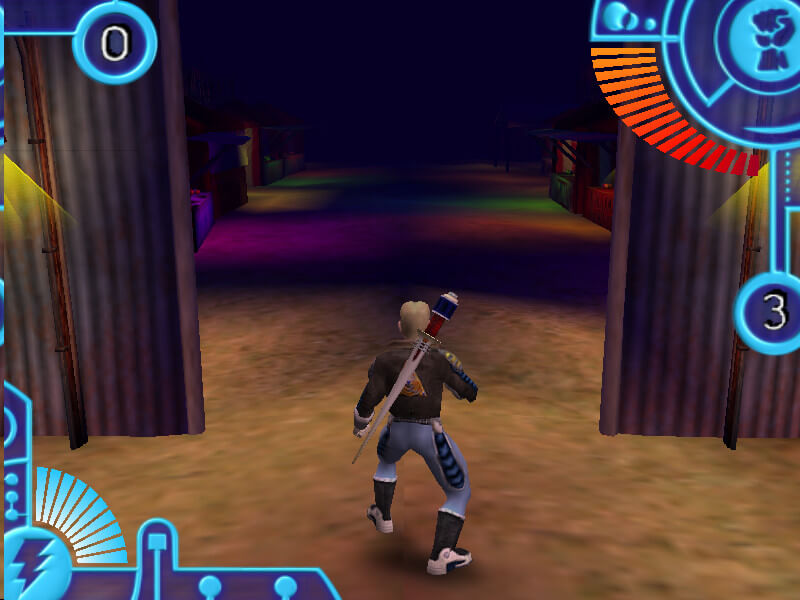
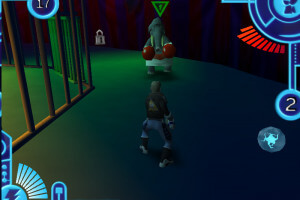
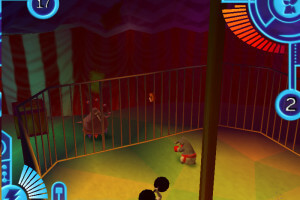
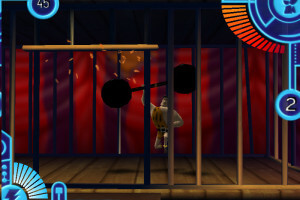
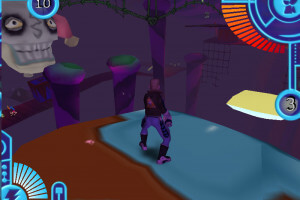
What a gem this turned out to be! Its a top down (2.5D?) action/role playing game that will run on just about any system you throw at it! Its great for short or long play sessions, I'd definitely give it a go!
Here is some gameplay from this game, feel free to use the footage for whatever!
(Link: https://youtu.be/skkKtX_8hu0)
Here is a guide that will take you through installing a multitude of game from MyAbandonware:
(Link: https://youtu.be/SJ-EjE6vgb0)
I seem to be experiencing the same issues that others have mention, in it that I an unable to jump. Though after spending some time in the world, I bet this would be an absolute gem if someone could get it up and running!
Here is some gameplay from this game, feel free to use the footage for whatever!
Here is a guide that will take you through installing a multitude of games from MyAbandonware:
(Link: https://youtu.be/SJ-EjE6vgb0)
Here is a guide that will take you through installing a multitude of game from MyAbandonware:
(Link: https://youtu.be/SJ-EjE6vgb0)
I have downloaded this nostalgic game. It's great that it plays on Win 10 but the character doesn't jump when I press space and it means that I cannot really play it. Any ideas on what might be causing the problem?
The Full rip version.There is a jump glitch.The character can double jump but it s like he just floats.Heavy glitch
Tested on Windows 10 with both Intel and Nvidia GPU ok.
Ελά να με μάθεις τελικά το μέλλον απο το 1998 ήταν η φυγή που έχει στο πλοίο του σφαριγούμενου η Αυτοψία σου μπορεί και η βία να είναι το τελικό αν είναι το μέρος και τελικός και να το λέει απο το μέρος μας έγινε το μπαγιάτικο και να το μιλάει απο το μέρος.
Me ilusione pensando que era otro juego, un demo que tenia de chico con gráficos similares pero era en una especie de mina.
Download full rip version, the iso version has a corrupt archive. Looks like a fun little game, thanks!
Good games is so nice
No comment nor review for this game at the moment.