You are on the beta version of My Abandonware. The live site is still myabandonware.com. Your favorites and ratings here are copied to the live site. Comments and other changes are not — we delete them every morning at 08:00 Paris time, when this site goes down for about an hour. Leave feedback through this link to Pastel (email required).
The beta goes down at 08:00 Paris time, in a few minutes. We rebuild the database from the live site. It comes back in about an hour.
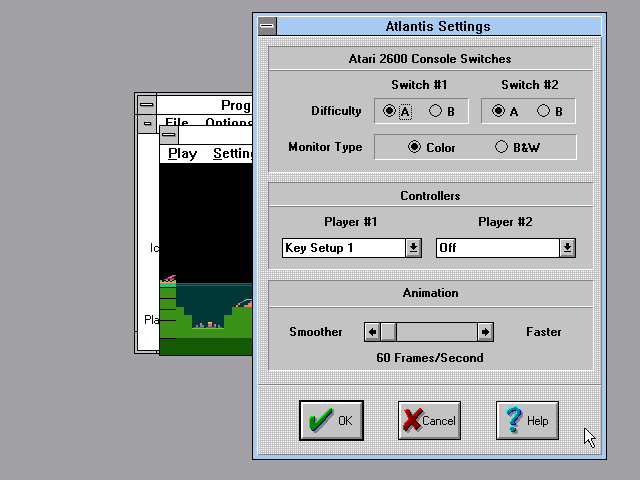
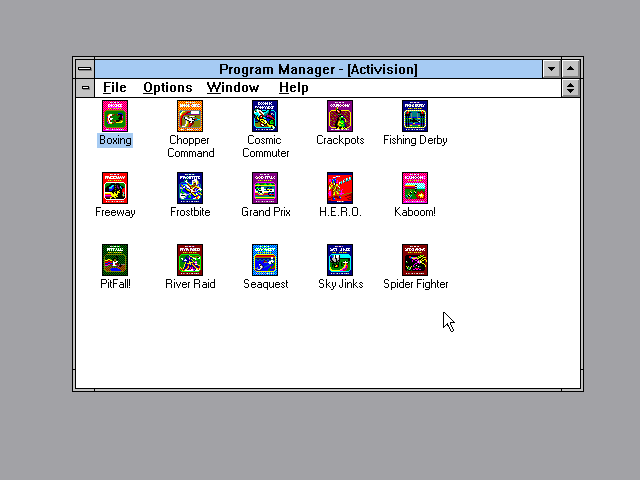
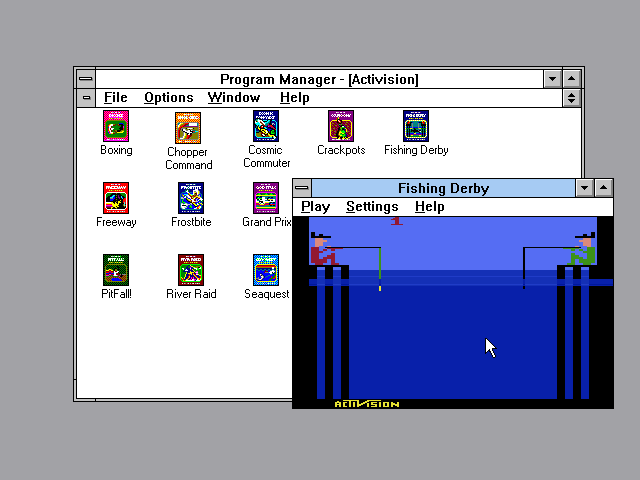
I have an installation of Windows 3.11 for Workgroups, which I set up, clean, within a DOSBox folder. I copy that original, clean installation, and then install any Win3x games or application I want to run in their own, separate, installation-spaces.
This works remarkably well for me, and is pretty painless, as I never have to worry about one program screwing things up for another, or so on. You can, if you choose, set up "auto-start the program" stuff within that version of Windows, and even have it set up to automatically close Windows once the program runs, if you like, though that's more complexity than most people will want to deal with.
Get DOSBox. The most recent version is USUALLY the best. Install it. Install Windows 3.x into that (3.11 for WorkGroups is the best choice, in my opinion). You can do this using floppy disk images. It's tedious, but pretty easy, if you understand how to mount and unmount disk images in an active DOSBox session.
Install a VGA driver within that, as well as audio drivers for the sound card you set DOSBox up to think it's running (I always go for a Soundblaster 16, but your mileage may vary!)
Once you've done it once, and have everything running properly... never touch that installation folder again. Instead, copy it to a new location and update the DOSBox startup info (links and shortcuts, etc) as necessary, and leave the original "clean." Start your "copy" version of Win3x within DOSBox, and install that program, and ideally ONLY that program, within that virtual environment. Set up a shortcut to run that version of DOSBox, and assign your game's icon to that shortcut.
0
k110 Aug. 2023
how to run games... my windows text to me: to find a version for your pc, check with the software publisher. i have win10
0
MarkTheMorose05 Aug. 2023
ROG: I suspect that a version of DOSbox that can run Windows 3.1 might work, also.
0
Rog02 Aug. 2023
Is a virtual machine running Win95 the only way to get this up and running?
0
mau05 May. 2016
unfortunately i couldnt play on mac.
0
No comment nor review for this game at the moment.





 English



Comments and reviews
I have an installation of Windows 3.11 for Workgroups, which I set up, clean, within a DOSBox folder. I copy that original, clean installation, and then install any Win3x games or application I want to run in their own, separate, installation-spaces.
This works remarkably well for me, and is pretty painless, as I never have to worry about one program screwing things up for another, or so on. You can, if you choose, set up "auto-start the program" stuff within that version of Windows, and even have it set up to automatically close Windows once the program runs, if you like, though that's more complexity than most people will want to deal with.
Get DOSBox. The most recent version is USUALLY the best. Install it. Install Windows 3.x into that (3.11 for WorkGroups is the best choice, in my opinion). You can do this using floppy disk images. It's tedious, but pretty easy, if you understand how to mount and unmount disk images in an active DOSBox session.
Install a VGA driver within that, as well as audio drivers for the sound card you set DOSBox up to think it's running (I always go for a Soundblaster 16, but your mileage may vary!)
Once you've done it once, and have everything running properly... never touch that installation folder again. Instead, copy it to a new location and update the DOSBox startup info (links and shortcuts, etc) as necessary, and leave the original "clean." Start your "copy" version of Win3x within DOSBox, and install that program, and ideally ONLY that program, within that virtual environment. Set up a shortcut to run that version of DOSBox, and assign your game's icon to that shortcut.
how to run games... my windows text to me: to find a version for your pc, check with the software publisher. i have win10
ROG: I suspect that a version of DOSbox that can run Windows 3.1 might work, also.
Is a virtual machine running Win95 the only way to get this up and running?
unfortunately i couldnt play on mac.
No comment nor review for this game at the moment.