You are on the beta version of My Abandonware. The live site is still myabandonware.com. Your favorites and ratings here are copied to the live site. Comments and other changes are not — we delete them every morning at 08:00 Paris time, when this site goes down for about an hour. Leave feedback through this link to Pastel (email required).
The beta goes down at 08:00 Paris time, in a few minutes. We rebuild the database from the live site. It comes back in about an hour.
This doesn't work on Win 11 even with Lee's instructions. It never starts whatever the compatibility mode. Anyone has solutions? :|
1
misjebaka24 Sep. 2023
The ISO one worked for me in Win 11 with no compatibility settings besides Lee's instruction!
0
admin15 Dec. 2022
Admin
Got AirShark's full RIP mirrored here, and a brand new disc image (Bin/Cue scene release by ASCENSION)
5
AirShark08 Dec. 2022
this version seems to be either outdated or have several issues, parking slots, Bus stations are not used when you place them down. also iirc there was supposed to be at least 4 scenarios, but there are only 2. so i suppose its an obsolete version.
1
admin30 Nov. 2021
Admin
Finally got a fixed ISO without DLL issue. Works fine on Windows 10 with compatibility set to XP.
2
DanDroid07 Mar. 2021
Ogg.dll Error after installing per LEE's instructions.
1
Tycoon's Tycoon19 Jun. 2020
This is killing me. The only airport tycoon i can get to work is #2 and that one sucks. I've played #1 and that one is incredibly flawed but i still played it a lot back in 2002. I really want to play this one. Please guys someone mod a patch or somethiing!
3
Yellow1321 Oct. 2019
Cannot run the game. Receive error on startup that ogg.dll is either damaged or not intended to run on Windows.
0
Nel04 May. 2019
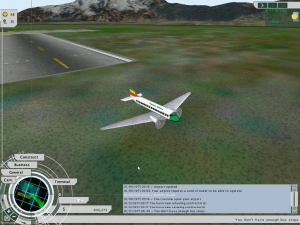
To know how to use the flight simulator.
-4
DudeBroChill19 Oct. 2018
Tried the instructions given by LEE but I keep getting an error everytime I try to play the game.
4
Lee07 Oct. 2018
You have to:
1- mount the FIRST file labeled "asc-atn3" using an ISO app (Virtual Drive) 2 - Go directly to that Virtual Drive and select AutoRun "Application File" 3 - Install the game 4 - Install Direct X 5 - Enjoy the game
-2
Lee07 Oct. 2018
Thanks! Works like a charm!
0
Mukmuk_JR10 Jun. 2018
where is the laucher?
0
hei28ssk28 Mar. 2018
Top comment
it has the ogg.dll error
6
Comrade Borya19 Mar. 2018
How do I download it? I pressed download and opened the file. I tried extracting it but none of the files are the actual game launcher. Please help.
-2
OctanGaming23415 Feb. 2018
Cool game!
0
No comment nor review for this game at the moment.






 English





Comments and reviews
I love the game!
Hers some Mods and its only patch for this game:
https://hootworld.net/at3/filemanager/index.php?act=viewall
Enjoy!
This doesn't work on Win 11 even with Lee's instructions. It never starts whatever the compatibility mode. Anyone has solutions? :|
The ISO one worked for me in Win 11 with no compatibility settings besides Lee's instruction!
Got AirShark's full RIP mirrored here, and a brand new disc image (Bin/Cue scene release by ASCENSION)
this version seems to be either outdated or have several issues, parking slots, Bus stations are not used when you place them down. also iirc there was supposed to be at least 4 scenarios, but there are only 2. so i suppose its an obsolete version.
Finally got a fixed ISO without DLL issue. Works fine on Windows 10 with compatibility set to XP.
Ogg.dll Error after installing per LEE's instructions.
This is killing me. The only airport tycoon i can get to work is #2 and that one sucks. I've played #1 and that one is incredibly flawed but i still played it a lot back in 2002. I really want to play this one. Please guys someone mod a patch or somethiing!
Cannot run the game. Receive error on startup that ogg.dll is either damaged or not intended to run on Windows.
To know how to use the flight simulator.
Tried the instructions given by LEE but I keep getting an error everytime I try to play the game.
You have to:
1- mount the FIRST file labeled "asc-atn3" using an ISO app (Virtual Drive)
2 - Go directly to that Virtual Drive and select AutoRun "Application File"
3 - Install the game
4 - Install Direct X
5 - Enjoy the game
Thanks! Works like a charm!
where is the laucher?
it has the ogg.dll error
How do I download it? I pressed download and opened the file. I tried extracting it but none of the files are the actual game launcher. Please help.
Cool game!
No comment nor review for this game at the moment.