


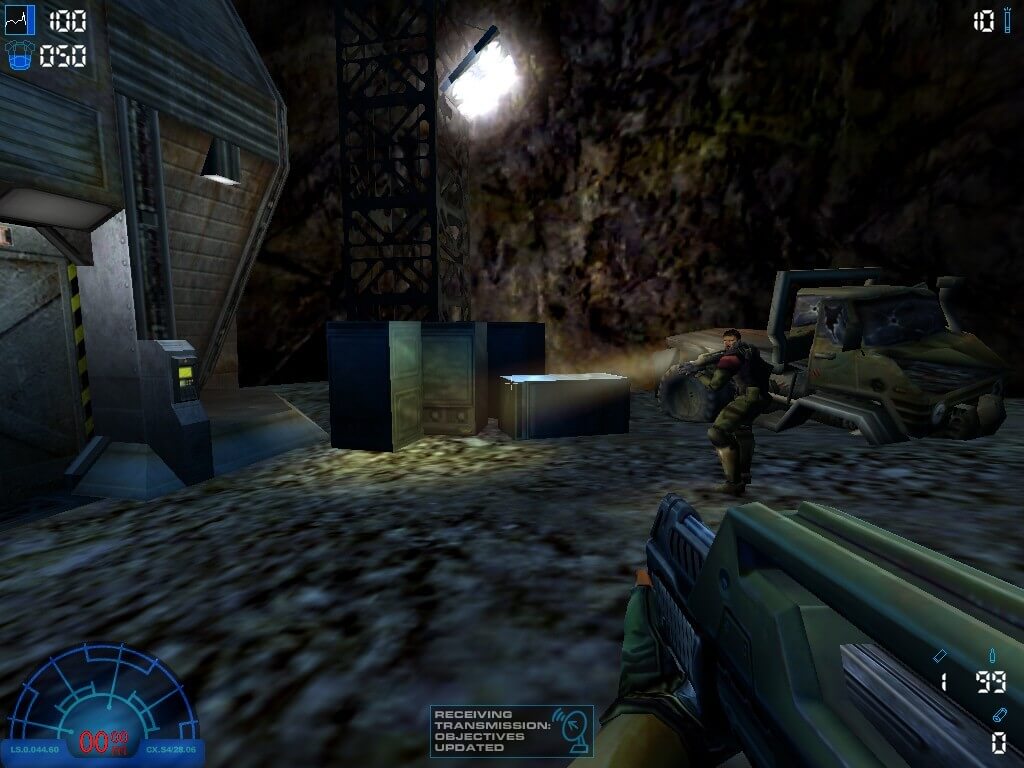
Aliens Versus Predator 2 has a very active fan community, you can find a lot of information about the game and Aliens versus Predator franchise on AvP Central and AvP Universe. Also, the game has a lot of mods, you can find it on ModDB, Nexus Mods, GameBanana, 3DShooterLegends and KingKenny's blog. And people still playing Aliens Versus Predator 2 in multiplayer, visit AvP Unknown for instructions how to join multiplayer games
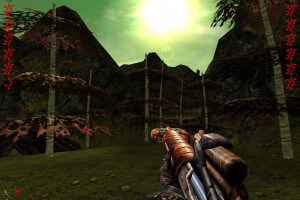
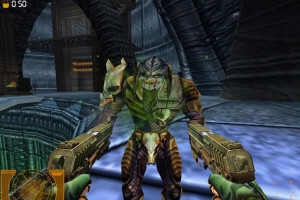
How to Play
The game has been tested on Windows 7 64-bit and Windows 10, it works fine. You may experience some small troubles when you play the game on modern systems, check our Guide and Notes for details
Install & play guide:
- Mount the disc image. You will need the utility for mounting disc image files, like WinCDEmu, UltraISO, Alcohol 52%/Alcohol 120% or Daemon Tools Lite
- Launch the installation. Select "Typical" installation to install all components of the game
- When the installation process will ask for CD2 - mount the disc image of CD2
- Skip the installation of GameSpy Arcade and registration of game at the end, press "No"
- Also it is recommended to install DirectX from the disc (if you're using Windows 10 - enable DirectPlay, read this or this guide how to do it)
- After you installed the game - install patch v1.0.9.6
- Then install updates for singleplayer (SP) and multiplayer (MP), singleplayer update fixes some bugs and multiplayer update adds 10 new maps. Installation of the updates is required only for English version of the game, in all other versions that updates are already included
- Once you installed base game with patch and updates - install Primal Hunt expansion pack
- Now install NoCDs for both AvP 2 and AvP 2: Primal Hunt - simply copy exe-files from the archive and replace exe-files with same names inside the game folders
- Open the directory with installed games and find AVP2.exe and PrimalHunt.exe. Right click on both exe-files - Properties - Compatibility - Set "Run this app in compatibility mode with Windows 98/ME" and "Run as administrator"
- Launch the game and play. Original AvP 2 runs from AVP2.exe, Primal Hunt runs from PrimalHunt.exe. If the games doesn't work in compatibility mode with Windows 98/ME - try to launch it in compatibility mode with other version of Windows (Windows 95, 2000, XP, etc.)
How to play the game in widescreen:
- The best and most recommended method is to install Master Server Patch by AvPUnknown. That patch fixes some compatibility bugs with modern systems, adds support for wide and high resolutions, plus in-game console with commands to tweak the game functions. We highly recommend to use it if you want to play AvP 2 on modern systems, there's two Master Patches, one for base game and one for Primal Hunt expansion. Master Server Patch must be installed on the game patched to v1.0.9.6 with SP & MP updates, so first install the game following our guide, then install Master Patch
- Another variant to run the game in widescreen/high resolution is to use custom launchers by SuiMachine. Please note that custom launchers are not compatible with Master Patch, so don't use both at the same time
- Third variant is to manually edit config-files, here's the guide how to do that. For more details about this method check this thread. Also, you will need to use FOV Fix for corrent display ratio (that FOV Fix also works with Master Patch, so you can use it with Master Patch if you have incorrect display ratio)
Notes:
- If the installation doesn't start - try to launch Setup.exe in compatibility mode with old version of Windows (98, 2000 or XP)
- NoCD is required for the launch because the game is using SecuROM DRM protection, which doesn't work correctly on modern systems. That NoCD "breaks" DRM protection and allows the game to work on modern systems
- It is recommended to install all versions of Microsoft Visual C++ Redistributable for the correct work of the game
- Also it is recommended to install RAD Video Tools and K-Lite Codec Pack for the correct work of the game
- The game works on DirectX 8, so if you're using Windows 8, 8.1, 10 or 11 - you need to enable DirectPlay: Go to Control Panel, and select 'Programs'. Select 'Turn Windows features on and off', click on 'Legacy Components' and check the box 'DirectPlay'. Select OK, once the installation is done, restart your computer
- For Windows 8 users: if you have low framerate in the game - use Windows 8/8.1 DDraw FPS Fix. That fix is only for Windows 8 & 8.1 users, don't use it on other versions of Windows
- If in-game cutscenes working too fast - that happens because of high framerate, you need to cap the framerate to 60 FPS. If you have installed Master Server Patch - simply open console with ~ button, enter command
showfpsto see current FPS, then enter commandframelimit 60, to cap the game on 60 FPS. Alternatively, you can set the display refresh rate to 60 Hz, or use one of framerate capping utilities - On some modern graphic cards alternate Alien and Predator vision modes are broken - the screen just turns black when you enable that modes. For vanilla game you can use AVP2 Vision fix; alternatively you can use dgVoodoo, but it is not recommended because the game with dgVoodoo have performance issues due to dynamic lighting. Or better install Master Server Patch, that trouble is fixed in that patch
- However, if you still have black screen problem even with AVP2 Vision fix or Master Server Patch - you can disable inverted vision mod, here's the guide how to do that
- Some users say that the game works too slow in full screen, but works fine in windowed mode. In that case better to run the game in borderless windowed mode, you can do it with Master Server Patch or Borderless Gaming utility
- If you have uncontrollable mouse movement in game - try to decrease DPI of your mouse, or set polling rate to 125 Hz or lower. Or install Master Server Patch, that trouble was fixed in that patch. But if you still have broken mouse movement even with Master Server Patch - use one of these fixes
- If you get "MFC Application Client Application Has Stopped Working error" - install Master Server Patch, it should resolve the trouble. If you still keep seeing that error - check this guide
- Video card apps overlays like MSI Afterburner may cause the crash of the game, so if the game crashes when you run it - change the settings of overlay, or disable it
- Don't forget to check PCGamingWiki if you have troubles, it is very useful!
Downloads
Windows version
 English







Comments and reviews
Best of the best..
let me download this games
Wonder how controller would work with this these days...
@MrSelfDestruct Fire and alt-fire are bound to mousekeys by default, just rebind to LMB and RMB in the menu.
For some reason, I can't get the hacking tool to work on the very first door. I click on primary fire and nothing happens. I've installed all of the patches, so I'm not sure what next steps to take.
67 nooooooo
o my god meme
1. cap max hz to 60hz in windows.
2. download and install game (magipack version).
3. download and install this:
https://avpunknown.com/avp2master/msp/avp2phmsinstall_1.1.zip
4. dl and put the "D3DIM700.dll" in install directory:
https://avpunknown.com/avp2files/avp2fixes/d3dim700.zip
5. start game, press play
6. select high detail
7. enter options and set desired resolution and aspect ratio.
put v-sync to "off" and performance to "best".
8. play
bro cannot u make game preinstalled like anker games
If your Primal Hunt can't play on the Master Server Patch version, u need to download the phcli.dll here to replace it: https://avpunknown.com/avp2files/avp2fixes/phcli.zip
This version's Primal Hunt doesn't work. When I try to play it gives me an error that it can't detect avp2x.rez even though I have it. Though the classic version works fine
is this a demo ?
We have updated this page, added patches & fixes, and the guide how to run the game on modern systems, check it above
@DEATHCOLD Aliens Versus Predator 2: Gold Edition is a compilation of base AvP 2 game and Primal Hunt expansion, released in one box in 2003
I have played both Alien vs Predator 2 and Alien vs Predator 2 Primal Hunt but I have never heard about Alien vs Predator 2 Gold. So what is this, a two games put together or some edition of original games?
By the way, I already have both of AvP2 games from some torrent websites from long time ago, and they work perfectly on Windows 10.
Win10 was a no go. Compatibilit and dvVdoodoo did not help sadly.
Well , I managed to get the game running on Linux in Bottles but it was a chore to do .
Images had to be converted from MDF to ISO.
Mount images and copy contents to bottle.
Run installer in WindowsXP compatibility.
Copy NoCD over to make game run.
And even then the controls are borked.
I can't look left. the game starts trembling and forces my view down to the ground.
It runs ... but so far unplayable. May dig deeper if i have time.
This did not work for me.
I installed the game and when i tried to install Directx8 it crashed whole install.
Did it again without DirectX install and it worked.
However the game will not run.
I tried WindowsXP compatability and Administrator but it did not help.
Wondering if it is a quirkc of old games and i have to install on the C: drive.
Also wondering if the vodoo glx wrapper might help. Will try and update.,
Primal Hunt image is corrupted.
RIP Version removed
the RIP version has a trojan Zpevdo.B that says its severe
For some reason AVP 2 Primal Hunt wont install it keeps asking me to make sure the disk is in, I am using Daemon Tools Lite and the exact message is:
ERROR - Unable to launch the setup program. Please make sure that your Aliens versus Predator 2: Primal Hunt CD is in the drive and try again.
PS the only reason I can even get to the message is because the disk is mounted and opened up the installer and clicked install only to be met by that message.
@VENIR The game was called Aliens vs. Predator: Extinction if I remember right, it was released for Playstation 2 and Xbox.
was ther a strategy game of this universe where colonial marines was a faction?
does anyone know are the voices in the game worth continuing to look out for a better version?
mmmmm seems the voice in the RIP version are not working. But game works though, can anyone send me how to fix this i am on Windows 10
In dealing with .iso files, we are to either burn it to any cd or dvd by programmes such as ImgBurn or Nero etc, or to extract it using an archive extractor such as PeaZip. It will produce a result in a format that no longer needs to be burnt and ready to be launched immediately.
burning the Iso version worked for me with dopple klick on the mds files.
I used the Programm ´´ImgBurn´´ from chip de
Hey, thank you for having a ton of my old favs available!
@SOCIALISM_HYPE_TRAIN Daemon tools or D-Tools as it is called nowadays, free and easy to use ;)
Can someone recommend a good program that I can mount the ISO to? Don't want to burn it to disk.
The rip would have a "fishy" installer as you call it because the installer was likely custom made by the scene group that made the rip version.
"RIP" version means that it's a version that has been drastically downsized, for example by completely removing FMVs, music, etc and/or using very extreme compression (which would then take a long time to unpack).
Back then it was done so people could download it faster because complete releases with several hundred MB or even a few GB took ages with the typical bandwidth available to most people at the time.
A14423SDQ , it`s normal for a game this old to be in .mdf and .mds format.Nothing to see, move along !
The rip version only includes the Primal Hunt expansion, plus it comes with a very strange installer, quite "fishy".
Then the iso version isn't really an iso version, the game files are split between .mdf, and .mds files, needing a external application to turn those files into .iso, just a FYI for anyone planning to download.
vou baixa pra ver, se for bom mesmo estarei de volta para baixar mais jogos. :)
No comment nor review for this game at the moment.