You are on the beta version of My Abandonware. The live site is still myabandonware.com. Your favorites and ratings here are copied to the live site. Comments and other changes are not — we delete them every morning at 08:00 Paris time, when this site goes down for about an hour. Leave feedback through this link to Pastel (email required).
The beta goes down at 08:00 Paris time, in a few minutes. We rebuild the database from the live site. It comes back in about an hour.
Is this the first Sims with all expansion packs? If so, they should put that on the description for clarification.
0
Internetarchive06 Oct. 2025
Top comment
Can still be found by googling for internet archive sims complete edition for anyone wondering. EA are dogs.
6
Iffy Bothan03 Feb. 2025
Top comment
So glad I snagged this before it got blocked. I hope Electronic Arts goes out of business. They must be desperate for a win considering how bad they’ve been doing.
22
Paul C30 Jan. 2025
So I have to agree with Clara J from above . This doesn't work on win 11 pro version 24H2. I'm not a fool i extracted the files and once you click the start application button after you mount it. It does nothing
-3
Clara J29 Jan. 2025
Just downloaded it, installed it, then when I hit play nothing happens, it just closes. I really just wanted to check it out again, to see if I would like it as much as I did when it came out, since EA may be re-releasing it and TS2 this week. I wanted to see if it would be worth buying it again or not. But it obviously doesn't work, I realized that I may have tried this a few years ago, since I do remember trying one of these TS1 free downloads, and having it not work. But as one said it won't let you save, I'm better off not bothering with it. I guess I will just buy the re-release when it comes out instead.
-5
Max31 Dec. 2024
How do I change graphics settings with the LGU repack?
save doesnt work it saves but when you reload the game your previous progress is gone
1
Sw1tch11 Oct. 2024
Is anyone else having troubles with the toilet? When sims come over they use it, but when I try to click on it it says “no actions available” and he keeps wetting the floor. Won’t even use it by himself. Any fixes?
1
Jay15 Sep. 2024
Downloaded this, loads fine, but in neighbourhood 1 the old town families are completely missing. The lots are all there but no families, anyone else experience this and know how to fix it?
0
Mattalba23 Aug. 2024
Cant see a mouse cursor is there a fix?
1
Ellie16 Aug. 2024
Just downloaded the RePack. Works perfectly on Win10. Thank you!
1
Catbro11 Aug. 2024
Guys, just download the RePack, unzip doubleclick the exe, wait and play. It's no rocket science.
1
Sasha04 Aug. 2024
I can confirm it doesn't run or instal
0
Mandy01 Jul. 2024
Muito obrigadaa!!!!! Finalmente consegui o the sims completo :DDD
0
chris29 Jun. 2024
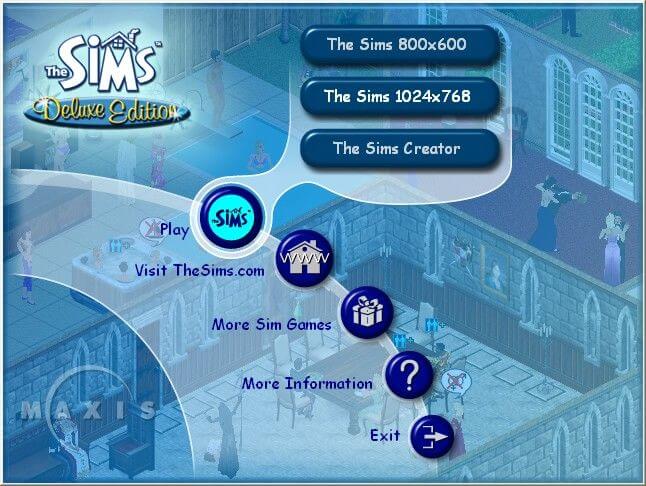
if it pops up with the "NO CD" box then u have to go in the cracks folder of the ISO file and copy the "SIMS" file and then replace the "REAL" sims file in the main game folder with the "NEW" sims file.
There are also 2 things you need to do before gaming as well: 1: have it set to always run as an administrator (without doing this the game may get stuck in a loading loop the first time you run it. Also, you may not be able to save games without doing this) 2: find the 1024x768 shortcut for the game and replace the desktop shortcut with the 1024x768 shortcut and simply rename it to The Sims. otherwise, you might be stuck at the default 800x600 resolution.
2
Déa biancucchi15 Jun. 2024
É possível instalar no celular?
1
Marcelo08 Jun. 2024
Algum comentário positivo, ou de ninguém funcionou??? Eu gostaria do jogo em Português
2
jess25 May. 2024
It installed perfectly but when I try to run the game it says that I have to insert the CD...
1
alquimiagame22 May. 2024
Heyyy.... Whhy when I try install... a window said: Catastrofic Failed.... How can I fix it?
-1
Tatiana18 May. 2024
Qual número de série tem que colocar?
0
Angry sims10 May. 2024
Yeah every time I try to play sim's one complete collection LGU Repack by Bladez1992 Version
The cursor won't appear What's happening
1
reemkb902 May. 2024
I have a problem with the mouse not working in the game. There is no mouse signal, meaning it is not visible
3
Jet13 Apr. 2024
This works great! I am so happy!
1
Jay23 Mar. 2024
Cant get it to work, I've got compatibility set to XP Service 2 and run in admin. It loads the initial box where you choose your language and res but it immediately closes when you select it. I can't uninstall it either
2
Keiser18 Mar. 2024
Thanks for the game. I'm using Windows 10, I installed the ISO version and it works great. Just have in mind that you have to run the game as an administrator and with compatibility mode for Windows XP Service Pack 2.
1
alexbob14 Mar. 2024
so cool i want more game
0
Dylixia05 Feb. 2024
Top comment
It would be great if the tutorial could be updated for Windows 11. I can download and install the game but as soon as I click play it shuts down on me.
10
JBiscuits02 Feb. 2024
When i click start and then install, i keep getting a popup saying 'an unknown error has occurred, aborting setup' and then I can't continue.
FYI - I have the compatibility set as Windows XP (Service Pack 2) and I have it set to run as administrator :)
0
kika31 Jan. 2024
When I open it and click on play the sims creator the game asks to insert the CD-ROM
-2
Ezplorer20 Jan. 2024
Andrea, you should uninstall it and install the Complete Collection. I think there's a complete collection version from OldGamesDownload too.
Btw, to prevent the game from getting stuck in an endless loop when you launch it then try doing this: • Right click on the .exe file and click on properties. Go to the “Compatibility” tab and then: • Check the box next to “Run this program in compatibility mode for” and then select “Windows XP (Service Pack 2)” in the drop down menu. • Check the “Run as an administrator” • And then click on “Apply” and then click on “Okay”. Now, launch the game by double clicking on the game icon.
I just installed The Sims 1 from Old games download website today, and now I see there is the Complete version here, hahaha! What should I do if I want to try to install the Complete version? Should I uninstall the base version before trying to install the Complete one, or installing the Complete on top of the other one should be fine?
1
MNRose13 Jan. 2024
Downloaded and loaded perfectly, working fine. However - no cursor visible so cant see where my mouse is on the page. Any thoughts?
2
Noble01605 Dec. 2023
Top comment
I can confirm it works on Windows 11.
17
Caw27 Sep. 2023
Every installation file of the Sims 1 complete collection I've encountered, I've also invariably had a component transfer error related to the SimsCreator. Something about file names, volume directory not matching (different language version I'm running here). Would anybody know how to handle this save for looking for a different file altogether?
2
Nelly16 Aug. 2023
Top comment
Could install the game without problems but upon starting the game the expansions just keep reloading and I can't click anything... help?
20
J.D.18 Jul. 2023
A small correction: about the 800x600 default resolution, it's possible to get the game working in 1024x768 (I completely forgot about this when I setup the game) it’s the highest setting without breaking this unstable game, it's because in the original exe gives you resolution options on screen/start menu in desktop, and since the alternative exe for working on win 10 it's booting directly to the game with its default resolution in 800x600 without giving you resolution options. to get the 1024x768 full screen just go to the shortcut exe right click in the shortcut destination type after Sims.exe" -r1024x768, I tested it works great and played it for couple of hours, pure nostalgia fun and didn’t get any problems whatsoever, a better experience then trying really hard with 1920x1080 which is possible but also unstable. enjoy!!!
1
J.D.17 Jul. 2023
about the getting this game to work on windows 10/11 is a bit tricky, due to the copy protection of the original ISO, getting cracked ISO online is difficult because some data is corrupted, missing files (music included). i tried few links and had the same issues with those downloads as well, so i bought the actual collection physically. after you install the game+expansions, don't run it yet, go to the main directory and change the original the Sims.exe to The Sims.old (no need to delete it or replace it), now download the alternative The Sims.exe thats works with Win 10, put it in the main directory, make a shortcut to that exe and put it where ever is necessary for you, then right click on the shortcut The Sims.exe go to settings, to compatibility, enabled compatibility mode for Windows XP Service Pack 2 or 3 and select "run as administrator", now the game should work fine, however the resolution is fixed in 800x600, that's the highest it can go without any tinkering, it's fine on older 32-bit computers, but on modern computers it looks blurry. i managed to play it in windowed mode in high resolution, right click on the shortcut for sims.exe (win10) and in the shortcut destination type after Sims.exe" -w -r1920x1080 and the game will run in windowed mode in higher resolution but it kinda sucks since it's windowed mode but its playable. also the original uninstaller for the sims is broken (never been patched officially) there's an alternative uninsaller called SimsEraser.exe you can find online, download it and put it in the main directory as well (in case you want to uninstall it).
i tried the HxD program method for the full screen 1920x1080 resolution it didn't work for me it actually made the game very unstable, started having a glitches and texture pop-in like crazy. i was forced to uninstall the game and redo everything.
I love the original sims, but it's unstable on modern PC's. the best way to play them is on older pc from windws xp/vista 2006-2011 era. thankfully still have and older 32-bit Pc from 2009 (i think) that i have still kept and playing the sims on that system is more enjoyable then my 2019 pc.
1
TelAmarth16 Jul. 2023
Tip: In Windows 11, after you've installed the game, you can't drag and drop the crack file into the installed Sims folder like the tutorial tells you. It just tries to create a shortcut onto the desktop instead. You have to right click on the crack Sims.exe and select "copy" then right click in the installed folder and click "paste". Then tell it to replace the existing sims.exe. It should work then.
0
Sgt. Jetson20 Jun. 2023
I have an issue running it on Windows 10. Have it set to run as administrator, enabled compatibility mode for Windows XP Service Pack 3, disabled full screen optimizations, activated the game with a code provided but it still crashes. I'm completely lost here. I did everything recommended to get it working and it just crashes after I click start after selecting language.
3
heyyheyy05 Apr. 2023
when I try to transfer the file to the maxis it says the storage is short on 2.5 MB help me huhu
2
Saying hi02 Mar. 2023
If you have the aborting installation error this might help you
I do everything right when trying to install this game, but it keeps coming up with 'unknown error encountered, aborting setup'. How can I stop this and just have the game download? I have a Windows 11.
1
anonymous25 Feb. 2023
for people saying its not legal, guys if a company don't sell the game anymore, users have the right to preserve and get the content, its not ilegal nothing will happen unless the company start selling it again.
1
ERICPERSON23 Feb. 2023
if anyone else has the issue where you try to run start.exe and it loads but does nothing, make sure you go into task manager and stop all processes of start.exe then go into the setup folder and run setup first instead.
0
Chris Plays Toontown Rewritten: u should too!!21 Feb. 2023
Step 1: make sure you're using windows(im running windows 11 home 64 bit) Step 2: Download ISO as it is presented on the webpage(2.0 gigabytes) BIG ORANGE BUTTON Step 3: Open the file location where you saved the downloaded file. Step 4: "EXTRACT ALL" If you dont know what this means then you shouldnt be trying to play abandonware games imo Step 5: open the extracted folder Step 6: right-click THE SIMS CC Step 7: click MOUNT Step 8: when the security warning pops up click OPEN Step 9: Open the "start" program which can be identified by a blue icon with a white gear and an adult and child sim inside the gear Step 10: click yes to the user account control pop up. Step 11: click your language Step 12: click install Step 13: If it says an error accurred then run the simseraser utility contained in the eraser folder Step 14: if step 13 happened, then just try again from step 9 Step 15: when presented with the proof of purchase DRM crap prompt(u have to enter the code) Go back into the iso file which hopefully you still have open somewhere Step 16: go into the cracks folder Step 17: open the serial.txt file in notepad or wordpad Step 18: well.... I think u can figure this part out: JUST MAKE SURE THEY MATCH Step 19: DONT PLAY THE GAME YET!!!! Step 20: go back in the cracks folder and open the folder titled the sims complete collection 1.91 Step 21: COPY the sims application and replace the one that was installed on your computer with this one. do this by pasting it in the sims folder on your storage drive Step 22: when it prompts u.... click replace file in destination folder and then for the warning click continue Step 23: in order for the game not to get stuck in a never ending loop when u start it... always run the game as an administrator
1
yeet08 Feb. 2023
for KD2, just because EA abandon this software those not mean its legal to download, matter of fact they still hold all the right to this game.
but F them, i called them trying to get it, they dont want to sell it, so fucking pirate that shit, but still this those not make it legal!
Yikes make sure you got a VPN otherwise your IP will send a C&D email/pop up. Apparently not abandoneware if they're willing to threaten you with a $10K fine.
-11
Alexander25 Aug. 2022
This game won't work on this new laptop.
-3
Khumslot08 Aug. 2022
I cant get it to go in fullscreen no matter what i do
1
k02 Aug. 2022
THANK YOU! It works perfectly on my new laptop. Yes. It comes with all the expansions. Yes. The serial number in the CRACK folder worked. After following all the tutorial: https://en.uncyclopedia.co/wiki/User:Herox/How_to_install_the_sims_complete_collection_crack I added the desktop shortcut: "C:\Program Files\Maxis\The Sims\Sims.exe" -w 1024x768, then run as admin to play. No video nor save problem.
When I didn't run as admin, the game kept trying to create expansion neighbours non-stop.
2
SimsNostalgic24 Jul. 2022
Is this the version with the magic and pets expansion? I had all the 4 cds but the 4th one broke, I'd really love to have my old game back
-3
human19 Jul. 2022
to kd2, this game is 22 years old. no one cares :)
-2
Noah18 Jul. 2022
Very good! 10/10. This site is PERFECT for retro gamers with a PC.
0
E411 Jul. 2022
Thanks for the game
0
Jenny17 Jun. 2022
So no matter what I do it just wont load, I don't know what I'm doing wrong
0
Iforgotthehamburger12 Jun. 2022
homer can kick people 10/10
-1
KP05 Jun. 2022
How does one stop the error card 'unknown error expected, aborting setup' when trying to install the game from start.exe?
2
Felps01 Jun. 2022
That's awesome! It works perfectly fine. Just switch to administrator mode and activate the compatibility mode on. And boom! The game runs smooth. Thank you!
3
Teig31 May. 2022
excited to play hopefully.
0
JOHNFORD01 May. 2022
HESTIA and DRFRAG are lying, this is the official sims complete collection
0
Joseph22 Apr. 2022
Hey! I got this to work pretty easily using the instructions above. I am running Windows 10 on Bootcamp on a 2017 15 inch Macbook Pro. Some tips- Used this for widescreen: https://pleasantsims.com/sims-1-widescreen-windowed/ Running in Windows 7 compatibility mode and as administrator. If not in compatibility mode, it cycles through the sample pack installation loads on the neighborhood screen.
Thanks so much!
4
simmergirl04 Apr. 2022
Everything downloaded good, but once I opened it, it was stuck on a loop of all the expansion packs installing. So as of right now I can't play it :(
4
xRina89x03 Apr. 2022
Everything works without problems. For the Setup problems, apply the description of user 490.This works for me. Thanks @490. And as already written start the Sims always as an administrator then there are no save problems. The game is running for me with all Addons. Thank you for making it available and also thanks to the users who gave tips and the serial number :) .
0
Tarrabyte05 Feb. 2022
If this copy gives you trouble, come to my youtube and type in "the Sims complete collection" I do videos on this game all the time and I don't mind lending a hand youtube.com/tarrabyte
3
SenorSpoons23 Jan. 2022
@chika thanks for the codes, is there a difference between the two or do they do the same thing?
0
Chika24 Dec. 2021
Top comment
Here guys :)
EQMV-73XB-F8J4-GSLX-4M67 GQ5M-8NUG-L4MG-Z7SD-4XU5
91
nico30 Nov. 2021
bruh it's begging me for the cd even i dont have it ughhh
0
Bruv25 Nov. 2021
@KD2 True, tbh i was looking for a good working torrent of sims 1 and all along i coulda download it from myabandonware xD didn't figure out really that this would be on here.
1
KD225 Aug. 2021
Top comment
Funny how some self-proclaimed software-piracy-policemen make a fool out of themselves here.
Learn what the term "abandonware" means you idiots and gthoh... *facepalm*
8
Simmer17 Aug. 2021
This needs a new ISO, ISO is corrupt
1
Ro28 Jul. 2021
I love the original sims!
0
bruh07 Jun. 2021
yeah this is literally impossible to download. the start.exe doesn't do crap, and killing the start task in task manager and then running setup.exe just gives you an error
-1
PCJunkie2123 Feb. 2021
Top comment
If anyone is scared of any of these games being a virus they are not. i have been using this website for about a year now and i have not had any viruses yet. if you are skeptical you can always run the game using a virtual machine from Virtualbox.org or Parallels if you are on a mac.
13
naufaldzol07 Feb. 2021
This is really the worst complete collection I've ever seen. It's because this might crashes your laptop and I don't recommend you to download this game. Also this must be a pirated game so install the legimate copy of this game at an authorized seller/game store near you. And I have to report this to EA about this.
-163
Bluemule202107 Jan. 2021
um is this a virus? and is it playable do you need the disk?
-26
soups29 Nov. 2020
this installation process worked just fine for me. only hiccup was i had trouble drag+dropping the cracked sims.exe file into my program files, and i had to specifically use the "move to" option at the top of the finder window.
anyway, the game loaded in ok! but the hud is doing something funky. my sims portraits were blank in create-a-sim, and then when i moved the family into the house and started furnishing, the pop up descriptions of the items would blink out AND the portraits of each item was blank. so i literally had to hover each item i could afford (which means no hope telling what those expensive items are) and guess what the comfort and decorative stats were.
i went to save the game and exit, so i could restart the game and see if that hiccup was just a one-off, but now my game's frozen. i might ctrl+alt+del and start up the game again, but i don't even want to think about looking for the missing portrait files or trying to mess with the buy-mode pop-ups. i didn't even get to really test the gameplay aspect! whew.
if anyone's experienced similar problems, lmk! altho thank you for providing a copy of the sims to begin with. the music alone was a delight to hear again.
1
Likeeoffica23 Nov. 2020
Well, this allright but can you make it so you can accutally play it please? I would really appreciate it!
1
49007 Oct. 2020
Found a solution: go into the setup folder of the ISO and run setup.exe (If you tried to run start.exe beforehand, make sure to kill the process in task manager as it will still run in the background, it just won't open anything)
4
Floyd04 Sep. 2020
The Start.exe does literally nothing. Tried all of the compatibility modes, and nothing. It shows up in task manager, but nothing actually happens. So I can't even install the damn thing, let alone anything else after.
2
animalluver9303 Sep. 2020
This is a mac iso we need a windows iso
0
Jeb12 Jul. 2020
I have downloaded it but where should I extract it? is it in the download section? or it is going to be in the ISO?? Then where should I start? is it going to be the the start.exe or setup.exe in order to start the installation?? I clicked both it still won't work, can you pls give me step by step procedure for this since im not used to ISO..
1
Jeb12 Jul. 2020
I never used ISO before, do you have step by step for this to install??
I dunno why Deo is getting downvoted. Its not rocket science. Don't install ANY older game to Program Files. Make a C:\Games or D:\ Games directory and install there. No need to faff about with disabling UAC which is a terrible thing to do from a security standpoint.
Also, compatibility mode isn't enough to get this game to work. There are multiple howtos and patches to get this game to work on modern hardware. Just googles "Sims 1 windows 10", the first link will probably be to a howto at SimsVIP, which is adequate.
-1
Cloudy04 May. 2020
Can't get it to launch even after changing the compatibility mode and running as administrator. Any advice?
2
Question Man26 Apr. 2020
I have an issue where moving in a family just puts me in buy mode and no sims are on the lot, any fix for this?
0
Natalie15 Apr. 2020
Top comment
Thank you for these uploads! I was having a bit of trouble getting it to run on my new laptop but turns out it is a super simple fix. Now its running fast. This video helped me so thought I would share. https://youtu.be/ZtBQCtLnFKc
11
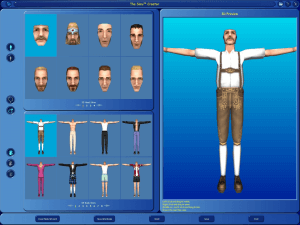
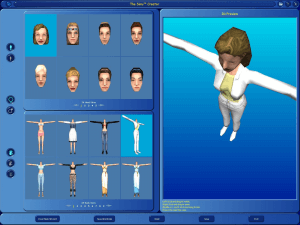
Victor05 Feb. 2020
how do you pull up ''the sims creator''?
2
mybulldog12 Jan. 2020
I have the game downloaded but it only loads to 17 percent. what can I do to play this game
-1
intan22 Dec. 2019
this is stupid!!! i cant play
-3
i_do_better13 Dec. 2019
To let you know,this will be VERY HARD to setup
0
Exsosus05 Dec. 2019
Thank you very very much for this!! I will update the original Sims forum in here that they should download this edition instead to enjoy the DLC add-ons.
Thank you community at Abandonware!
1
DRU10 Sep. 2019
how do you get it working on windows 10
1
Hestia09 Jul. 2019
This is a terrible download. Only one neighborhood exists and the original households (Goths / Newbies) are gone! Avoid at all costs. Fake complete collection download.
3
sgwedge25 Jun. 2019
if this download works then ill be buzzin la
1
Tom01 Jun. 2019
I don't get it. I installed but I can't find a single EXE to launch it...
4
realGhostMop21 Mar. 2019
Can't install from disks without disk readers, downloading to use the valid cd-key from my copy.
-4
MissBunny31 Aug. 2018
Top comment
When I make a family and attempt to move them into a home, the home loads but the family is never included and build mode is the only mode activated
20
Deeman16 Jun. 2018
Top comment
The save error occurs because the game was designed during the windows 9x days which didn't have user level protections. This is why you have to run as admin if the game is installed to the default location. (C:\Program Files\EAGames\) To fix this so Admin is not needed, you just install to a directory that doesn't require admin such as your Documents folder.
15
JJ26 May. 2018
Top comment
Solved my problem. If anyone else has problems with saving, just start the game by running it as an administrator.
12
No comment nor review for this game at the moment.
Buy on Digital Stores
The Sims: Complete Collection is available for a small price on the following websites, and is no longer abandonware.








Comments and reviews
Is this the first Sims with all expansion packs? If so, they should put that on the description for clarification.
Can still be found by googling for internet archive sims complete edition for anyone wondering. EA are dogs.
So glad I snagged this before it got blocked. I hope Electronic Arts goes out of business. They must be desperate for a win considering how bad they’ve been doing.
So I have to agree with Clara J from above . This doesn't work on win 11 pro version 24H2. I'm not a fool i extracted the files and once you click the start application button after you mount it. It does nothing
Just downloaded it, installed it, then when I hit play nothing happens, it just closes. I really just wanted to check it out again, to see if I would like it as much as I did when it came out, since EA may be re-releasing it and TS2 this week. I wanted to see if it would be worth buying it again or not. But it obviously doesn't work, I realized that I may have tried this a few years ago, since I do remember trying one of these TS1 free downloads, and having it not work. But as one said it won't let you save, I'm better off not bothering with it. I guess I will just buy the re-release when it comes out instead.
How do I change graphics settings with the LGU repack?
Macintosh Canadian version provided :
https://archive.org/download/apple_macintosh/Sims%2C%20The%20-%20Complete%20Collection%20%28USA%2C%20Canada%29%20%28En%2CFr%29.zip
save doesnt work it saves but when you reload the game your previous progress is gone
Is anyone else having troubles with the toilet? When sims come over they use it, but when I try to click on it it says “no actions available” and he keeps wetting the floor. Won’t even use it by himself. Any fixes?
Downloaded this, loads fine, but in neighbourhood 1 the old town families are completely missing. The lots are all there but no families, anyone else experience this and know how to fix it?
Cant see a mouse cursor is there a fix?
Just downloaded the RePack. Works perfectly on Win10. Thank you!
Guys, just download the RePack, unzip doubleclick the exe, wait and play. It's no rocket science.
I can confirm it doesn't run or instal
Muito obrigadaa!!!!! Finalmente consegui o the sims completo :DDD
if it pops up with the "NO CD" box then u have to go in the cracks folder of the ISO file and copy the "SIMS" file and then replace the "REAL" sims file in the main game folder with the "NEW" sims file.
There are also 2 things you need to do before gaming as well:
1: have it set to always run as an administrator (without doing this the game may get stuck in a loading loop the first time you run it. Also, you may not be able to save games without doing this)
2: find the 1024x768 shortcut for the game and replace the desktop shortcut with the 1024x768 shortcut and simply rename it to The Sims. otherwise, you might be stuck at the default 800x600 resolution.
É possível instalar no celular?
Algum comentário positivo, ou de ninguém funcionou???
Eu gostaria do jogo em Português
It installed perfectly but when I try to run the game it says that I have to insert the CD...
Heyyy.... Whhy when I try install... a window said: Catastrofic Failed.... How can I fix it?
Qual número de série tem que colocar?
Yeah every time I try to play sim's one complete collection LGU Repack by Bladez1992 Version
The cursor won't appear What's happening
I have a problem with the mouse not working in the game. There is no mouse signal, meaning it is not visible
This works great! I am so happy!
Cant get it to work, I've got compatibility set to XP Service 2 and run in admin. It loads the initial box where you choose your language and res but it immediately closes when you select it. I can't uninstall it either
Thanks for the game. I'm using Windows 10, I installed the ISO version and it works great. Just have in mind that you have to run the game as an administrator and with compatibility mode for Windows XP Service Pack 2.
so cool i want more game
It would be great if the tutorial could be updated for Windows 11. I can download and install the game but as soon as I click play it shuts down on me.
When i click start and then install, i keep getting a popup saying 'an unknown error has occurred, aborting setup' and then I can't continue.
FYI - I have the compatibility set as Windows XP (Service Pack 2) and I have it set to run as administrator :)
When I open it and click on play the sims creator the game asks to insert the CD-ROM
Andrea, you should uninstall it and install the Complete Collection. I think there's a complete collection version from OldGamesDownload too.
Btw, to prevent the game from getting stuck in an endless loop when you launch it then try doing this:
• Right click on the .exe file and click on properties. Go to the “Compatibility” tab and then:
• Check the box next to “Run this program in compatibility mode for” and then select “Windows XP (Service Pack 2)” in the drop down menu.
• Check the “Run as an administrator”
• And then click on “Apply” and then click on “Okay”. Now, launch the game by double clicking on the game icon.
Also here's a Widescreen Patcher for the Sims 1 that patches the game to a custom resolution:
https://github.com/FaithBeam/Sims-1-Complete-Collection-Widescreen-Patcher
I just installed The Sims 1 from Old games download website today, and now I see there is the Complete version here, hahaha! What should I do if I want to try to install the Complete version? Should I uninstall the base version before trying to install the Complete one, or installing the Complete on top of the other one should be fine?
Downloaded and loaded perfectly, working fine. However - no cursor visible so cant see where my mouse is on the page. Any thoughts?
I can confirm it works on Windows 11.
Every installation file of the Sims 1 complete collection I've encountered, I've also invariably had a component transfer error related to the SimsCreator. Something about file names, volume directory not matching (different language version I'm running here). Would anybody know how to handle this save for looking for a different file altogether?
Could install the game without problems but upon starting the game the expansions just keep reloading and I can't click anything... help?
A small correction: about the 800x600 default resolution, it's possible to get the game working in 1024x768 (I completely forgot about this when I setup the game) it’s the highest setting without breaking this unstable game, it's because in the original exe gives you resolution options on screen/start menu in desktop, and since the alternative exe for working on win 10 it's booting directly to the game with its default resolution in 800x600 without giving you resolution options. to get the 1024x768 full screen just go to the shortcut exe right click in the shortcut destination type after Sims.exe" -r1024x768, I tested it works great and played it for couple of hours, pure nostalgia fun and didn’t get any problems whatsoever, a better experience then trying really hard with 1920x1080 which is possible but also unstable. enjoy!!!
about the getting this game to work on windows 10/11 is a bit tricky, due to the copy protection of the original ISO, getting cracked ISO online is difficult because some data is corrupted, missing files (music included). i tried few links and had the same issues with those downloads as well, so i bought the actual collection physically. after you install the game+expansions, don't run it yet, go to the main directory and change the original the Sims.exe to The Sims.old (no need to delete it or replace it), now download the alternative The Sims.exe thats works with Win 10, put it in the main directory, make a shortcut to that exe and put it where ever is necessary for you, then right click on the shortcut The Sims.exe go to settings, to compatibility, enabled compatibility mode for Windows XP Service Pack 2 or 3 and select "run as administrator", now the game should work fine, however the resolution is fixed in 800x600, that's the highest it can go without any tinkering, it's fine on older 32-bit computers, but on modern computers it looks blurry. i managed to play it in windowed mode in high resolution, right click on the shortcut for sims.exe (win10) and in the shortcut destination type after Sims.exe" -w -r1920x1080 and the game will run in windowed mode in higher resolution but it kinda sucks since it's windowed mode but its playable. also the original uninstaller for the sims is broken (never been patched officially) there's an alternative uninsaller called SimsEraser.exe you can find online, download it and put it in the main directory as well (in case you want to uninstall it).
i tried the HxD program method for the full screen 1920x1080 resolution it didn't work for me it actually made the game very unstable, started having a glitches and texture pop-in like crazy. i was forced to uninstall the game and redo everything.
I love the original sims, but it's unstable on modern PC's. the best way to play them is on older pc from windws xp/vista 2006-2011 era. thankfully still have and older 32-bit Pc from 2009 (i think) that i have still kept and playing the sims on that system is more enjoyable then my 2019 pc.
Tip: In Windows 11, after you've installed the game, you can't drag and drop the crack file into the installed Sims folder like the tutorial tells you. It just tries to create a shortcut onto the desktop instead. You have to right click on the crack Sims.exe and select "copy" then right click in the installed folder and click "paste". Then tell it to replace the existing sims.exe. It should work then.
I have an issue running it on Windows 10. Have it set to run as administrator, enabled compatibility mode for Windows XP Service Pack 3, disabled full screen optimizations, activated the game with a code provided but it still crashes. I'm completely lost here. I did everything recommended to get it working and it just crashes after I click start after selecting language.
when I try to transfer the file to the maxis it says the storage is short on 2.5 MB help me huhu
If you have the aborting installation error this might help you
https://forums.thesims.com/en_us/discussion/950360/solution-to-unknown-error-aborting-installation-when-installing-reinstalling-sims-1
I do everything right when trying to install this game, but it keeps coming up with 'unknown error encountered, aborting setup'. How can I stop this and just have the game download? I have a Windows 11.
for people saying its not legal, guys if a company don't sell the game anymore, users have the right to preserve and get the content, its not ilegal nothing will happen unless the company start selling it again.
if anyone else has the issue where you try to run start.exe and it loads but does nothing, make sure you go into task manager and stop all processes of start.exe then go into the setup folder and run setup first instead.
Step 1: make sure you're using windows(im running windows 11 home 64 bit)
Step 2: Download ISO as it is presented on the webpage(2.0 gigabytes) BIG ORANGE BUTTON
Step 3: Open the file location where you saved the downloaded file.
Step 4: "EXTRACT ALL" If you dont know what this means then you shouldnt be trying to play abandonware games imo
Step 5: open the extracted folder
Step 6: right-click THE SIMS CC
Step 7: click MOUNT
Step 8: when the security warning pops up click OPEN
Step 9: Open the "start" program which can be identified by a blue icon with a white gear and an adult and child sim inside the gear
Step 10: click yes to the user account control pop up.
Step 11: click your language
Step 12: click install
Step 13: If it says an error accurred then run the simseraser utility contained in the eraser folder
Step 14: if step 13 happened, then just try again from step 9
Step 15: when presented with the proof of purchase DRM crap prompt(u have to enter the code) Go back into the iso file which hopefully you still have open somewhere
Step 16: go into the cracks folder
Step 17: open the serial.txt file in notepad or wordpad
Step 18: well.... I think u can figure this part out: JUST MAKE SURE THEY MATCH
Step 19: DONT PLAY THE GAME YET!!!!
Step 20: go back in the cracks folder and open the folder titled the sims complete collection 1.91
Step 21: COPY the sims application and replace the one that was installed on your computer with this one. do this by pasting it in the sims folder on your
storage drive
Step 22: when it prompts u.... click replace file in destination folder and then for the warning click continue
Step 23: in order for the game not to get stuck in a never ending loop when u start it... always run the game as an administrator
for KD2, just because EA abandon this software those not mean its legal to download, matter of fact they still hold all the right to this game.
but F them, i called them trying to get it, they dont want to sell it, so fucking pirate that shit, but still this those not make it legal!
The Sims Creator No CD Fix (use mirror link): https://games4theworld.org/downloads/fixes/
Direct link: https://games4theworld.org/Downloads/Fixes/The_Sims_Creator_Fix.rar
Yikes make sure you got a VPN otherwise your IP will send a C&D email/pop up. Apparently not abandoneware if they're willing to threaten you with a $10K fine.
This game won't work on this new laptop.
I cant get it to go in fullscreen no matter what i do
THANK YOU!
It works perfectly on my new laptop.
Yes. It comes with all the expansions.
Yes. The serial number in the CRACK folder worked.
After following all the tutorial: https://en.uncyclopedia.co/wiki/User:Herox/How_to_install_the_sims_complete_collection_crack
I added the desktop shortcut: "C:\Program Files\Maxis\The Sims\Sims.exe" -w 1024x768, then run as admin to play. No video nor save problem.
When I didn't run as admin, the game kept trying to create expansion neighbours non-stop.
Is this the version with the magic and pets expansion? I had all the 4 cds but the 4th one broke, I'd really love to have my old game back
to kd2, this game is 22 years old. no one cares :)
Very good! 10/10. This site is PERFECT for retro gamers with a PC.
Thanks for the game
So no matter what I do it just wont load, I don't know what I'm doing wrong
homer can kick people 10/10
How does one stop the error card 'unknown error expected, aborting setup' when trying to install the game from start.exe?
That's awesome! It works perfectly fine. Just switch to administrator mode and activate the compatibility mode on. And boom! The game runs smooth. Thank you!
excited to play hopefully.
HESTIA and DRFRAG are lying, this is the official sims complete collection
Hey! I got this to work pretty easily using the instructions above. I am running Windows 10 on Bootcamp on a 2017 15 inch Macbook Pro. Some tips-
Used this for widescreen: https://pleasantsims.com/sims-1-widescreen-windowed/
Running in Windows 7 compatibility mode and as administrator. If not in compatibility mode, it cycles through the sample pack installation loads on the neighborhood screen.
Thanks so much!
Everything downloaded good, but once I opened it, it was stuck on a loop of all the expansion packs installing. So as of right now I can't play it :(
Everything works without problems.
For the Setup problems, apply the description of user 490.This works for me. Thanks @490. And as already written start the Sims always as an administrator then there are no save problems. The game is running for me with all Addons. Thank you for making it available and also thanks to the users who gave tips and the serial number :) .
If this copy gives you trouble, come to my youtube and type in "the Sims complete collection" I do videos on this game all the time and I don't mind lending a hand
youtube.com/tarrabyte
@chika thanks for the codes, is there a difference between the two or do they do the same thing?
Here guys :)
EQMV-73XB-F8J4-GSLX-4M67
GQ5M-8NUG-L4MG-Z7SD-4XU5
bruh it's begging me for the cd even i dont have it ughhh
@KD2 True, tbh i was looking for a good working torrent of sims 1 and all along i coulda download it from myabandonware xD didn't figure out really that this would be on here.
Funny how some self-proclaimed software-piracy-policemen make a fool out of themselves here.
Learn what the term "abandonware" means you idiots and gthoh... *facepalm*
This needs a new ISO, ISO is corrupt
I love the original sims!
yeah this is literally impossible to download. the start.exe doesn't do crap, and killing the start task in task manager and then running setup.exe just gives you an error
If anyone is scared of any of these games being a virus they are not. i have been using this website for about a year now and i have not had any viruses yet. if you are skeptical you can always run the game using a virtual machine from Virtualbox.org or Parallels if you are on a mac.
This is really the worst complete collection I've ever seen. It's because this might crashes your laptop and I don't recommend you to download this game. Also this must be a pirated game so install the legimate copy of this game at an authorized seller/game store near you. And I have to report this to EA about this.
um is this a virus?
and is it playable
do you need the disk?
this installation process worked just fine for me. only hiccup was i had trouble drag+dropping the cracked sims.exe file into my program files, and i had to specifically use the "move to" option at the top of the finder window.
anyway, the game loaded in ok! but the hud is doing something funky. my sims portraits were blank in create-a-sim, and then when i moved the family into the house and started furnishing, the pop up descriptions of the items would blink out AND the portraits of each item was blank. so i literally had to hover each item i could afford (which means no hope telling what those expensive items are) and guess what the comfort and decorative stats were.
i went to save the game and exit, so i could restart the game and see if that hiccup was just a one-off, but now my game's frozen. i might ctrl+alt+del and start up the game again, but i don't even want to think about looking for the missing portrait files or trying to mess with the buy-mode pop-ups. i didn't even get to really test the gameplay aspect! whew.
if anyone's experienced similar problems, lmk! altho thank you for providing a copy of the sims to begin with. the music alone was a delight to hear again.
Well, this allright but can you make it so you can accutally play it please? I would really appreciate it!
Found a solution: go into the setup folder of the ISO and run setup.exe (If you tried to run start.exe beforehand, make sure to kill the process in task manager as it will still run in the background, it just won't open anything)
The Start.exe does literally nothing. Tried all of the compatibility modes, and nothing. It shows up in task manager, but nothing actually happens. So I can't even install the damn thing, let alone anything else after.
This is a mac iso we need a windows iso
I have downloaded it but where should I extract it? is it in the download section? or it is going to be in the ISO?? Then where should I start? is it going to be the the start.exe or setup.exe in order to start the installation?? I clicked both it still won't work, can you pls give me step by step procedure for this since im not used to ISO..
I never used ISO before, do you have step by step for this to install??
For everyone upset, here is a website that helped me get this running. Just follow all the steps and it works
https://simsvip.com/2018/02/09/play-sims-1-windows-10-widescreen-fix/
Uploaded a new ISO, should work
I dunno why Deo is getting downvoted. Its not rocket science. Don't install ANY older game to Program Files. Make a C:\Games or D:\ Games directory and install there. No need to faff about with disabling UAC which is a terrible thing to do from a security standpoint.
Also, compatibility mode isn't enough to get this game to work. There are multiple howtos and patches to get this game to work on modern hardware. Just googles "Sims 1 windows 10", the first link will probably be to a howto at SimsVIP, which is adequate.
Can't get it to launch even after changing the compatibility mode and running as administrator. Any advice?
I have an issue where moving in a family just puts me in buy mode and no sims are on the lot, any fix for this?
Thank you for these uploads! I was having a bit of trouble getting it to run on my new laptop but turns out it is a super simple fix. Now its running fast. This video helped me so thought I would share. https://youtu.be/ZtBQCtLnFKc
how do you pull up ''the sims creator''?
I have the game downloaded but it only loads to 17 percent. what can I do to play this game
this is stupid!!! i cant play
To let you know,this will be VERY HARD to setup
Thank you very very much for this!! I will update the original Sims forum in here that they should download this edition instead to enjoy the DLC add-ons.
Thank you community at Abandonware!
how do you get it working on windows 10
This is a terrible download. Only one neighborhood exists and the original households (Goths / Newbies) are gone! Avoid at all costs. Fake complete collection download.
if this download works then ill be buzzin la
I don't get it. I installed but I can't find a single EXE to launch it...
Can't install from disks without disk readers, downloading to use the valid cd-key from my copy.
When I make a family and attempt to move them into a home, the home loads but the family is never included and build mode is the only mode activated
The save error occurs because the game was designed during the windows 9x days which didn't have user level protections. This is why you have to run as admin if the game is installed to the default location. (C:\Program Files\EAGames\) To fix this so Admin is not needed, you just install to a directory that doesn't require admin such as your Documents folder.
Solved my problem. If anyone else has problems with saving, just start the game by running it as an administrator.
No comment nor review for this game at the moment.