You are on the beta version of My Abandonware. The live site is still myabandonware.com. Your favorites and ratings here are copied to the live site. Comments and other changes are not — we delete them every morning at 08:00 Paris time, when this site goes down for about an hour. Leave feedback through this link to Pastel (email required).
The beta goes down at 08:00 Paris time, in a few minutes. We rebuild the database from the live site. It comes back in about an hour.
I've tried it with the english version, combined with the noCD-Patch from gamecopyworld on Windows 10, with the Compatibility set to Admin-mode, 640*480 resolution and compatibility for Win 98/Me.
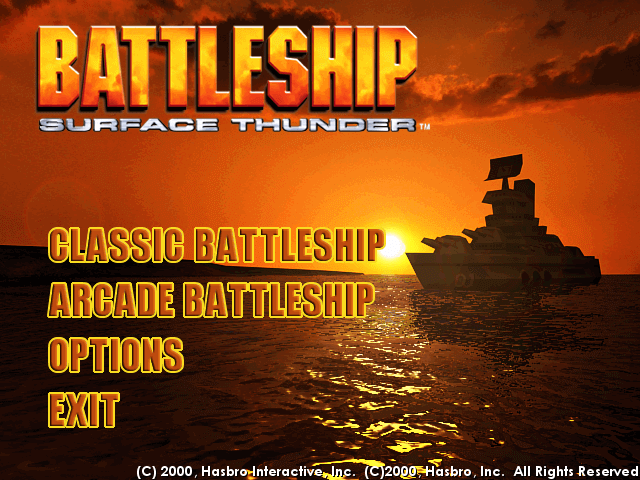
Works almost perfectly, excpet the main menu is really scuffed and borderline unusable. BUT you can still access the Singleplayer, if you have a bit of patience and can find the spot on the screen that correspond to the buttons. In game everything seems to work fine
0
Nathan05 Dec. 2024
I tried to run this game on an older computer. Downloaded the abandonware onto a flashdrive and plugged into my older desktop that is running on Windows XP i believe. However, when I click to run the Mounted Disc Image is says that I need to install/insert Sonic RecordNow! Disc. Any ideas or advice?
0
catlover44405 Dec. 2024
trying to run the game, but can't download directx 7a for some reason, I boot up the game and the game runs but looks really corrupted, any help?
use way back machine to find the 2020 snap shot of the website and use the files. 64 bit pc may have trouble with setup.exe file on .iso Use oracle virtual pc with the Windows XP mode Virtual Harddisk. install game and play inside virtual pc environment. 32 bit windows 7 and 10 maybe easier to get game to work without virutalbox. but still can be used.
0
mystic10 May. 2022
I have powerISO - have the iso mounted - Setup will not run, even with ADMIN. Can you give some directions on how to install this game. Granted the year is 2022, things have changed, but some directions on how some people got it to run, may be helpful
0
XO Battleship05 Jul. 2021
I've mounted the ISO, clicked on the Setup, ran as administrator - the disk continues to say it can't find Setup - even with it there in the directory.
I even tried copying the contents to a different folder
Setup will not run. Any advice on how to fix
0
screaming rooster01 Jun. 2021
what i try to install it the game just shut's off and does nothing, what do i do?
0
Noob42002 May. 2021
It doesn't run on my windows 10 and I can't install the older windows directx version that it says in the readme
1
DStecks18 Mar. 2021
I remember this being way better than it had any right to be. Excited to play it again and see if it holds up.
1
admin20 Jan. 2021
Admin
@EN3_Jameson got it fixed, please try again
0
EN3_Jameson20 Jan. 2021
I downloaded the .ISO and tried opening it with WinCDEmu and it says that the file is corrupted. Tried deleting it and re-downloading it and got the same thing.
0
s p a c e d08 Jan. 2021
@Larissa, the ISO image file is a digital file that has all the files that would normally be on a physical disk. The ISO file can be 'mounted' by using a program such as WinCDEmu (windows CD emulator), Daemontools (light), or any other program that pops up when you google 'iso mounting software'.
Mounting a CD image will act like you just inserted a disk into the PC, and it should prompt you for an automatic setup install like a normal disk would. If it does not, you can browse inside of the ISO after it is mounted, and find a setup.exe or something similar.
1
Larissa22 Dec. 2020
I downloaded the ISO version and it just had the disk image- am I doing something wrong?
1
No comment nor review for this game at the moment.






 English
  French
  Russian




Comments and reviews
I've tried it with the english version, combined with the noCD-Patch from gamecopyworld on Windows 10, with the Compatibility set to Admin-mode, 640*480 resolution and compatibility for Win 98/Me.
Works almost perfectly, excpet the main menu is really scuffed and borderline unusable. BUT you can still access the Singleplayer, if you have a bit of patience and can find the spot on the screen that correspond to the buttons.
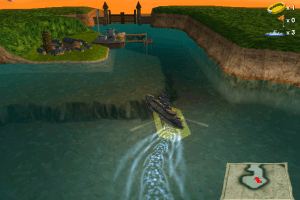
In game everything seems to work fine
I tried to run this game on an older computer. Downloaded the abandonware onto a flashdrive and plugged into my older desktop that is running on Windows XP i believe. However, when I click to run the Mounted Disc Image is says that I need to install/insert Sonic RecordNow! Disc. Any ideas or advice?
trying to run the game, but can't download directx 7a for some reason, I boot up the game and the game runs but looks really corrupted, any help?
https://www.reddit.com/r/Windows10/comments/k2ajna/is_there_a_way_to_install_directx_7_for_older/
use way back machine to find the 2020 snap shot of the website and use the files. 64 bit pc may have trouble with setup.exe file on .iso Use oracle virtual pc with the Windows XP mode Virtual Harddisk. install game and play inside virtual pc environment. 32 bit windows 7 and 10 maybe easier to get game to work without virutalbox. but still can be used.
I have powerISO - have the iso mounted - Setup will not run, even with ADMIN. Can you give some directions on how to install this game. Granted the year is 2022, things have changed, but some directions on how some people got it to run, may be helpful
I've mounted the ISO, clicked on the Setup, ran as administrator - the disk continues to say it can't find Setup - even with it there in the directory.
I even tried copying the contents to a different folder
Setup will not run. Any advice on how to fix
what i try to install it the game just shut's off and does nothing, what do i do?
It doesn't run on my windows 10 and I can't install the older windows directx version that it says in the readme
I remember this being way better than it had any right to be. Excited to play it again and see if it holds up.
@EN3_Jameson got it fixed, please try again
I downloaded the .ISO and tried opening it with WinCDEmu and it says that the file is corrupted.
Tried deleting it and re-downloading it and got the same thing.
@Larissa, the ISO image file is a digital file that has all the files that would normally be on a physical disk. The ISO file can be 'mounted' by using a program such as WinCDEmu (windows CD emulator), Daemontools (light), or any other program that pops up when you google 'iso mounting software'.
Mounting a CD image will act like you just inserted a disk into the PC, and it should prompt you for an automatic setup install like a normal disk would. If it does not, you can browse inside of the ISO after it is mounted, and find a setup.exe or something similar.
I downloaded the ISO version and it just had the disk image- am I doing something wrong?
No comment nor review for this game at the moment.