




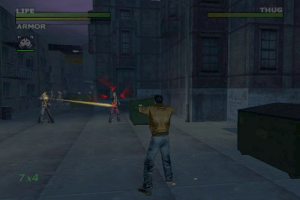
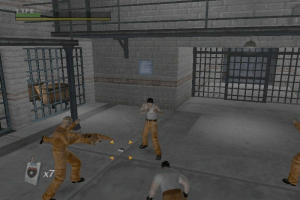
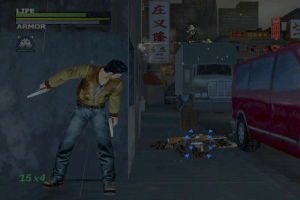
How to Play
The game has been tested on Windows 7 64-bit and Windows 10, it works fine. You may experience some small troubles when you play the game on modern systems, check our Guide and Notes for details
Install & play guide:
- Mount the disc image of CD1. You will need the utility for mounting disc image files, like WinCDEmu, UltraISO, Alcohol 52%/Alcohol 120% or Daemon Tools Lite
- Run the installation process, choose "Full Installation". It is recommended to install the game not in default path, but in some other, non-system folder, like
C:/Games/Dead to Rights. When the installation process will ask for next discs - mount the disc images of CD2 and CD3. CD2 and CD3 must be mounted in same virtual drive as CD1, so first un-mount disc image of CD1 and then mount the disc images of next CDs. In example, if CD1 was in virtual drive G:, next CDs must be mounted in virtual drive G: as well - After you installed the game - DO NOT run the game, first use NoCD, simply run Imsdtr.exe and show the path to DTRPC.exe inside the game folder, then click "Install" and NoCD installer will replace protected files automatically
- Open the game folder and find DTRPC.exe and dtrsetup.exe. Right click on both exe-files -> Properties -> Compatibility -> Set "Run this app in compatibility mode with Windows XP" and "Run as administrator"
- Run Launcher (dtrsetup.exe), select the settings and play. If the game doesn't work in compatibility mode with Windows XP - try to launch it in compatibility mode with other version of Windows (Windows 98, Windows 2000, etc.)
Notes:
- If the installation doesn't start - try to launch Setup.exe in compatibility mode with old version of Windows (98, 2000 or XP)
- It is recommended to install all versions of Microsoft Visual C++ Redistributable and NET Framework for the correct work of the game. Also it is recommended to install K-Lite Codec Pack for the correct work of in-game videos
- The game works on DirectX 9, so if you're using Windows 8, 8.1, 10 or 11 - you need to enable DirectPlay: Go to Control Panel, and select 'Programs'. Select 'Turn Windows features on and off', click on 'Legacy Components' and check the box 'DirectPlay'. Select OK, once the installation is done, restart your computer
- Be careful, all versions of the game was protected by StarForce DRM! StarForce DRM is not compatible with modern systems and can ruin it, especially if you use 32-bit version of Windows! DO NOT run the game after you installed it, to avoid the installation of StarForce drivers! Use NoCD before the first launch of the game, NoCD "breaks" DRM protection and allows to run the game without the disc. If you accidentally installed StarForce drivers - use StarForce Removal Tool (sfdrvrem) to remove it
- There's a critical bug in game when some of in-game scripts are broken if the game runs on more than 60 FPS! For example, the tutorial mission becomes unplayable because some of the scripts doesn't work on high framerates. The solution is very simple - run Launcher (dtrsetup.exe), select 60 Hz refresh rate and enable Vsync, to make the game run in 60 FPS. Use this method or one of the methods below if you get a problem with broken scripts on any level
- Alternatively, you can enable Vsync or limit the framerate in control panel of your video card, here's the guide for Nvidia Control Panel. If that didn't help - limit the game's framerate to 60 FPS with one of framerate limit utilities. For example, the easiest method is to use ThirteenAG's d3d9-wrapper, simply copy d3d9.dll & d3d9.ini in game folder, next to executable files, then open d3d9.ini in Notepad and enter
FPSLimit=60; after that save the changes and run the game - If you play on Windows XP system - install the patch to fix that bug. That patch updates the executable file of the game, which is protected by StarForce DRM, and StarForce drivers of this game works properly only on Windows XP or older. Also, that patch is not compatible with NoCD, because NoCD replaces the executable file for "cracked" one
- On Windows Vista and newer systems, you cannot remap the controls in the game, both for keyboard or gamepad. It is common trouble in old games, to fix it use Microsoft DirectInput Mapper. Also, if you started the game and the main character doesn't move - make sure that you set the controls in Launcher (dtrsetup.exe)
- If the camera doesn't react to slow mouse movements or the game doesn't react when you move a mouse - open the mouse driver's software and set polling rate to 125 Hz or lower, also try to lower the DPI of your mouse
- The game has support of wide screen resolutions, but the in-game graphics and videos will be stretched, because the game was designed for 4:3 screen ratios. Use Widescreen Fix by jackfuste to play with the correct screen ratio, simply copypaste file into game folder, select the screen resolution in Launcher (dtrsetup.exe) and run the game from DTRPC_WS.exe. Check WSGF for more details about that fix. Please note that if you will install that fix on Russian version, the in-game text will be broken
- There were reports that PC version of the game may have graphical rendering issues, if you have any graphical issues, try to run the game with dgVoodoo 2. Also, with dgVoodoo you can run the game with Antialiasing or Texture filtering
- Russian version is protected by StarForce DRM too. The archive with NoCD for Russian version also includes subtitles fix and Run Fix for better work on modern systems, check this thread for more details about NoCD. Alternatively, you can install the pack of Russian audio & video on another version of the game. That pack has full Russian audio translation ripped from unofficial PS2 release, but it doesn't contain the Russian text translation, check this page for more details
- The game has controller support. If the game doesn't recognize your gamepad - try using one of the additional tools from PCGamingWiki guide for controllers. If you have XInput-compatible controller (Xbox gamepad or similar), it is recommended to use XInputPlus tool
- If un-installer of the game show error, use the special utilities like Revo Uninstaller to delete the game
- Don't forget to check PCGamingWiki if you have troubles!
 English
  French
  German
  Spanish
  Italian
  Russian





Comments and reviews
Grand merci pour tous les efforts que vous fournissez bénévolement dans le souci de divertir et faire replonger les nostalgiques dans le bon vieux temps qui nous avait diverti agréablement!
Encore, merci infiniment !
je vous souhaie réussite et prospérité.
I made 3 CD's from the USA ISOs. Installed them on a Dell 4550 with an XP environment. Applied the XP patch (just a note, the patch said it only works on the USA release). Copied the files from the crack folder into the game's main folder. Double clicked the desktop icon, and played the game. I also had NO problems picking up the canister and detonating it, like I hear people complain about. Thank you for posting a nice complete download of this game.
i am very tired
sheeraz ali
raja
muzzammil Ali
just downloaded thegame followed "FAHAD A M" instruction the game works perfectly thank you so much
@jiujitae Try to run the game with dgVoodoo 2 https://dege.freeweb.hu/dgVoodoo2/. To use it copy dll-files from MS/x86 folder, dgVoodooCpl.exe and dgVoodoo.conf to game folder, next to executable of the game. To change dgVoodoo settings run dgVoodooCpl.exe as Administrator.
If you run the game with dgVoodoo 2, you can set 60 FPS framerate cap in dgVoodoo.conf file in FPSLimit line
It fixes the black screen problem, but it only works when I set the game to English; it doesn't work when I have the game in Spanish.
I followed all the installation steps correctly and applied the crack to the game, but when I start it, the screen stays black.
Dragos The page no longer exists.
Full-Rip by ICUP321 works just fine on Windows 10 for me.
Add this:https://archive.org/details/dead-to-rights.-7z.
How can I fix the DirectX problem?
Dead 2 rights
i am very glad to find this
We updated this page, added more language versions, plus fixes and the guide how to use them
I cannot dive when I press the Y button. What gives?
the propane tank is glitched.
I downloaded the update but the nocd patch cancels it out. And reducing the refresh rate doesn't work. any solution?
I REALLY LOVE THIS GAME IS NICE GAME
How do you solve the fact that after installing the game the screen goes black and stops working?
hello guys. i have try to download this game like 100 times but it was not succsesful, so please can soemone help me.?
People have said that this was originally going to be an Escape from NY prequel (Even I have at one point) but It turns out they only used Dead to Rights as a proof of concept.
Still would be cool If there's a Snake Pliskin skin mod though.
hahaha funny to see how people rage quit from not completing the most easy mini games just tap in rithem with the punching bag its easy just time your punches on the white spot. that means press when you see the white spot! this game is amazing. i played on the xbox 360 and it still delivers. just keep your head cool in prison once you complete it you dont have to do it again. enjoy this game its amazing!! one of my favorites
we need to download 4 files from this site
(I took English only version)
Disk 1
Disk 2
Disk 3
NOCD
extract all zip files to get ISO images
use a daemon tool to mount disk1 start setup and install.
when it asks for disk2 unmount disk1 and mount disk2 make sure disk 2 is mounted on the exactly same drive. that is when disk 1 was mounted if drive was say... D: you need to mount disk 2 as D: itself. otherwise setup will not detect and install rest. do the same for disk 3. after installing it will ask for disk 1 so unmount disk 3 and again mount disk1 as D: and finish installing rest.
now mount NOCD and run the lmsdtr.exe in it. and browse and select installed game DTRPC.exe and install the crack.
DONE.
now when you run the dtrsetup make sure that in graphics settings Vertical sync is none / default. otherwise it wont display properly.
You know what, ANON, when you can't complete some stupid mini game once or twice, then it's fine, because later you beat it and you move on. But, when you stuck for 30 minutes straight and you can't beat one mini game... well, then it's says a lot. And no, that is not my problem, it's the game's problem. You see, when I download an FPS game, third person or first person, I expect it to be just that, an action game. With straight up action, maybe some stuff that you need to collect, maybe some stealth or something like that, but the rest is pure action. But, when the game has "action" name of a genre, but it stops you at the start and forces you to beat mini game that you can't beat for 30 minutes straight, then that's the problem. That is why I don't like this game. Sure, I wanted to play it for a long time, but again, I don't like when video game stops me from moving forward, just because you have to complete one broken mini game inside it to move on. And I love video games, I love action games, but only when they do it right. And this here ain't it.
Little harsh don't you think DeathCold ? I did not have any issues with the mini games. Even on other systems. The game is pretty easy and fun to play. One of my favorites. I had no issues with the mini games. I don't know why you did. But to remove a game based on that reason. Is a bit over the top. You are either good at something or you are not. Everyone plays differently. As for the game itself i love it. And the sequels are just as much fun. Maybe you should try them DeathCold before judging. Not all of them are the same. Lol rage quit lol. Maybe you need to relax. And try it when your not in a rage :D
So I played this game and got to the level in the prison with those mini games, and I must say that those mini games forced me to rage quit because, that one where you have to punch a bag in the rhythm took too much time and if you can't complete all of the mini games, then you can't progress further. And that is why I stopped and removed this game from my hard drive. Like, it looks fun at first, but after this game starts to throw those bullshit mini games, you don't wanna play it anymore. So yeah, because of the mini games, this game sucks. And I see why it is abandoned. Because it is failed to deliver. Because, if I see an action game, then I want from it just that, an action. No mini games, no other bullshit. Just pure action. So yeah, I don't like this game and I'm not gonna check out it's sequels.
Nice! Your websites guys is just a freaking golden mine of cool old games. I'm registering now and gonna get every game from your website from now on.
About Dead to Rights game. It works almost fine on Windows 10 x64 22h2. "almost" because there is some lags at some levels here and there. But in general, it works just fine. I beat the first level until the prison level, and gonna play the rest of the game tomorrow.
Ok sorry Myabandonware.
Thanks for DTR
One Problem in the Computer Games Industrie, is from begin on every Shooter.
it says insert Disk 2 ? now what
The game works great in win10 in winxpSp3 compatibility mode, then I will test it on Linux ZorinOs, which in my experience has been the easiest distro to install win games, using wine(playonLinux).
just an update - it's because i had it set to run over 60fps that the fire extinguisher bugged, setting it to 60fps fixes it.
I got it installed and running w/ the widescreen patch. but it's bugged at the propane tank in the first level. doesn't pick it up, so you can't throw and shoot it.
Does anyone have a clean install RIP? I'm not willing to infect my PC with StarForce to replay this game.
Nice game
Anyone know how to run this game properly? I keep getting a "Copy Protection System" message whenever I try to launch the game.
So here's a super fun fact about this game.
This started as a prequel to Escape from New York.
It's a very good game
Hi! Does the problem with the controls only apply on controllers? or does it affect keyboard too?
If you can get in on consoles/emulation go with that instead, much better controls and widescreen options not to mention no EAX sound issues like PC version.
Hey, Alex. I tried to play this game earlier this year, and I can say that control settings is the problem of poor port. Originally game released on consoles in 2002, and then was ported to PC in 2003. I had a lot of troubles trying to play it on PC, had to use gamepad.
The only way to remap the buttons - use Microsoft DirectInput Mapper, as it's mentioned here https://www.pcgamingwiki.com/wiki/Dead_to_Rights#Input_settings
I suggest to play second game instead https://www.myabandonware.com/game/dead-to-rights-ii-eph Worked much better on my old laptop
The control settings do not work.
greetings
Alex
No comment nor review for this game at the moment.