

How to Play
The game has been tested on Windows 7 64-bit, Windows 10 and Windows 11, it works fine. You may experience some small troubles when you play the game on modern systems, check our Guide and Notes for details
Install & play guide:
- Mount the disc image. You will need the utility for mounting disc image files, like WinCDEmu, UltraISO, Alcohol 52%/Alcohol 120% or Daemon Tools Lite
- Install the game (if autorun doesn't work - simply launch the installation from Setup.exe inside the disc). It is recommended to install the game not in default path, but in some other, non-system folder, like
C:/Games/Psi Ops - European multilingual version on our website is DRM-Free, so you don't need to use any NoCD after the installation
- Open the game folder and find PsiOps.exe. Right click on PsiOps.exe -> Properties -> Compatibility -> Set "Run this app in compatibility mode with Windows XP" and "Run as administrator"
- Launch the game and play. If the game doesn't work in compatibility mode with Windows XP - try to launch it in compatibility mode with other version of Windows (Windows 98, Windows 2000, etc.)
Notes:
- If the installation doesn't start - try to launch Setup.exe in compatibility mode with old version of Windows (98, 2000 or XP)
- It is recommended to install all versions of Microsoft Visual C++ Redistributable and NET Framework for the correct work of the game. Also it is recommended to install K-Lite Codec Pack for the correct work of in-game videos
- The game works on DirectX 9, so if you're using Windows 8, 8.1, 10 or 11 - you need to enable DirectPlay: Go to Control Panel, and select 'Programs'. Select 'Turn Windows features on and off', click on 'Legacy Components' and check the box 'DirectPlay'. Select OK, once the installation is done, restart your computer
- European multilingual version on our website is DRM-Free release, you can simply install & play, NoDVD is not required. We added NoDVD just in case if someone will be looking for it, because the original release of the game was protected by infamous StarForce DRM. That NoDVD showed some generic warnings about suspicious/unsafe file, it's the usual thing with "cracks", NoDVD are safe to use
- European version has support for 5 languages: English, French, German, Spanish & Italian. You can change the language of installed game through Windows Registry: open it (press Win+R -> type regedit.exe and press Enter), go to
HKEY_LOCAL_MACHINE/SOFTWARE/WOW6432Node/GAMESTAR/PsiOpspath (if you use 32-bit Windows OS, the Registry path is the same but withoutWow6432Node), and change theLanguageparameter: 1 for English, 2 for French, 3 for Italian, 4 for Spanish, 5 for German. Close the Windows Registry and run the game - The game also had a freeware release with ads, it was available for download on Midway's website. That version was requiring the Internet connection to play, MajorGeeks website fixed it and now the freeware version is playable without the Internet. You can download that variant on MajorGeeks website or on our website, it has no DRM. By default that version comes with English language, but you can change it to another language, follow this guide (if you use 32-bit Windows OS, the Registry path is the same but without
Wow6432Node) - If you get error 0xc0000142 or the game doesn't start - add PsiOps.exe to the exceptions of DEP (Data Execution Prevention): go to
Control Panel -> System Properties -> Advanced System Settings. From theSystem Propertiesdialog, selectSettings. Select theData Execution Preventiontab. Select "Turn on DEP for all programs and services except those I select". ClickAddand use the browse feature to show the path to the program executable you want to exclude, in that case PsiOps.exe inside the game folder. Here's the guide with pictures. If that doesn't work, try adding it as an exception in Windows Security's DEP settings, follow this guide - If you can't begin to play or the game doesn't respond when you press a key - reset to the defaults in the keyboard settings
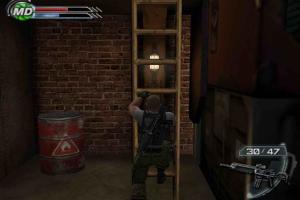
- If you have gameplay issues, such as ladders killing the main character, jumping not working or you see ghosting when main character moves - that happens when the game runs on more than 60 FPS framerate. Enable Vsync in game settings to lock the framerate to 60 FPS. If it didn't help - enable Vsync or limit the framerate in control panel of your video card, or limit the game's framerate to 60 FPS with one of framerate limit utilities. For example, the easiest method is to use ThirteenAG's d3d9-wrapper, simply copy d3d9.dll & d3d9.ini in game folder, next to executable file, then open d3d9.ini in Notepad and enter
FPSLimit=60; after that save the changes and run the game - By default the game supports only 4:3 screen ratio resolutions. But you can play the game in wide screen resolutions by using Widescreen Fix by ThirteenAG. To install it simply copy all files from the archive and put in game folder, then open PsiOpsTheMindgateConspiracy.WidescreenFix.ini inside
Psi Ops/scriptsfolder and changeResX =andResY =parameters to enable the screen resolution you need (for example, if you want to run the game in 1920x1080 mode, makeResX = 1920andResY = 1080). However, with that fix all in-game videos will be playing on the left side of the screen, that issue is not fixed yet - Alternatively, you can run the game in widescreen resolutions with dgVoodoo 2, but the image will be stretched. But you can change dgVoodoo settings through dgVoodoo Control Panel (dgVoodooCpl.exe) and enable 4:3 screen ratio, and play in high 4:3 screen resolution
- The game has support of Surround Sound, use DSOAL utility to enable it on modern systems
- Be careful, Russian version is still protected with StarForce DRM! StarForce DRM is not compatible with modern systems and can ruin it, especially if you use 32-bit version of Windows! DO NOT run the game after you installed it, to avoid the installation of StarForce drivers! Use NoDVD before the first launch of the game, NoDVD "breaks" DRM protection and allows to run the game without the disc. If you accidentally installed StarForce drivers - use StarForce Removal Tool (sfdrvrem) to remove it
- NoDVD for Russian version showed some generic warnings on VirusTotal scan. All warnings are generic, about suspicious/unsafe file, it's the usual thing with "cracks", NoDVD are safe to use. Check this thread for more details about that NoDVD
- The game doesn't have the controller support. If you want to play with gamepad, use additional tools that convert controller input to keyboard, check PCGamingWiki guide for controllers
- Don't forget to check PCGamingWiki if you have troubles!
 English
  French
  German
  Spanish
  Italian
  Russian





 Czech
Czech 


Comments and reviews
tim matthews reshade with add on support (otis inf shader toggler)
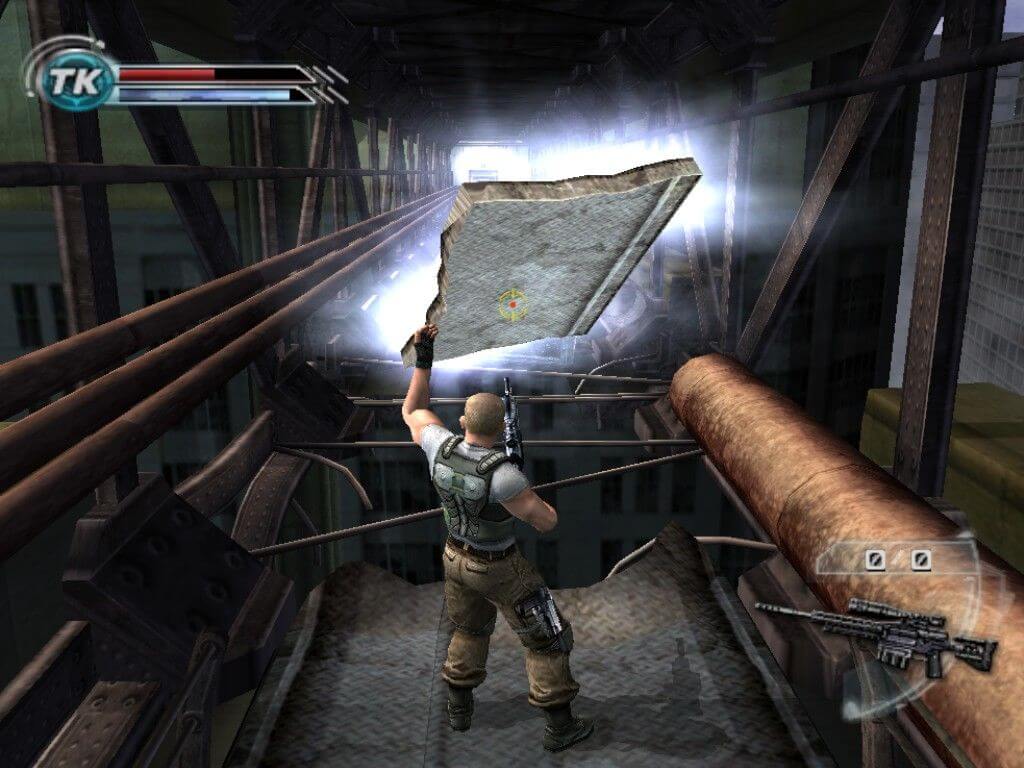
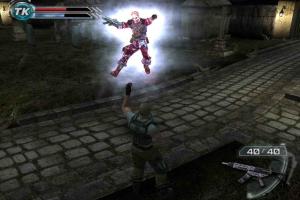
Telekinesis FX lag my game. Any way to reduce those particles? It took me two years to defeat Marlena and now it's even harder figthing all the Aura Beasts. I don't remember having these issues on my PS2 (R.I.P.).
Everything else works fine.
Seems to work great when I use it, except for trying to make it windowed mode.
F11 crashes the game (Makes me wonder if this works initially, but the game can't handle it).
Alt+Enter didn't work.
Borderless Gaming didn't even try (Even with it as Administrator and Psi-Ops wasn't).
Windowed Borderless Gaming tried, but couldn't do it (Even as Administrator while Psi-Ops wasn't).
Also tried another program, but forgot what it's called, but it didn't work either.
It's becoming where the only way I can think of is to create a virtual machine for the game, which I have no clue how to do that, so if anyone knows if there's another way, that'd be great.
In terms of if the game works, for me, it works after download, both the unmodified version of the game, and the dgVoodoo version, as well as if I add the Widescreen fix. Didn't need to change to XP, didn't need to run it as Administrator, it just worked.
Interesting game.
Is there any demo available? It would be good to try that first.
Good stuff.
@Yancakes Try to lower the DPI of your mouse, also make sure that framerate is locked to 60 FPS (check Notes in the guide above for details)
Anyone having a problem with the controls making the camera super jittery? The camera is TOO reactive to my mouse movements
We updated this page, added more language version, also replaced the Multi-5 version for DRM-Free release, with no StarForce. Plus we added the guide for most common issues, don't forget to check it if you have troubles
wow love that Game
Works great on steam deck. I'm still trying to map the keys to the controller though :0)
Thank you @MATEUSAURI!!! Worked like a charm! This game BLEW MY MIND as a young highschooler :) SO GOOD!
Connection refused error?
mateusauri's solution worked for me on Windows 10
Fixed by MajorGeeks version works like a dream aside from having to cap frame rate to avoid bugs, and disable secondary screens as no mouse lock to app. Awesome game, a classic
The game seems fine but I get a random lag spike if there is a hint shows up on screen or if I open inventory. Or if there is too much going on on screen. And then again, the mouse is too sensitive. Like, I turn it a little bit but it sends my camera flying after that, which makes it impossible to aim properly.
Upload Neurlolink.
@J according to PCGamingWiki, ladders and several other things are tied to the framerate
try limiting the framerate to 60 FPS and see if it fixes your problem, there's a link to the article with possible instructions in this page (right above the Captures and Snapshots)
Game works, but I get to a ladder and try to climb down and it glitches and bricks my game/or launches me into the grown killing me with fall damage
To whoever is having problems with the 0xc0000142 error, I just found a solution.
You just gotta add the game's executable to the Windows Security exception list and turn off DEP for it.
I listed the step-by-step instructions on PCGamingWiki, but here's a backup:
1 - Open Windows Security
2 - Head over to App & browser control
3 - Click Exploit protection settings
4 - Go to the Program settings tab
5 - Click Add program to customize, and then Choose exact file path
6 - Navigate to and select PsiOps.exe
7 - Scroll down to Data Execution Prevention (DEP), then check Override system settings and make sure it is turned Off underneath
8 - Apply and restart the game
it is my favourite game
@Admin, please upload Magipack Repack of this game.
Thank you
Big not work in windows 10 error 0xc0000142 how fix ?
Does the "Fixed by MajorGeeks" version contain starforce?
I remember this game when i was akid and loved it found a video by a guy im currently watching on youtube
i've downlooad the freeware edition and try to set the italian language how pcgamingwiki say's but i can't find the registry path, what can i do?
Also getting the 0xc0000142 error in Windows 10. I've tried all the solutions the internet recommends and still can't get it working.
Application Error 0xc0000142 on Win10. how to fix it ??
I want to see Remakes in future of old games like PSI -OPS , The Suffering
i used the "Original ISO Version" works great although the mouse is a little hard to control it sends me all over the place (spinning around 180) the game was really meant for a controller, if you're using dual screens or more i recommend moving them out of the way in your "display settings" in windows, the mouse likes to track off the game and sends you right back to desktop at least in my case aside
yeah but is it safe?
Doesn't working on windows 10. Error 0xc0000142.How can i fix it?
@ Wasdniq123, just install in it within a VM or create a specific wine prefix in Linux and install it, then you can just delete the wine prefix when your finished the game.
Does this version have starforce drm?
Or is it fine to actually install without risking my pc?
IT IS THROUGHT WHEN DOWNLOADING THE GAME
THE GAME IS TOO SLOW WHEN DOWNLOADING
Awesome game! I just can't believe I see it here.
No comment nor review for this game at the moment.